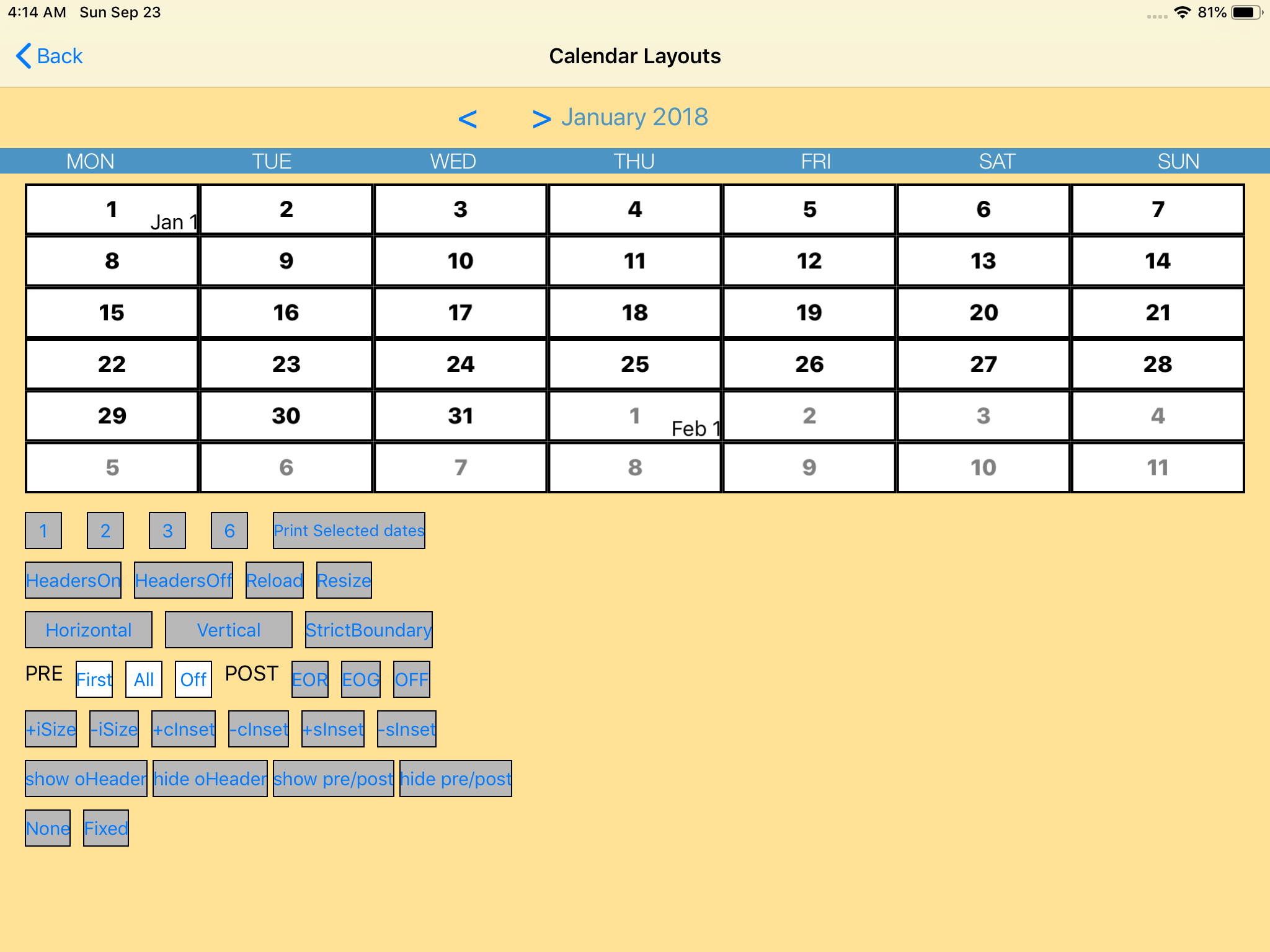
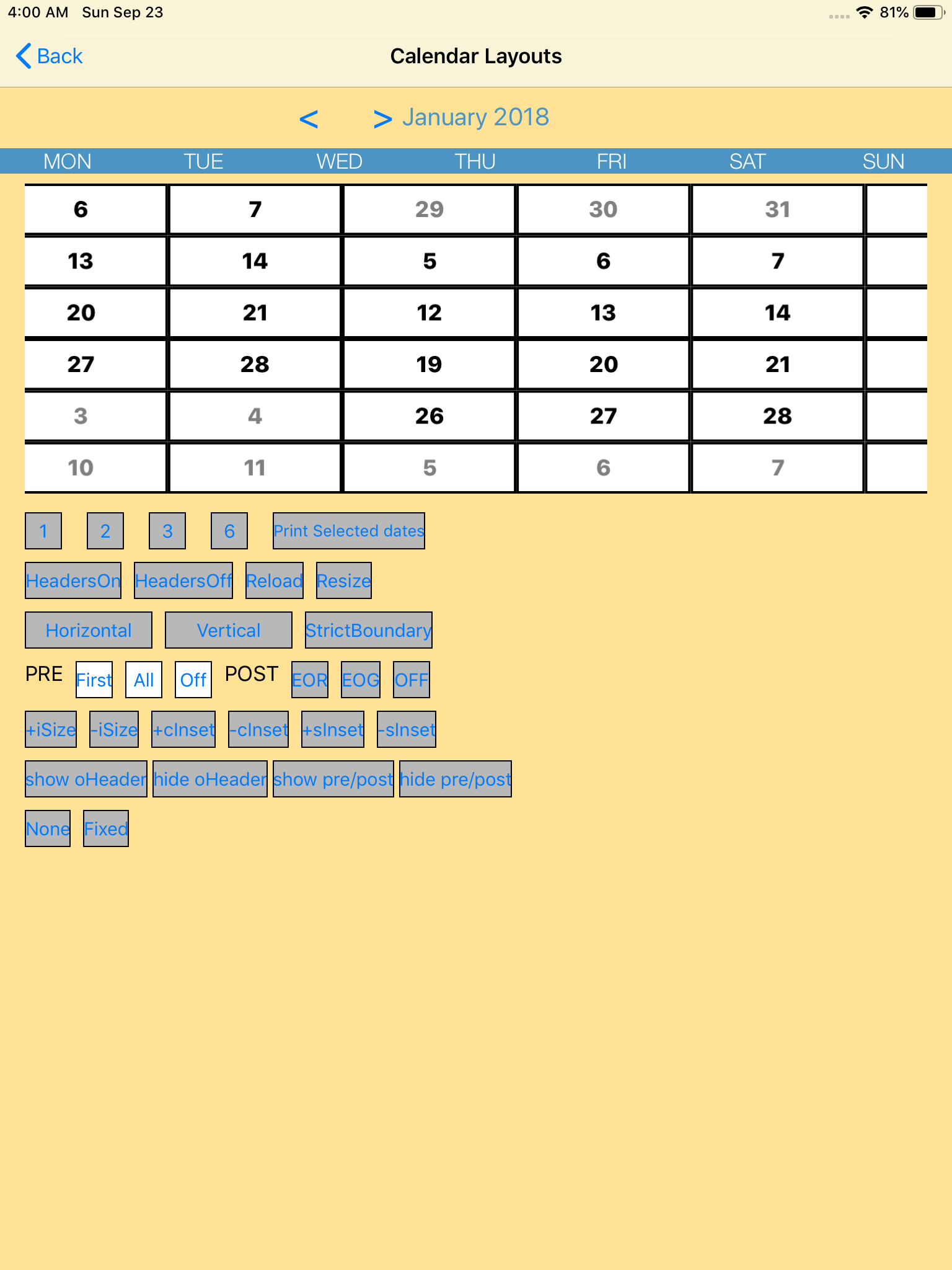
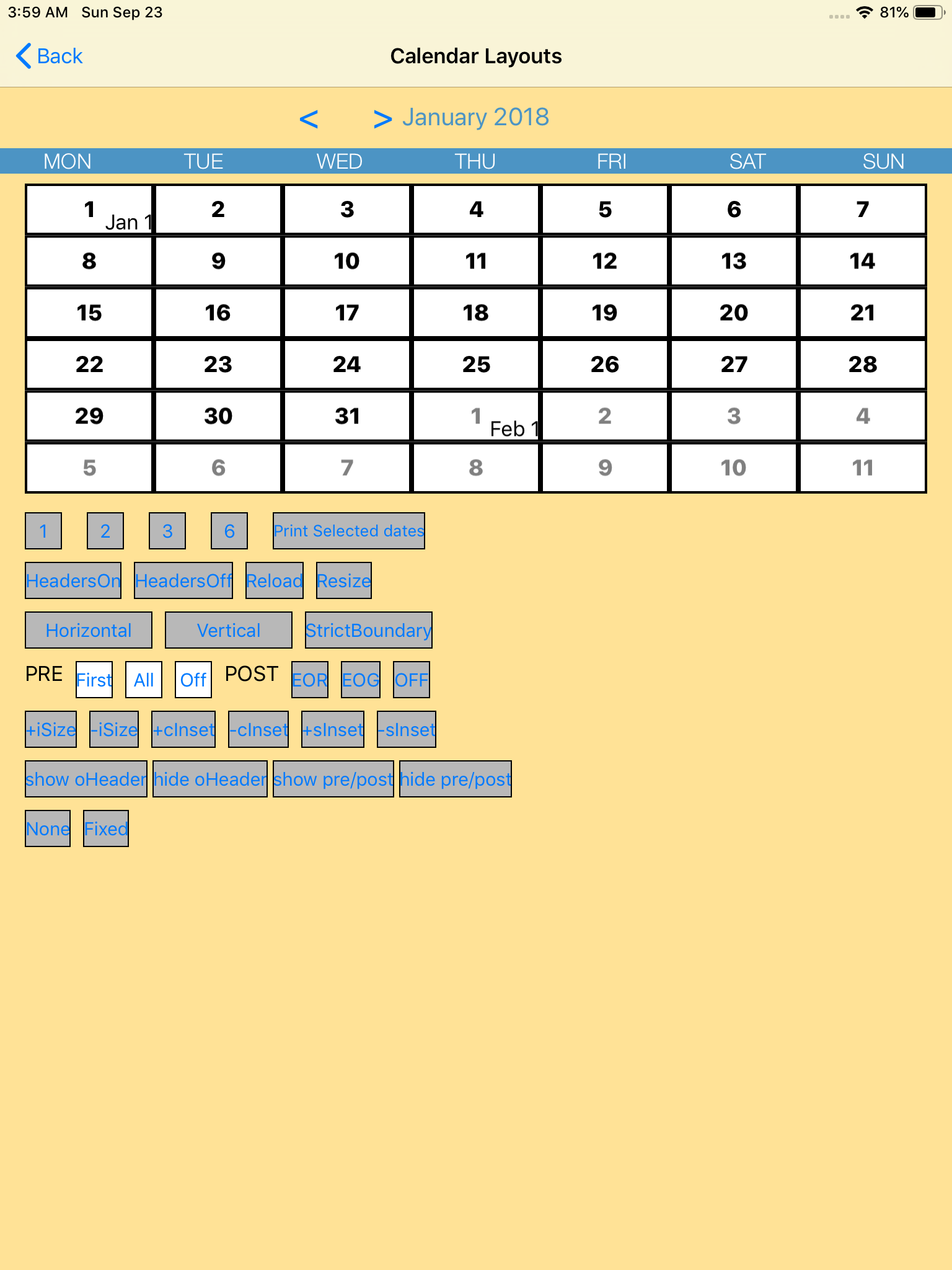
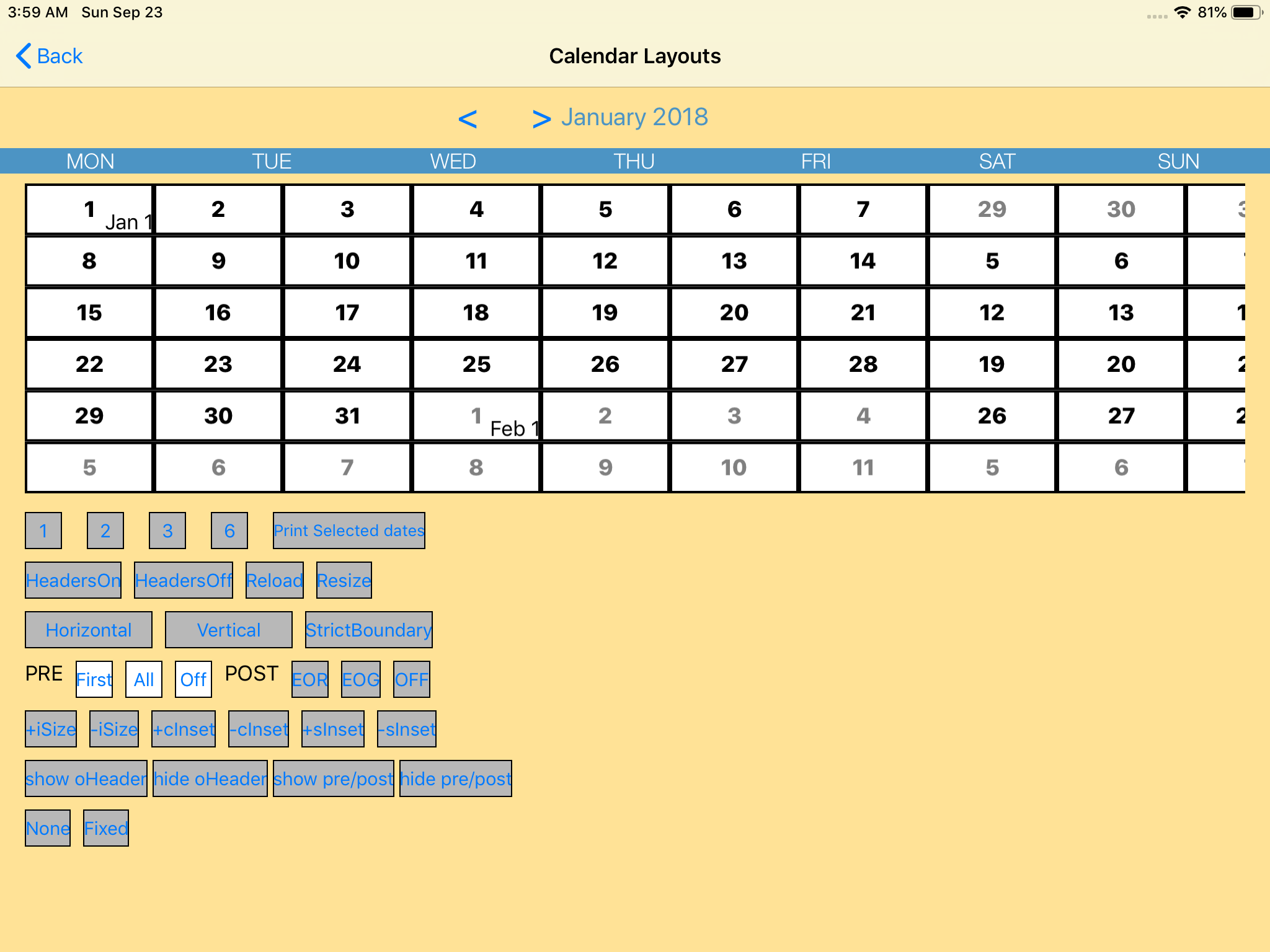
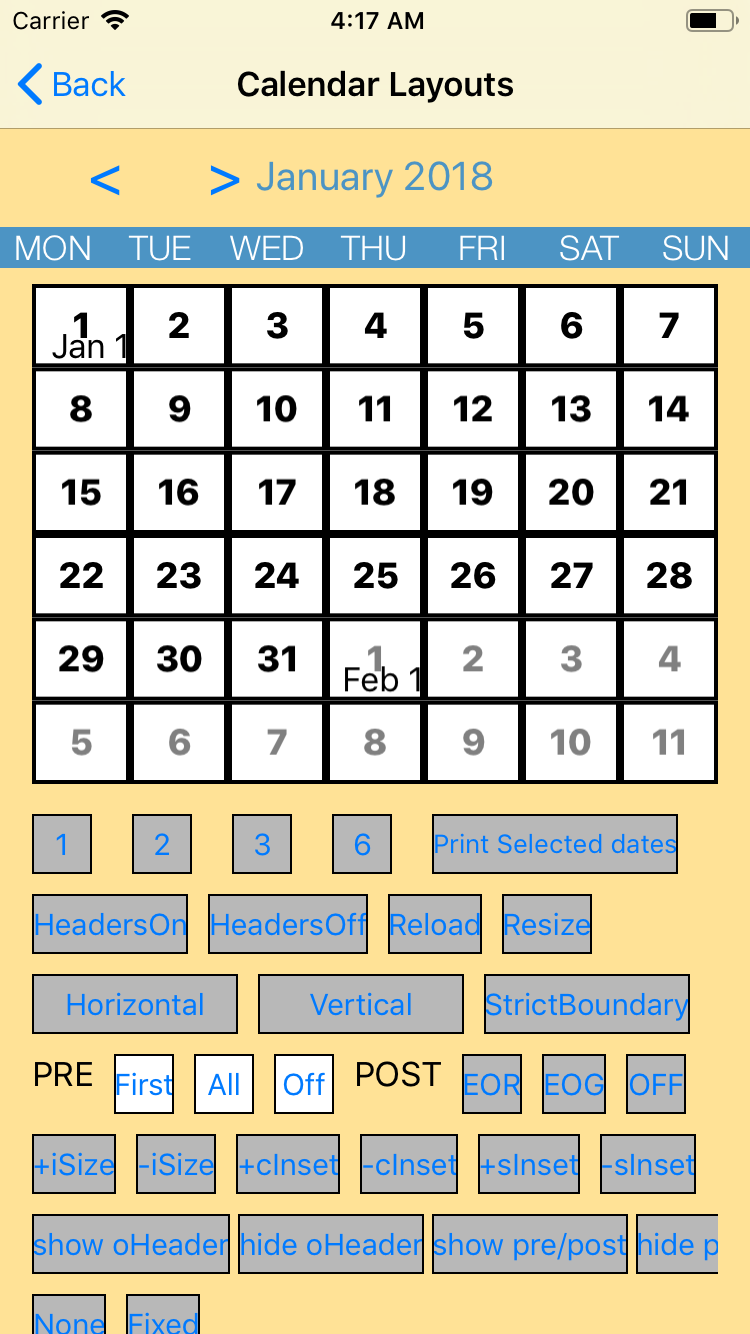
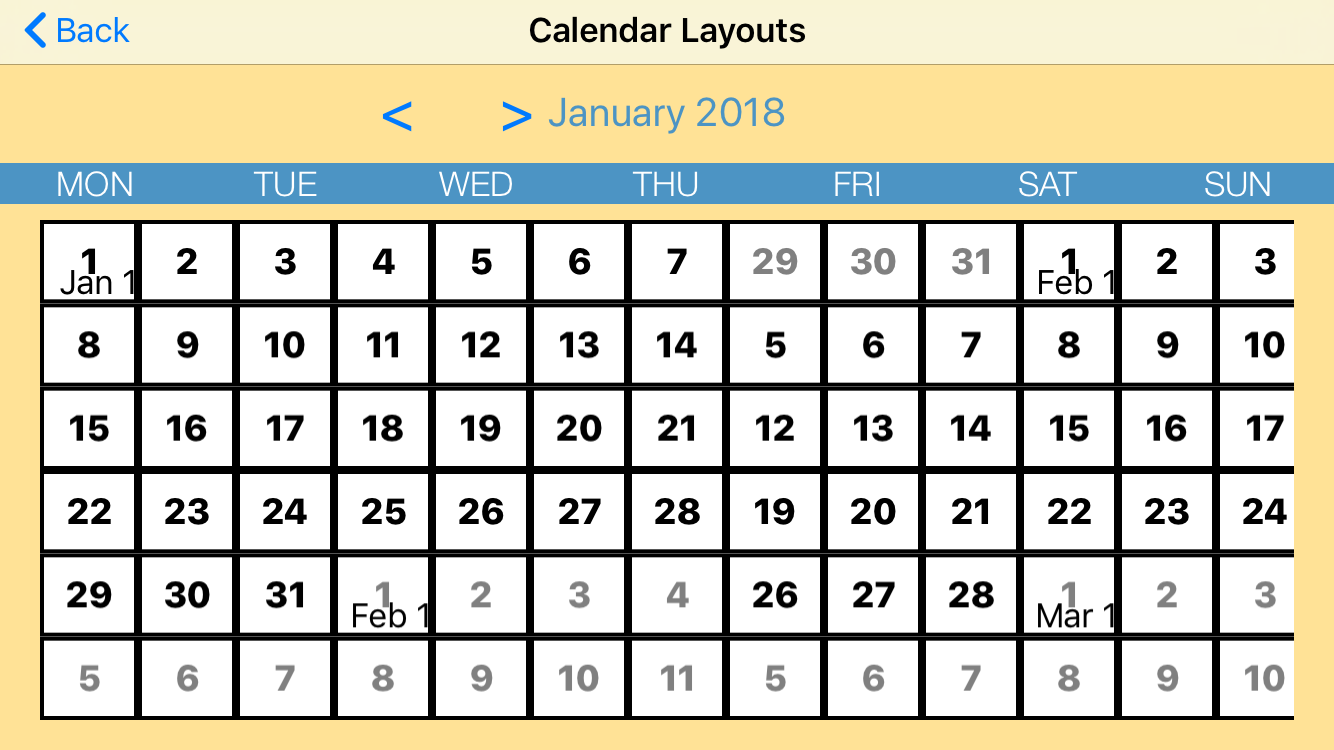
Jtapplecalendar: The layout bug occurs when I rotate a device. (version 7.1.6)
The bug happens on both my own project and the iOS example project in this library (version 7.1.6).
I used Xcode10, and iPad Pro (9.7-inch, simulator) & iPhone8 (simulator) for testing. This bug does not happen in the previous version (7.1.5).
Please take a look at the iOS example project in this library. @patchthecode
Screenshots (FYI)
[1] Rotate from Landscape to Portrait
iPad
iPhone
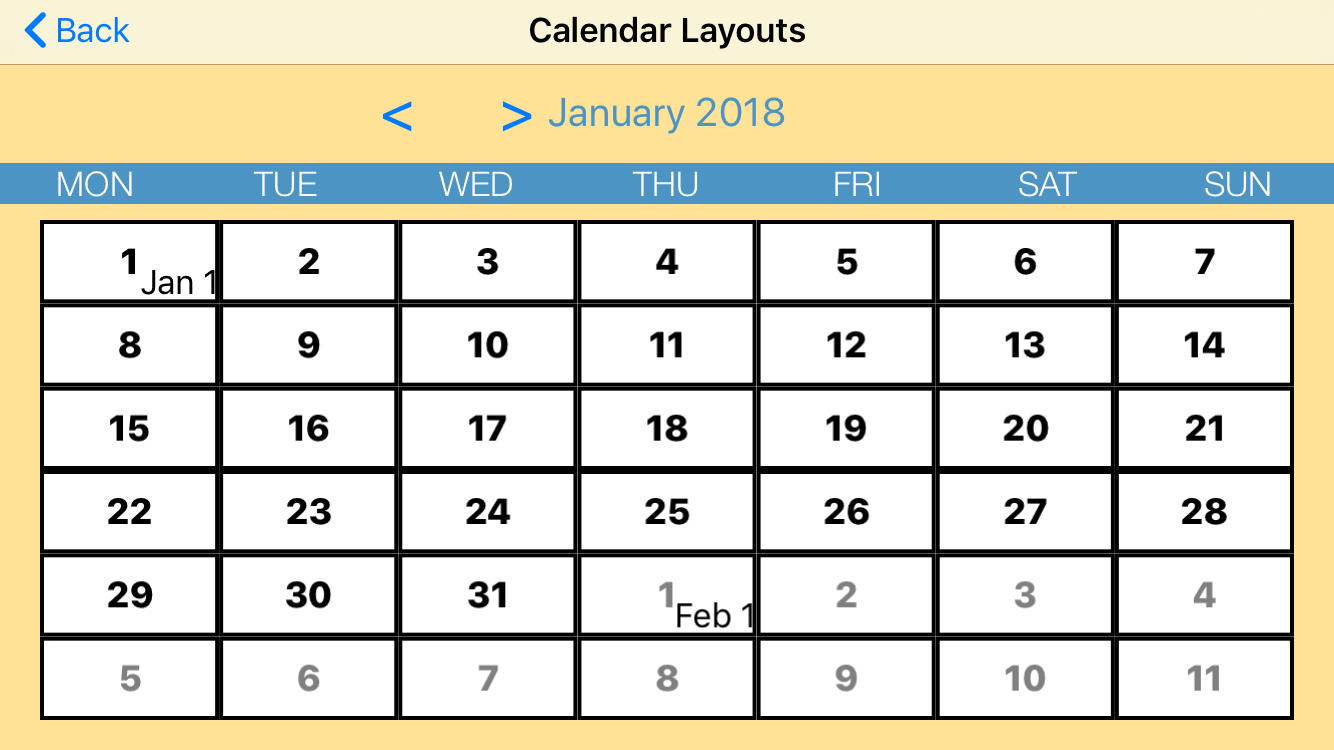
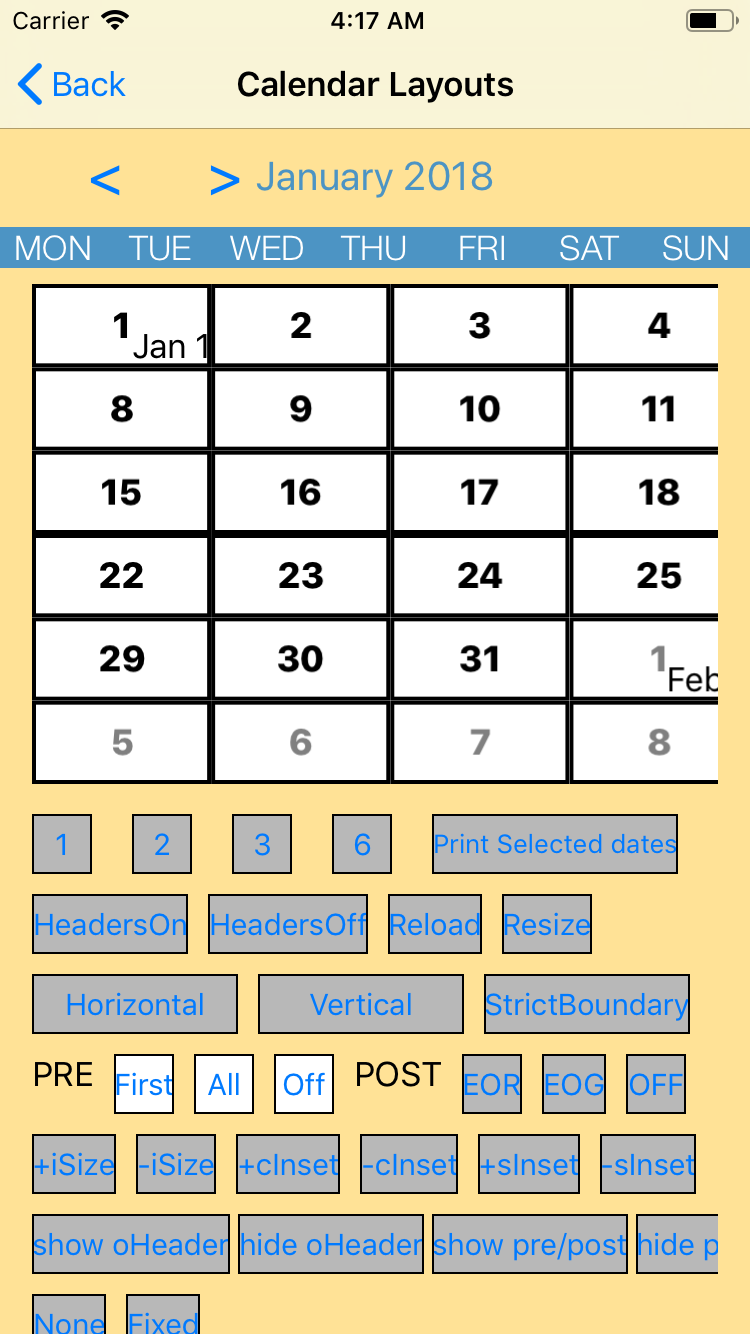
[2] Rotate from Portrait to Landscape
iPad
iPhone
 mock123
All 8 comments
I have the same Problem when switching from portrait to landscape on iPad with Version 7.1.6
 gsuthor
on 25 Sep 2018
gsuthor
on 25 Sep 2018
will take a look
 patchthecode
on 25 Sep 2018
patchthecode
on 25 Sep 2018
can you paste me the code you used on rotation?
@gsuthor
@mock123
patchthecode
on 25 Sep 2018
I used just constraints with a height constraint for the Calendar View that is changed in viewWillTransition(to size: CGSize, with coordinator: UIViewControllerTransitionCoordinator). I also tried calenderView.layoutSubviews but it doesn't work.
In Version 7.1.5 it was working.
gsuthor
on 27 Sep 2018
@gsuthor
yes. but what is the code you have in that viewWillTransition function?
Can you try this in there?
    override func viewWillTransition(to size: CGSize, with coordinator: UIViewControllerTransitionCoordinator) {
        let ds = calendarView.visibleDates()
        calendarView.viewWillTransition(to: .zero, with: coordinator, anchorDate: ds.monthDates.first?.date)
    }
With the code above, it worked like a charm for me! @patchthecode
mock123
on 29 Sep 2018
Yes it worked with the code above. Big Thanks @patchthecode
gsuthor
on 5 Oct 2018
cool.closing issue
patchthecode
on 8 Oct 2018
Related issues
 oddpandadesign
·
5Comments
oddpandadesign
·
5Comments
 prahaladm
·
3Comments
prahaladm
·
3Comments
 PedroAnibarro1
·
5Comments
PedroAnibarro1
·
5Comments
 programus
·
5Comments
programus
·
5Comments
 Fatalution
·
3Comments
Fatalution
·
3Comments
Most helpful comment
@gsuthor
yes. but what is the code you have in that viewWillTransition function?
Can you try this in there?