Jtapplecalendar: Range selection is happening different cells
IMPORTANT - BEFORE CREATING YOUR ISSUE PLEASE READ THE FOLLOWING:
*. Using the latest version.
First of all Thanks for creating an amazing library.
I want to create a calendar like the below screenshot
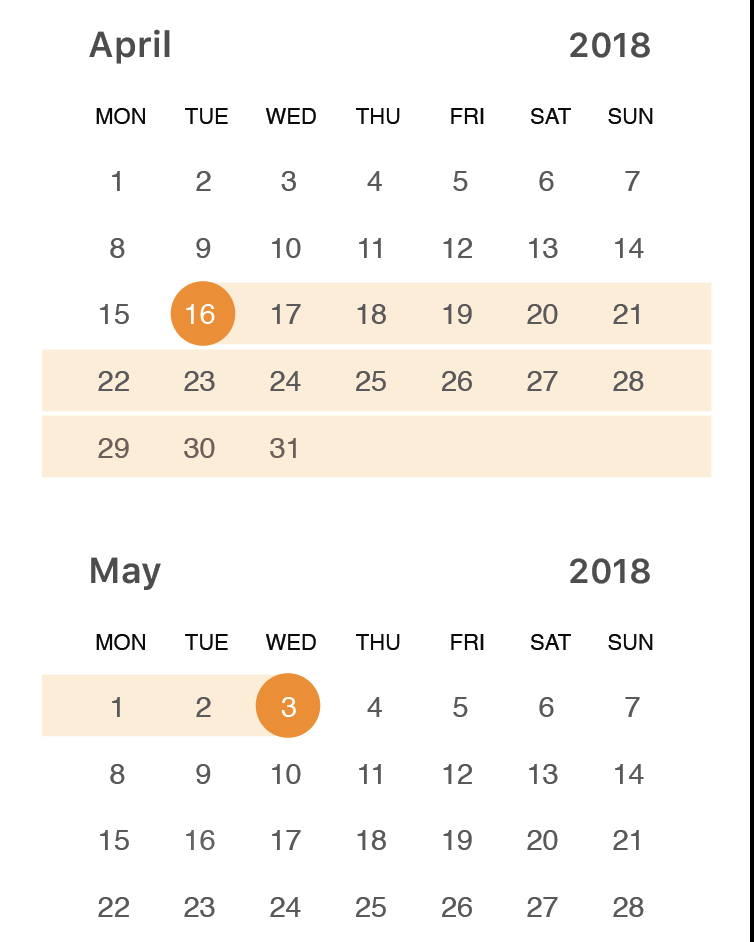
You can find my source code is here: https://github.com/yasheedv/JTAppleCalendarDemo
I created a range selection. But Im getting the following issues. Please help me to find a solution for this.
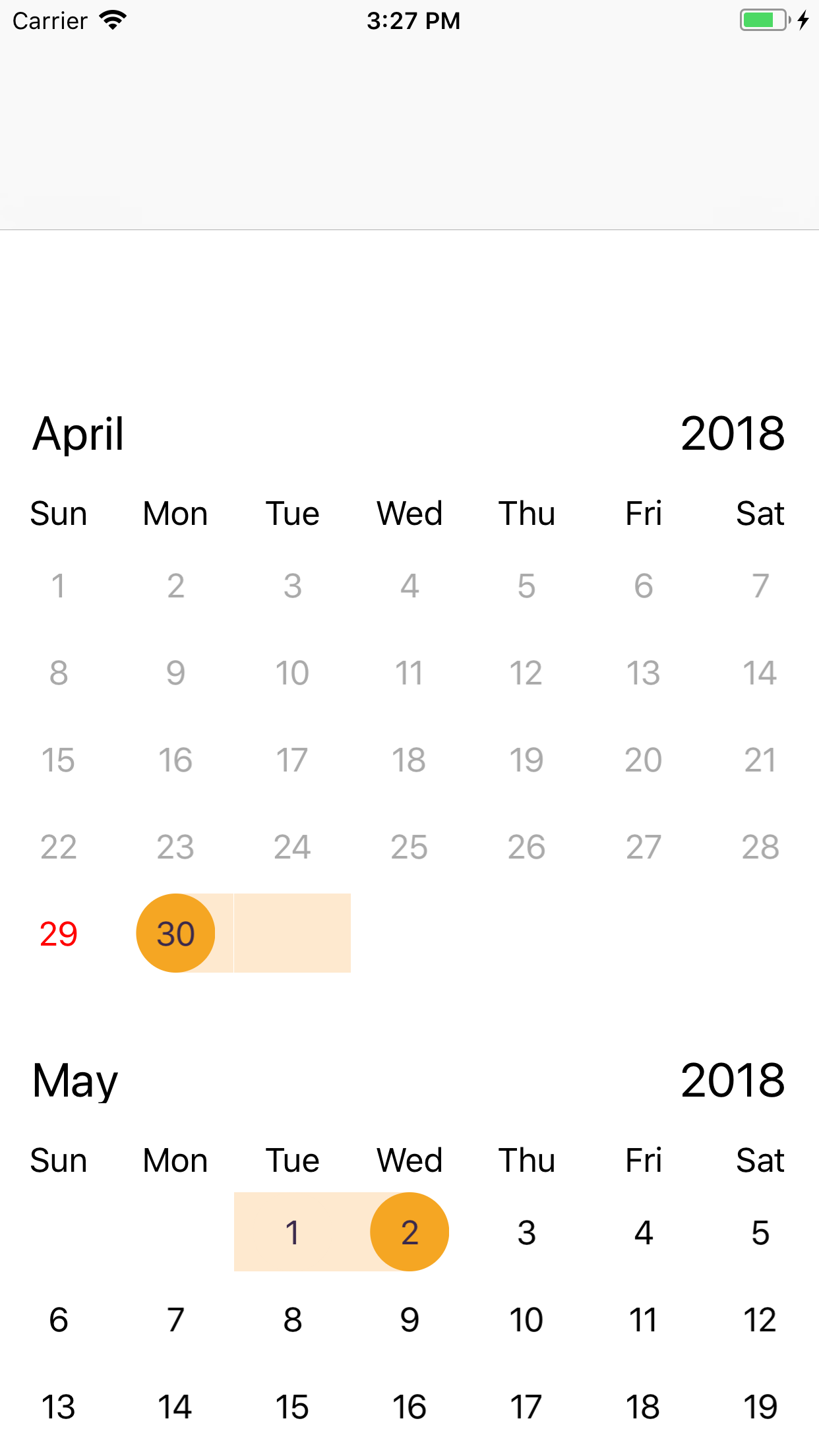
- I selected April 30 to May 2 and getting the following
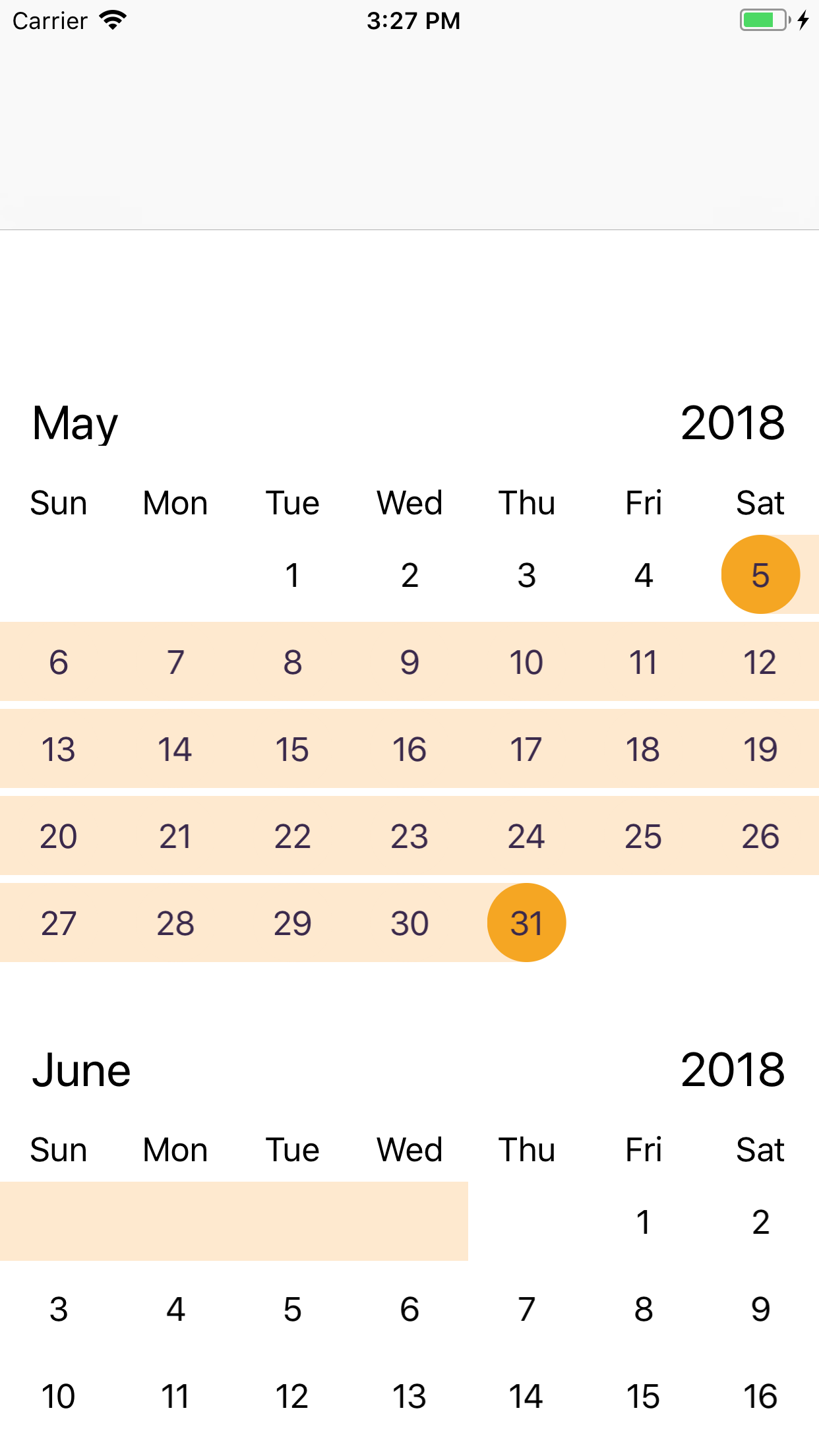
- Selected May-5 to May 31
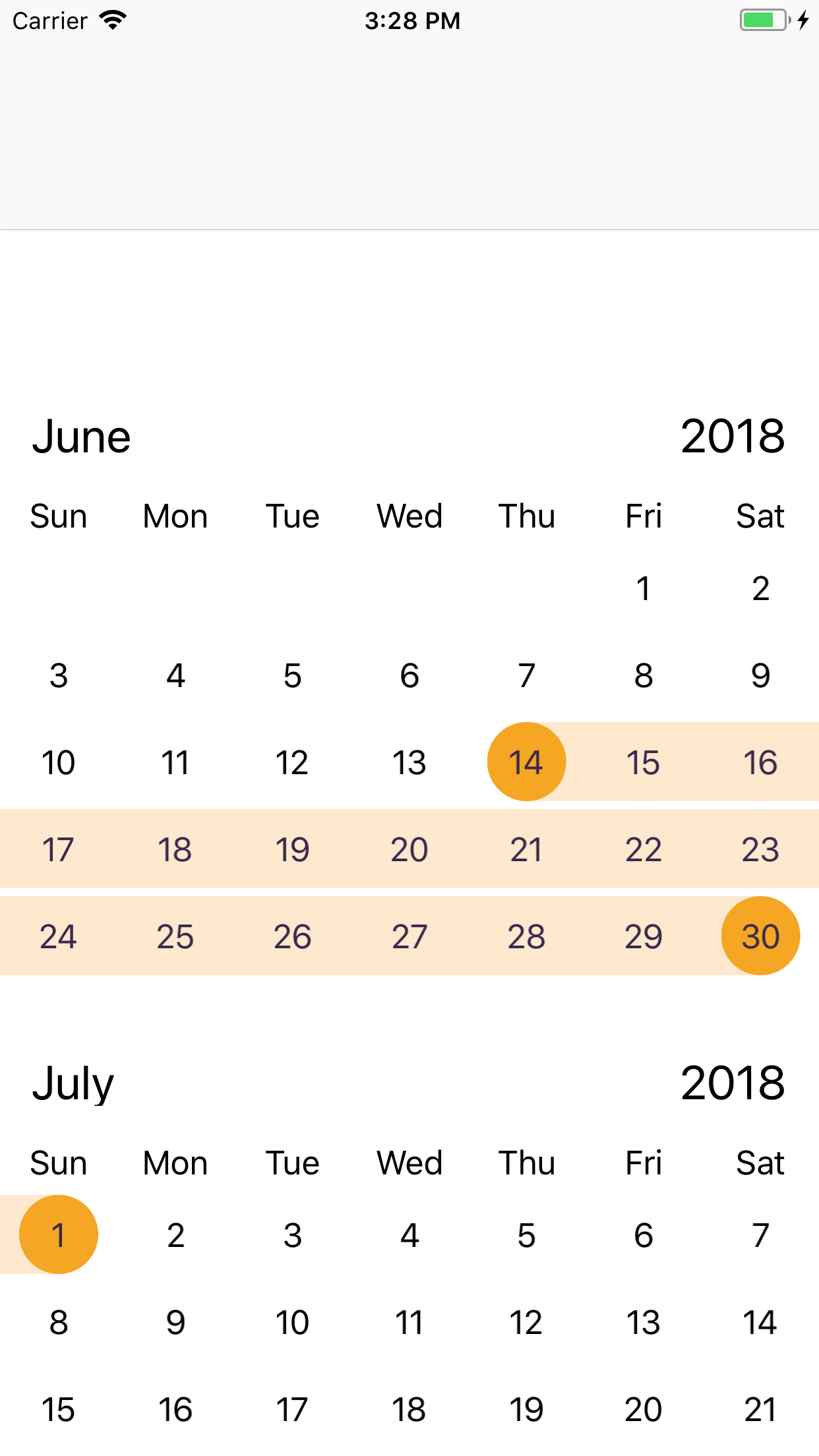
- June 14 to July 1
 yasheedv
All 6 comments
will take a look
 patchthecode
on 30 Apr 2018
patchthecode
on 30 Apr 2018
Hii.. Any updates ?
yasheedv
on 30 Apr 2018
ok. i only now had a chance to look at this. Sorry for the late response.
- I selected April 30 to May 2 and getting the following
You have shown me the image of what you have. But can you show me what you want it to look like?
Keep in mind, that showing me the wrong image, does not make me understand what should be the right image. Many developers have different designs in mind.
- Selected May-5 to May 31
Same thing here. What should it look like? I see in the image that your indates for the month of June is selected. Should it be invisible? visible?
- June 14 to July 1
This is the only image that seems obvious to me that there is an error. Because i assume you do not want two end selections. But can you help me understand for # 1 and # 2?
patchthecode
on 11 May 2018
Ive finally got around to this.
Your code was too complex for me to go through, so i created a range selection example for you.
Download the github project and run the attached sample project.
On the fourth option, you will see rangeSelection example.
patchthecode
on 8 Aug 2018
will close this issue.
Let me know if youre still experiencing problems.
patchthecode
on 9 Aug 2018
Just to follow up on this in case anyone else is experiencing this issue. In example 1 and 2, it seems like the OP was trying to not show the range indication on dates outside of the valid calendar days in a month. To achieve this you can simply check cellState.dateBelongsTo == .thisMonth when configuring your cells.
 IanHoar
on 27 Sep 2018
IanHoar
on 27 Sep 2018
Related issues
 Fatalution
·
3Comments
Fatalution
·
3Comments
 nikolalukovic
·
4Comments
nikolalukovic
·
4Comments
 MoridinBG
·
5Comments
MoridinBG
·
5Comments
 Geekbell
·
4Comments
Geekbell
·
4Comments
 programus
·
3Comments
programus
·
3Comments
Most helpful comment
Just to follow up on this in case anyone else is experiencing this issue. In example 1 and 2, it seems like the OP was trying to not show the range indication on dates outside of the valid calendar days in a month. To achieve this you can simply check
cellState.dateBelongsTo == .thisMonthwhen configuring your cells.