Jtapplecalendar: Multiple Months with Month Name In-Between
Hi there,
I'm about to pick a cal library for my next project, JTAppleCalendar appears the nicest, but there's one question I cannot find an answer for.
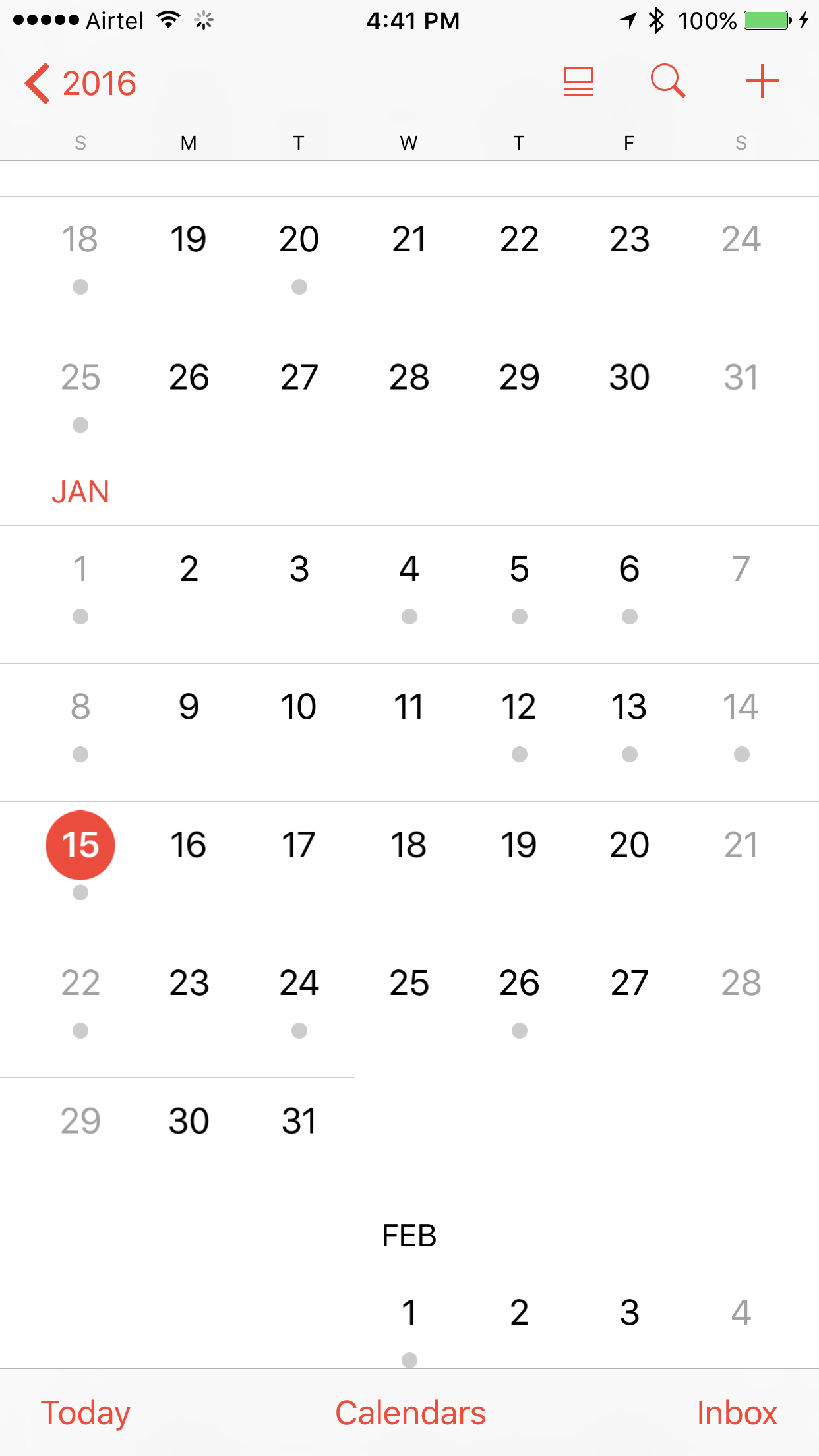
Can one create an apple-like cal like here with month names inbetween the months:
Or at least like here:
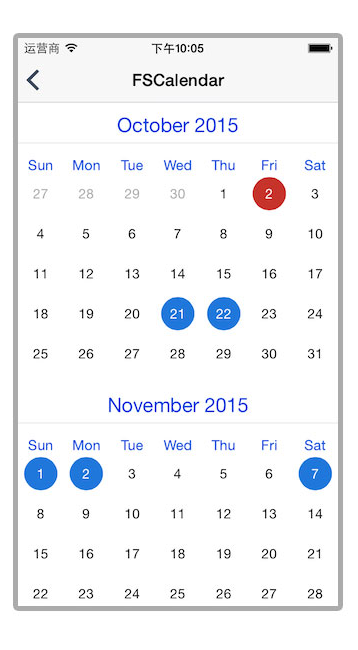
In particular:
- Can one show multiple months below each other, with the month names as headers between the months. This includes the actual data, not just greyed out days like the JTAppleCalendar demo screen shots show
I just need a "yes it can" and I'll figure it out, but I'm just worried because non of the demo screen shots have month names between months, and the Common Questions section only lists "make the cells smaller" as the answer, but that wouldn't add that month name as far as I understand.
 hactar
All 9 comments
This can and has already been done many times.
some one has already done something like it --> https://github.com/patchthecode/WLAppleCalendar
This calendar has the "look"
Now if you want the multiple months, then all you have to do is implement headers.
calendarView.register(UINib(nibName: "MySectionHeaderView", bundle: Bundle.main),
                              forSupplementaryViewOfKind: UICollectionElementKindSectionHeader,
                              withReuseIdentifier: "MySectionHeaderView")


func calendar(_ calendar: JTAppleCalendarView, headerViewForDateRange range: (start: Date, end: Date), at indexPath: IndexPath) -> JTAppleCollectionReusableView {
   let header = calendar.dequeueReusableJTAppleSupplementaryView(withReuseIdentifier: "MySectionHeaderView", for: indexPath)
   return header
}

func calendarSizeForMonths(_ calendar: JTAppleCalendarView?) -> MonthSize? {
   return MonthSize(defaultSize: 20)
}
 patchthecode
on 26 Apr 2018
patchthecode
on 26 Apr 2018
If you want the Month to look Exactly like AppleCalendar month where the monthName appears directly over the 1st date of the month, then this is also easy to do.
Make your month Header into a UIStackView with 7 labels equally spaced.
Then simply check on which column the 1st lands on (if column 1,2,3,4,5,6 or 7). Now depending on the column, just hide all the labels except the one where the column is on. Done. You will have an apple calendar clone.
patchthecode
on 26 Apr 2018
@hactar you can build really good stuff with this library, it is super flexible
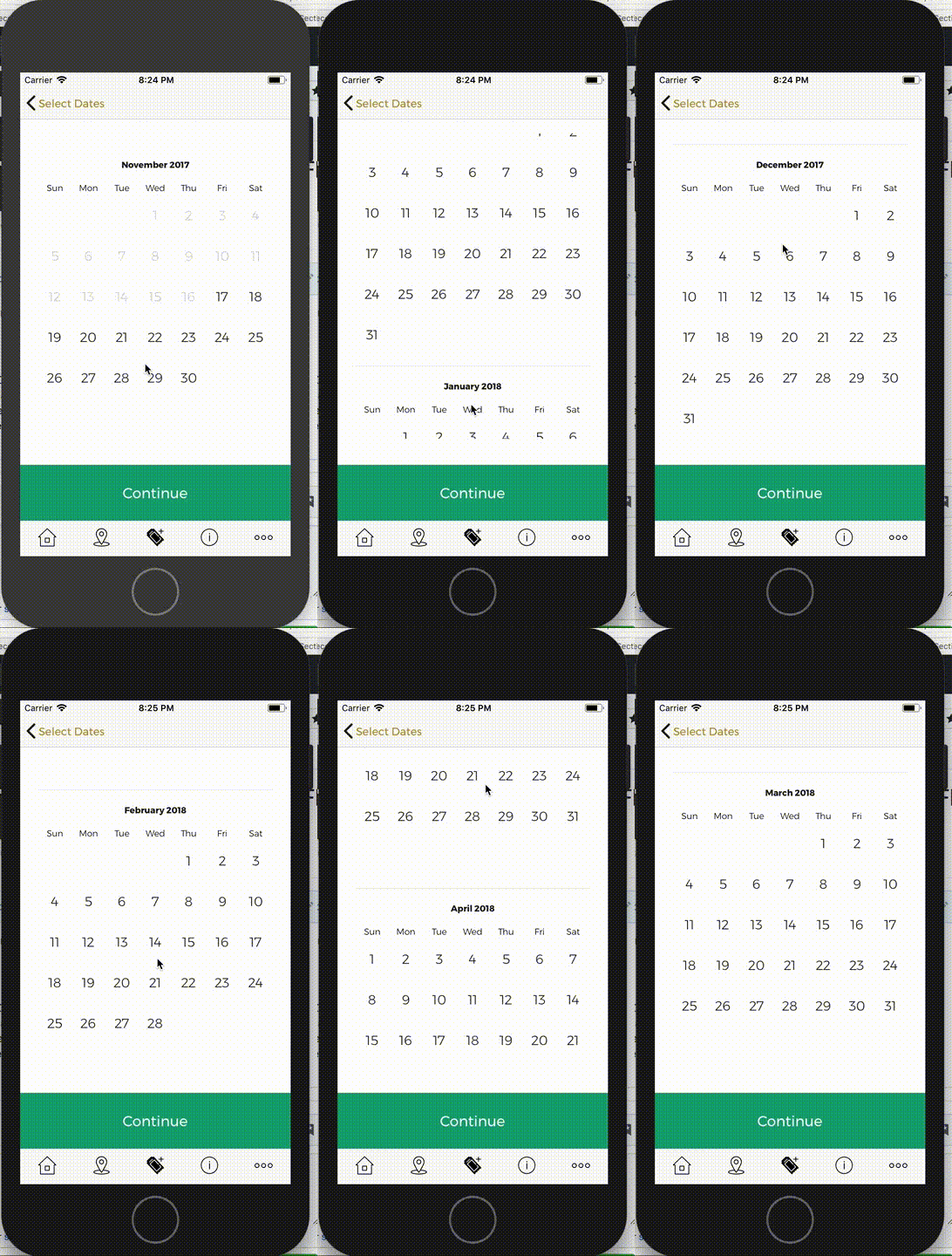
Here an example of Multiple Months with Month Name In-Between:
 mgurreta
on 26 Apr 2018
mgurreta
on 26 Apr 2018
Awesome, thanks I'll be using this lib then, just wanted to make sure its doable, I'll figure it out with the hints you posted, thanks everyone.
hactar
on 28 Apr 2018
@mgurreta Can you provide more details how did you achieve displaying names of days for each month? Is the day names row part of the section header or did you use some different solution? Thank you.
 tomassliz
on 21 May 2019
tomassliz
on 21 May 2019
@tomassliz He implemented a header -> A UIStackView with 7 labels.
Details for implementing headers is found on the turotial wiki -> https://github.com/patchthecode/JTAppleCalendar/wiki/Tutorials number(6)
patchthecode
on 21 May 2019
@patchthecode I know how to implement headers but I was curious if there is some other option than put month name and days names into single header.
tomassliz
on 21 May 2019
@tomassliz
I was curious if there is some other option than put month name and days names into single header.
There are many other options. You can design anything in your header. I'm not sure if i misunderstood your question...? let me know.
patchthecode
on 21 May 2019
@tomassliz message here if you are online. Will be faster -> https://gitter.im/patchthecode/JTAppleCalendar
patchthecode
on 21 May 2019
Related issues
 Fatalution
·
3Comments
Fatalution
·
3Comments
 sahirmemon
·
4Comments
sahirmemon
·
4Comments
 nikolalukovic
·
4Comments
nikolalukovic
·
4Comments
 programus
·
3Comments
programus
·
3Comments
 prahaladm
·
3Comments
prahaladm
·
3Comments
Most helpful comment
@tomassliz He implemented a header -> A UIStackView with 7 labels.
Details for implementing headers is found on the turotial wiki -> https://github.com/patchthecode/JTAppleCalendar/wiki/Tutorials number(6)