Jtapplecalendar: Type 'ViewController' does not conform to protocol 'JTAppleCalendarViewDelegate'
IMPORTANT - BEFORE CREATING YOUR ISSUE PLEASE READ THE FOLLOWING:
- PLEASE STATE THE VERSION NUMBER you are using.
I am using XCode 9.2.
- Are you using the latest version of JTAppleCalendar? Latest version is currently 7.1.5
Yes I am.
- PROVIDE ENOUGH INFORMATION SO I CAN RECREATE THE PROBLEM.
my issue happens when me following the tutorial and before finishing the calendar view I get this error when it says "Type 'ViewController' does not conform to protocol 'JTAppleCalendarViewDelegate'".
Since XCode 9 suggests fixing the issue. I pressed on fix and all what it did was that it created for me this function
func calendar(_ calendar: JTAppleCalendarView, willDisplay cell: JTAppleCell, forItemAt date: Date, cellState: CellState, indexPath: IndexPath) {
        <#code#>
    }
and it keeps the one that I have which is this
func calendar(_ calendar: JTAppleCalendarView, cellForItemAt date: Date, cellState: CellState, indexPath: IndexPath) -> JTAppleCell {
        let cell = calendar.dequeueReusableJTAppleCell(withReuseIdentifier: "CustomCell", for: indexPath) as! CustomCell
        cell.dateLabel.text = cellState.text
        return cell
    }
When I add this function without adding any code to it. I dont get the error but then when I run the project i only see a blank page app.
and couple of seconds after building I get this error.
Any suggestions on what my mistake could be.
Thank you and appreciate your help
 kerlossaad
All 15 comments
The latest version you are missing a function willDisplayCell
Please implement it as per the instructions here -> https://github.com/patchthecode/JTAppleCalendar/issues/553
Will close this issue now as many people have asked it.
But if youre stuck , let me know.
 patchthecode
on 19 Feb 2018
patchthecode
on 19 Feb 2018
@kerlossaad Did you solve this? I am facing the same issue, same configurations like you
@patchthecode The error does not go away even after adding willDisplaycell as well
 mansi-cherry
on 17 Apr 2018
mansi-cherry
on 17 Apr 2018
And for me I can't even run the app. It gets stuck on this error
keeps on adding the same function and if the function is added twice invalid redeclaration error will come
mansi-cherry
on 17 Apr 2018
@mansi-cherry do you have a zip sample code i can look at? you can just drag the zip file in this chat box.
patchthecode
on 17 Apr 2018
I just removed the pod
Let me share some details
import UIKit
class CalendarCollectionCell: JTAppleDayCell {
    @IBOutlet weak var lblDay: UILabel!
    @IBOutlet weak var selectedView: UIView!
    override func awakeFromNib() {
        super.awakeFromNib()
        // Initialization code
        selectedView.backgroundColor = .blue
        lblDay.font = myFonts
    }
}
I registered the jtAppleCalendar with register method to register cell
In cellForItemAt I used the jtDequeue method to config my cell according to the date.
But what happens was
- I add
cellForItemAtmethod (please note thatwillDisplayCellis already added as per your suggestion 533) - I get a fix error -> on click of that Xcode adds
cellForItemAtmethod again for me - Now there are two
cellForItemAtmethods, so Xcode shows invalid redeclaration error - I remove one
cellForItemAtmethod, loops to step 2.
So I can't run app because of this loop of errors.
mansi-cherry
on 17 Apr 2018
Nope it did not fix it i still had an error but I put building the app on hold due to my studies. If you were able to fix it, please share with me the solution.
Sent from Yahoo Mail for iPhone
On Tuesday, April 17, 2018, 2:12 AM, Mansi Shah notifications@github.com wrote:
@kerlossaad Did you solve this? I am facing the same issue, same configurations like you
@patchthecode The error does not go away even after adding willDisplaycell as well
—
You are receiving this because you were mentioned.
Reply to this email directly, view it on GitHub, or mute the thread.
kerlossaad
on 17 Apr 2018
@kerlossaad
@mansi-cherry
Type 'ViewController' does not conform to protocol 'JTAppleCalendarViewDelegate' is an arror given by XCode to let you know that you do not conform to a protocol. By clicking on the red error message bubble (on the right) XCode will present to you a FIX button. Click on it, and it will show you what function you were missing so that the error can go away.
This can be resolved a whole lot faster if you guys are able to provide me a zip file of your project.
If you project is already top secret, then you can provide me a scaled down version of your project that does not have any secret company code in it. If i have that zipped version of your project, i can fix it immediately.
patchthecode
on 17 Apr 2018
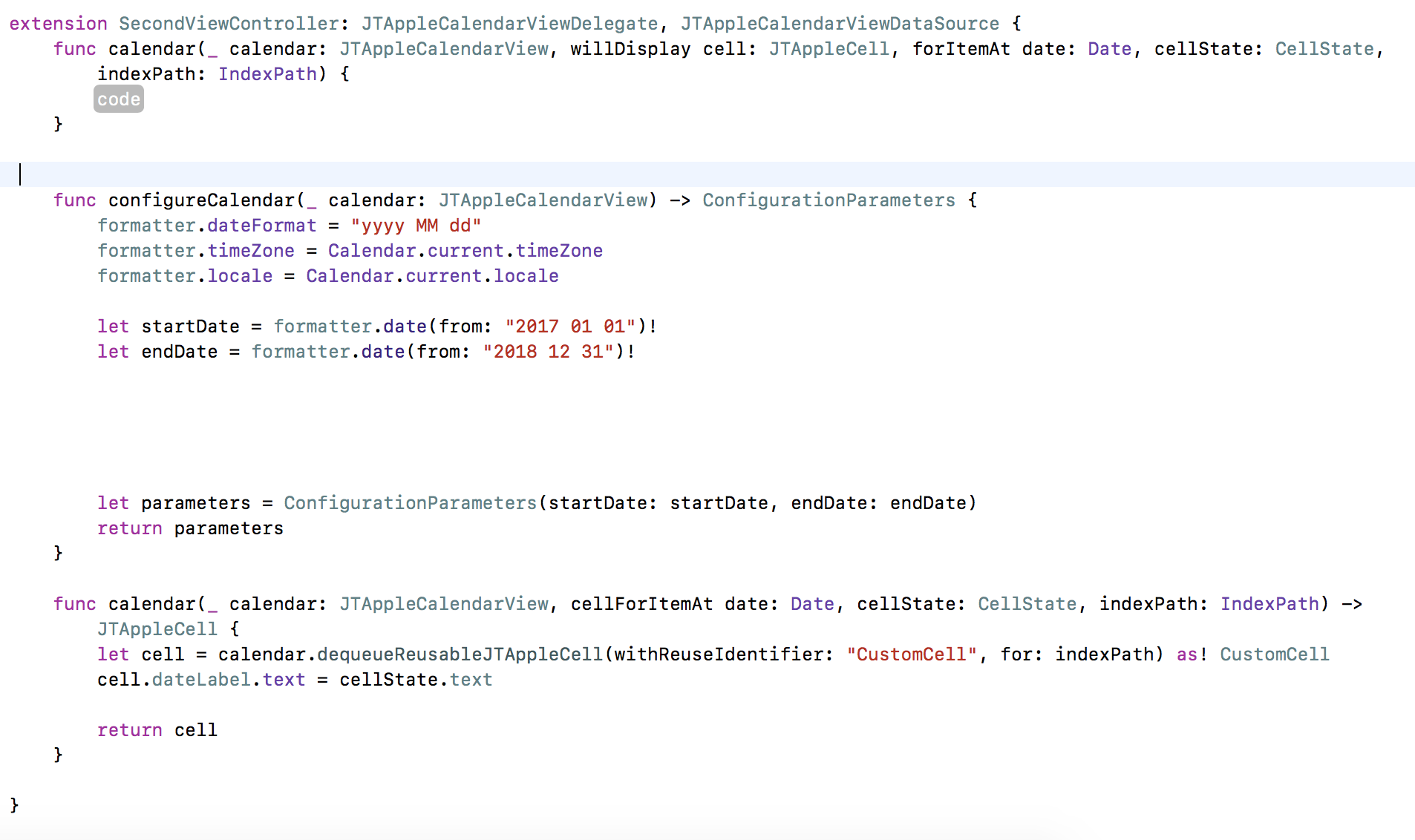
@patchthecode
I have the same issue! Since they aren't showing you the code I guess I'll just go ahead and show you the error! so this picture has the Xcode suggestion included! the error does go away but the project doesn't compile in Xcode.
 Zamy97
on 27 Jul 2018
Zamy97
on 27 Jul 2018
I have exactly the same issue as @Zamy97 . Please let me know if you can help @patchthecode , or if anybody else has a solution.
Thanks
 chrisjohnson90
on 2 Aug 2018
chrisjohnson90
on 2 Aug 2018
@chrisjohnson90 hey there! so I ended up not using this library as I am on a time frame and this was taking me too long to figure out. I went and used the UIDatePicker for my project but in the future, I might come back and try figuring this out but for now, I took the easy way out. Good luck on getting this done.
Zamy97
on 2 Aug 2018
@Zamy97 hey - ok, thanks. Not sure I can use that for what I'm trying to do, but I'll give it a go. it's such a frustrating error!
chrisjohnson90
on 2 Aug 2018
@chrisjohnson90 this is not a library error.
in Xcode, if you ever get this error for any projetc, then please click on the red button in XCode it it will literally tell you what function you are missing and it will also autofill the code for you.
patchthecode
on 2 Aug 2018
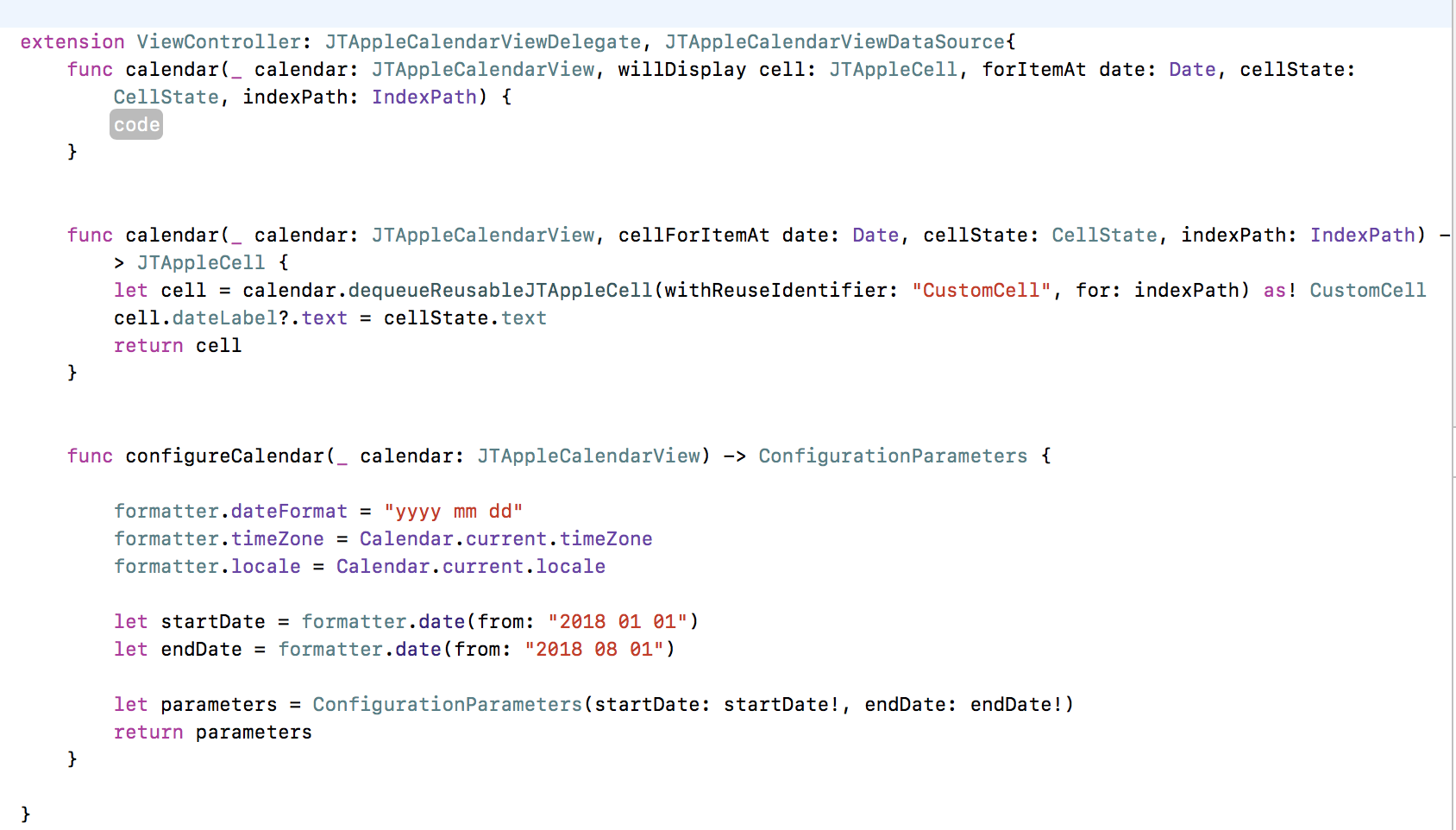
That's the function it tells me I'm missing, when I replace the
func calendar(_ calendar: JTAppleCalendarView, cellForItemAt date: Date, cellState: CellState, indexPath: IndexPath) -> JTAppleCell {
with what it suggests, I get the same error. Not sure what to add into the 'code' block - any help would be great. thanks @patchthecode
chrisjohnson90
on 2 Aug 2018
@chrisjohnson90 Are you telling me that the function that it suggested is the function called
willDisplayCell
??
patchthecode
on 3 Aug 2018
Because if this is the function that this XCode suggested, then --> i give up...
I do not know how to state it any more.
Here is a screen shot of the bold text letters of the instructions on this project's main page
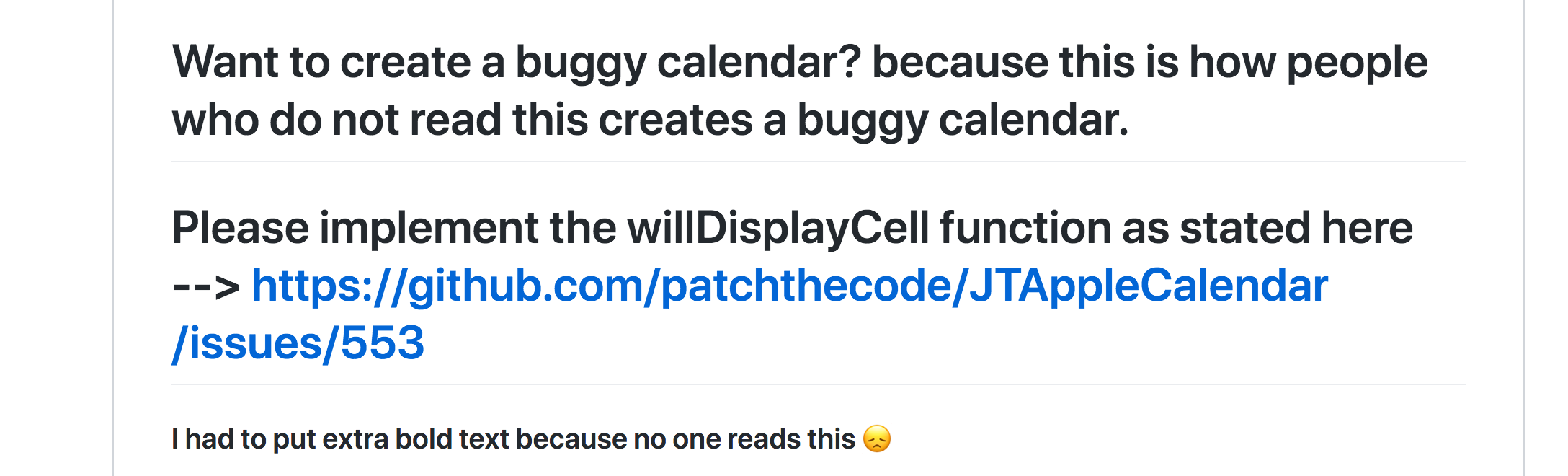
I had to put it in maximum bold text because for some reason, no one reads it.
patchthecode
on 3 Aug 2018
Related issues
 programus
·
3Comments
programus
·
3Comments
 Geekbell
·
4Comments
Geekbell
·
4Comments
 blinkmeoff
·
3Comments
blinkmeoff
·
3Comments
 nikolalukovic
·
4Comments
nikolalukovic
·
4Comments
 prahaladm
·
3Comments
prahaladm
·
3Comments
Most helpful comment
And for me I can't even run the app. It gets stuck on this error
keeps on adding the same function and if the function is added twice invalid redeclaration error will come