Jspdf: Large PNG images corrupted in Corel Draw 2018
Hello,
I have a problem that is kind of a hard to reproduce in jsbin or similar because of the large size of images needed. I am still trying and will update if successful.
Anyway, I am using latest version of jsPDF.
I am exporting PDF with 8 large images added via addImage() method. The images are also PNG because I need to have transparency preserved in them so the PDF gets pretty large in size.
Anyway, the PDF is exported normally and works as expected in Adobe Acrobat or Illustrator and this is the result in Illustrator or Chrome/Adobe Reader.

But, once I open the PDF in Corel Draw 2018 some of the images (or all, depending on the size of images and the DPI) are corrupted and not displayed properly. If I use Adobe Illustrator to re-export existing PDF and then open it in Corel Draw, everything works as expected. This leads me to believe that the problem is with jsPDF itself and not Corel Draw.
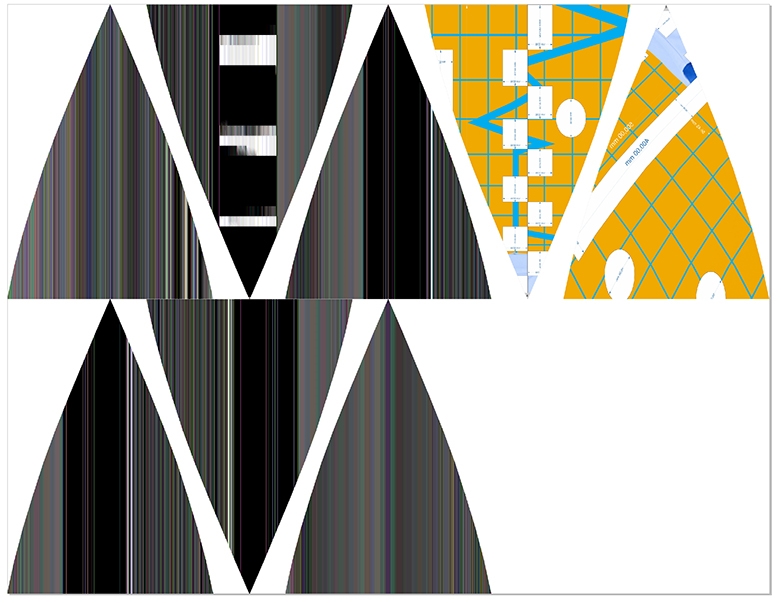
If I try exporting only one image, it still doesn't work.
Thank you
 ibrcic
All 18 comments
Please provide the PNG files. and please keep in mind, that in PDF files you have no PNG-support. every file is stored as JPG.
 Uzlopak
on 20 Nov 2018
Uzlopak
on 20 Nov 2018
Hmm, then how come the transparency works in PDF file if everything is JPEG? If images were actual JPEG then you would see overlapping of different triangles because they would actually be opaque squares with black areas.
I generate images in code from HTML canvas, so I can decide if I want JPEG or PNG, and if I choose JPEG then above mentioned problem occurs. Here's an example with JPEG:
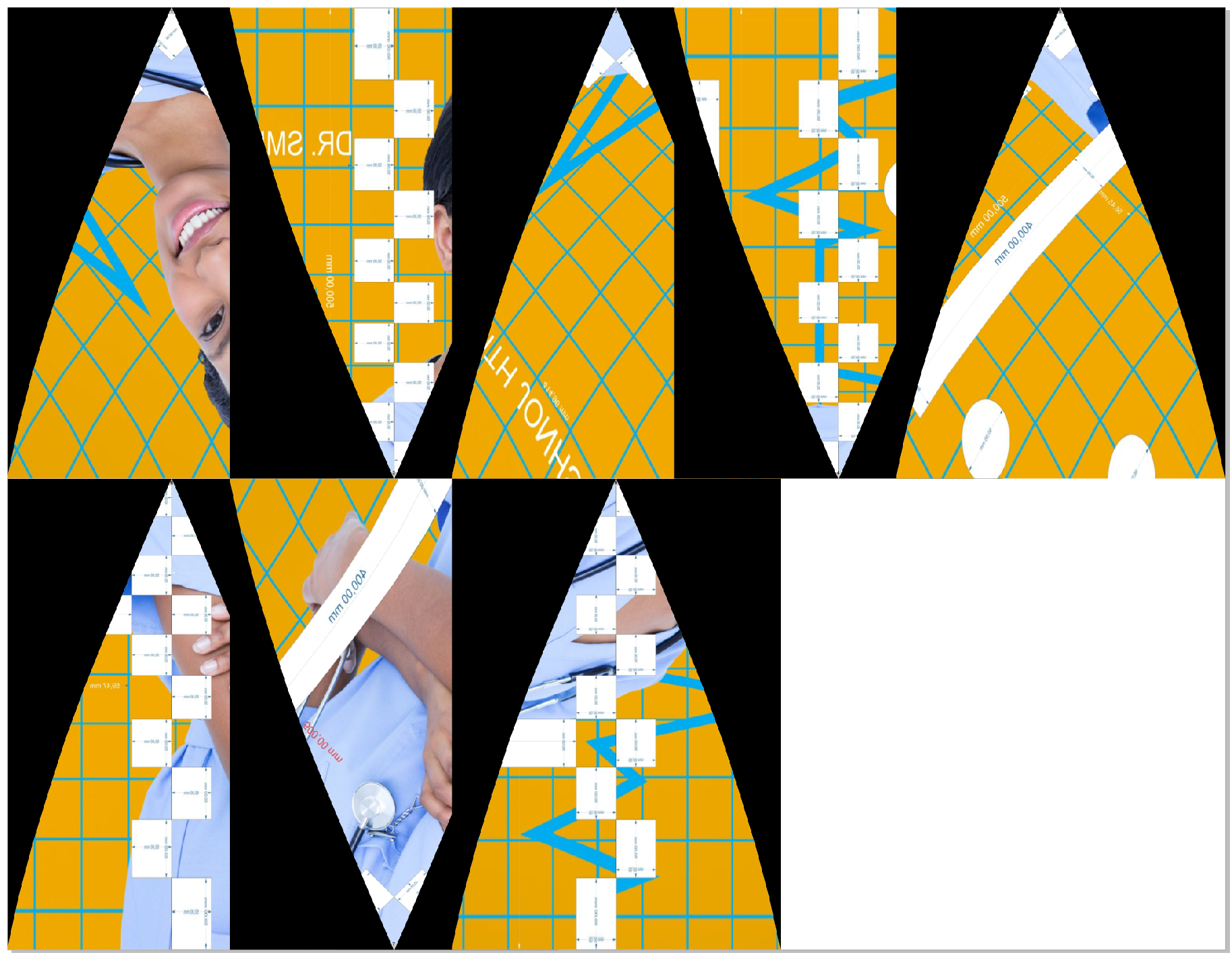
I would actually prefer JPEG because it is a lot faster to add images, but I can't use it because of overlapping and transparency issues.
EDIT: Here's a link to one PNG.
https://drive.google.com/file/d/16SyAFADNRW_dZAPUi6_zF8p1St39Sw8B/view?usp=sharing
ibrcic
on 20 Nov 2018
Hi,
I managed to recreate the problem on stackblitz, here's the link.
https://stackblitz.com/edit/angular-iw4bf3
It's Angular but that shouldn't matter. Just click the button and load provided PNG. After export is done try opening it in Corel Draw and it will be corrupted.
One interesting thing that I noticed is that this happens only with PNG images that have transparency. If I add completely white background to PNG it works as expected, no matter the size of the file.
ibrcic
on 22 Nov 2018
Any news on this ?
 Dzivo
on 3 Dec 2018
Dzivo
on 3 Dec 2018
Will look into it soon.
Uzlopak
on 6 Dec 2018
I am exporting PDF with 8 large images added via addImage() method. The images are also PNG because I need to have transparency preserved in them so the PDF gets pretty large in size.
I generate images in code from HTML canvas, so I can decide if I want JPEG or PNG, and if I choose JPEG then above mentioned problem occurs. Here's an example with JPEG:
As I mentioned before Images are converted and stored as jpg. So using png because of transparency will not work. Probably because you put everything into the html canvas and then export it to jsPDF results avoids the overlapping problem.
I guess it works best if you first use pngs and add it to canvas as you before. Then you use addImage to add it. But be aware, that your high dpi images are scaled down to 96 dpi. Best is to do the image processing maybe in a third party app/software before adding the image into jsPDF.
Uzlopak
on 18 Dec 2018
I didn't put everything in one canvas and then one image to the PDF. On the contrary, every image is on it's own canvas and for every image I add it manually to specific position in PDF.
So I call addImage() 8 times for 8 images and if it is PNG image then there is no overlapping problem.
Anyway, this shouldn't even matter, as the problem is that for large images with transparency on them, the image gets corrupted in Corel Draw.
So to summarize, everything works great up to certain size of the image and everything works great for non transparent images. Once you go above certain image size and add transparency, it breaks.
ibrcic
on 19 Dec 2018
I dont know what to say to this. Because as i said, it is internally handled as jpeg and not as png. And why should it break, when the sizes getting bigger? Maybe something is messed up with SMask or Mask. CAn you provide a pdf, please.
Uzlopak
on 26 Dec 2018
I might be wrong when referring to it as PNG problem. It would be more accurate to refer to it as a problem that manifests itself with large images that have transparency on it (as far as I can tell). How jsPDF handles transparency is out of my knowledge.
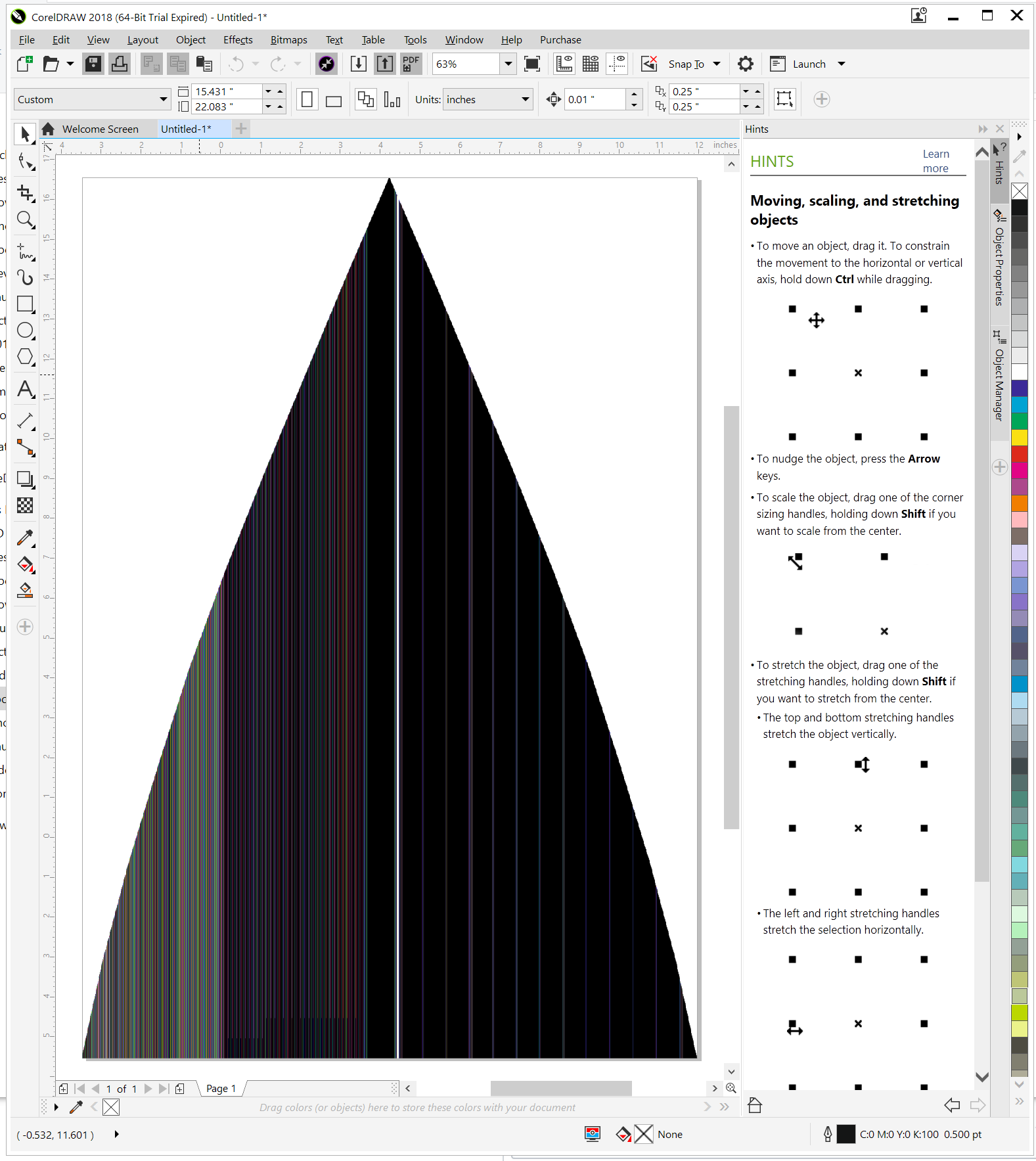
Here's the PDF that's corrupted when opened in Corel Draw.
https://drive.google.com/open?id=1nKcDTVocT7aGYY0eLeNL5Dld7QpbNtl0
And here's how it looks in Corel Draw.
ibrcic
on 26 Dec 2018
Checking with https://www.pdf-online.com/osa/validate.aspx
File | test-corel (1).pdf
-- | --
Compliance | pdf1.3
Result | Document does not conform to PDF/A.
Details | Validating file "test-corel (1).pdf" for conformance level pdf1.3Error in Flate stream: data error.The document does not conform to the requested standard.The document doesn't conform to the PDF reference (missing required entries, wrong value types, etc.).The document does not conform to the PDF 1.3 standard.Done.
Seems to be an error in FlateEncoding?!
Uzlopak
on 26 Dec 2018
Do you know what could cause it? Is it something I can fix or it needs to be done at jsPDF level?
ibrcic
on 27 Dec 2018
Can you try to use the latest version of jsPDF and add here the generated pdf, pls?
Uzlopak
on 27 Dec 2018
Sure, here is PDF generated with 1.5.2. I tried using 1.5.3 but I had problems installing it.
https://drive.google.com/file/d/14FvF4ilrZnmjZ39tmZ0pFXbbLVTJcX85/view?usp=sharing
ibrcic
on 27 Dec 2018
Any progress on this and how can we help more ?
Dzivo
on 1 Feb 2019
Can you test this one?
The Flate Algorythm was wrong initialized. Should be fixed in the next release.
Uzlopak
on 13 Apr 2019
Hi, the provided PDF works as expected, thank you very much. What is the version of the release in which this will be fixed?
ibrcic
on 14 Apr 2019
Ok! Should be 1.5.4
Uzlopak
on 14 Apr 2019
Thanks when can we expect next version :)
Dzivo
on 9 May 2019
Related issues
 bpmckee
·
70Comments
bpmckee
·
70Comments
 doubletaketech
·
53Comments
doubletaketech
·
53Comments
 larkin
·
28Comments
larkin
·
28Comments
 Balaji-Gopal
·
59Comments
Balaji-Gopal
·
59Comments
 volkanunsal
·
30Comments
volkanunsal
·
30Comments
Most helpful comment
Will look into it soon.