I have a screenshot image taken from an HTML5 Canvas. It may be taller than one page or span the equivalent of multiple pages in the PDF. How do I set the addImage options so that it will use the actual height of the canvas?
I tried using canvas width and height, but it just zooms and blurs.
I can't find any documentation on jsPDF addImage() to see if there is a way to adjust the options to have a single image with a height that adjusts.
Here is my code
var element = $('#report');
        html2canvas(element, {
            onrendered: function(canvas) {
                var doc = new jsPDF('landscape');
                var dataUrl = canvas.toDataURL('image/jpeg');
                doc.addImage(dataUrl,0,0,canvas.width,canvas.height);
                doc.save('MeterPhotosReport.pdf');
            }
        });
Thanks,
Don
 doubletaketech
All 53 comments
Is there a way to output a multi-page single image using addImage or fromHTML pagesplit?
doubletaketech
on 1 Jan 2015
image.html file is now saving the file ...kindly check the file
 vinod0001
on 8 Jan 2015
vinod0001
on 8 Jan 2015
vinod0001, what does your response mean?
doubletaketech
on 9 Jan 2015
Its working now... Thnx
On Jan 10, 2015 12:56 AM, "Don Kerr" [email protected] wrote:
vinod0001, what does your response mean?
Reply to this email directly or view it on GitHub
https://github.com/MrRio/jsPDF/issues/434#issuecomment-69384941.
vinod0001
on 10 Jan 2015
Is there a new release/file to use? Where do I get it? Nothing in this repo looks new.
doubletaketech
on 10 Jan 2015
Sorry didnt get you? Wat are you asking plz explain IT
On Jan 10, 2015 8:04 AM, "Don Kerr" [email protected] wrote:
Is there a new release/file to use? Where do I get it? Nothing in this
repo looks new.
Reply to this email directly or view it on GitHub
https://github.com/MrRio/jsPDF/issues/434#issuecomment-69434756.
vinod0001
on 10 Jan 2015
Have you solved the problem I posted in this issue? Can you now have a single image that extends to multiple pages? If so, is there a new version of jsPDF that supports it?
Your response was not clear what you mean by "kindly check the file?"
Thank you.
doubletaketech
on 11 Jan 2015
No that image is showing only at first page. Can you extend the image on
multiple pages?
On Jan 11, 2015 6:44 AM, "Don Kerr" [email protected] wrote:
Have you solved the problem I posted in this issue? Can you now have a
single image that extends to multiple pages? If so, is there a new version
of jsPDF that supports it?Your response was not clear what you mean by "kindly check the file?"
Thank you.
Reply to this email directly or view it on GitHub
https://github.com/MrRio/jsPDF/issues/434#issuecomment-69479427.
vinod0001
on 11 Jan 2015
I had the same problem as you taketech.
I couldn't find any official function.
Here is what I do to solve my problem :
doc.addImage(dataUrl,0,0,canvas.width,canvas.height);
if(canvas.height > 365){ // I noticed 365 was the height of my page but for your landscape page it must be lower depending on your unit (pt, or mm or cm etc)
doc.addPage();
doc.addImage(dataUrl,0,-365,canvas.width,canvas.height);
}
The trick is the -365 so in fact it's the next part of images, be carefull second page doesn't have necessarly the same unit so this number can vary.
It doesn't solve the problem if you need a gutter but it's better than nothing.
Bye.
 tneullas
on 28 Jan 2015
tneullas
on 28 Jan 2015
Can you please specify, what all the scripts i need to include for addimage()?
 SwarnadeepNandy
on 15 Jul 2015
SwarnadeepNandy
on 15 Jul 2015
Here is my solution to break a large page into several pages automatically.
 // suppose your picture is already in a canvas

          var imgData = canvas.toDataURL('image/png');

          /*
          Here are the numbers (paper width and height) that I found to work.
          It still creates a little overlap part between the pages, but good enough for me.
          if you can find an official number from jsPDF, use them.
          */
          var imgWidth = 210;
          var pageHeight = 295;
          var imgHeight = canvas.height * imgWidth / canvas.width;
          var heightLeft = imgHeight;

          var doc = new jsPDF('p', 'mm');
          var position = 0;

          doc.addImage(imgData, 'PNG', 0, position, imgWidth, imgHeight);
          heightLeft -= pageHeight;

          while (heightLeft >= 0) {
            position = heightLeft - imgHeight;
            doc.addPage();
            doc.addImage(imgData, 'PNG', 0, position, imgWidth, imgHeight);
            heightLeft -= pageHeight;
          }
          doc.save(filename + '.pdf');
 wangzhixuan
on 6 Oct 2015
wangzhixuan
on 6 Oct 2015
@SwarnadeepNandy no need to include addition scripts. It is already in jspdf.debug.js or jspdf.min.js in the latest release. However, somehow I can find NO documentation of that method here
wangzhixuan
on 6 Oct 2015
Hi,
Thanks Zhixuan Wang for your response.
I think it will be very helpful for me.
Thanks & Regards
Swarnadeep Nandy
On Oct 6, 2015 5:31 AM, "Zhixuan Wang" [email protected] wrote:
Here is my solution to break a large page into several pages automatically.
// suppose your picture is already in a canvas
var imgData = canvas.toDataURL('image/png'); /* Here are the numbers (paper width and height) that I found to work. It still creates a little overlap part between the pages, but good enough for me. if you can find an official number from jsPDF, use them. */ var imgWidth = 210; var pageHeight = 295; var imgHeight = canvas.height * imgWidth / canvas.width; var heightLeft = imgHeight; var doc = new jsPDF('p', 'mm'); var position = 0; doc.addImage(imgData, 'PNG', 0, position, imgWidth, imgHeight); heightLeft -= pageHeight; while (heightLeft >= 0) { position = heightLeft - imgHeight; doc.addPage(); doc.addImage(imgData, 'PNG', 0, position, imgWidth, imgHeight); heightLeft -= pageHeight; } doc.save(filename + '.pdf');—
Reply to this email directly or view it on GitHub
https://github.com/MrRio/jsPDF/issues/434#issuecomment-145701763.
SwarnadeepNandy
on 9 Oct 2015
que seria el heightLeft ?
what is the heightLeft?
 hughesmatias
on 23 Mar 2016
hughesmatias
on 23 Mar 2016
I copy the solution here: // suppose your picture is already in a canvas
var imgData = canvas.toDataURL('image/png');
  /*
  Here are the numbers (paper width and height) that I found to work.
  It still creates a little overlap part between the pages, but good enough for me.
  if you can find an official number from jsPDF, use them.
  */
  var imgWidth = 210;
  var pageHeight = 295;
  var imgHeight = canvas.height * imgWidth / canvas.width;
  var heightLeft = imgHeight;

  var doc = new jsPDF('p', 'mm');
  var position = 0;

  doc.addImage(imgData, 'PNG', 0, position, imgWidth, imgHeight);
  heightLeft -= pageHeight;

  while (heightLeft >= 0) {
    position = heightLeft - imgHeight;
    doc.addPage();
    doc.addImage(imgData, 'PNG', 0, position, imgWidth, imgHeight);
    heightLeft -= pageHeight;
  }
  doc.save( 'file.pdf');
 trilokajency
on 5 Aug 2016
trilokajency
on 5 Aug 2016
@wangzhixuan To find the numbers for page width and height use:
doc.internal.pageSize.width
and
doc.internal.pageSize.height
 misimpso
on 22 Aug 2016
misimpso
on 22 Aug 2016
how can I use the parameter rotation for the addImage to rotate the canvas and save into pdf file@wangzhixuan
 liuxdxiaodong
on 4 Sep 2016
liuxdxiaodong
on 4 Sep 2016
Dupe of https://github.com/MrRio/jsPDF/issues/402 -- being worked on now
 MrRio
on 26 Sep 2016
MrRio
on 26 Sep 2016
Hi Guys,
In the above-given solutions, we are trying to shrink the size of the canvas to fit the default format of jsPDF paper format that is A4, whereas we can give custom parameters in jsPDF class as given below.
Better Solution would be
var imgData = canvas.toDataURL("image/png");
var doc = new jsPDF('', 'mm', [canvas.width, canvas.height]);
doc.addImage(imgData, 'png', 0, 0, canvas.width, canvas.height);
doc.save('sample-file.pdf');
 dhustlerz
on 26 Sep 2016
dhustlerz
on 26 Sep 2016
@dhustlerz : :+1:
You've saved my day.
 spyshiv
on 15 Oct 2016
spyshiv
on 15 Oct 2016
Another option:
`function makePDF() {
    var quotes = document.getElementById('container-fluid');

    html2canvas(quotes, {
        onrendered: function(canvas) {

        //! MAKE YOUR PDF
        var pdf = new jsPDF('p', 'pt', 'letter');

        for (var i = 0; i <= quotes.clientHeight/980; i++) {
            //! This is all just html2canvas stuff
            var srcImg  = canvas;
            var sX      = 0;
            var sY      = 980*i; // start 980 pixels down for every new page
            var sWidth  = 900;
            var sHeight = 980;
            var dX      = 0;
            var dY      = 0;
            var dWidth  = 900;
            var dHeight = 980;

            window.onePageCanvas = document.createElement("canvas");
            onePageCanvas.setAttribute('width', 900);
            onePageCanvas.setAttribute('height', 980);
            var ctx = onePageCanvas.getContext('2d');
            // details on this usage of this function:
            // https://developer.mozilla.org/en-US/docs/Web/API/Canvas_API/Tutorial/Using_images#Slicing
            ctx.drawImage(srcImg,sX,sY,sWidth,sHeight,dX,dY,dWidth,dHeight);

            // document.body.appendChild(canvas);
            var canvasDataURL = onePageCanvas.toDataURL("image/png", 1.0);

            var width         = onePageCanvas.width;
            var height        = onePageCanvas.clientHeight;

            //! If we're on anything other than the first page,
            // add another page
            if (i > 0) {
                pdf.addPage(612, 791); //8.5" x 11" in pts (in*72)
            }
            //! now we declare that we're working on that page
            pdf.setPage(i+1);
            //! now we add content to that page!
            pdf.addImage(canvasDataURL, 'PNG', 20, 40, (width*.62), (height*.62));

        }
        //! after the for loop is finished running, we save the pdf.
        pdf.save('Test.pdf');
    }
  });
}`
 ghost
on 16 Oct 2016
ghost
on 16 Oct 2016
@carlos-rguez thanks a lot. your solution works better than all other solution. But still the font is bit blurry.
 shalini-github
on 18 Jan 2017
shalini-github
on 18 Jan 2017
@MrRio You refer to the new documentation in #402 , however there is still nothing addImage(). Or am I missing something?
 ViggoV
on 24 Jan 2017
ViggoV
on 24 Jan 2017
@MrRio I am trying to get data from Multiple tabs to import to HTML but adddImage is capturing only the active tab data. Also if the HTML contains more information the image is cut across multiple pages.
 AsraFatima
on 26 Jan 2017
AsraFatima
on 26 Jan 2017
font blurry issue is fixed by doing this.
ctx.drawImage(srcImg,0,0); //this gives good img quality
shalini-github
on 26 Jan 2017
@dhustlerz you save man.
I owe you a beer
 jsvelasquezv
on 28 Mar 2017
jsvelasquezv
on 28 Mar 2017
@wangzhixuan, @MrRio your solution works like a charm. I need to set page margin so that i can set footer on the pdf. Is there a way to set page margin or bottom page margin so that i can add footer. Right now, footer overlaps with the content. Please have a look at the image

 rajbin
on 30 Mar 2017
rajbin
on 30 Mar 2017
This link provides a bit more info on addImage than the original docs.
 walterellisfun
on 31 Mar 2017
walterellisfun
on 31 Mar 2017
Here is my solution, may it helpful :) @doubletaketech
      html2canvas(document.body, {
      onrendered:function(canvas) {

          var contentWidth = canvas.width;
          var contentHeight = canvas.height;

          //The height of the canvas which one pdf page can show;
          var pageHeight = contentWidth / 592.28 * 841.89;
          //the height of canvas that haven't render to pdf
          var leftHeight = contentHeight;
          //addImage y-axial offset
          var position = 0;
          //a4 format [595.28,841.89]
              var imgWidth = 595.28;
          var imgHeight = 592.28/contentWidth * contentHeight;

          var pageData = canvas.toDataURL('image/jpeg', 1.0);

          var pdf = new jsPDF('', 'pt', 'a4');

         if (leftHeight < pageHeight) {
              pdf.addImage(pageData, 'JPEG', 0, 0, imgWidth, imgHeight );
          } else {
              while(leftHeight > 0) {
                  pdf.addImage(pageData, 'JPEG', 0, position, imgWidth, imgHeight)
                  leftHeight -= pageHeight;
                  position -= 841.89;
                  //avoid blank page
                  if(leftHeight > 0) {
                      pdf.addPage();
                  }
              }
          }

          pdf.save('content.pdf');
      }
      })
Click to see the onlineShow
 linwalker
on 26 Apr 2017
linwalker
on 26 Apr 2017
@wangzhixuan : in your solution how can i add margin (top,right, bottom, left) ??
 rahulkraj
on 18 Jul 2017
rahulkraj
on 18 Jul 2017
thanks
On 18 Jul 2017, at 11:09 AM, Rahul K Raj notifications@github.com wrote:
@wangzhixuan https://github.com/wangzhixuan : how can i add margin (top,right, bottom, left)
—
You are receiving this because you commented.
Reply to this email directly, view it on GitHub https://github.com/MrRio/jsPDF/issues/434#issuecomment-316004659, or mute the thread https://github.com/notifications/unsubscribe-auth/AZlDPpDHgDlp6mQPcx4UbNa3ukkCvN1Yks5sPHZRgaJpZM4DMjAo.
walterellisfun
on 18 Jul 2017
@linwalker the code works great except IE11(just empty pdf)! The way to get around the issue is to use png instead of jpeg this seems to solve IE issues , although png is blurry compared to jpeg
 aparij
on 14 Aug 2017
aparij
on 14 Aug 2017
@rahulkraj
I suppose horizontal margin can be achieved by changing the imgWidth, and the position you want to put the image. But I cannot think of an elegant way to implement the vertical margin.
wangzhixuan
on 29 Aug 2017
@linwalker your code works for me but I am getting Black background in PDF file, I want white background. What changes I should make?
 keyurshubham2014
on 10 Oct 2017
keyurshubham2014
on 10 Oct 2017
Search for document.createElement("canvas") in html2canvas sourcecode and call the clearRect()-method on the context of the canvas.
 Uzlopak
on 25 Oct 2017
Uzlopak
on 25 Oct 2017
@wangzhixuan @rahulkraj you can literally just use this thing called padding in your css before you ever create the canvas / image to be added to your pdf. padding: 0.25in;
 Quixomatic
on 1 Dec 2017
Quixomatic
on 1 Dec 2017
Am I mistaken or is there no documentation at all on addImage() at official documentation
 kuzdogan
on 1 Jan 2018
kuzdogan
on 1 Jan 2018
Yeah, but using addImage is not super hard. What is the problem?
Uzlopak
on 1 Jan 2018
Solved the issue thanks to your comments but took a while for me to understand that I need to give different aliases to images. Also I don't know if there are any more useful parameters. Would make everyone's lives easier
kuzdogan
on 1 Jan 2018
@dhustlerz I am trying to use your solution but I keep getting the error
error TS2345: Argument of type 'any[]' is not assignable to parameter of type 'string'
 strypeez
on 25 Apr 2018
strypeez
on 25 Apr 2018
@dhustlerz solution still saving lives in 2018. Was tearing my hair out due to lack of documentation on the addImage() function. Thanks man!!
 babzcraig
on 8 Jun 2018
babzcraig
on 8 Jun 2018
Here is my solution to break a large page into several pages automatically.
 // suppose your picture is already in a canvas

          var imgData = canvas.toDataURL('image/png');

          /*
          Here are the numbers (paper width and height) that I found to work.
          It still creates a little overlap part between the pages, but good enough for me.
          if you can find an official number from jsPDF, use them.
          */
          var imgWidth = 210;
          var pageHeight = 295;
          var imgHeight = canvas.height * imgWidth / canvas.width;
          var heightLeft = imgHeight;

          var doc = new jsPDF('p', 'mm');
          var position = 0;

          doc.addImage(imgData, 'PNG', 0, position, imgWidth, imgHeight);
          heightLeft -= pageHeight;

          while (heightLeft >= 0) {
            position = heightLeft - imgHeight;
            doc.addPage();
            doc.addImage(imgData, 'PNG', 0, position, imgWidth, imgHeight);
            heightLeft -= pageHeight;
          }
          doc.save(filename + '.pdf');
this save my life. big thanks to @wangzhixuan
 hoangtranson
on 12 Apr 2019
hoangtranson
on 12 Apr 2019
how can i open it in new tab by same code ?? heelp plz
 mohamedFarouk77
on 30 Jan 2020
mohamedFarouk77
on 30 Jan 2020
not download it ! but show it
mohamedFarouk77
on 30 Jan 2020
Please ask your questions in Stackoverflow or do a Google search and don't spam here. @mohamedFarouk77
Use:
doc.output('dataurlnewwindow');
Dear Kaan ,
i so sorry about my comment in git Hub and i want you to help me about the
issues as a below ,
في الخميس، 30 يناير 2020 في 5:19 م تمت كتابة ما يلي بواسطة Kaan Uzdogan
<[email protected]>:
Please ask your questions in Stackoverflow or do a Google search and don't
spam here. @mohamedFarouk77 https://github.com/mohamedFarouk77
Use:doc.output('dataurlnewwindow');
—
You are receiving this because you were mentioned.
Reply to this email directly, view it on GitHub
https://github.com/MrRio/jsPDF/issues/434?email_source=notifications&email_token=AN6WNIPOXFILA53N4EF3SWDRALVW7A5CNFSM4AZSGAUKYY3PNVWWK3TUL52HS4DFVREXG43VMVBW63LNMVXHJKTDN5WW2ZLOORPWSZGOEKLLP3Y#issuecomment-580302831,
or unsubscribe
https://github.com/notifications/unsubscribe-auth/AN6WNIJ7YSEGVB6LG723HF3RALVW7ANCNFSM4AZSGAUA
.
mohamedFarouk77
on 4 Feb 2020
I thought the blurry problem is still exist while using the linwalker's code.
@linwalker the code works great except IE11(just empty pdf)! The way to get around the issue is to use png instead of jpeg this seems to solve IE issues , although png is blurry compared to jpeg
 wufeng87
on 6 May 2020
wufeng87
on 6 May 2020
Here is my solution, may it helpful :) @doubletaketech
      html2canvas(document.body, {
    onrendered:function(canvas) {

        var contentWidth = canvas.width;
        var contentHeight = canvas.height;

        //The height of the canvas which one pdf page can show;
        var pageHeight = contentWidth / 592.28 * 841.89;
        //the height of canvas that haven't render to pdf
        var leftHeight = contentHeight;
        //addImage y-axial offset
        var position = 0;
        //a4 format [595.28,841.89]
              var imgWidth = 595.28;
        var imgHeight = 592.28/contentWidth * contentHeight;

        var pageData = canvas.toDataURL('image/jpeg', 1.0);

        var pdf = new jsPDF('', 'pt', 'a4');

       if (leftHeight < pageHeight) {
            pdf.addImage(pageData, 'JPEG', 0, 0, imgWidth, imgHeight );
        } else {
            while(leftHeight > 0) {
                pdf.addImage(pageData, 'JPEG', 0, position, imgWidth, imgHeight)
                leftHeight -= pageHeight;
                position -= 841.89;
                //avoid blank page
                if(leftHeight > 0) {
                    pdf.addPage();
                }
            }
        }

        pdf.save('content.pdf');
    }
      })
Click to see the onlineShow
this works fine but what if you have a header and footer in your pdf.
I have tried this solution but my footer on page one gets over written and on page two both the header and footer gets overwritten Is there any solution for this where we can have our header and footer and the canvas that we got from html2canvas is exactly between this header and footer.......
need help.......
 Vishal-Kank
on 24 Jul 2020
Vishal-Kank
on 24 Jul 2020
 var pageHeight = contentWidth / 592.28 * 841.89;
 //the height of canvas that haven't render to pdf
 var leftHeight = contentHeight;
 //addImage y-axial offset
 var position = 0;
 //a4 format [595.28,841.89]
 var imgWidth = 595.28;
 var imgHeight = 592.28/contentWidth * contentHeight;
There's a small typo in this solution. It has both 592.28 and 595.28, but it should be 595.28, since that matches the A4-ratio with 841.89 for height.
 christiaanwesterbeek
on 1 Sep 2020
christiaanwesterbeek
on 1 Sep 2020
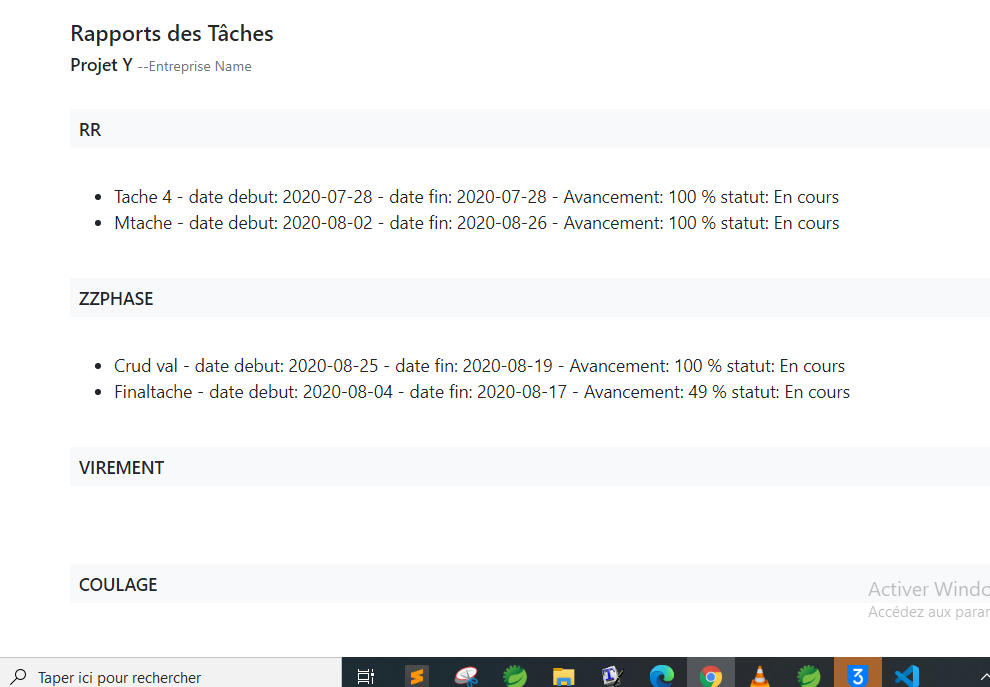
Can someone help me please, I try to generate a pdf multipage using jspdf on angular. I tried your solutions but it still doesn't work.
Here is the photo of the page
 OumarBa-Bows
on 28 Sep 2020
OumarBa-Bows
on 28 Sep 2020
@wangzhixuan, @MrRio your solution works like a charm. I need to set page margin so that i can set footer on the pdf. Is there a way to set page margin or bottom page margin so that i can add footer. Right now, footer overlaps with the content. Please have a look at the image
HI Did you get any solution for this?
 BhavikThakkar
on 15 Oct 2020
BhavikThakkar
on 15 Oct 2020
Here is my solution to break a large page into several pages automatically.
 // suppose your picture is already in a canvas

          var imgData = canvas.toDataURL('image/png');

          /*
          Here are the numbers (paper width and height) that I found to work.
          It still creates a little overlap part between the pages, but good enough for me.
          if you can find an official number from jsPDF, use them.
          */
          var imgWidth = 210;
          var pageHeight = 295;
          var imgHeight = canvas.height * imgWidth / canvas.width;
          var heightLeft = imgHeight;

          var doc = new jsPDF('p', 'mm');
          var position = 0;

          doc.addImage(imgData, 'PNG', 0, position, imgWidth, imgHeight);
          heightLeft -= pageHeight;

          while (heightLeft >= 0) {
            position = heightLeft - imgHeight;
            doc.addPage();
            doc.addImage(imgData, 'PNG', 0, position, imgWidth, imgHeight);
            heightLeft -= pageHeight;
          }
          doc.save(filename + '.pdf');
 narayan494pandey
on 13 Mar 2021
narayan494pandey
on 13 Mar 2021
can you please tell me how to control where to stop in first page and where to start in 2nd page and how to insert logo in each page. one more things is it is not opening in adobe reader. Please If you have any solution help me out .
narayan494pandey
on 13 Mar 2021
Related issues
 mellisa0109
·
3Comments
mellisa0109
·
3Comments
 andmaltes
·
4Comments
andmaltes
·
4Comments
 sajesh1985
·
5Comments
sajesh1985
·
5Comments
 palmoni
·
4Comments
palmoni
·
4Comments
 mackersD
·
4Comments
mackersD
·
4Comments
Most helpful comment
Here is my solution to break a large page into several pages automatically.