Json-server: How to use db.json file ?
Hello,
I have created a db.json file on my repo : https://github.com/msninela/JEMETER---API/blob/master/db.json
Now, I would like to know at what stage does it get used?
I am following steps here > https://github.com/typicode/json-server#getting-started. Everything seems to be working fine, I can install and start the JSON server. I wrote tests on JMeter, I can GET and POST. Please see the HTTP POST request attached. For POST, no content gets created, and I suspect it has to do with this part below, db.jason creation. Only IDs get created, which are auto generated > http://localhost:3000/posts
Create a db.json file with some data
{
"posts": [
{ "id": 1, "title": "json-server", "author": "typicode" }
],
"comments": [
{ "id": 1, "body": "some comment", "postId": 1 }
],
"profile": { "name": "typicode" }
}
 msninela
All 6 comments
hi, man! as i understand, you don't especially like that server creates data by POST although the body of the request is empty. or you don't like that it creates only ids, without defaults ("title" field in your example)? anyway, all of that belongs to "validation" case, and i think you need to create a nodejs server for this advanced usage of "json-server". at least, this issue talks about this:
 msafronov
on 18 Jul 2018
msafronov
on 18 Jul 2018
possibly not, but could this be the same as #711 ?
try setting content-header to application/json
 Aid19801
on 19 Jul 2018
Aid19801
on 19 Jul 2018
Thanks guys,
@Aid19801 I have added the Content-Type, it seems to still only post IDs. Do I somehow need to associate the header with the POST test?

@Nilegfx
msninela
on 19 Jul 2018
Don't worry guys, I had incorrectly added the HTTP Header Manager. Thanks 👍 :)
msninela
on 19 Jul 2018
i had the same problem, found the solution here https://www.youtube.com/watch?v=FyZBTbv7UM0
 golestanirad
on 6 Feb 2019
golestanirad
on 6 Feb 2019
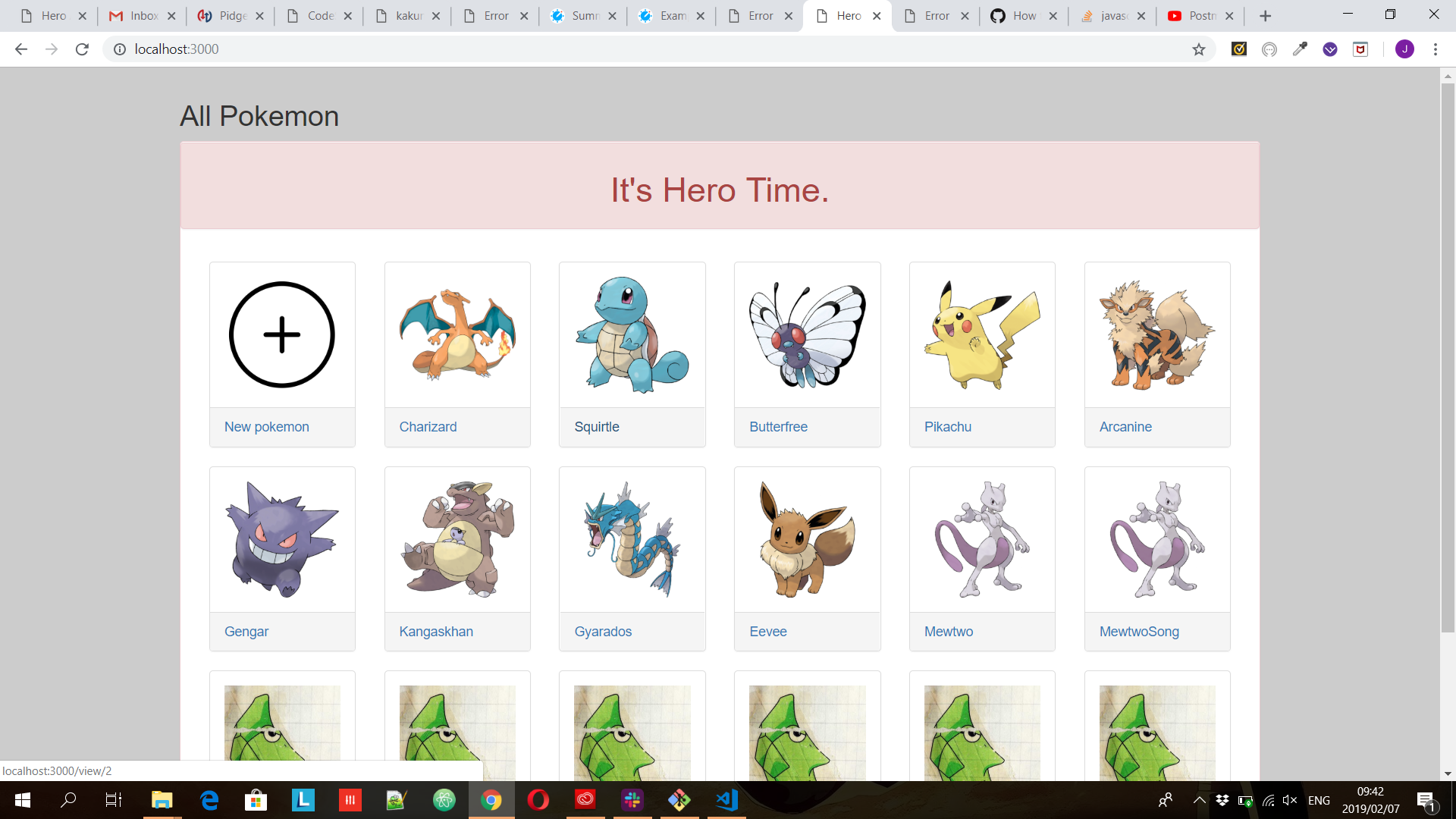
I will attempt this tutorial , Because I have a similar issue, I am running 2 local host servers. 1 which is the default server is running on 3000 and this is my express and ejs app.and the Second which is port 8080 for my json file. however when I run both servers now. I am seeing the express and ejs app on local host 8080 and also on the default 3000. When I search localhost:8080/db.json file It says cannot get "pokemon" which is the name of my object in the json fileCannot GET /pokemon


 giordifungula
on 7 Feb 2019
giordifungula
on 7 Feb 2019
Related issues
 boydenhartog
·
3Comments
boydenhartog
·
3Comments
 bahmutov
·
3Comments
bahmutov
·
3Comments
 goldmont
·
3Comments
goldmont
·
3Comments
 jasonlimantoro
·
4Comments
jasonlimantoro
·
4Comments
 casvil
·
4Comments
casvil
·
4Comments
Most helpful comment
possibly not, but could this be the same as #711 ?
try setting
content-headertoapplication/json