Js-buy-sdk: Metafields are not included in product-object, although whitelisted through Admin-API.
Hi there,
I use the Javascript Buy SDK to fetch products from my store.
I noticed that the metafields (product level) that I've added to my products are not included in the response-object of a product.
I've whitelisted the metafields that I need following these instructions:
https://help.shopify.com/en/api/guides/metafields/storefront-api-metafields#expose-metafields-to-the-storefront-api, that worked....
After pulling a product again with for example:
client.product.fetch('STOREFRONT_ID_OF_PRODUCT').then((product) => {
    console.log(product)
});
the metafields are still not included....
This is what I get back, when I fetch products in a certain collection (2 results in this case)
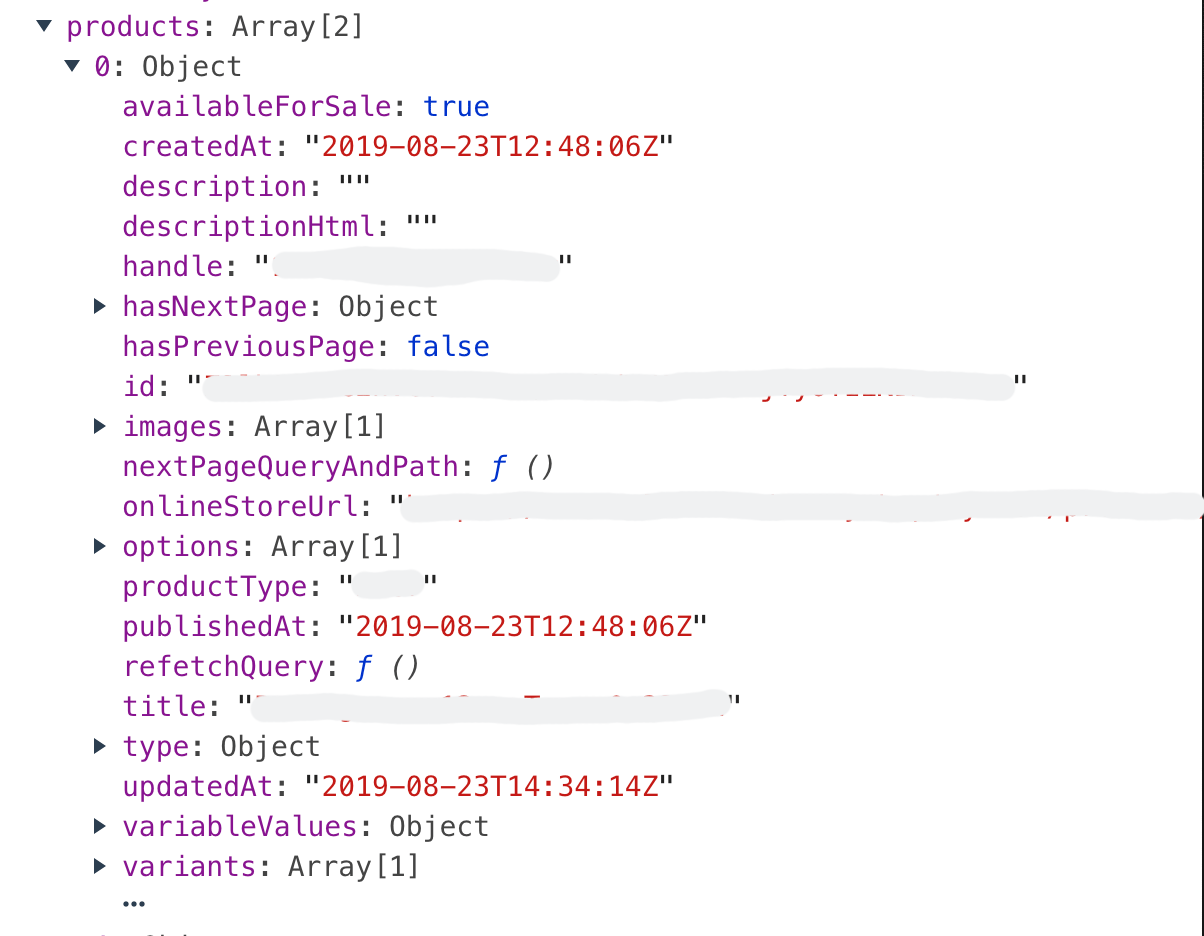
(if I click the three dots on the end, only the field _vendor_ pops-up, so it's not hidden there)
Did I miss something? If so, can someone maybe supply a code-snippet on how to include the metafields, because the docs don't mention this at all....
 v1nk0
v1nk0
All 3 comments
Metafields are not currently supported in the product queries by default. You can build a custom query to include the fields you require, following these instructions.
Here is an example code snippet:
// Build a custom products query using the unoptimized version of the SDK
const productsQuery = client.graphQLClient.query((root) => {
  root.addConnection('products', {args: {first: 10}}, (product) => {
    product.add('title');
    product.addConnection('metafields', {args: {first: 1}}, (metafield) => {
      metafield.add('namespace')
      metafield.add('key')
      metafield.add('value')
    });
  });
});

// Call the send method with the custom products query
client.graphQLClient.send(productsQuery).then(({model, data}) => {
  // Do something with the products
  console.log(model);
});
 rebeccajfriedman
on 4 Sep 2019
rebeccajfriedman
on 4 Sep 2019
@rebeccajfriedman Thanks for the example, this helps me a lot.
 arobbins
on 4 Sep 2019
arobbins
on 4 Sep 2019
@rebeccajfriedman how to add custom metafields ?
 GaspardC
on 16 Sep 2020
GaspardC
on 16 Sep 2020
Related issues
 daveadotdev
·
6Comments
daveadotdev
·
6Comments
 youanden
·
7Comments
arobbins
·
5Comments
youanden
·
7Comments
arobbins
·
5Comments
 agos
·
5Comments
agos
·
5Comments
 Gardemarin
·
7Comments
Gardemarin
·
7Comments
Most helpful comment
Metafields are not currently supported in the product queries by default. You can build a custom query to include the fields you require, following these instructions.
Here is an example code snippet: