Js-buy-sdk: Schema Updated, but graph-ql-client is getting no data (Metafields)
Describe the bug
I have seen the schema.json gut updated with #671 and Metafields are available.
When I try to get "metafields" with client.product or client.graphQLClient.query()
I always get "No field of name "metafields" found on type "Product" in schema"
To Reproduce
Steps to reproduce the behaviour:
// Build a custom products query using the unoptimized version of the SDK
    const productsQuery = client.graphQLClient.query((root) => {
      root.addConnection('products', {args: {first: 10}}, (product) => {
        product.add('id');
        product.addConnection('metafields', {args: {first: 5}}, (meta) => {
          meta.add('description')
        })
      });
    });

// Call the send method with the custom products query
    client.graphQLClient.send(metaQuery).then(({model, data}) => {
      // Do something with the products
      console.log(model);
    });
Expected behavior
Get the products metafields.
Environment (please complete the following information):
- OSX (10.14.5)
- Chrome (latest)
- js-buy-sdk 2.5.0
Additional context
I have seen that even if the js-buy-sdk has metafields in the schema the imported graphl-ql-client has no metafields at schema.json
I have also tried to copy the ProductFragment and create my own query, but the is rejected by graphQLclient.send(query).
Thanks for any help!
 philippsiegmund
All 14 comments
As stated on the Metafield API Guides:
"By default, the Storefront API can't read metafields. To expose specific metafields to the Storefront API, you need to use the GraphQL Admin API to whitelist them."
So I'm going to discard the js-buy-sdk implementation and use ApolloClient with full Auth and GraphQL Admin API.
IMHO this shouldn't be necessary for some Metafields
philippsiegmund
on 2 Jul 2019
I'll close this issue out, as you seem to have found a workaround for your use case. My recommendation is still to follow the metafields guide, as it will give you control over which metafields are publicly accessible, but you can do whatever you are most comfortable with.
 rebeccajfriedman
on 2 Jul 2019
rebeccajfriedman
on 2 Jul 2019
Honestly, I had to find a workaround because the SDK is not working...
philippsiegmund
on 4 Jul 2019
I'm having the same issue. Any update on this?
 tylermcrobert
on 5 Jan 2020
tylermcrobert
on 5 Jan 2020
@tylermcrobert Can you please explain what isn't working?
Following the Metafields guide to whitelist metafields to the Storefront API, and then using the custom query above, I am able to fetch metafields.
rebeccajfriedman
on 6 Jan 2020
@rebeccajfriedman I get the error "No field of name "metafields" found on type "Product" in schema". I had to switch to the storefront API where the whitelisted metafields _do_ show up (which also indicates that they are whitelisted correctly).
tylermcrobert
on 6 Jan 2020
I get the error "No field of name "metafields" found on type "Product" in schema".
What version of the schema are you using?
rebeccajfriedman
on 6 Jan 2020
I believe I was using the 2019-07 version. Is that what you're asking?
tylermcrobert
on 6 Jan 2020
I believe I was using the 2019-07 version. Is that what you're asking?
I was unclear. What version of the SDK are you using? Metafields are supported as of version 2.2.4.
rebeccajfriedman
on 6 Jan 2020
I am using 2.8.1.
On Mon, Jan 6, 2020 at 11:09 AM rebeccajfriedman notifications@github.com
wrote:
I believe I was using the 2019-07 version. Is that what you're asking?
I was unclear. What version of the SDK are you using? Metafields are
supported as of version 2.2.4
https://github.com/Shopify/js-buy-sdk/blob/master/CHANGELOG.md#v224-may-14-2019
.—
You are receiving this because you were mentioned.
Reply to this email directly, view it on GitHub
https://github.com/Shopify/js-buy-sdk/issues/683?email_source=notifications&email_token=AHT6A5ACULXB722KCOAMZIDQ4N6YPA5CNFSM4H4RXZPKYY3PNVWWK3TUL52HS4DFVREXG43VMVBW63LNMVXHJKTDN5WW2ZLOORPWSZGOEIGOHHI#issuecomment-571270045,
or unsubscribe
https://github.com/notifications/unsubscribe-auth/AHT6A5EVDVCMDEF4DGCH6LLQ4N6YPANCNFSM4H4RXZPA
.
tylermcrobert
on 6 Jan 2020
@tylermcrobert I am unable to reproduce your issue. If you provide your myshopify domain, as well as the product you are expecting to get metafields from, I can look into it.
rebeccajfriedman
on 7 Jan 2020
@tylermcrobert make sure you are using
import Client from 'shopify-buy/index.unoptimized.umd';
instead of
import Client from 'shopify-buy';
 bartoszwrobel
on 10 Jan 2020
bartoszwrobel
on 10 Jan 2020
Hello 😊
I cannot manage to access custom meta fields,
I'm using:
import Client from 'shopify-buy/index.unoptimized.umd';
and "shopify-buy": "^2.10.0"
I believe I've whiltelisted my custom metafield dateFromto make it accessible :
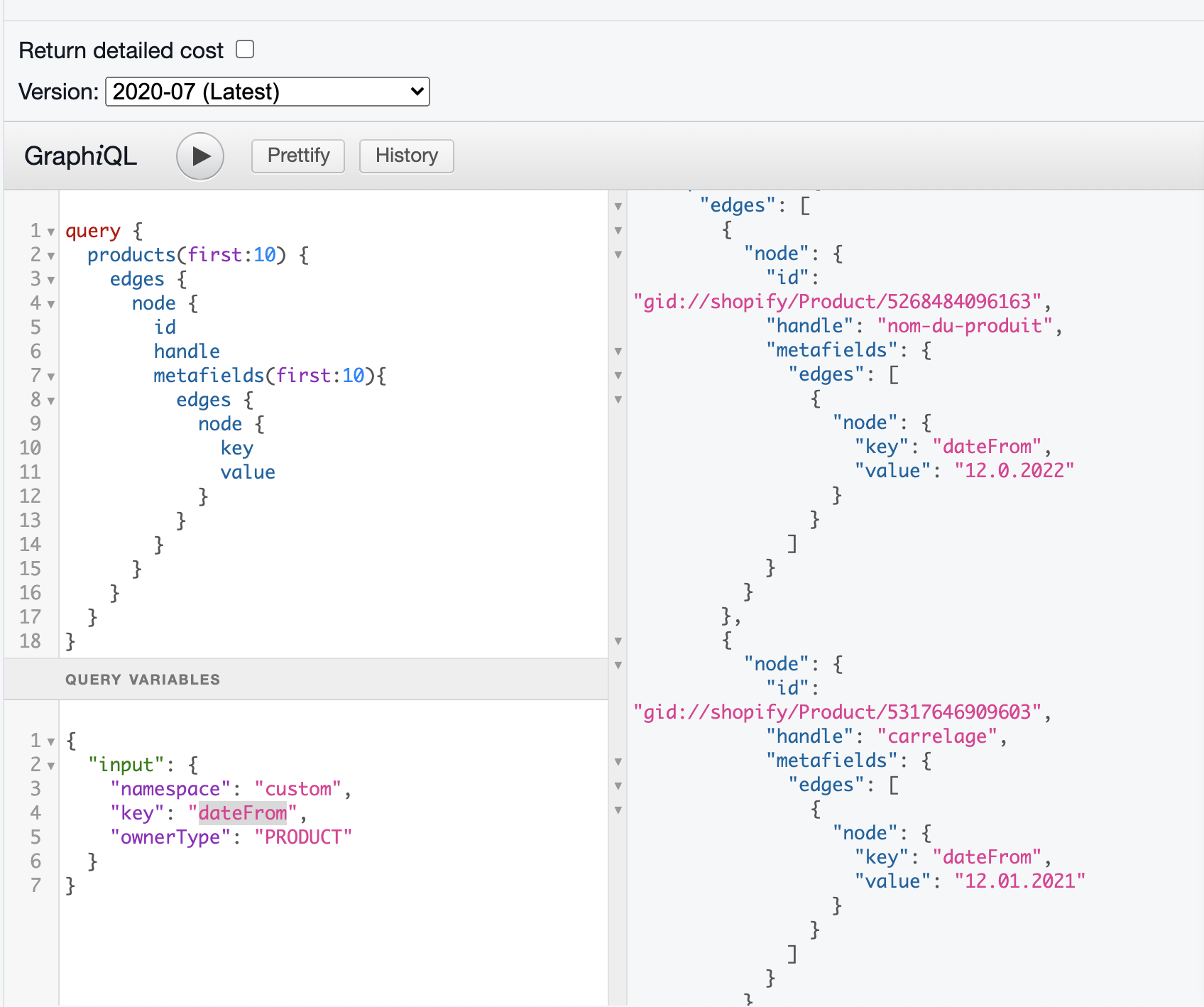
   product.addConnection('metafields', { args: { first: 1 } }, (metafield) => {
                metafield.add('dateFrom')  // NOT working
                metafield.add('createdAt') // working
                metafield.add('namespace') // working
                metafield.add('key')       // working
                metafield.add('value')     // working
            })
I get the error : Error: No field of name "dateFrom" found on type "Metafield" in schema
Could you help me ? @rebeccajfriedman
thanks
Gaspard
 GaspardC
on 5 Jul 2020
GaspardC
on 5 Jul 2020
Has this been resolved? Im facing the same issue.
 Caperious
on 24 Nov 2020
Caperious
on 24 Nov 2020
Related issues
 Codesesh
·
7Comments
Codesesh
·
7Comments
 danielpost
·
5Comments
danielpost
·
5Comments
 darkylmnx
·
7Comments
darkylmnx
·
7Comments
 chase-moskal
·
7Comments
chase-moskal
·
7Comments
 v1nk0
·
3Comments
v1nk0
·
3Comments
Most helpful comment
@tylermcrobert make sure you are using
import Client from 'shopify-buy/index.unoptimized.umd';instead of
import Client from 'shopify-buy';