Joplin: Joplin 1.0.207 breaks inserting images
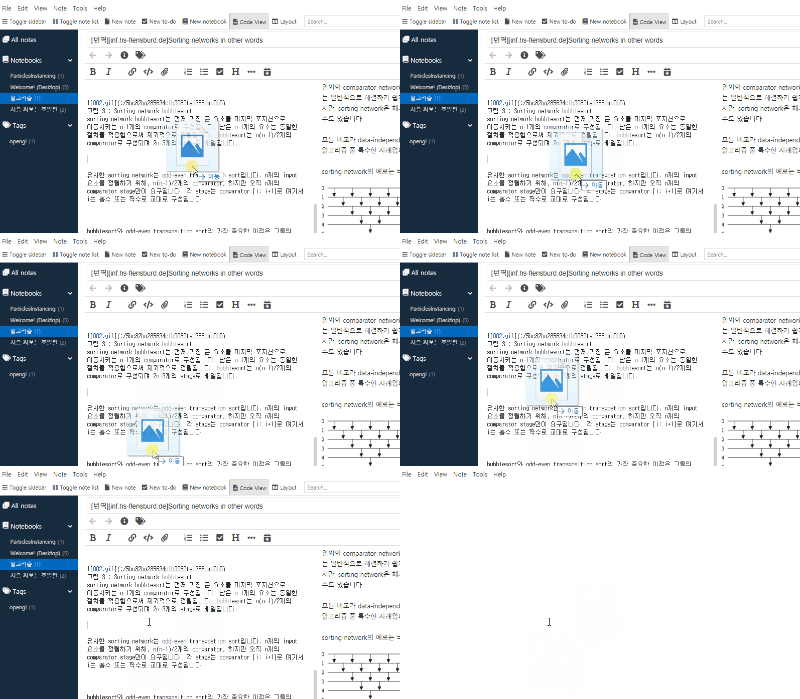
As of Joplin 1.0.207 when trying to paste an image with ctrl+v, dragging and dropping an image into Joplin, or even clicking the "attach file" button in the toolbar and locating the image manually, the main view goes white and Joplin becomes unresponsive until forced to restart through the icon in the tray.

Environment
Joplin version: 1.0.207
Platform: Windows 10
OS specifics: Win 10 1909 Feature Update
Steps to reproduce
- Copy and image to the clipboard
- Attempt to paste the image in Joplin
Describe what you expected to happen
The image will be attached to the note
Logfile
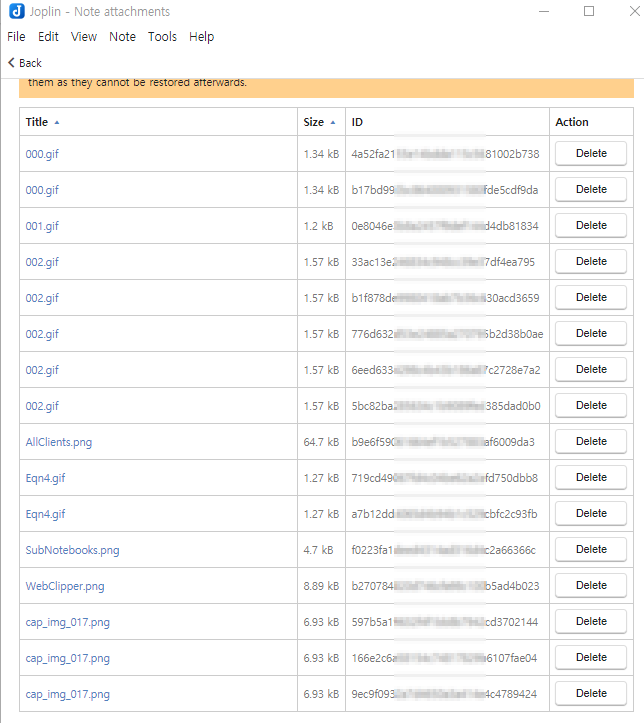
There are no errors that display in log.txt, however when creating a flags.txt and watching the console 3 errors show up when attempting to add an image:


Here is a txt containing the pasted errors so that you can find and search in necessary:
Errors.txt
My knowledge of NodeJS, NPM, React, Electron, etc varies from extremely little to nonexistent so I may not be much help beyond this point, but I'll do my best to provide more data in necessary.
 Gamegenorator
All 18 comments
I can't replicate this. Does it happen all the time for you?
 laurent22
on 11 May 2020
laurent22
on 11 May 2020
@laurent22 Yes, it happens every time on both my Windows systems.
Gamegenorator
on 11 May 2020
Something I've just noticed while doing more extensive testing, it's working fine if I attempt to attach images to notes that are located within a standalone notebook. I only the get the problem if I attempt to attach an image to a notebook that's nested within several other notebooks.
So attaching an image to a note in my "Inbox" notebook works fine. While attaching an image to a note that's located within "School" -> "Science" -> "Earth and the universe" -> "Physics and chemistry" causes the problem.
But I have images that have been added to notes in this notebook from 1.0.206 that are still there and still work as intended, so something about 1.0.207 causes an error when adding images to notes in nested notebooks while showing images added to the same note in previous versions on Joplin just fine.
Gamegenorator
on 11 May 2020
Does it happen if you disable "Show note counts" in Options > General > Advanced Options?
laurent22
on 12 May 2020
@laurent22 Yes, it appears to have no affect whether it is on or off.
Gamegenorator
on 12 May 2020
Would you be able to export a notebook that can be used to replicate this problem?
By the way, what resource download mode do you use? And do you have encryption enabled?
laurent22
on 13 May 2020
@laurent22
Link to reproducible copy in .jex format
I imported that .jex file onto my other Windows system and found the bug 100% reproducible. I then imported the file in Joplin on an Ubuntu VM and unable to reproduce the bug in any form. I don't own a Mac but I would assume if it doesn't work on Linux it won't work on Mac.
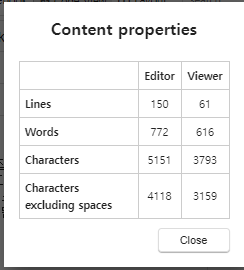
After further testing I found the reason I thought it was related to notebook nesting was entirely inaccurate and can be replicated simply by having text above and below where you attach the image. The only thing I haven't found is exactly how much text is required before the problem occurs.
I have encryption enabled and am using Dropbox as my sync target. I use Always download mode on the laptop, and Auto download mode on my desktop, both of which are running Windows.
Gamegenorator
on 13 May 2020
As a more permanent link (And for archival purposes), I put the .jex in a zip which allowed me to upload it to github directly.
Gamegenorator
on 13 May 2020
Yep, I'm getting the same error with your JEX file.
 roman-r-m
on 14 May 2020
roman-r-m
on 14 May 2020
Thanks for the sample file @Gamegenorator. I can replicate on v207 but cannot anymore on the latest dev version so I think I might have fixed it as I've changed several things related to resource attachment in the latest version. So let's close it for now and if it happens again with the coming version, please let me know.
laurent22
on 17 May 2020
@laurent22 v209 appears to have solved to issue if you copy and paste the image into Joplin with the usual ctrl+c and ctrl+v, However both dragging and dropping an image into Joplin and attaching a file with the button in the toolbar still causes the problem.
The criteria for how much text needs to be in the note before attaching the image causes the problem does not appear to have changed so it won't be necessary to upload a 2nd sample file.
Gamegenorator
on 17 May 2020
 AllFunThing
on 19 May 2020
AllFunThing
on 19 May 2020
Still there in 1.0.211
 sttrebo
on 21 May 2020
sttrebo
on 21 May 2020
It does appear on the surface that there has been no change in v211 compared to v209 regarding the image attachment bug.
Gamegenorator
on 21 May 2020
There still appears to be no change in v212
Gamegenorator
on 21 May 2020
In v214, ctrl+c and ctrll+v is still working. Attaching with the "Attach file" button in the toolbar has been fixed (It does add a full 2 lines above and below the reference, which is odd, but minor). And Dragging and Dropping mostly works, there is no crash, but it automatically places the images reference at the top of the markdown file instead of where the cursor was when the image was dragged and dropped, again, odd, but better than crashing.
Gamegenorator
on 21 May 2020
I don't know if this issue is still being monitored but there is no change regarding image attachments in v216 compared v214, meaning dragging and dropping images still throws to reference image at the top of the markdown file in the instead of where the cursor was when the image was dragged and dropped.
Gamegenorator
on 24 May 2020
Also seeing the drag-and-dropped images inserting at the top of a note behavior as well, FWIW. On 1.0.216, not sure if I had the same behavior in 214 though.
 Veyska
on 27 May 2020
Veyska
on 27 May 2020
Related issues
 Dharmesh-Poddar
·
3Comments
Dharmesh-Poddar
·
3Comments
 kopfuss
·
3Comments
kopfuss
·
3Comments
 smhearty
·
3Comments
smhearty
·
3Comments
 hakim89
·
3Comments
hakim89
·
3Comments
 jmcastagnetto
·
3Comments
jmcastagnetto
·
3Comments