Joplin: Android: Some text are in black colour in dark and oled dark theme
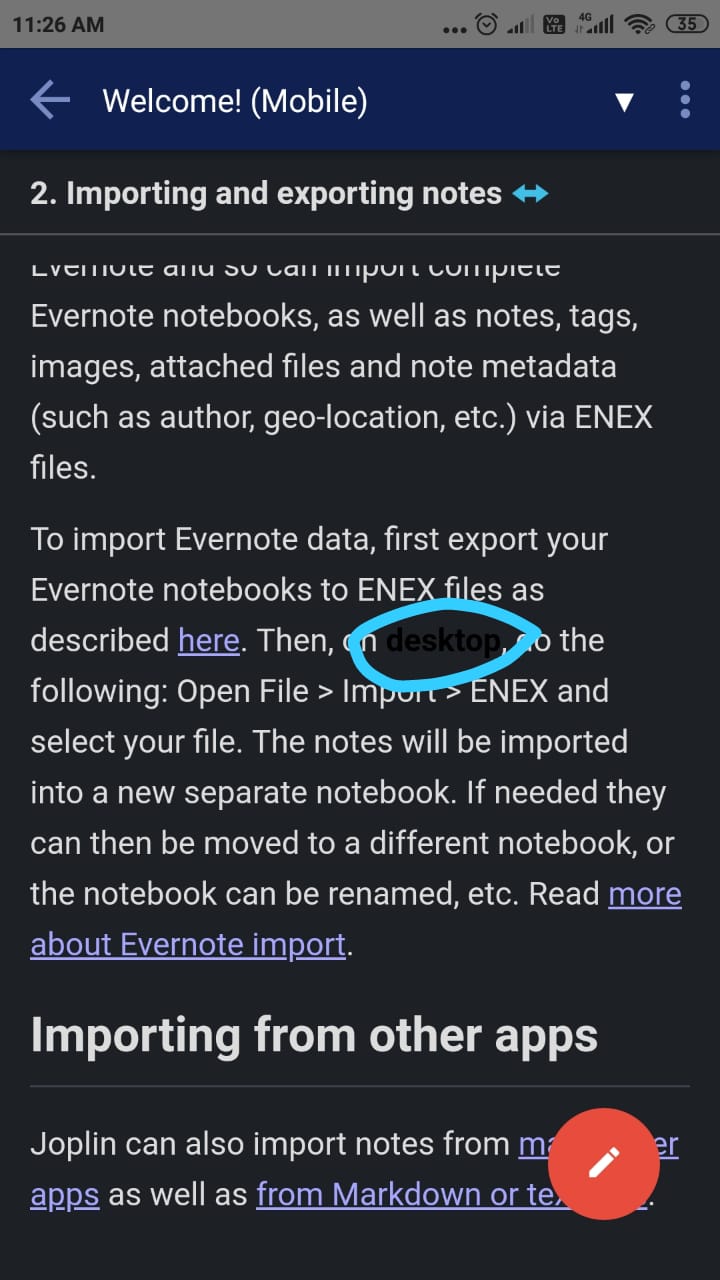
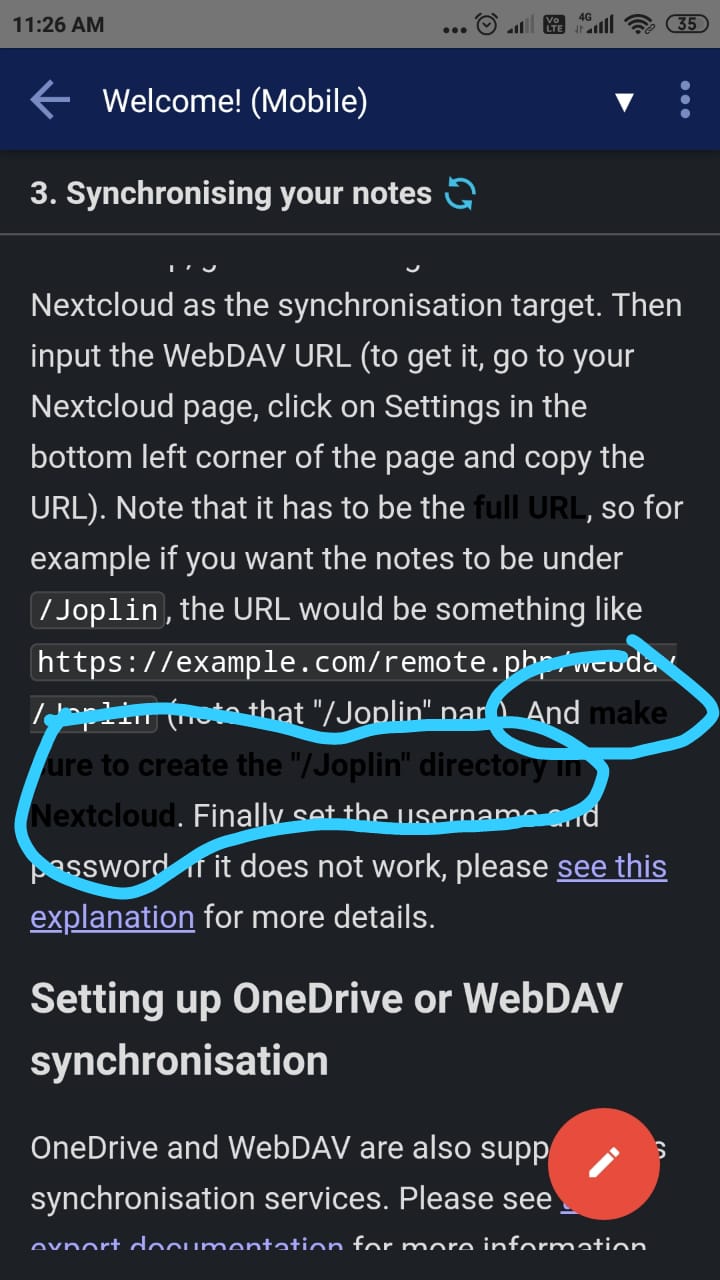
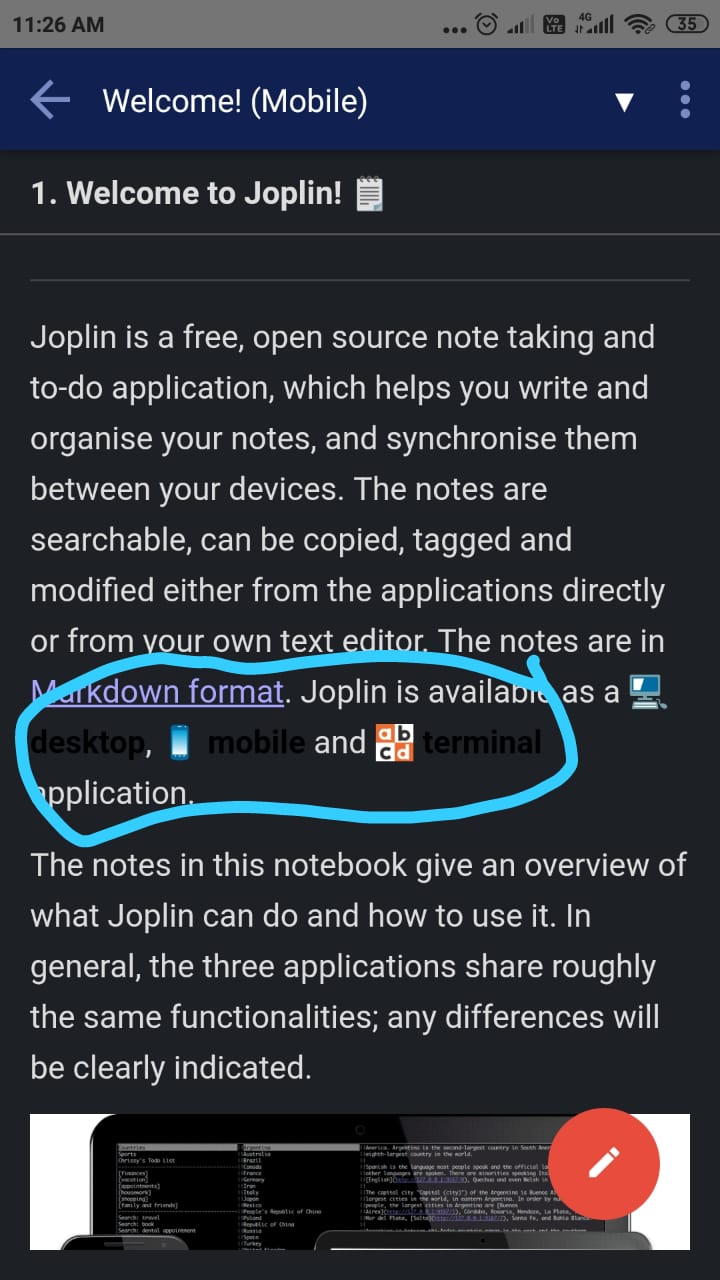
on welcome page we have some notes like welcome to joplin , importing and exporting notes etc.
When the theme is dark or oled dark ,there are some texts inside the notes that are in black colour and that is why these texts are not visible properly and hence are not user-friendly.
Environment
Joplin version: 1.0.324
Platform: Android
OS specifics: Android 10
Steps to reproduce
- open the joplin app in your android device.
- switch to the dark theme by selecting dark in theme (option present in configuration tab).
- open the notes available on welcome page.
Describe what you expected to happen
all the texts written in the notes should be properly visible and user-friendly.
would you like to work on it
Yes
bug
 Dharmesh-Poddar
All 3 comments
I believe this issue was with bold text only, and resolved by a recent PR
 anihm136
on 27 Mar 2020
anihm136
on 27 Mar 2020
👍1
Hey bro, this issue is for bold text, I just solved it, and issue and my PR is already there
 ishantgupta777
on 27 Mar 2020
ishantgupta777
on 27 Mar 2020
👍1
@ishantgupta777 @anihm136 Thanks guys !! I will close it.
Dharmesh-Poddar
on 27 Mar 2020
Was this page helpful?
0 / 5 - 0 ratings
Related issues
 christianlupus
·
3Comments
christianlupus
·
3Comments
 smhearty
·
3Comments
smhearty
·
3Comments
 jurgenhaas
·
3Comments
jurgenhaas
·
3Comments
 Cybernemo
·
3Comments
Cybernemo
·
3Comments
 kopfuss
·
3Comments
kopfuss
·
3Comments