Joplin: External Editor Unable to Access Watched File from Joplin CLI
Environment
Joplin version: joplin 1.0.153 (prod)
Platform: Linux, CLI
OS specifcs: Fedora 30 x86_64
Steps To Reproduce
- Open Joplin database via CLI interface
- Execute
:config editor vim - Edit any note directly that was in database (success)
- Close Note
- Execute
:config editor code - Choose to open any note for editing in vscode
- Note does not open up but shows empty, new markdown file
Describe what you expected to happen:
When attempting to access my Joplin Database using the CLI, I am unable to open my note in vscode as I could from the Joplin Desktop Edition. I would very much like to have this ability! However, if I use vim as my configured external editor, I am able to access and edit my note fine.
Additionally, I am running the following command to open up my Joplin notes (this is because I started out with the Desktop client and am trying to mostly switch over to the CLI):
joplin --profile ~/.config/joplin-desktop
Here is the note I am trying to edit:
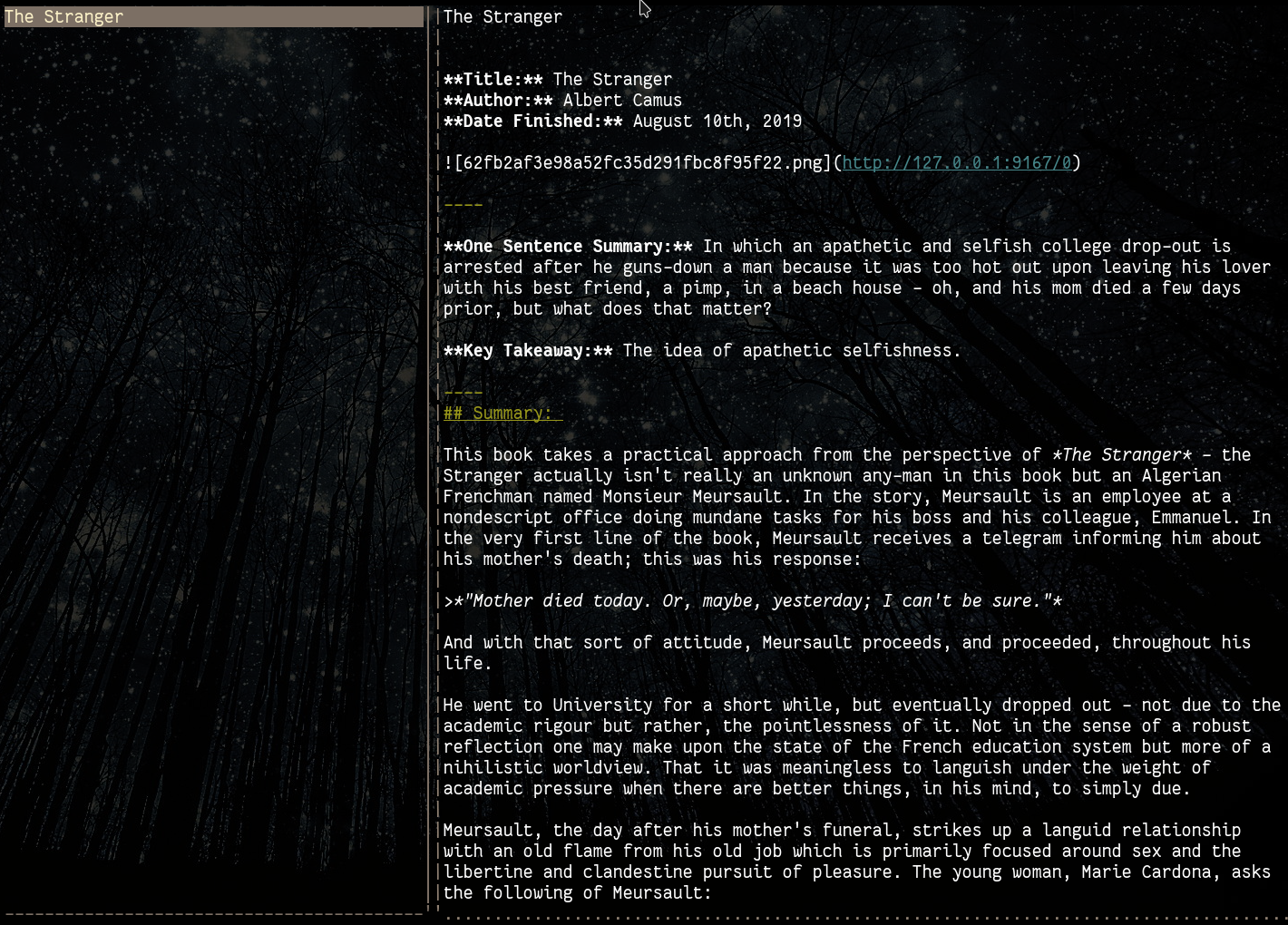
Here is an example of me accessing the note via the CLI with vim set-up as my external editor with no problem:
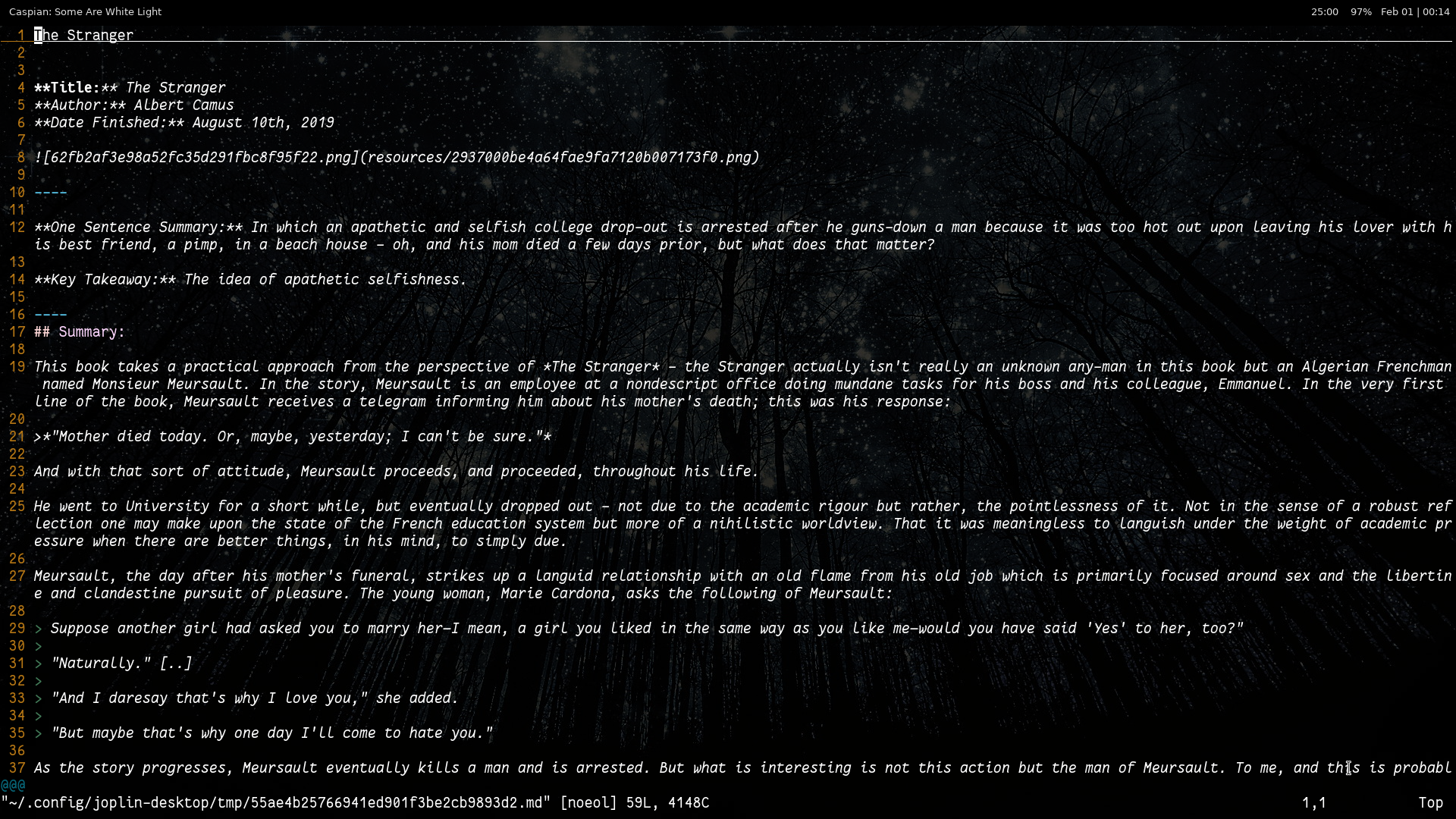
Here is an example of me accessing the note via the CLI with vscode set-up as my external editor - as you can see as well, the note is a different markdown file than that which was in vim:
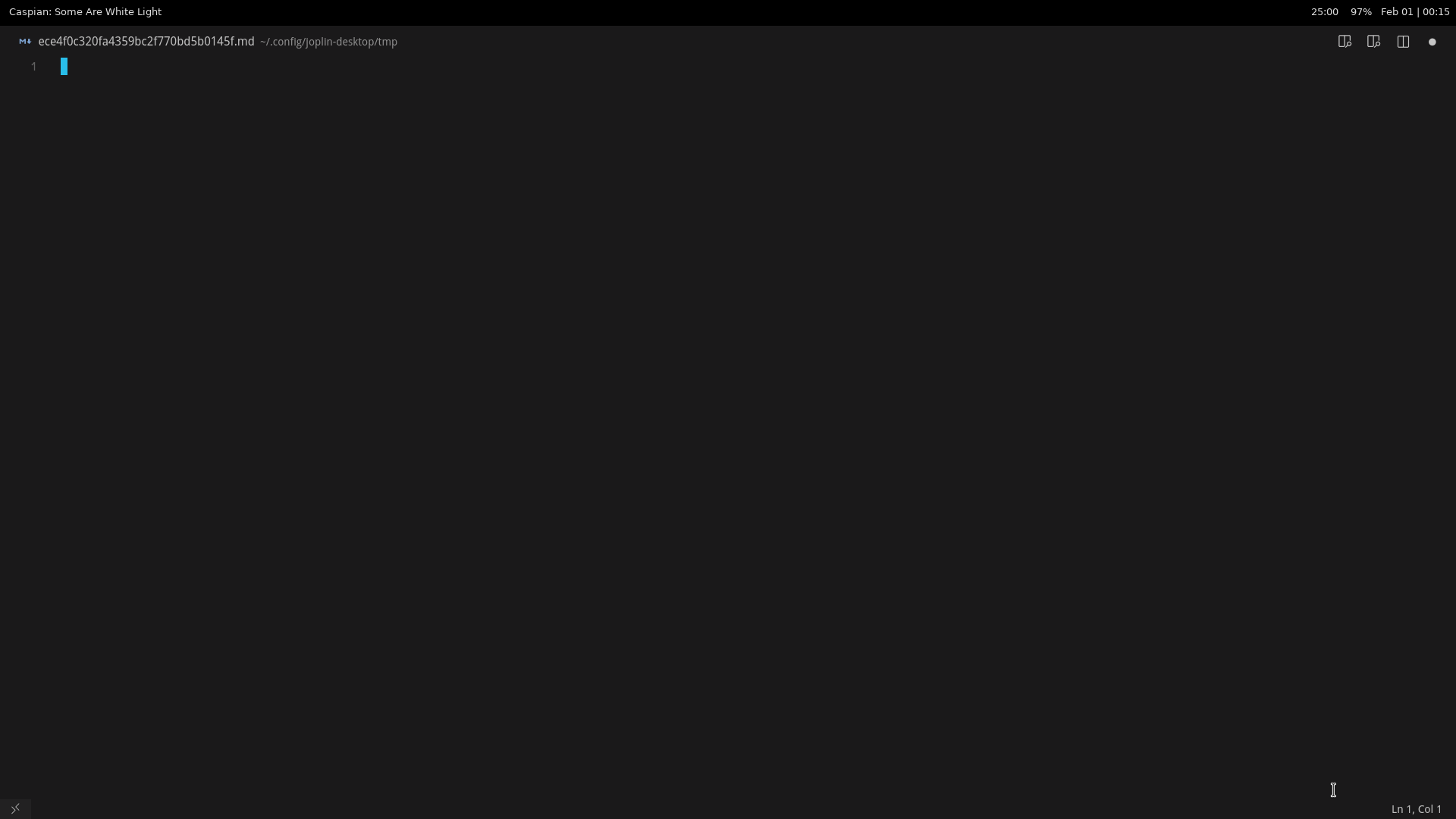
I have a feeling the watcher in the CLI is not mapping the note opening from the CLI to vscode but I am unsure of why that is since vim works fine... Thoughts?
Logfile
Here is my log:
2020-02-01 00:21:25: "Profile directory: /home/cedarprince/.config/joplin-desktop"
2020-02-01 00:21:25: "Trying to load 0 master keys..."
2020-02-01 00:21:25: "Loaded master keys: 0"
2020-02-01 00:21:25: "ResourceFetcher: Auto-add resources: Mode: always"
2020-02-01 00:21:25: "ResourceFetcher: Auto-added resources: 0"
2020-02-01 00:21:25: "Setting up recurrent sync with interval 300"
2020-02-01 00:21:25: "Refreshing notes:", "null", "null"
2020-02-01 00:21:25: "Trying to load 0 master keys..."
2020-02-01 00:21:25: "Loaded master keys: 0"
2020-02-01 00:21:25: "Scheduling sync operation..."
2020-02-01 00:21:25: "Setting up recurrent sync with interval 300"
2020-02-01 00:21:25: "Trying to load 0 master keys..."
2020-02-01 00:21:25: "Loaded master keys: 0"
2020-02-01 00:21:25: "Scheduling sync operation..."
2020-02-01 00:21:25: "Trying to load 0 master keys..."
2020-02-01 00:21:25: "Loaded master keys: 0"
2020-02-01 00:21:25: "Scheduling sync operation..."
2020-02-01 00:21:25: "RevisionService::runInBackground: Starting background service with revision collection interval 600000"
2020-02-01 00:21:25: "Refreshing notes:", "2", "c0d98d2ebaab44d39e65d3a06c96deb1"
2020-02-01 00:21:25: "Rebuilding items...", "Folder", "c0d98d2ebaab44d39e65d3a06c96deb1", "null"
2020-02-01 00:21:26: "DecryptionWorker: cannot start because no master key is currently loaded."
2020-02-01 00:21:27: "Shortcut:", ":", "{"keys":[":"],"type":"function","command":"enter_command_line_mode","canRunAlongOtherCommands":false}"
2020-02-01 00:21:29: "RevisionService::maintenance: Starting..."
2020-02-01 00:21:29: "RevisionService::maintenance: Service is enabled"
2020-02-01 00:21:30: "RevisionService::collectRevisions: Created revisions for 0 notes"
2020-02-01 00:21:30: "RevisionService::maintenance: Done in 104ms"
2020-02-01 00:21:35: "Shortcut:", "ENTER", "{"keys":["ENTER"],"type":"function","command":"activate","canRunAlongOtherCommands":false}"
2020-02-01 00:21:35: "SearchEngine: Updating FTS table..."
2020-02-01 00:21:35: "Preparing scheduled sync"
2020-02-01 00:21:35: "Saving updated Dropbox auth."
2020-02-01 00:21:35: "Starting scheduled sync"
2020-02-01 00:21:35: "Sync: starting: Starting synchronisation to target 7... [1580534495936]"
2020-02-01 00:21:35: "mkdir .sync"
2020-02-01 00:21:36: "SearchEngine: Updated FTS table in 2ms. Inserted: 0. Deleted: 0"
2020-02-01 00:21:36: "mkdir .lock"
2020-02-01 00:21:36: "mkdir .resource"
2020-02-01 00:21:36: "list "
2020-02-01 00:21:37: "Shortcut:", "ENTER", "{"keys":["ENTER"],"type":"function","command":"activate","canRunAlongOtherCommands":false}"
2020-02-01 00:21:37: "Disabling fullscreen..."
2020-02-01 00:21:39: "get .sync/version.txt"
2020-02-01 00:21:40: "put .sync/version.txt", "null"
2020-02-01 00:21:40: "Shortcut:", ":", "{"keys":[":"],"type":"function","command":"enter_command_line_mode","canRunAlongOtherCommands":false}"
2020-02-01 00:21:41: "delta "
2020-02-01 00:21:41: "Sync: fetchingTotal: Fetching delta items from sync target"
2020-02-01 00:21:41: "Sync: finished: Synchronisation finished [1580534495936]"
2020-02-01 00:21:41: "Operations completed: "
2020-02-01 00:21:41: "fetchingTotal: -"
2020-02-01 00:21:41: "Total folders: 38"
2020-02-01 00:21:41: "Total notes: 121"
2020-02-01 00:21:41: "Total resources: 126"
2020-02-01 00:21:41: "Setting up recurrent sync with interval 300"
2020-02-01 00:21:48: "Shortcut:", "ENTER", "{"keys":["ENTER"],"type":"function","command":"activate","canRunAlongOtherCommands":false}"
2020-02-01 00:21:48: "Disabling fullscreen..."
2020-02-01 00:21:55: "ResourceService::indexNoteResources: Start"
2020-02-01 00:21:56: "ResourceService::indexNoteResources: Completed"
2020-02-01 00:21:56: "ResourceService::deleteOrphanResources:", "[]"
2020-02-01 00:22:03: "Shortcut:", ":", "{"keys":[":"],"type":"function","command":"enter_command_line_mode","canRunAlongOtherCommands":false}"
Please let me know if you need any more assistance or information and I would be happy to provide it. Thank you!
 TheCedarPrince
All 12 comments
I've had a similar issue except from the Desktop Linux version. I did find that using vim doesn't open all the time. It seems that joplin doesn't close out vim properly leading to the swap files lingering. The swap files are basically scratch copies created when you edit a file in case of a system or app crash.
If it's doing the same for you, that could explain what's happening to you. Joplin could be hanging onto the vim swap file meaning that it won't open that file in another editor until that file is closed out
 bedwardly-down
on 1 Feb 2020
bedwardly-down
on 1 Feb 2020
Right - I do understand that is what is happening but what is strange upon further investigation just now is that anytime I open a file, it creates a new markdown file in ~/.config/tmp/ and does not overwrite the current selected note in any way. Moreover, it seems to save any changes to this note in tmp/.
I think you are on to something with the swap files or watched files - it just does not seem like the correct associations are being made. What do you think @bedwardly-down or anyone else?
UPDATE: After further experimentation where I reinstalled and reconfigured the joplin CLI, still no luck. Opening files in vscode is failing - seems like it is a vscode specific problem almost...
I am setting the Joplin CLI to use this command:
:config editor <absolute path to vscode>/code -n
It opens a new window but creates a new note and sticks it in the ~/.config/joplin/tmp/ folder. Any thoughts?
TheCedarPrince
on 1 Feb 2020
@laurent22 or @tessus, you two think the vim part of this i brought up could be a separate bug or related?
Also, @TheCedarPrince, I'm still learning how the app's code works, so I'm not sure what exactly is happening from an internal standpoint, but it would still make perfect sense. If it's the same bug between CLIClient and ElectronClient (desktop version) that means that the bug is most likely in ReactClient libs somewhere. All of the clients seem to share the same base libs there.
bedwardly-down
on 2 Feb 2020
It does almost feel like there are two bugs here - one related to files not being watched and another with vim... Curiouser and curiouser.
TheCedarPrince
on 2 Feb 2020
One could be a symptom of the other, too.
bedwardly-down
on 2 Feb 2020
Same issue here on OS X. When opening a note in Code from the Desktop app, it works as expected. When opening from the CLI, it opens a blank markdown file in ~/.config/joplin/tmp
 prurph
on 9 Feb 2020
prurph
on 9 Feb 2020
I am also having the same issue. Glad I found this issue as this was driving me crazy as the documentation says it works and others have said it does...
 Xmas13
on 18 Feb 2020
Xmas13
on 18 Feb 2020
Looks like this is still present. As an extremely hacky workaround you can do: :config editor "vim -c '!code %'" in the Joplin CLI.
This will start vim with the appropriate tmp file for editing and also open it in code. Edits made in code will be reflected in the note once vim is closed. Trying to close vim immediately as part of the command results in the tmp file being deleted and breaks things.
I haven't looked into it but this leads me to believe that Joplin is just watching the editor command, and deleting the tmp file as soon as it exits; the code shell command actually exits immediately, so the Joplin CLI stops watching the tmp file and deletes it when trying to simply use :config editor code.
prurph
on 26 Mar 2020
Hey there, it looks like there has been no activity on this issue recently. Has the issue been fixed, or does it still require the community's attention? This issue may be closed if no further activity occurs. You may comment on the issue and I will leave it open. Thank you for your contributions.
![stale[bot] picture](https://avatars3.githubusercontent.com/in/1724?v=4&s=40) stale[bot]
on 10 May 2020
stale[bot]
on 10 May 2020
This is still a problem.
prurph
on 13 May 2020
I've hit this same problem, and reading your comment @prurph made me realize what the issue was.
Similar to how you would want to set the code or sublime as the editor for git commits, you have to tell it to wait. So for VSCode, this seems to work for me:
VSCode: :config editor "code --wait -n"
Sublime: :config editor "subl -n -w"
I made a pull request updating the FAQ with this information. I'm on linux, and I tried VSCode and sublime, and reading the git instructions here on setting an external editor, it appears it would work similarly for Mac and windows.
 Ronnie76er
on 29 May 2020
Ronnie76er
on 29 May 2020
@Ronnie76er that's exactly it--I had no idea there was a --wait flag. Thank you! 🙇 🙌
prurph
on 29 May 2020
Related issues
 laurent22
·
3Comments
laurent22
·
3Comments
 yschutz
·
3Comments
yschutz
·
3Comments
 smhearty
·
3Comments
smhearty
·
3Comments
 christianlupus
·
3Comments
christianlupus
·
3Comments
 Dharmesh-Poddar
·
3Comments
Dharmesh-Poddar
·
3Comments