Joplin: Right-click to assign a note to a notebook
Add a new option to assign a notebook for a note or multiple notes with a right-click.
Currently, the right-click leads to a popup menu which already contains "Add or remove tags". New option "Move to a notebook" would be very useful.
Like "Add or remove tags", it would open a dialog where the user can select the notebook from a dropdown list with typeahed.
The problem with a current way to assign a notebook is that it can be only done by drag-n-drop. This is undesirable in some cases, such as when having too many notebooks as it becomes very tiring to scroll through the list of notebooks and then drag-n-drop the notes.
Environment
Joplin version: 1.0.175
Platform: MacOS, Linux, Windows
 dbogdanov
All 30 comments
Not a bad idea. Please open a topic on the forum to discuss the feature.
 tessus
on 14 Jan 2020
dbogdanov
on 14 Jan 2020
tessus
on 14 Jan 2020
dbogdanov
on 14 Jan 2020
@dbogdanov the feature request was accepted. Now we only have to find someone to implement it...
tessus
on 17 Jan 2020
@laurent22 I would like to work on this issue.
 CaptainNick
on 25 Jan 2020
CaptainNick
on 25 Jan 2020
That's great @CaptainNick! I've assigned the issue to you and if you need some help let us know.
 laurent22
on 25 Jan 2020
laurent22
on 25 Jan 2020
@CaptainNick please make sure that you also include a live search field in the popup, otherwise it will be very hard to scroll through a myriad of folders. Imagine 100-200 nested folders. Scrolling would be a mess and time consuming matter.
tessus
on 25 Jan 2020
@tessus, it's already in the spec
dropdown list with typeahed
laurent22
on 26 Jan 2020
@laurent22 ahh, the last time I read the first comment that part was not there. This suggestion came only later in the forum.
tessus
on 26 Jan 2020
Hey @laurent22. I would like to fix this issue. Is @CaptainNick is working on it?
 coderrsid
on 5 Feb 2020
coderrsid
on 5 Feb 2020
@CaptainNick, are you still working on it, or can I assign it to @coderrsid?
laurent22
on 5 Feb 2020
@laurent22 yes I'm working on this. I'm getting hold of the codebase. Can you please allow 2 more days?
CaptainNick
on 5 Feb 2020
@CaptainNick, sure we can wait, no problem.
laurent22
on 5 Feb 2020
@laurent22 Looks like I might need more time. Kindly assign this issue to @coderrsid . I'll take up different issue later. Thank you. :)
CaptainNick
on 6 Feb 2020
Ok thanks for letting me know. @coderrsid, feel free to go ahead and work on it then.
laurent22
on 6 Feb 2020
Sure, @laurent22
coderrsid
on 6 Feb 2020
@coderrsid any update? It would be nice to keep us apprised.
tessus
on 15 Feb 2020
Hey @tessus Sorry i couldn't reply although i am working on this issue instead https://github.com/laurent22/joplin/issues/2467
coderrsid
on 19 Feb 2020
Hey @tessus I was just trying to fix this issue. I have one issue why there is two App.js, one in ElectronClient/App and other in app/dist/mac/.../Resources/app/app.js. Do i have to make changes to them both as they look same as my changes is not shown in the app.
coderrsid
on 22 Feb 2020
Actually, there is no app directory anymore. If you pull the latest git master, you will see that.
If you are working on a local branch, create a new branch from your branch and do a git rebase master.
The file app.js is now in the directory ElectronClient.
The dist directory will be created when you create a release, so for testing this is not even necessary. Just do a npm start run in the ElectronClient directory.
tessus
on 22 Feb 2020
The BUILD.md has been updated to reflect the changes to the build process.
tessus
on 22 Feb 2020
Yeah i just saw that. Thanks @tessus
coderrsid
on 22 Feb 2020
Hey @tessus I've updated my forked master branch but when i run it now with npm start run. It shows white screen in the app.
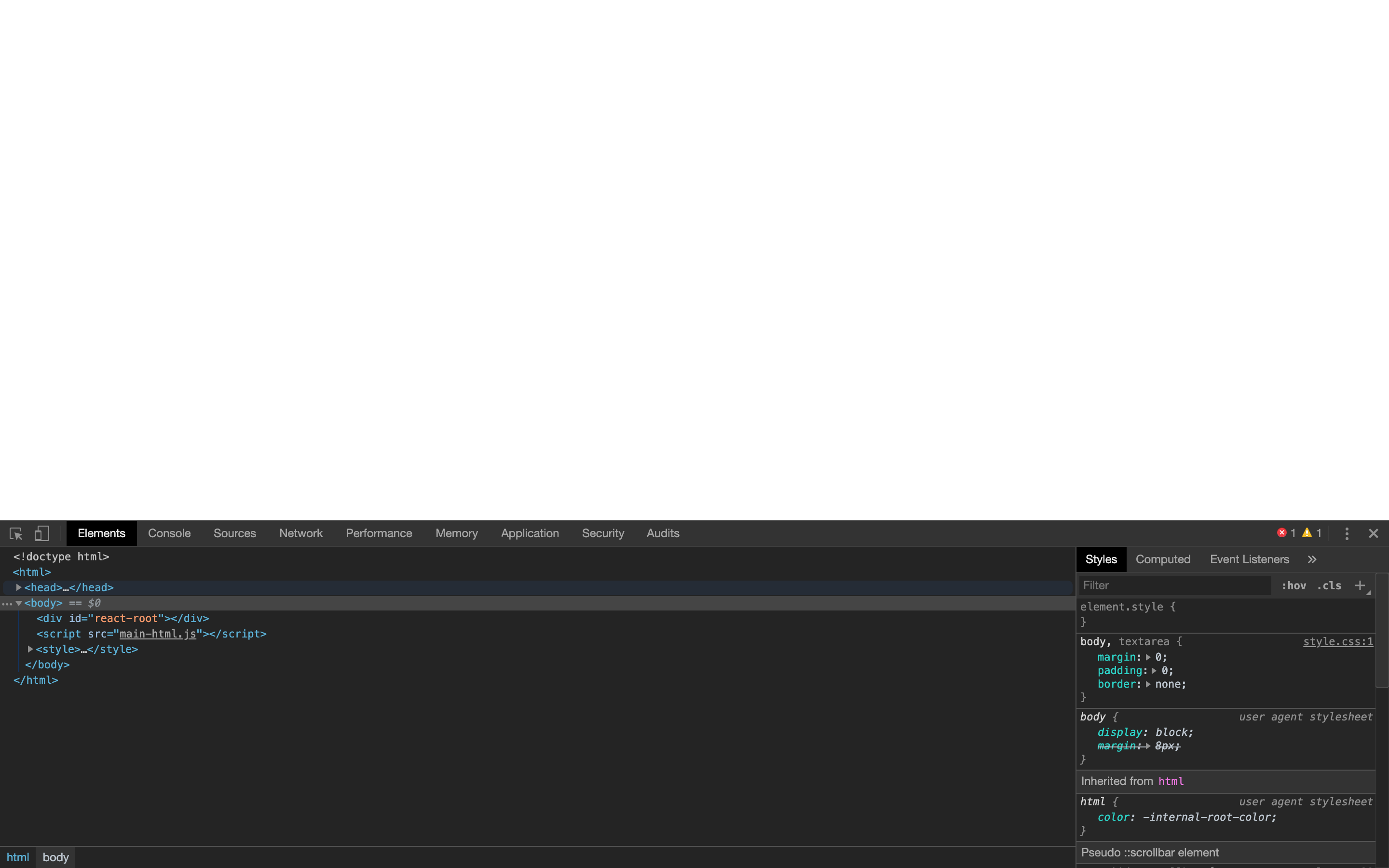
coderrsid
on 22 Feb 2020
You probably didn't run npm i in the root directory of the project. (one up from ElectronClient)
tessus
on 22 Feb 2020
I did.
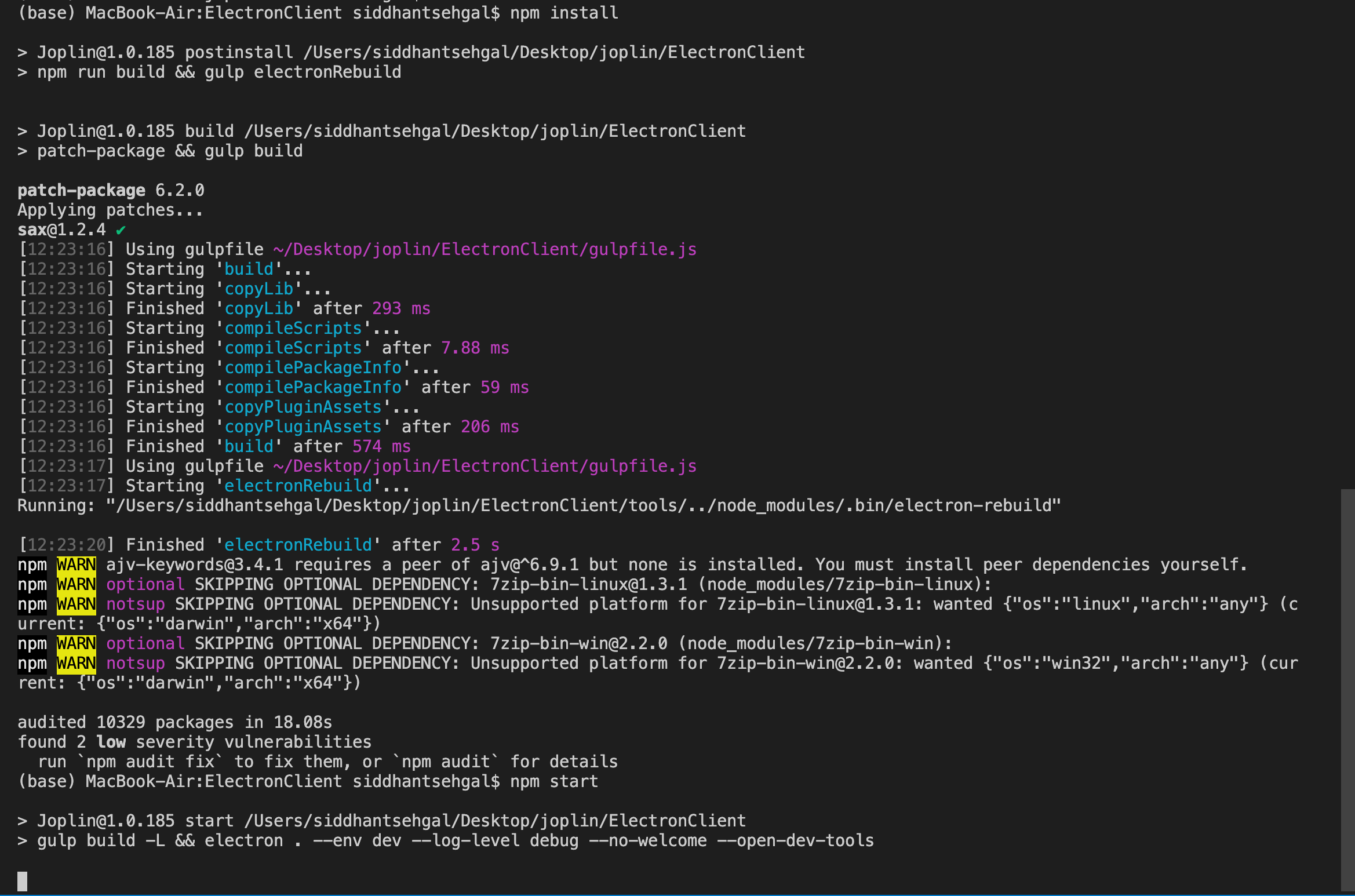
coderrsid
on 22 Feb 2020
No, you did it in the ElectronClient. Do a cd .. and run npm i.
tessus
on 22 Feb 2020
Ohh thanks. Now it's working. Now i have a query related to issue.
As only drag and drop is the only option to move notes to diff. notebooks. Here in Sidebar.js which of these three functions defines the instance of when i drag and drop a folder or note on another folder?
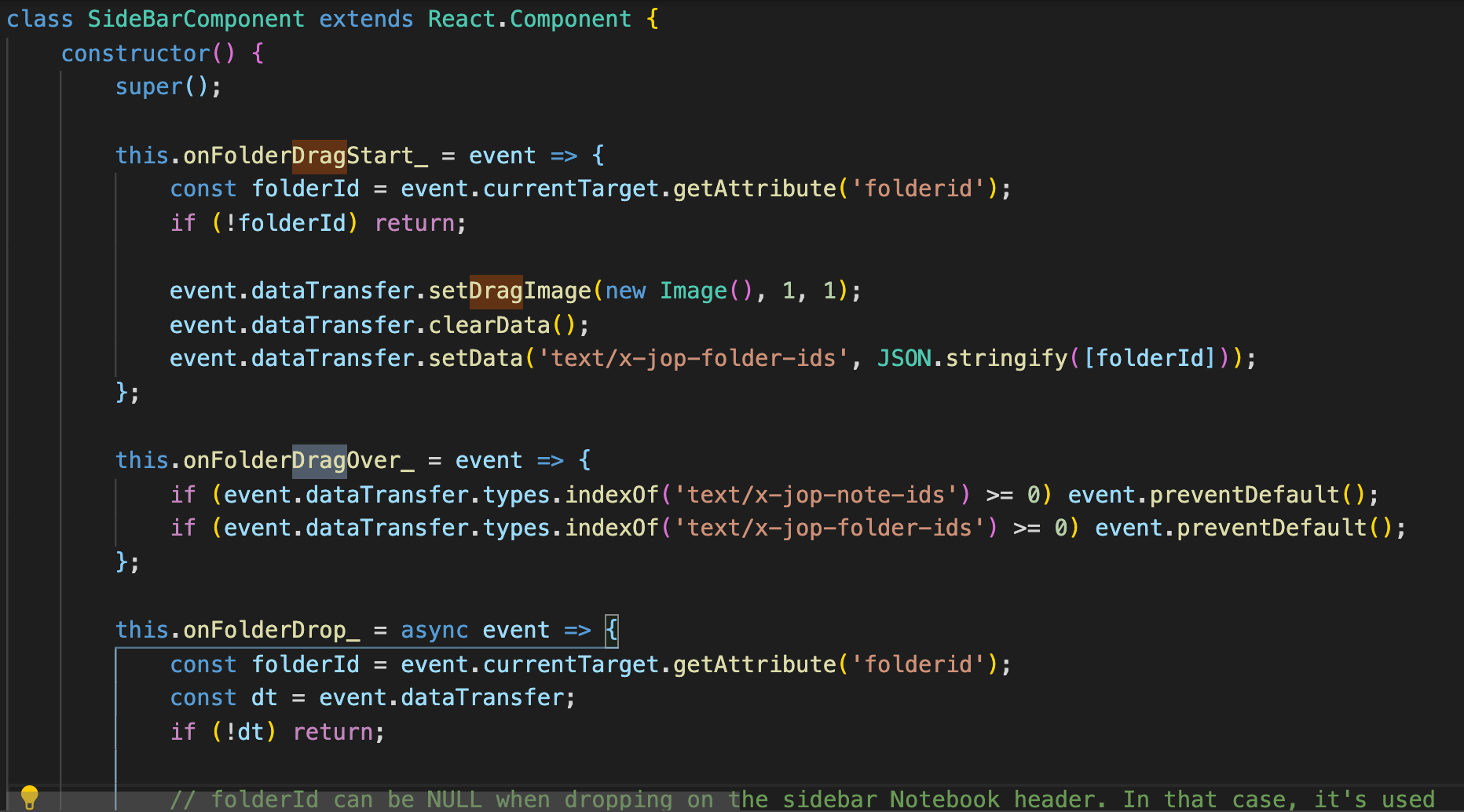
coderrsid
on 22 Feb 2020
I'm not sure. I think it's the Drop function. I haven't really worked with this part of the code.
But @laurent22 can tell you for sure. There should be a moveNote function or something. You don't need the drag and drop functions.
tessus
on 22 Feb 2020
No i just need to see how drag and drop is assigning the folder to the note so when i make a prompt to select the folder i can do the same. Thanks for calling @laurent22
coderrsid
on 22 Feb 2020
await Note.moveToFolder(noteId, folderId);
tessus
on 22 Feb 2020
Thanks @tessus for the information. Although you can assign me this, i am already working on this.
coderrsid
on 22 Feb 2020
Related issues
 hakim89
·
3Comments
hakim89
·
3Comments
 deftdawg
·
3Comments
deftdawg
·
3Comments
 smhearty
·
3Comments
smhearty
·
3Comments
 v-marinkov
·
3Comments
v-marinkov
·
3Comments
 xfrose
·
3Comments
xfrose
·
3Comments