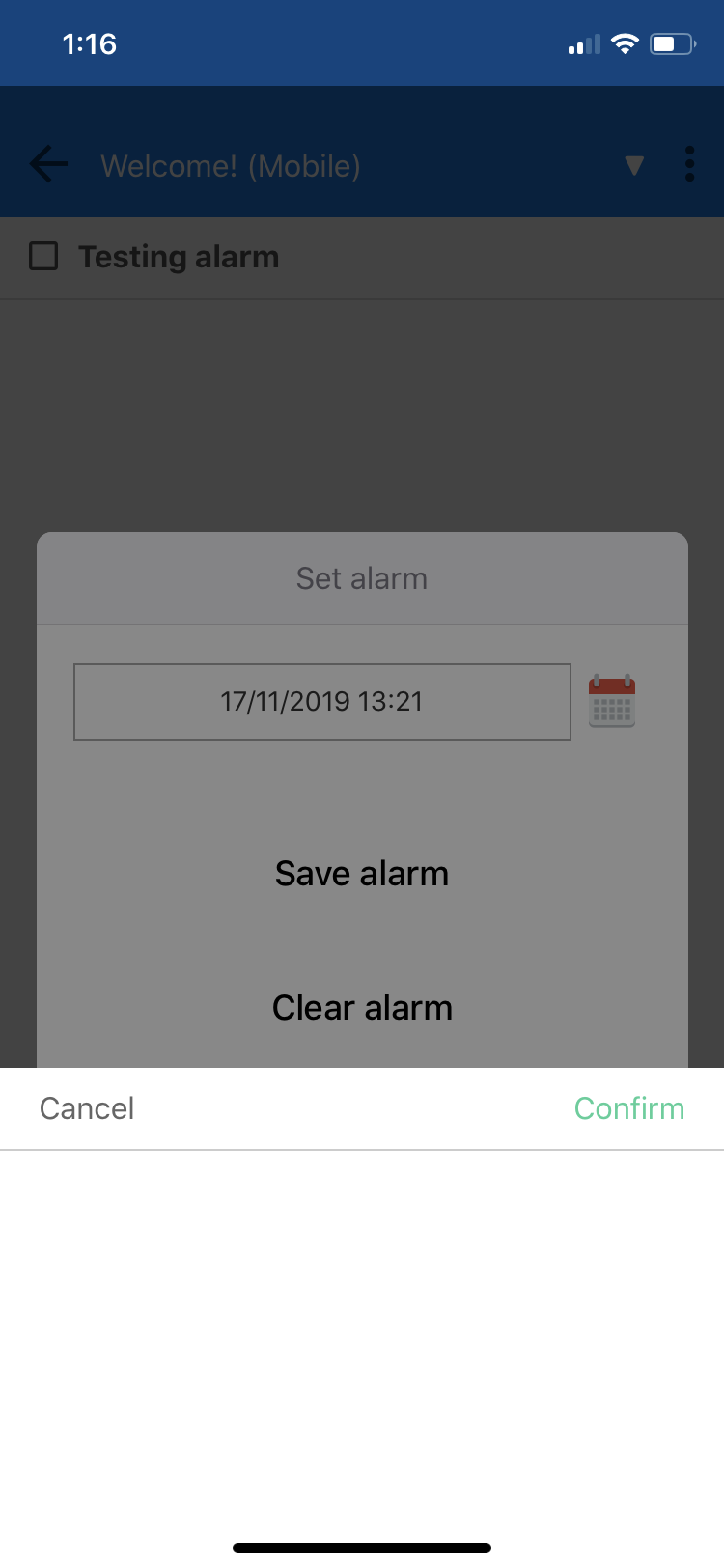
Environment
Joplin version: 10.0.39
Platform: iOS
OS specifcs: 13.2.2, dark mode enabled.
Steps To Reproduce
- Create a new to-do
- Give it a name
- Set alarm
- tap Select date box or calendar icon
Describe what you expected to happen:
A date selection window pops up from the bottom, but no values are visible. They seem to be there because I can scroll through their values and feel the haptic feedback. I can also select a value and it populates the datetime box after tapping confirm.
My 2 cents:
Seems like there is white text on a white background. I changed from dark mode to normal mode in iOS settings and it works. I changed back to dark mode and set Joplin to the dark appearance theme, but the issue persists.
It would be good if Joplin in inherited light/dark mode appearance from iOS and the date selection popup (and other windows btw), had an appropriate background colour.
 jazzabeanie
All 8 comments
@laurent22 Since Joplin on iOS does not seem to inherit any specific dark mode properties, we can either just enforce the light appearance in the iOS configuration as a simple change. Alternatively, we could apply some css styles to react-native-datepicker.
 loganwedwards
on 17 Feb 2020
loganwedwards
on 17 Feb 2020
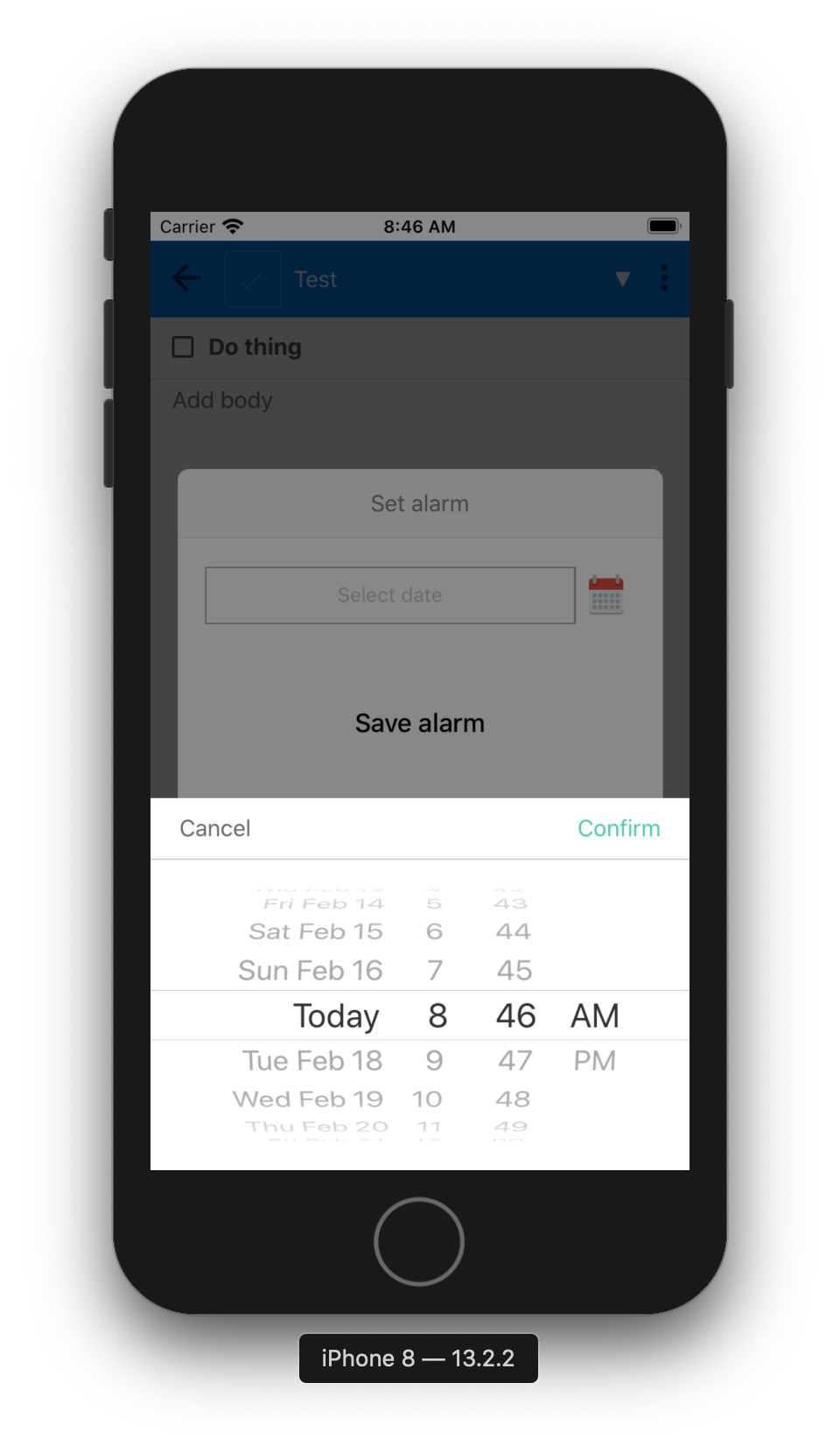
This appears to be fixed already in master. Here is an iOS simulator running 13.2 in dark mode:
loganwedwards
on 17 Feb 2020
It's still an issue for me, now running Joplin 10.0.43, and iOS 13.2.2 on iPhone 11.
jazzabeanie
on 23 Feb 2020
Can confirm. This isn't an issue on simulators at least. @loganwedwards maybe this is an issue with physical devices, although I cannot find anything relating to that on the issue tracker for the library we use.
https://github.com/xgfe/react-native-datepicker/issues/376 could be a solution.
Also doesn't seem like master does anything to fix this.
                <View style={{ flex: 1, margin: 20, alignItems: 'center' }}>
                    <DatePicker
                        date={this.state.date}
                        mode="datetime"
                        placeholder={_('Select date')}
                        format={this.dateTimeFormat()}
                        confirmBtnText={_('Confirm')}
                        cancelBtnText={_('Cancel')}
                        onDateChange={(date) => { this.setState({ date: this.stringToDate(date) }); }}
                        style={{ width: 300 }}
                        customStyles={{
                            btnConfirm: {
                                paddingVertical: 0,
                            },
                            btnCancel: {
                                paddingVertical: 0,
                            },
                        }}
                    />
                </View>
 ishammahajan
on 24 Feb 2020
ishammahajan
on 24 Feb 2020
Another solution could be to automatically check what appearance mode ios is running under the hood using react-native-appearance and enforcing styles according to that. The mentioned module is integrated in react-native 0.62 core.
ishammahajan
on 24 Feb 2020
Couldn't replicate this on Joplin 10.0.47, on iPhone 8 running iOS 13.3
It might be fixed.
 rabeehrz
on 16 Apr 2020
rabeehrz
on 16 Apr 2020
@bedwardly-down Could you check this out and see if this problem still persists? If not, the issue can be closed.
rabeehrz
on 20 Apr 2020
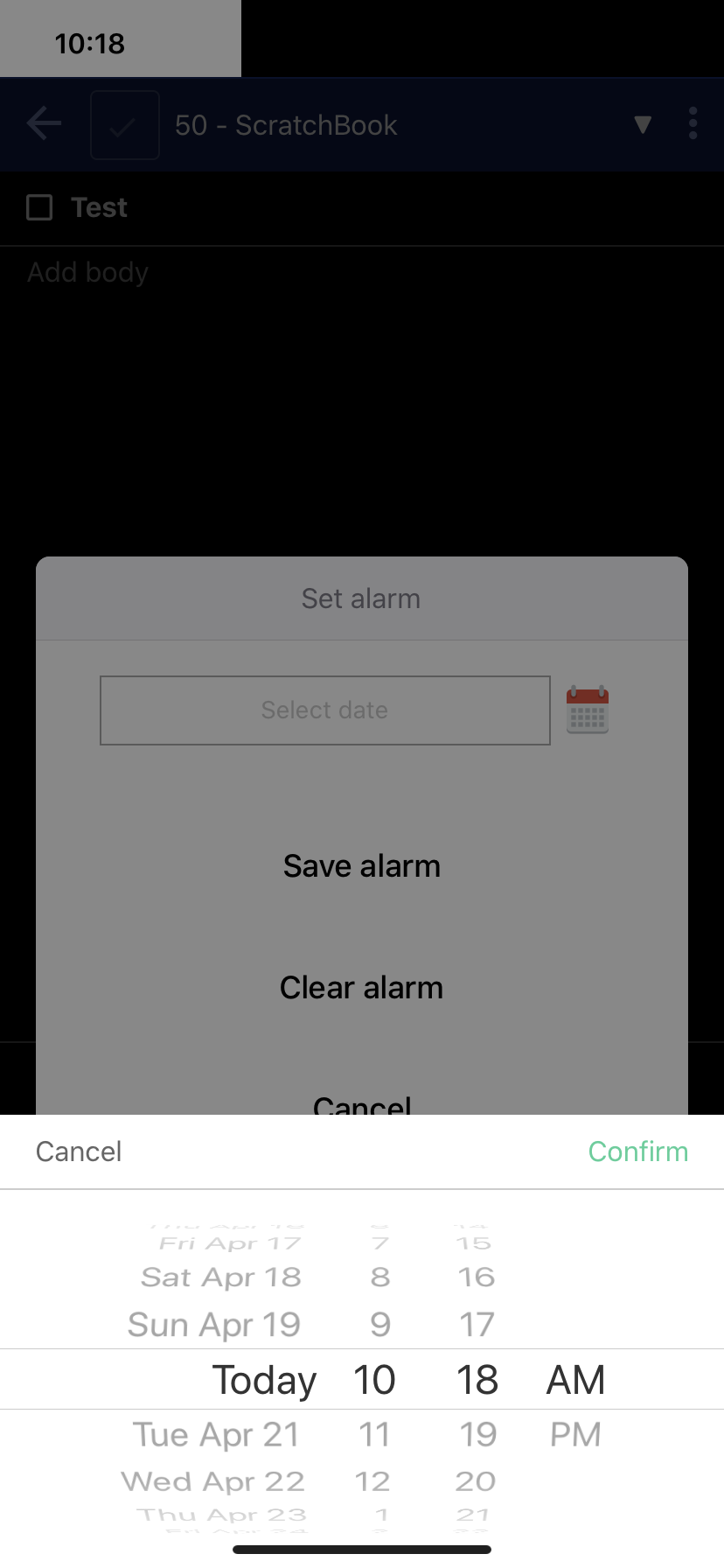
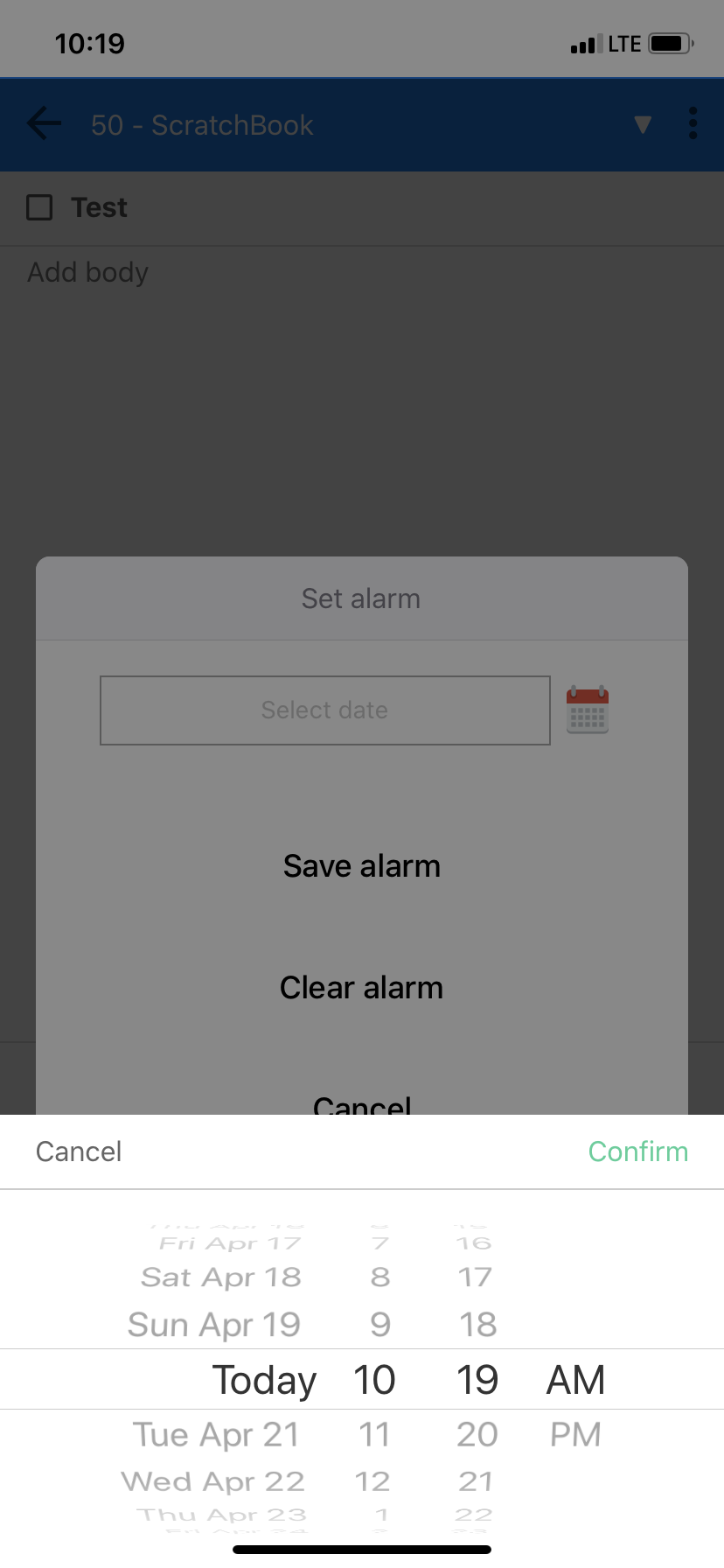
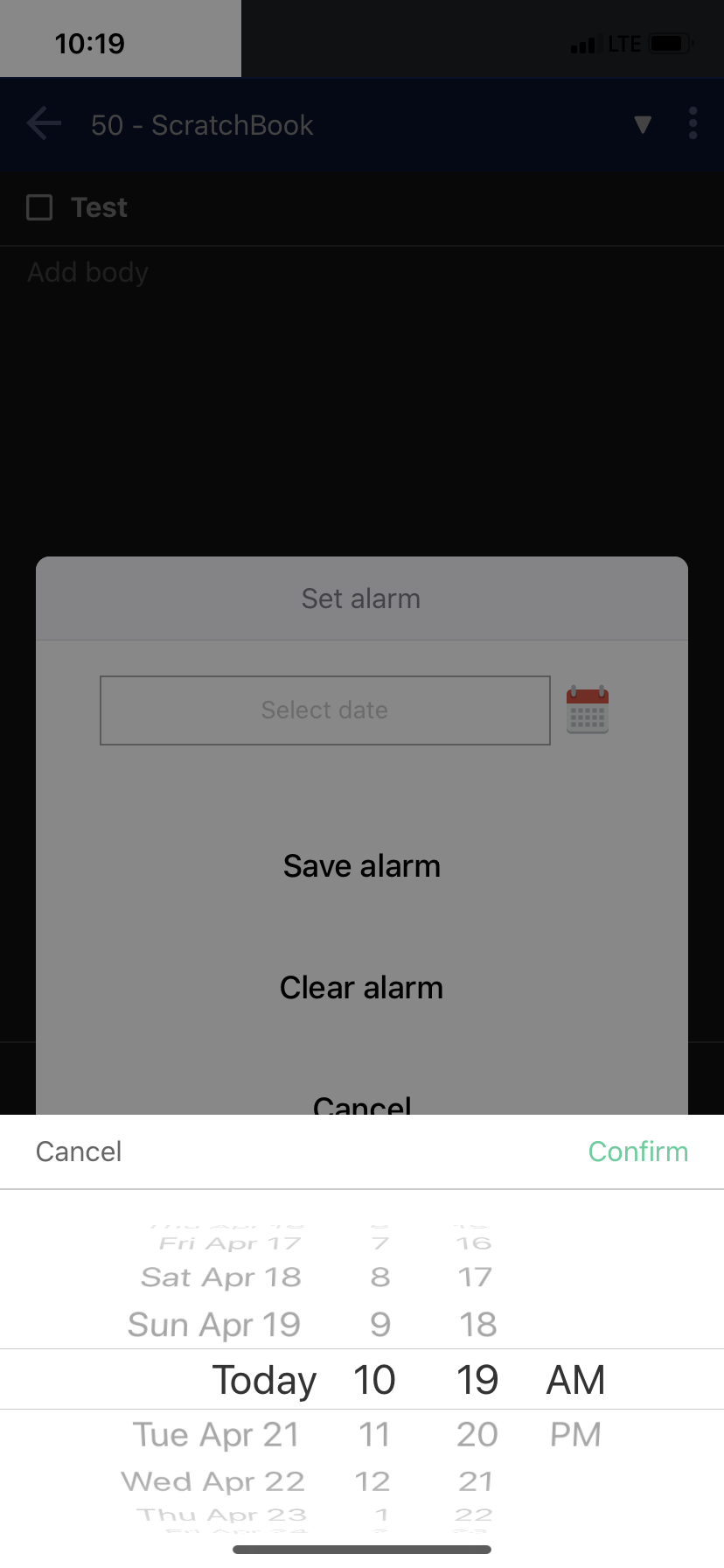
Looks good to me on all themes.
iOS 13.4.1
iPhone 11
 bedwardly-down
on 20 Apr 2020
bedwardly-down
on 20 Apr 2020
Related issues
 kopfuss
·
3Comments
kopfuss
·
3Comments
 Rahulm2310
·
3Comments
Rahulm2310
·
3Comments
 laurent22
·
3Comments
laurent22
·
3Comments
 hakim89
·
3Comments
hakim89
·
3Comments
 seagoj
·
3Comments
seagoj
·
3Comments
Most helpful comment
Looks good to me on all themes.
iOS 13.4.1
iPhone 11