Joplin: Unable to sync with Nextcloud on Android
Operating system
- [ ] Windows
- [ ] macOS
- [ ] Linux
- [x] Android
- [ ] iOS
Application
- [ ] Desktop
- [x] Mobile
- [ ] Terminal
App version: android-v1.0.95
Android version: 7.0 (MIUI 9.0.3.0)
Hi,
I'm trying to sync the Joplin Android app with my personal Nextcloud, but when I synchronise (or "Check synchronisation configuration"), the status won't go past "in_progress". After ~3 minutes, the request timeouts with the error "Network request failed" (see log file below).
Here is a screenshot of the log after the timeout :

I don't know if it's a problem with the app or with my phone. My Nextcloud credentials are correct, since I use the same on desktop.
Thank you for your help :)
 maximelouet
All 9 comments
It might be the same bug as this one: https://github.com/laurent22/joplin/issues/209#issuecomment-364920662 Please download the latest mobile and desktop version for a fix.
 laurent22
on 12 Feb 2018
laurent22
on 12 Feb 2018
Thank you for your answer. I downloaded the latest desktop version (Joplin 1.0.62 (prod, linux)), and I already have the latest on my mobile (android-v1.0.95).
I can confirm the problem is still the same, even after deleting all Joplin data on Nextcloud, re-syncing the Desktop app to Nextcloud, and trying to sync the mobile app with Nextcloud. Nothing is fetched from the mobile app and the log error is "Network request failed".
maximelouet
on 13 Feb 2018
After you setup the Nextcloud config, if you click on "Check synchronisation configuration" on the config screen, does it work?
laurent22
on 13 Feb 2018
No, it's the same behaviour.
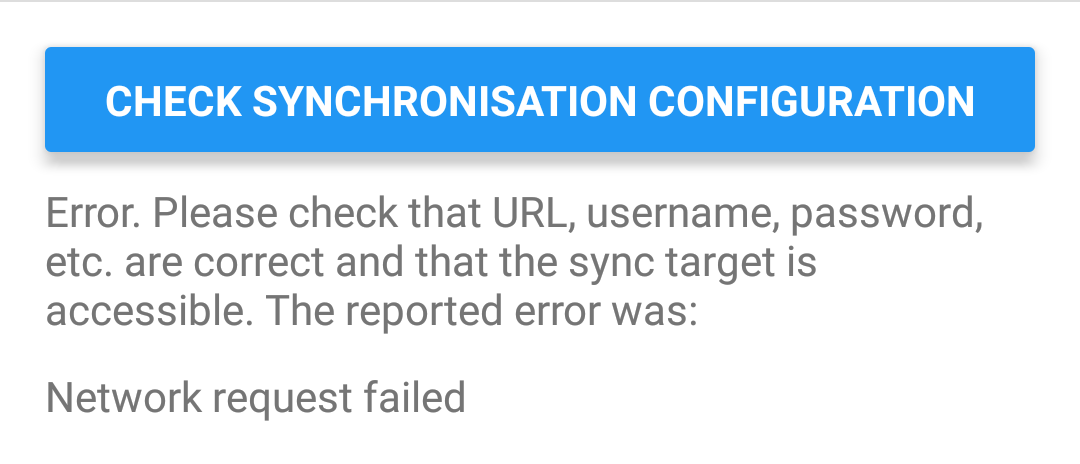
Here is the result after 3 minutes of loading:
maximelouet
on 13 Feb 2018
This is strange, it means the app cannot access the internet or the Nextcloud service. Can you access your Nextcloud website from the device's browser? Also do you know if syncing with eg. OneDrive works?
laurent22
on 13 Feb 2018
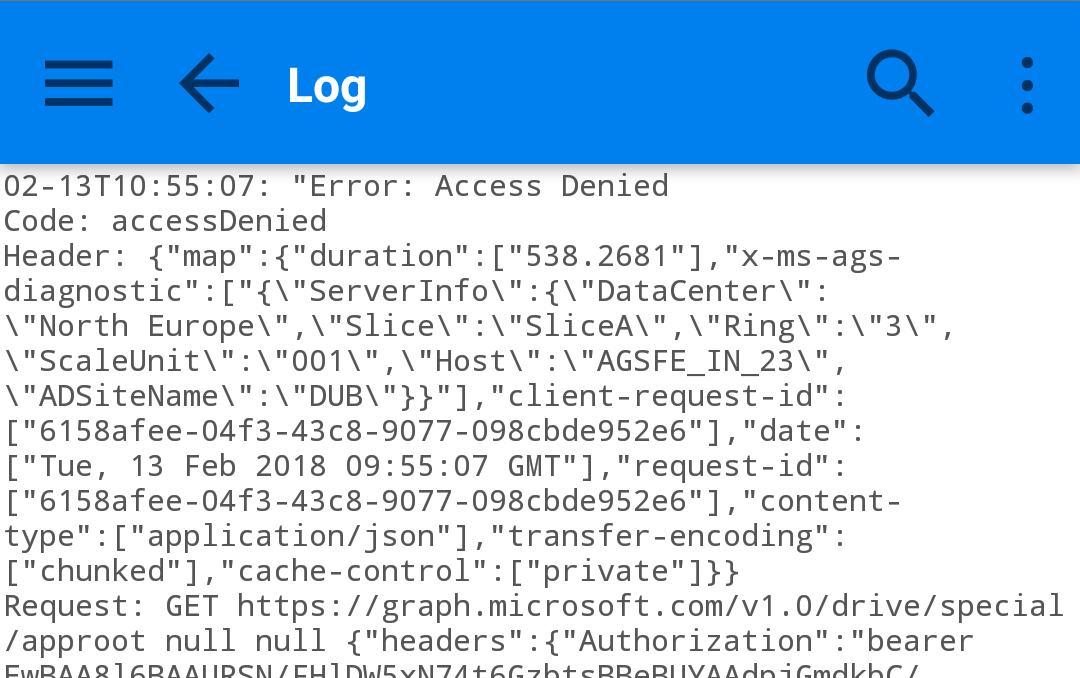
I can access the Nextcloud website from the device's browser. But sync with OneDrive does not work either :
maximelouet
on 13 Feb 2018
I'm confused by this bug as it seems the app simply does not have access to the network. Is it going through a proxy or VPN?
laurent22
on 14 Feb 2018
Seems like this is a bug in Android 7.0 fixed by 7.1.1 being 7.0 only supports ONE elliptic curve: prime256v1
One workaround for Nginx is adding ssl_ecdh_curve prime256v1; to /etc/nginx/snippets.d/ssl_default
More details: Stack Exchange
 furbysingh
on 14 Feb 2018
furbysingh
on 14 Feb 2018
Wow... Yeah it was the problem. I changed the setting in nginx and it works now. Thank you for your help :)
maximelouet
on 14 Feb 2018
Related issues
 yschutz
·
3Comments
yschutz
·
3Comments
 jacobgonzales20
·
3Comments
jacobgonzales20
·
3Comments
 Dharmesh-Poddar
·
3Comments
laurent22
·
3Comments
Dharmesh-Poddar
·
3Comments
laurent22
·
3Comments
 alexanderadam
·
3Comments
alexanderadam
·
3Comments
Most helpful comment
Seems like this is a bug in Android 7.0 fixed by 7.1.1 being 7.0 only supports ONE elliptic curve: prime256v1
One workaround for Nginx is adding
ssl_ecdh_curve prime256v1;to/etc/nginx/snippets.d/ssl_defaultMore details: Stack Exchange