Operating system
- [x] Windows
- [ ] macOS
- [ ] Linux
- [ ] Android
- [ ] iOS
Application
- [x] Desktop
- [ ] Mobile
- [ ] Terminal
The sidebar takes up a considerable amount of space and it is not necessary when user works on a note or todo, not to mention if user uses split layout with markdown preview. Some button to quickly hide/show sidebar could be useful. It would hive user more space and let her focus on writing.
 alexdevero
All 5 comments
I fully agree! I started using joplin not only for notes and todos but rather as some kind of a portable „mini-wiki“ which often ends up in longer notes incl. images. Toggling or hiding the sidebar would be a desirable feature for distraction-free writing longer entries or articles. +1
 jcgerhard
on 20 Feb 2018
jcgerhard
on 20 Feb 2018
...and a shortcut for that would be extremely handy!
jcgerhard
on 20 Feb 2018
Hi there,
This is something that I'd be interested in as well, and will see if I can invest some time in doing myself.
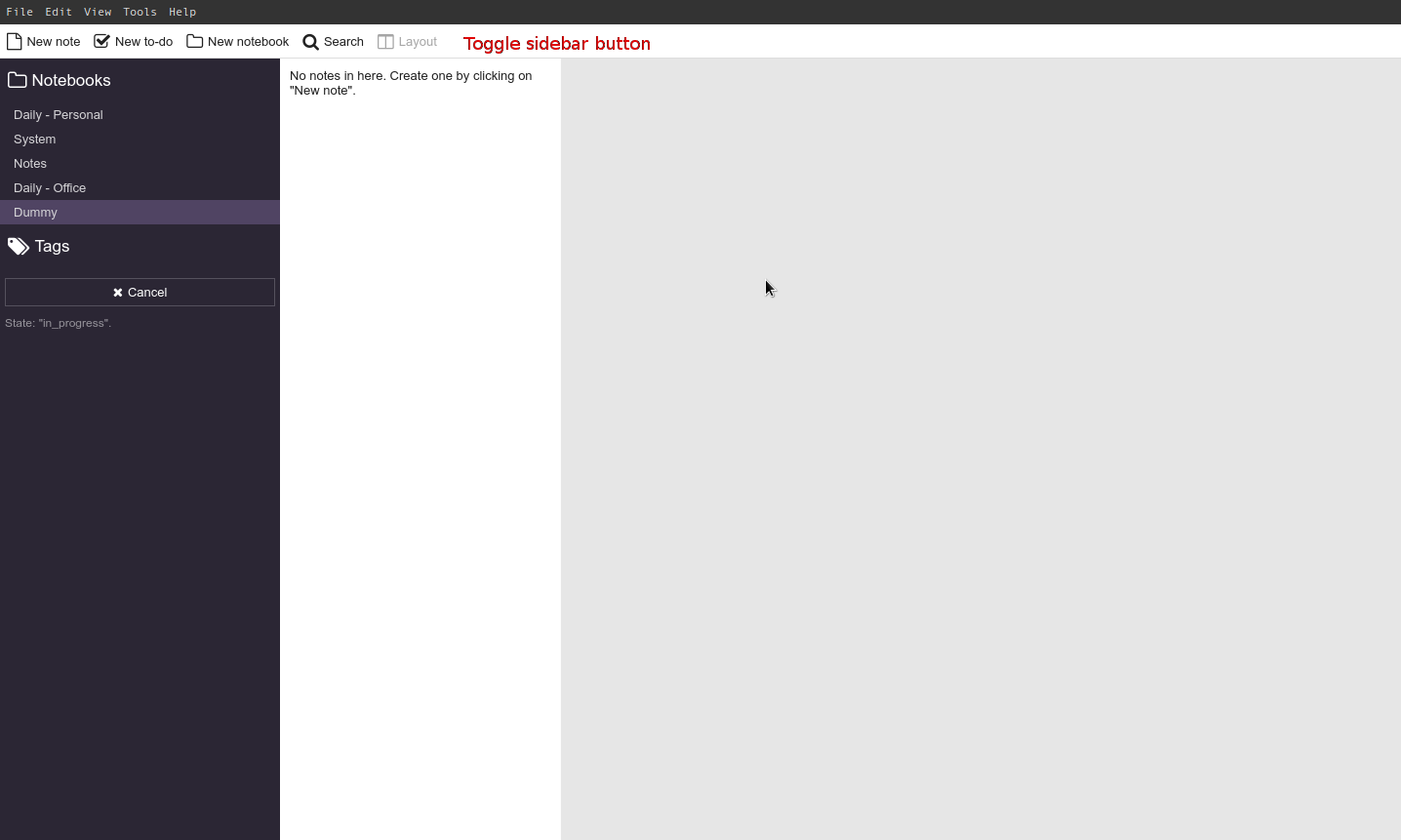
Please find the screenshot above.
We can add a Toggle Sidebar button there, and under the View menu at the top. This will completely collapse the sidebar and the other two windows will grow to take its shape.
A shortcut key will be provided that allows you to collapse and expand the sidebar.
Eventually (maybe as part of a separate issue) we can look into a button that collapses the sidebar to semi collapsed state from where notebooks and tags are still view-able.
@laurent22 - Thoughts?
 Abijeet
on 27 Mar 2018
Abijeet
on 27 Mar 2018
@Abijeet, I think that sounds good as you described it. If you need any help implementing it, feel free to let me know. Please make sure you get the latest version from master though as the toolbar has changed a bit (in particular the search bar has been moved to it).
 laurent22
on 27 Mar 2018
laurent22
on 27 Mar 2018
@laurent22 - Implemented this here - https://github.com/laurent22/joplin/pull/424
Here's a screenshot,
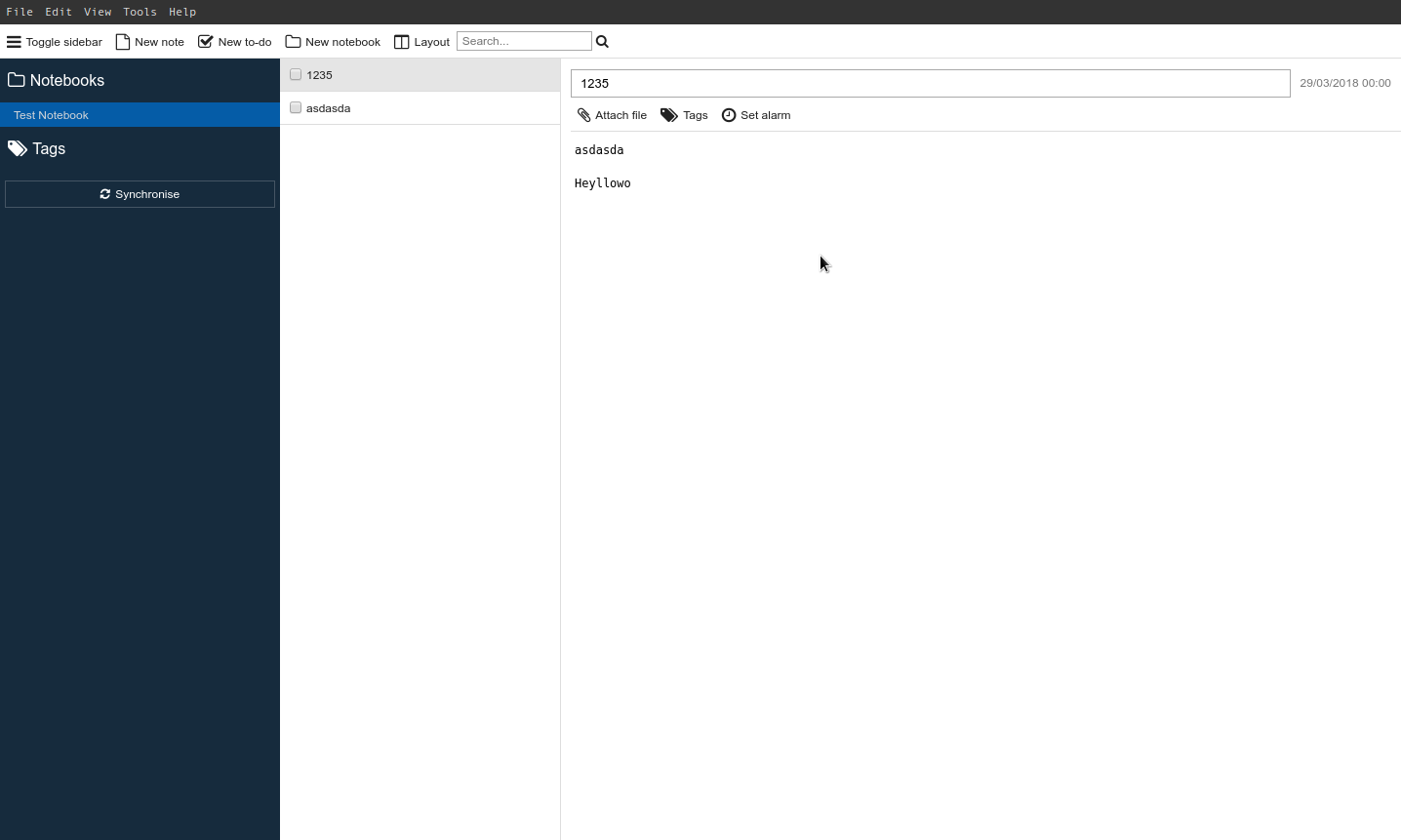
Let me know if you'd like me to change anything.
Abijeet
on 15 Apr 2018
Related issues
 Cybernemo
·
3Comments
Cybernemo
·
3Comments
 christianlupus
·
3Comments
christianlupus
·
3Comments
 jacobgonzales20
·
3Comments
jacobgonzales20
·
3Comments
 jurgenhaas
·
3Comments
jurgenhaas
·
3Comments
 yschutz
·
3Comments
yschutz
·
3Comments
Most helpful comment
@Abijeet, I think that sounds good as you described it. If you need any help implementing it, feel free to let me know. Please make sure you get the latest version from master though as the toolbar has changed a bit (in particular the search bar has been moved to it).