
Operating system
- Ubuntu Linux -
Application
- Desktop 0.10.38
The app is not showing any specific application icon in my panel. Instead a default/generic application icon is displayed.
The android app has an app-icon, therefor i assume it is not just the fact that there is no logo designed yet.
 yafp
yafp
All 12 comments
This is still valid for me with 0.10.39 on Ubuntu, running gnome-shell.
If i search for joplin the blue icon is displayed in the search results, but not in the dock (using Gnome Shell extension Dash-to-Dock) itself.
yafp
on 12 Dec 2017
Same is happening to me, using latest (1.0.64) AppImage. The application icon is shown in the picture below:

This is the application icon when I search for it:

I am using:
- Ubuntu x64 16.04.3 LTS
- Paper icon theme
- Gnome-shell 3.18.5
May be related to #251 or be linux-specific
 deadpyxel
on 27 Feb 2018
deadpyxel
on 27 Feb 2018
Hi,
Firstly, thank you for an amazing project.
You may be able to resolve this by calling "QApplication::setWindowIcon()" in Joplin.
You can see a write-up for a similar issue for another application here: https://discourse.appimage.org/t/appimage-does-not-show-icon-in-task-bar/40
There is also another approach that seems to work:
https://github.com/electron-userland/electron-builder/issues/2269 (see the last post)
Hopefully either of these approaches provide a reasonably straight forward fix for the Linux icon issue.
Thanks again for the wonderful work.
Regards...
 blueorignal
on 22 Mar 2018
blueorignal
on 22 Mar 2018
If you edit the appimagekit-joplin.desktop file (located in ~/.local/share/applications) and add
StartupWMClass=Joplin
to it then the icon is displayed in Gnome3.
 StefanTT
on 28 Mar 2018
StefanTT
on 28 Mar 2018
@StefanTT This worked as a workaround for me.
Is there any chance that this happens due to some kind of config conflict on Gnome-Shell? My version is 3.18.5 by the way.
I wonder if with the new Ubuntu 18.04 LTS coming next month this will still happen. May be Gnome-Shell related.
deadpyxel
on 28 Mar 2018
If I look at the generated .desktop entry and what xprop for the Joplin window outputs then I have no good idea how the window manager should get the icon for the application.
A quick test with TeamViewer - one of the apps I have installed that did not come with the distribution - showed that they do not set StartupWMClass in the desktop entry but set the window property WM_ICON_NAME.
So either the setWindowIcon() that @blueorignal suggested or my workaround should be done. I doubt that other desktop environments currently find the correct icon.
StefanTT
on 29 Mar 2018
Thank you @StefanTT !
This worked also for Linux Mint 19 with Cinnamon 3.8.8
 scollovati
on 25 Jul 2018
scollovati
on 25 Jul 2018
@laurent22 Today evening (CET) electron-builder 20.26.0 will be released — StartupWMClass will be added correctly (thanks to @StefanTT). So, you can just update electron-builder version to upcoming 20.26.0 and this issue will be fixed.
 develar
on 26 Jul 2018
develar
on 26 Jul 2018
@StefanTT workaround worked for me to in Ubuntu 18.04
 fmmarzoa
on 30 Jul 2018
fmmarzoa
on 30 Jul 2018
Actually today after reinstalling my OS (a clean install) I'm experiencing a problem with the tray icon
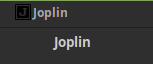
I manually added the suggested line to the .desktop file.
Still using Linux Mint 19 with Cinnamon 3.8.8, Kernel 4.15.0-20-generic
scollovati
on 6 Aug 2018
Should be fixed with recently added install_ubuntu.sh script.
 laurent22
on 21 Sep 2018
laurent22
on 21 Sep 2018
I just experienced this with a fresh install of Joplin on a new 18.10 ubuntu install. @StefanTT 's fix worked though.
 grantstephens
on 2 Dec 2018
grantstephens
on 2 Dec 2018
Related issues
laurent22
·
3Comments
 christianlupus
·
3Comments
christianlupus
·
3Comments
 GingerPapa
·
3Comments
GingerPapa
·
3Comments
 jurgenhaas
·
3Comments
jurgenhaas
·
3Comments
 seagoj
·
3Comments
seagoj
·
3Comments
Most helpful comment
If you edit the appimagekit-joplin.desktop file (located in ~/.local/share/applications) and add
StartupWMClass=Joplinto it then the icon is displayed in Gnome3.