Johnny-five: lcd.off() and lcd.on() does not work with PCF8574T i2c backpack
I've been setting up an LCD for a project of mine, and I wanted the LCD backlight to turn off when not in use.
I've been able to do this in the past using the LiquidCrystal_i2c library for Arduino, so I hoped it would work in Johnny Five, but unfortunately the methods don't seem to do anything at all with my LCD.
As a worst case scenario I suppose I can try to send the commands manually using i2c, but I feel like this is something that should be implemented in J5.
 danielhep
All 4 comments
Thanks for the report! I'll set up a test rig and take a look at this either today or tomorrow :)
 rwaldron
on 3 Apr 2017
rwaldron
on 3 Apr 2017
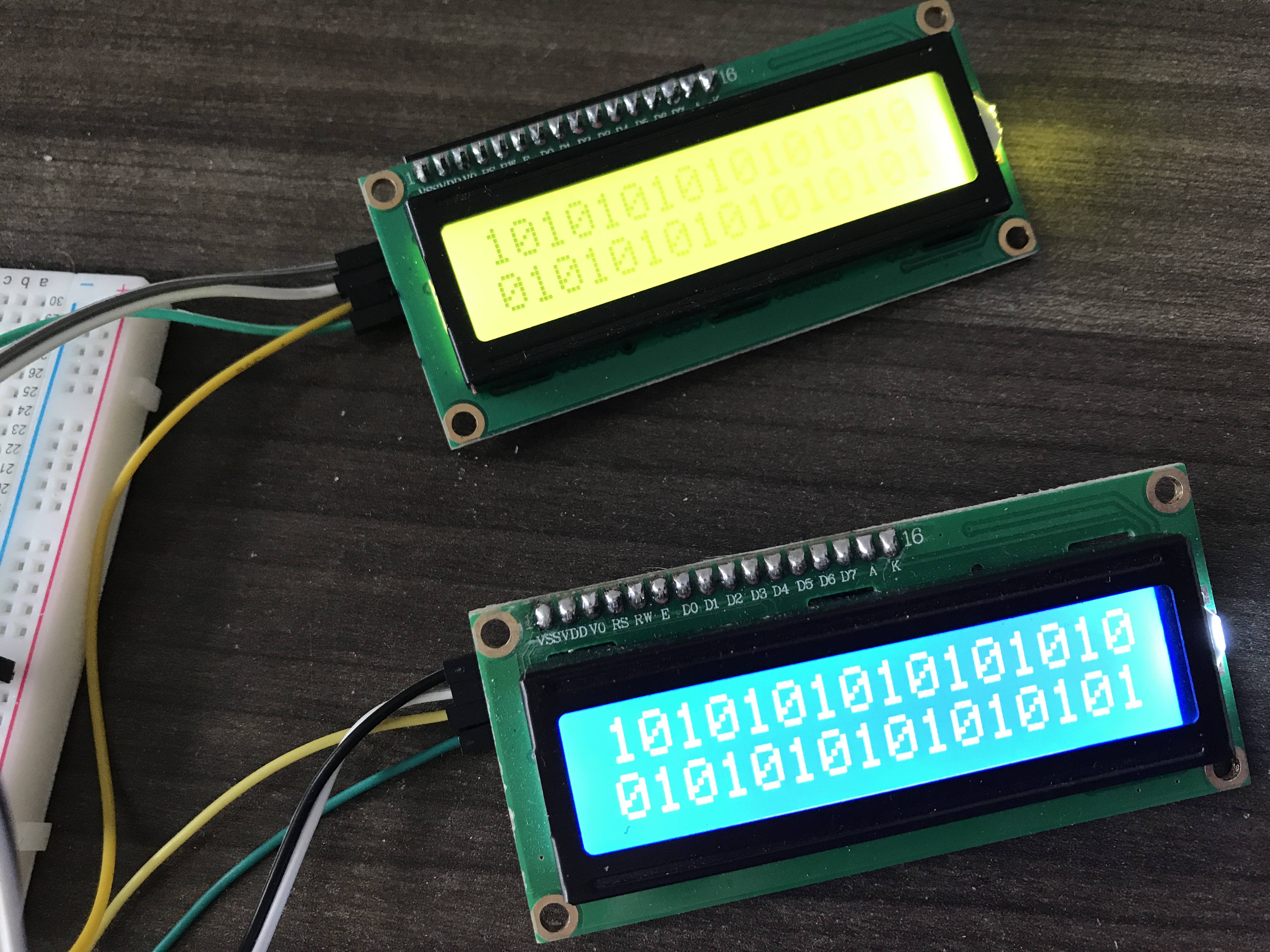
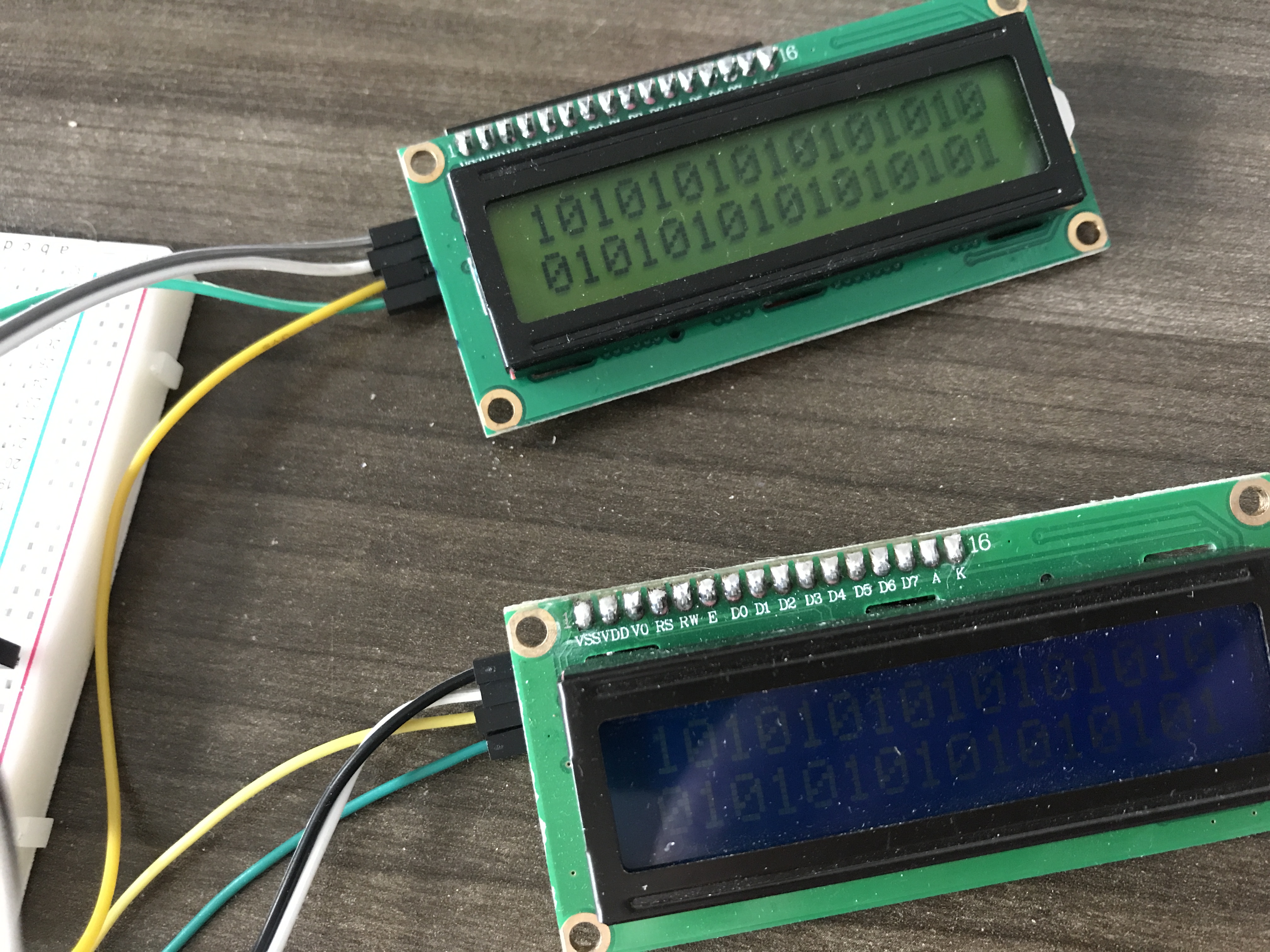
I set up a test rig that included both PCF8574T and PCF8574A (for sanity), then ran the following two programs:
Backlight is turned on automatically
var five = require("johnny-five");
var board = new five.Board();

board.on("ready", function() {
  var a = new five.LCD({
    controller: "PCF8574A",
  });

  var t = new five.LCD({
    controller: "PCF8574T",
  });

  [a, t].forEach(lcd => {
    lcd.cursor(0, 0).print("10".repeat(8));
    lcd.cursor(1, 0).print("01".repeat(8));
  });

  setTimeout(function() {
    process.exit(0);
  }, 3000);
});
Backlight is explicitly turned off
var five = require("johnny-five");
var board = new five.Board();

board.on("ready", function() {
  var a = new five.LCD({
    controller: "PCF8574A",
  });

  var t = new five.LCD({
    controller: "PCF8574T",
  });

  [a, t].forEach(lcd => {
    lcd.cursor(0, 0).print("10".repeat(8));
    lcd.cursor(1, 0).print("01".repeat(8));
    lcd.noBacklight();
  });

  setTimeout(function() {
    process.exit(0);
  }, 3000);
});
Still looking at why "on" and "off" are not functioning.
rwaldron
on 6 Apr 2017
Awesome! I had no idea .noBacklight() was even an option. I'll try that out! Thanks!
danielhep
on 6 Apr 2017
The on/off commands were missing the LCD_DISPLAYCONTROL bit 0b00001000. Note that "display" means only the character display, and "backlight" means only the backlight itself. Here's an example of controlling both things:
var five = require("johnny-five");
var board = new five.Board();

board.on("ready", function() {
  var a = new five.LCD({
    controller: "PCF8574A",
  });

  var t = new five.LCD({
    controller: "PCF8574T",
  });

  [a, t].forEach(lcd => {
    lcd.cursor(0, 0).print("10".repeat(8));
    lcd.cursor(1, 0).print("01".repeat(8));

    var isOn = true;

    setInterval(() => {
      isOn = !isOn;

      if (isOn) {
        lcd.on().backlight();
      } else {
        lcd.off().noBacklight();
      }
    }, 2000);
  });
});
Take a look: https://www.youtube.com/watch?v=oddmyHi2ObE
I've never been particularly pleased with this API, but it exists because not all LCDs have backlight control, so the concepts are kept separate. One day I'd like to introduce a better API to completely replace the existing LCD class.
rwaldron
on 6 Apr 2017
Related issues
 ntatko
·
11Comments
ntatko
·
11Comments
 stefanvermaas
·
10Comments
stefanvermaas
·
10Comments
 lezabour
·
12Comments
lezabour
·
12Comments
 overflowz
·
9Comments
overflowz
·
9Comments
 beriberikix
·
11Comments
beriberikix
·
11Comments
Most helpful comment
I set up a test rig that included both PCF8574T and PCF8574A (for sanity), then ran the following two programs:
Backlight is turned on automatically
Backlight is explicitly turned off
Still looking at why "on" and "off" are not functioning.