This Issue tracker is only for reporting bugs and tracking code related issues.
Before posting, please make sure you check community.jitsi.org to see if the same or similar bugs have already been discussed.
General questions, installation help, and feature requests can also be posted to community.jitsi.org.
## Description
i have connected two cameras to my PC one jitsi takes as default but when i try to switch the cameras by going to the settings and selecting the different camera it doesn't change
## Current behaviour
Unable to switch the camera
## Expected Behavior
i should be able to switch the camera as to my need
## Possible Solution
YOU tell me
## Steps to reproduce
add a new camera to the system and try to switch
# Environment details
WEB: Chrome
 visheshtungare-hiteshi
All 27 comments
This issue has been automatically marked as stale because it has not had recent activity. It will be closed if no further activity occurs. Thank you for your contributions.
![stale[bot] picture](https://avatars3.githubusercontent.com/in/1724?v=4&s=40) stale[bot]
on 31 Jul 2019
stale[bot]
on 31 Jul 2019
I experience the same issue on meet.jit.si today. Two cameras attached, Chrome recognises both, as does Jitsi in its settings page, and a live preview works as well on the settings page. But accepting the new settings (with changed camera) has no effect.
 samtuke
on 21 Nov 2019
samtuke
on 21 Nov 2019
I have experienced the same behavior. Live preview works but does to change the camera being used.
 mcg1103
on 25 Nov 2019
mcg1103
on 25 Nov 2019
Same here.
 danielsz
on 9 Jan 2020
danielsz
on 9 Jan 2020
Still doing this. I have only tested on Linux with latest version of chrome. I tested with meet.google.com and it is working on that system. As soon as you select the new camera the preview changes and the live window changes (in meet.google.com)
mcg1103
on 23 Jan 2020
Whatever happens on meet.google.com is irrelevant here, since it's a different project altogether.
I just tested it and it's working fine. I think you uncovered a potential UX problem though: when you open the settings window you are seeing a preview, but the device is not actually changed until you close the dialog by pressing Ok. The intention here is to prevent other from seeing an unwanted camera until you are certain you want to switch to it. Hope that helps!
 saghul
on 23 Jan 2020
saghul
on 23 Jan 2020
I get that meet.google.com is a different program. Some errors are related to the browser. Such as the problem on chrome/linux with sharing multiple monitors.
On linux (chrome and firefox) if you have two cameras (built-in laptop camera and a USB camera for when using the laptop as a desktop for example) and you go into settings you can select the USB camera and the small window changes to the USB camera. You click "ok" and the USB camera is not used it stays on the built in camera.
Whatever happens on meet.google.com is irrelevant here, since it's a different project altogether.
I just tested it and it's working fine. I think you uncovered a potential UX problem though: when you open the settings window you are seeing a preview, but the device is not actually changed until you close the dialog by pressing Ok. The intention here is to prevent other from seeing an unwanted camera until you are certain you want to switch to it. Hope that helps!
mcg1103
on 23 Jan 2020
I just tested on a windows laptop and the behavior is the same.
mcg1103
on 23 Jan 2020
I have not been able to replicate this issue on Linux using Chromium. Let's try to dive deeper!
- are you using meet.jit.si or another Jitsi deployment?
- can you share your JS console logs when this problem happens?
- What USB camera are you using?
saghul
on 24 Jan 2020
- I am using meet.jit.si
meet.jit.si-1580061282054.log- I have tested with three cameras. Two are cheap cameras purchased from Amazon and one is a logitech wide angle camera we use in our conference room. I have tested on two laptops both HP laptops one running linux the other running windows 10. On Monday I can test on a System76 laptop (clevo). I can also test on a dell 1500 laptop runing ubuntu 18.04
Thanks Saghul for looking into this issue.
mcg1103
on 26 Jan 2020
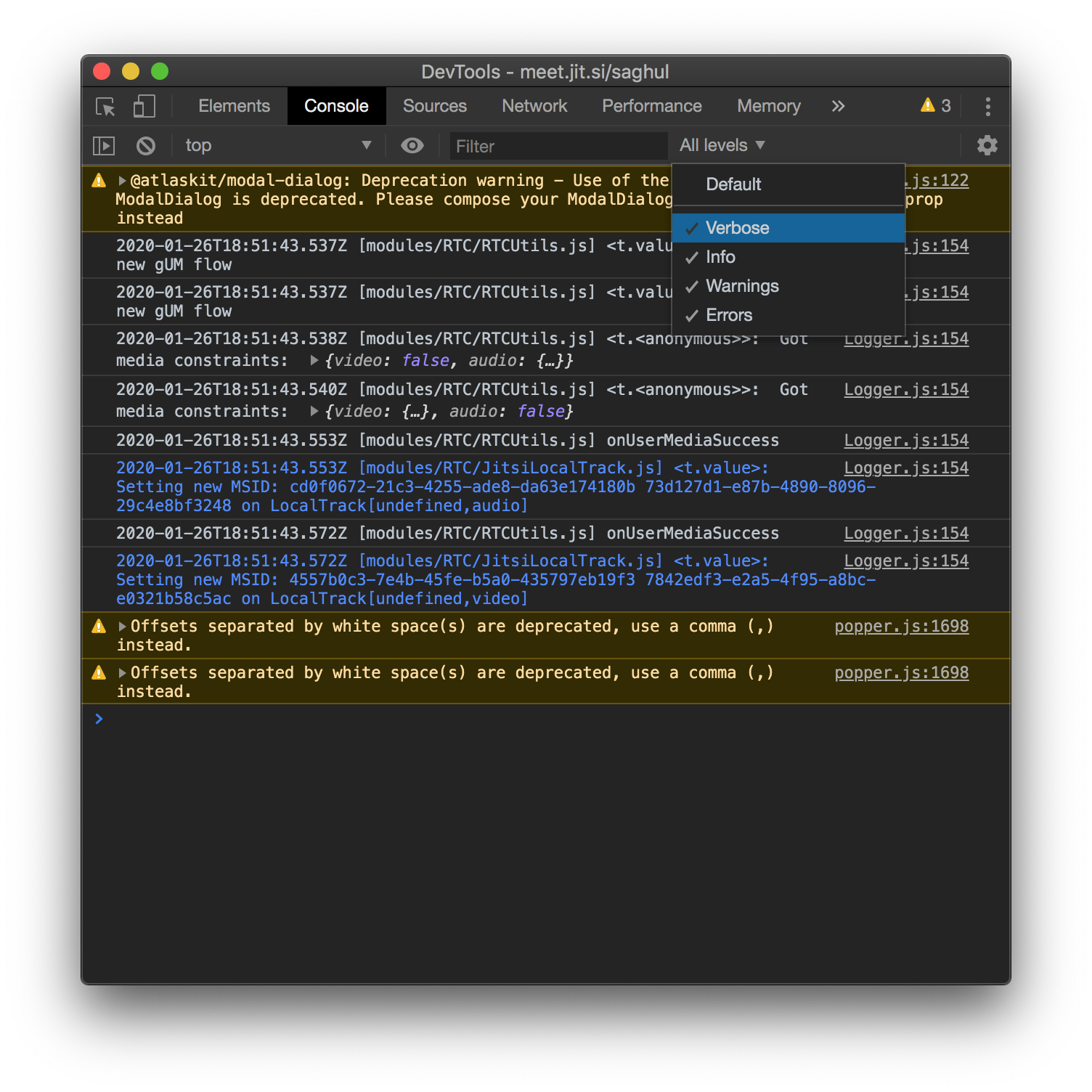
The los you showed are unusually scant. Can you please make sure the vebose level is also enabled?
saghul
on 26 Jan 2020
Attached is the verbose log file for this issue. Also I shot a video to show what is happening.
https://www.youtube.com/watch?v=XfodNLZpF8I
Sorry took so long to get to this. Thanks for you interest in fixing the issue.
mcg1103
on 6 Feb 2020
Thinking this might be related to: https://github.com/jitsi/jitsi-meet/issues/5425 because the preview rack is created with no constraints.
saghul
on 1 Apr 2020
The camera is working it just won't hold the setting. If you watch the video you will see the problem
https://www.youtube.com/watch?v=XfodNLZpF8I
You can see the video in the setting but when you go back it returns to the original camera.
Also the camera works with other web based conference software.
The issues is if you have two cameras on your system ( built-in laptop and external usb when using laptop as a workstation) it will just not switch between the two.
mcg1103
on 1 Apr 2020
Took us a while, but I think the dots have finally connected! The problem seems to be related to the constraints we pass on to the webcam. On the preview window we pass no constraints at all, but when opening it for regular use, we pass constraints for opening the camera at 720p (by default).
We are updating a library that might be the culprit here, and have a backup plan in case that doesn't do it, so hiss should be fixed soon.
saghul
on 1 Apr 2020
That is great news!
mcg1103
on 2 Apr 2020
Awesome! Same problem here, looking forward to the fix :)
 jucor
on 2 Apr 2020
jucor
on 2 Apr 2020
I am facing the same problem. Both under Windows 10 and Manjaro Linux on Chrome.
A work around for me is to deactivate the internal cam in the device manager. When the external one is the only camera, it is correctly used by jitsi.
 mauriceKA
on 3 Apr 2020
mauriceKA
on 3 Apr 2020
I just tested this on the live meet.jit.si with chrome on linux (ubuntu 19.10) and it is working as expected now!!!! thanks for much for fixing this bug!!!!!
mcg1103
on 9 Apr 2020
I still experience the issue today using meet.jit.si (Chrome Version 80.0.3987.163 (Official Build) (64-bit)) :cry:
samtuke
on 10 Apr 2020
Same issue here. I can see my camera in the drop-down list but when I select it it's just ignored.
 Zomby2D
on 12 Apr 2020
Zomby2D
on 12 Apr 2020
Took us a while, but I think the dots have finally connected! The problem seems to be related to the constraints we pass on to the webcam. On the preview window we pass no constraints at all, but when opening it for regular use, we pass constraints for opening the camera at 720p (by default).
I just tested my camera (Logitech Quickcam Communicate STX) on https://test.webrtc.org/ and it doesn't pass the 1280x720 test. (Which is expected since it's a 640x480 camera) However, the 720p resolution does appear in the detected list of supported resolutions. This would fit with your assumptions of the 720p constaints being the culprit.
Zomby2D
on 13 Apr 2020
I have some further information to "camera switch not working" issues. IF the current camera is busy (i.e. in use by some other software on the system, another videochat, etc) - Jitsi alerts that: "Failed to access your camera - Cannot use camera for an unknown reason" - and it is not possible to switch camera.
If I go to settings the dropdown camera-selector is not selectable - and the only text in the box is: "Permission not granted".
The exact same behaviour is present on https://test.webrtc.org/ - but not on other VC providers like meet.google.com, etc.
Only solution is to terminate the software using the camera, start jitsi, make jitsi use another camera, start the other software and then go to Jitsi and select the camera you want.
Encountered this issue while using OBS on Linux (ubuntu 19.04) and Chrome (Version 81.0.4044.113 (Official Build) (64-bit)) to pre-process the video and exporting it to a Sink, which I wanted Jitsi to use. It works for me now - but only after doing the aforementioned "rigmarole".
Logs which may be of interest:
ERROR:
WebSocket connection to 'wss://meet.jit.si/xmpp-websocket?room=intriguingprinciplescontinuehumbly' failed: Data frame received after close (debugger:///VM604 lib-jitsi-meet.min.js:1)

2020-04-21T10:31:35.564Z [features/base/devices] Device list updated:
audioInput:
        Default[default]
 [..snip..]
audioOutput:
        Default[default]
 [..snip..]
videoInput:
        UVC Camera (046d:081b) (046d:081b)[d7adb350a1b00be2e173a29316005ac4d51361ce34e3baffcfc3eef3b8b8c748]
        Integrated Webcam (0c45:671d)[6e87ed39c28e5b86508828f91e3ff13370f4033d76647e96a7157f0f9edc81ec]
        OBS Cam[675f75fa9b14659a19919c8b8ddbb0933a0825daf30bca1f90b0804e3aaee27d]

Logger.js:154 2020-04-21T10:38:34.094Z [features/base/tracks] Failed to create local tracks (2) ["audio", "video"]0: "audio"1: "video"length: 2__proto__: Array(0) s {gum: {…}, name: "gum.general", message: "Could not start video source", stack: "Error↵    at new s (https://web-cdn.jitsi.net/meet…677/libs/lib-jitsi-meet.min.js?v=4020.672:1:91969"}

gum:
constraints: {video: {…}, audio: {…}}
devices: (2) ["audio", "video"]
error: DOMException: Could not start video source
code: 0
message: "Could not start video source"
name: "NotReadableError"
__proto__: DOMException
__proto__: Object
message: "Could not start video source"
name: "gum.general"
stack: "Error↵    at new s (https://web-cdn.jitsi.net/meetjitsi_4025.677/libs/lib-jitsi-meet.min.js?v=4020.672:1:110290)↵    at https://web-cdn.jitsi.net/meetjitsi_4025.677/libs/lib-jitsi-meet.min.js?v=4020.672:1:91969"
__proto__: Error
 bell
on 21 Apr 2020
bell
on 21 Apr 2020
I'm trying to set up DroidCam to use as my webcam and experience the same issues - namely, the preview works (including the preview from the little drop down arrow on the video toggle button) but the main feed just flickers and then stays on the crappy laptop webcam.
Using Manjaro if that makes a difference.
 porl
on 1 May 2020
porl
on 1 May 2020
Hi, we are using hosted version of jitsi with no customization. From Win10 / Chrome 81, camera switching was working as expected (with builtin camera and ext logitech cam). But suddenly it stopped working, I can use default camera but no preview or switching function. Then I realize I installed NDI Virtual IP Cam (https://ndi.tv/tools/). I unistalled NDI then everything started working fine again. I'll try to install it again and find more clue on logs.
 cbilger
on 4 May 2020
cbilger
on 4 May 2020
I have the same problem, Ubuntu 19.10 + chromium-
I can change the camera, if you "stop" one camera with the camera icon. Then you can then change to my 2nd or 3rd camera. If the camera is on you get a yellow message - Failed to access your camera.
 wrapperband
on 3 Jun 2020
wrapperband
on 3 Jun 2020
This issue has been automatically marked as stale because it has not had recent activity. It will be closed if no further activity occurs. Thank you for your contributions.
stale[bot]
on 2 Sep 2020
Related issues
 mdosch
·
3Comments
mdosch
·
3Comments
 mfts
·
3Comments
mfts
·
3Comments
 samk17cmutpm
·
4Comments
samk17cmutpm
·
4Comments
 rcidt
·
4Comments
rcidt
·
4Comments
 532910
·
3Comments
532910
·
3Comments
Most helpful comment
Took us a while, but I think the dots have finally connected! The problem seems to be related to the constraints we pass on to the webcam. On the preview window we pass no constraints at all, but when opening it for regular use, we pass constraints for opening the camera at 720p (by default).
We are updating a library that might be the culprit here, and have a backup plan in case that doesn't do it, so hiss should be fixed soon.