
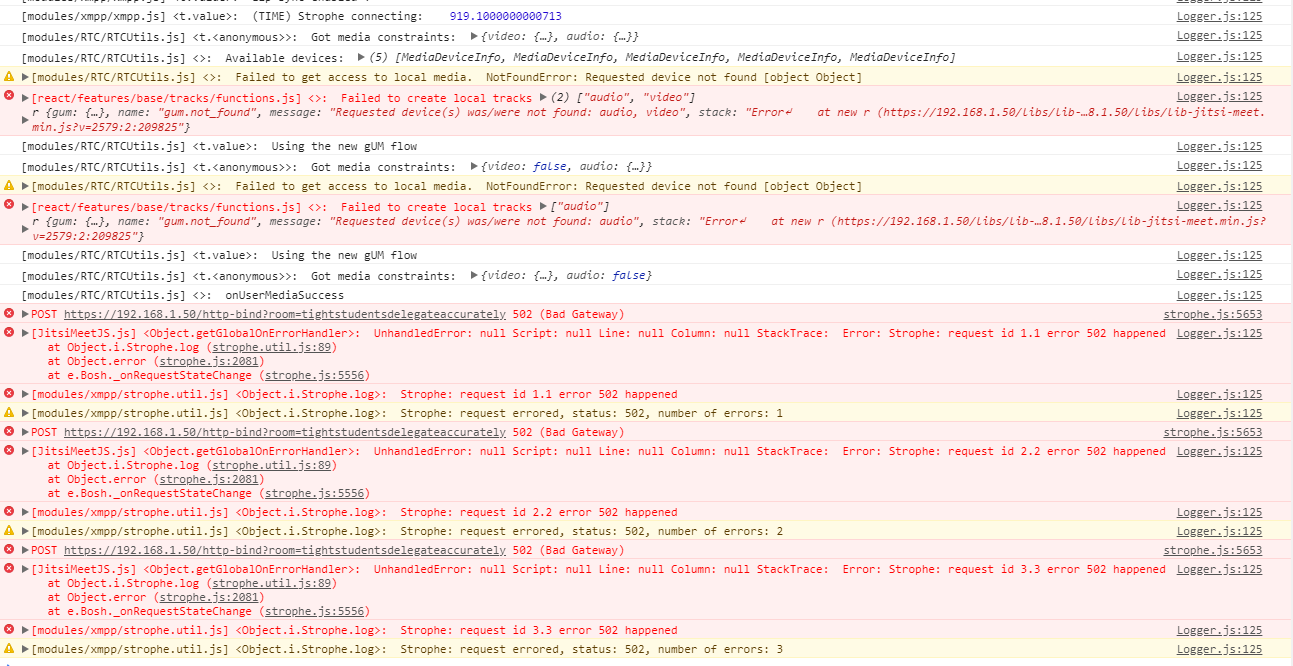
 c526537207
All 11 comments
How is your web server configured to proxy requests to /http-bind?
 saghul
on 29 Mar 2018
saghul
on 29 Mar 2018
# BOSH
    location /http-bind {
        proxy_pass      http://localhost:5280/http-bind;
        proxy_set_header X-Forwarded-For $remote_addr;
        proxy_set_header Host $http_host;
    }
in nginx
c526537207
on 29 Mar 2018
Is prosody listening on port 5280 ok? Check with netstat -tunapl
saghul
on 29 Mar 2018
root@DESKTOP-MH40E2N:~# netstat -tunapl
Active Internet connections (servers and established)
Proto Recv-Q Send-Q Local Address Foreign Address State PID/Program name
how to open?
c526537207
on 29 Mar 2018
Please paste the actual output. If empty, you have no services listening, which can't be happening.
saghul
on 29 Mar 2018
@saghul It's empty, but it's not possible to have all the service listening. It's weird.
c526537207
on 29 Mar 2018
root@DESKTOP-MH40E2N:~# prosodyctl restart
Prosody is not running
Prosody was unable to find the configuration file.
We looked for: /etc/prosody/prosody.cfg.lua
A sample config file is included in the Prosody download called prosody.cfg.lua.dist
Copy or rename it to prosody.cfg.lua and edit as necessary.
More help on configuring Prosody can be found at http://prosody.im/doc/configure
Good luck!
Still waiting...
Prosody is still not running. Please give it some time or check your log files for errors.
What happened?why?how?
c526537207
on 29 Mar 2018
I really don't know what's going on with your system, but things don't seem to be installed correctly. A default prosody config file is installed automatically, if you don't have it it means the installation process didn't complete successfully or it was manually removed.
saghul
on 29 Mar 2018
No follow-up, closing.
saghul
on 3 Apr 2018
For anyone who stumbles onto this as I did I encountered the same issue when configuring jitsi-meet-tokens; for me the issue was because I had neglected to check that /etc/prosody/prosody.cfg.lua had the following line at the end:
Include "conf.d/*.cfg.lua"
Switching to prosody-trunk can cause this line to disappear from the config file. Re-add that line, restart everything and it should resolve the problem.
 Haravikk
on 26 Oct 2018
Haravikk
on 26 Oct 2018
Thank you @Haravikk! I just upgraded prosody to 0.11.5 and was having this same issue. Adding that Include statement solved it!
 milkperson
on 14 Jul 2020
milkperson
on 14 Jul 2020
Related issues
 samk17cmutpm
·
4Comments
samk17cmutpm
·
4Comments
 ralgozino
·
3Comments
ralgozino
·
3Comments
 galvaniccoffee
·
3Comments
galvaniccoffee
·
3Comments
 mlelyakan
·
4Comments
mlelyakan
·
4Comments
 532910
·
3Comments
532910
·
3Comments
Most helpful comment
For anyone who stumbles onto this as I did I encountered the same issue when configuring
jitsi-meet-tokens; for me the issue was because I had neglected to check that/etc/prosody/prosody.cfg.luahad the following line at the end:Include "conf.d/*.cfg.lua"Switching to
prosody-trunkcan cause this line to disappear from the config file. Re-add that line, restart everything and it should resolve the problem.