Jetpack: Instant search: Disabling instant search in WP-Admin on non-pro plans
Steps to reproduce the issue
- For sites with Search product only and no Pro plan, two toggles on settings page add confusion
- When enabling Search but disabling Instant search, only default WordPress search is active
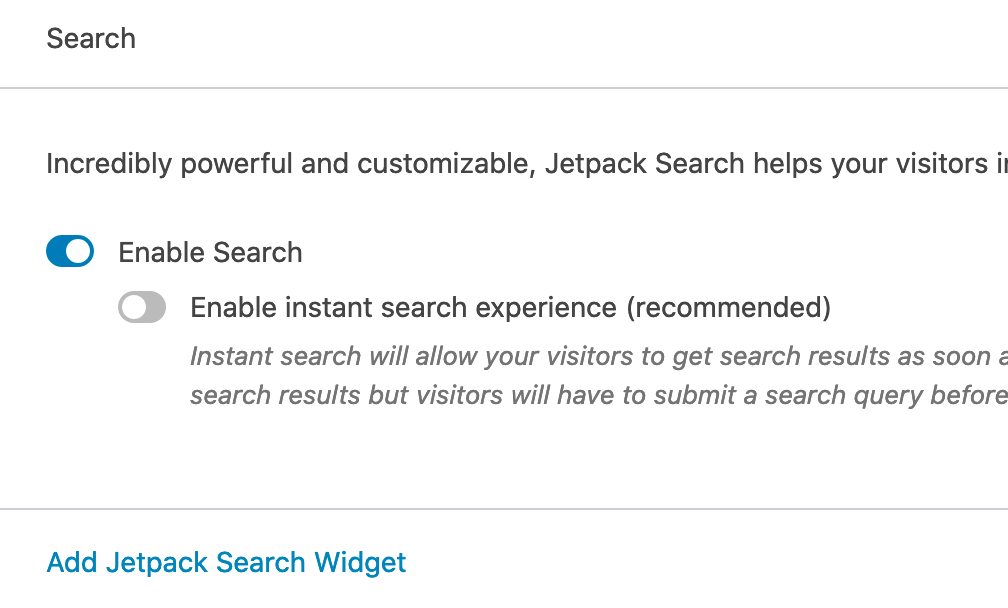
These two toggles make sense for Pro plan users but not much for Search product users without the Pro plan.
 bindlegirl
All 8 comments
These two toggles make sense for Pro plan users but not much for Search product users without the Pro plan.
I'm not sure if that's correct since the instant search experience is only available in the new Jetpack Search product and not for legacy Search included in the Professional plans.
 keoshi
on 9 Apr 2020
keoshi
on 9 Apr 2020
When enabling Search but disabling Instant search, only default WordPress search is active
While the frontend experience should look like a default WordPress search, the results should be served by Jetpack. Could you check the search result page's source code and look for a comment like this:
<!-- Jetpack Search took 458 ms, ES time 39 ms -->
 jeherve
on 9 Apr 2020
jeherve
on 9 Apr 2020
Tried it with Instant search on and off.
This is when the Instant search is on:
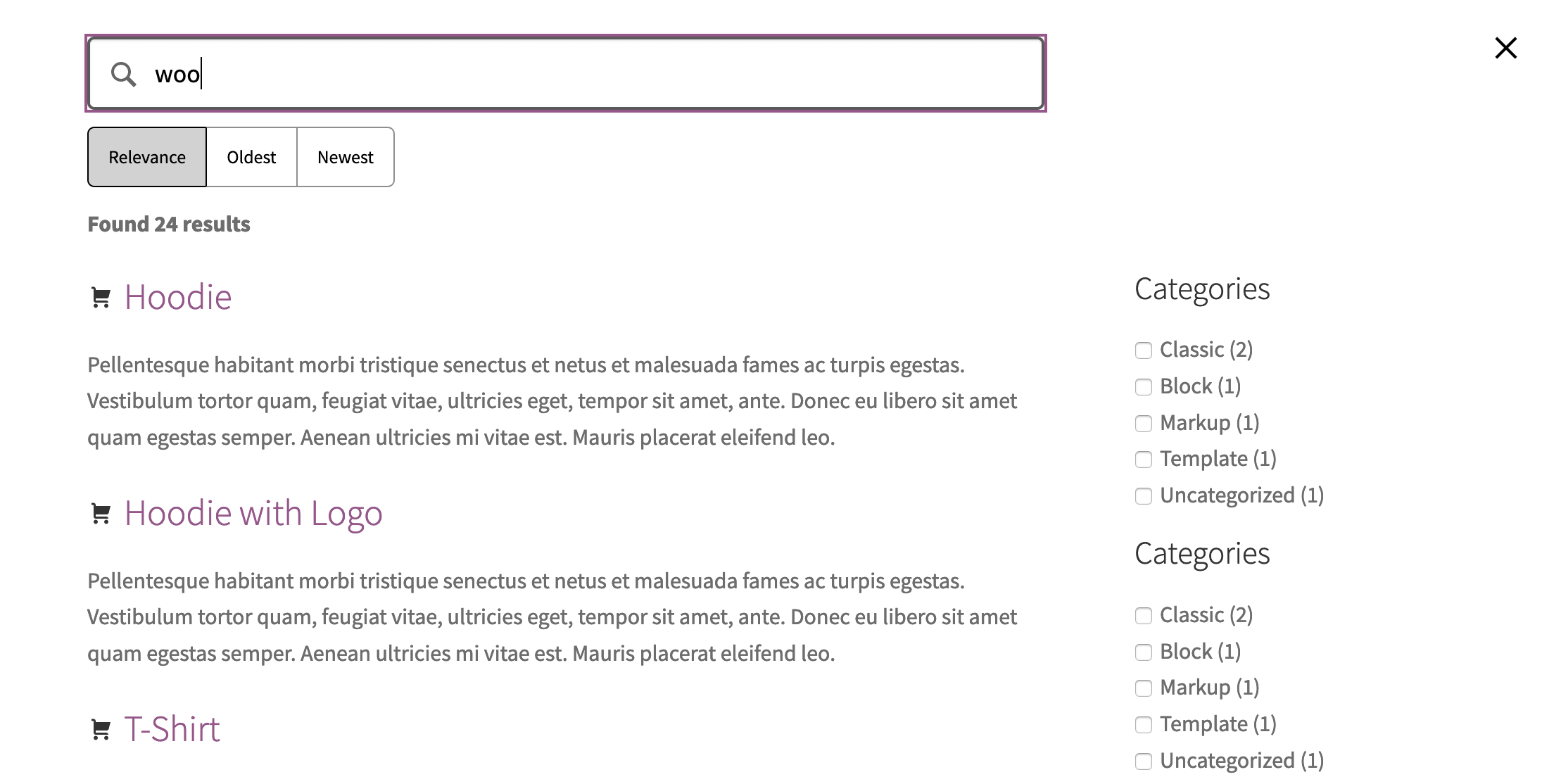
This is when only Instant search is off and when both search toggles are off:
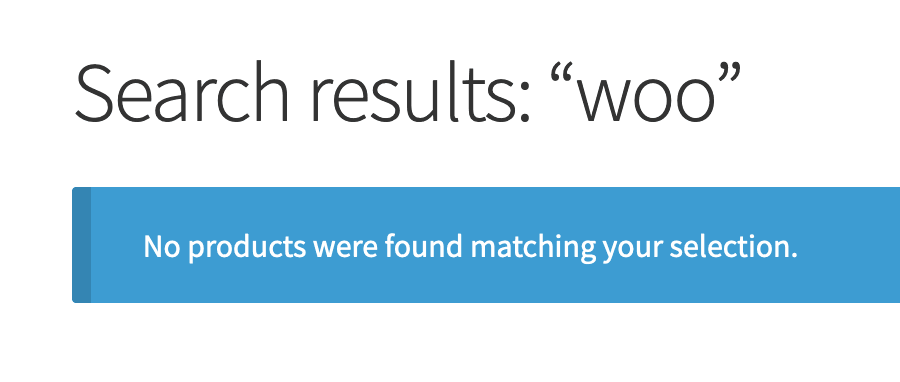
Is this the expected result?
bindlegirl
on 9 Apr 2020
And I forgot to add, <!-- Jetpack Search took 458 ms, ES time 39 ms --> was missing until I added the Pro plan.
bindlegirl
on 9 Apr 2020
Yes, that's the expected result.
- With a Jetpack Professional plan, you have access to Jetpack Search (so you'll see the comment in your source code when Search is enabled), but not to Instant Search. In Jetpack > Settings > Performance, only the first toggle will be available to you; the second one will be greyed out and you will see an invitation to upgrade.
- With a Jetpack Search plan, you have access to both Jetpack Search and Jetpack Instant Search. Both toggles are available in the Jetpack dashboard. If you turn on Instant Search there, you will see the interface from your first screenshot.
jeherve
on 9 Apr 2020
With a Jetpack Search plan, you have access to both Jetpack Search and Jetpack Instant Search.
cc @gibrown Am I understanding this right?
jeherve
on 9 Apr 2020
@jeherve: What you said regarding Jetpack Professional and Jetpack Search is correct.
 jsnmoon
on 20 Apr 2020
jsnmoon
on 20 Apr 2020
Closing this issue due to inactivity. Please re-open if necessary!
jsnmoon
on 14 Jul 2020
Related issues
 ockham
·
3Comments
jeherve
·
3Comments
ockham
·
3Comments
jeherve
·
3Comments
 dougaitken
·
3Comments
ockham
·
3Comments
dougaitken
·
3Comments
ockham
·
3Comments
 BinaryMoon
·
3Comments
BinaryMoon
·
3Comments
Most helpful comment
Yes, that's the expected result.