Jetpack: Calendly block: fails to load on Firefox due to regex error
Firefox appears to take exception to the regular expressions used in https://github.com/Automattic/jetpack/blob/master/extensions/blocks/calendly/utils.js#L1. The exception thrown causes the blocks not to load.
Steps to reproduce the issue
- With jetpack beta blocks loaded add a calendly block in Chrome
- Attempt to load the block in Firefox and you will see the below error:
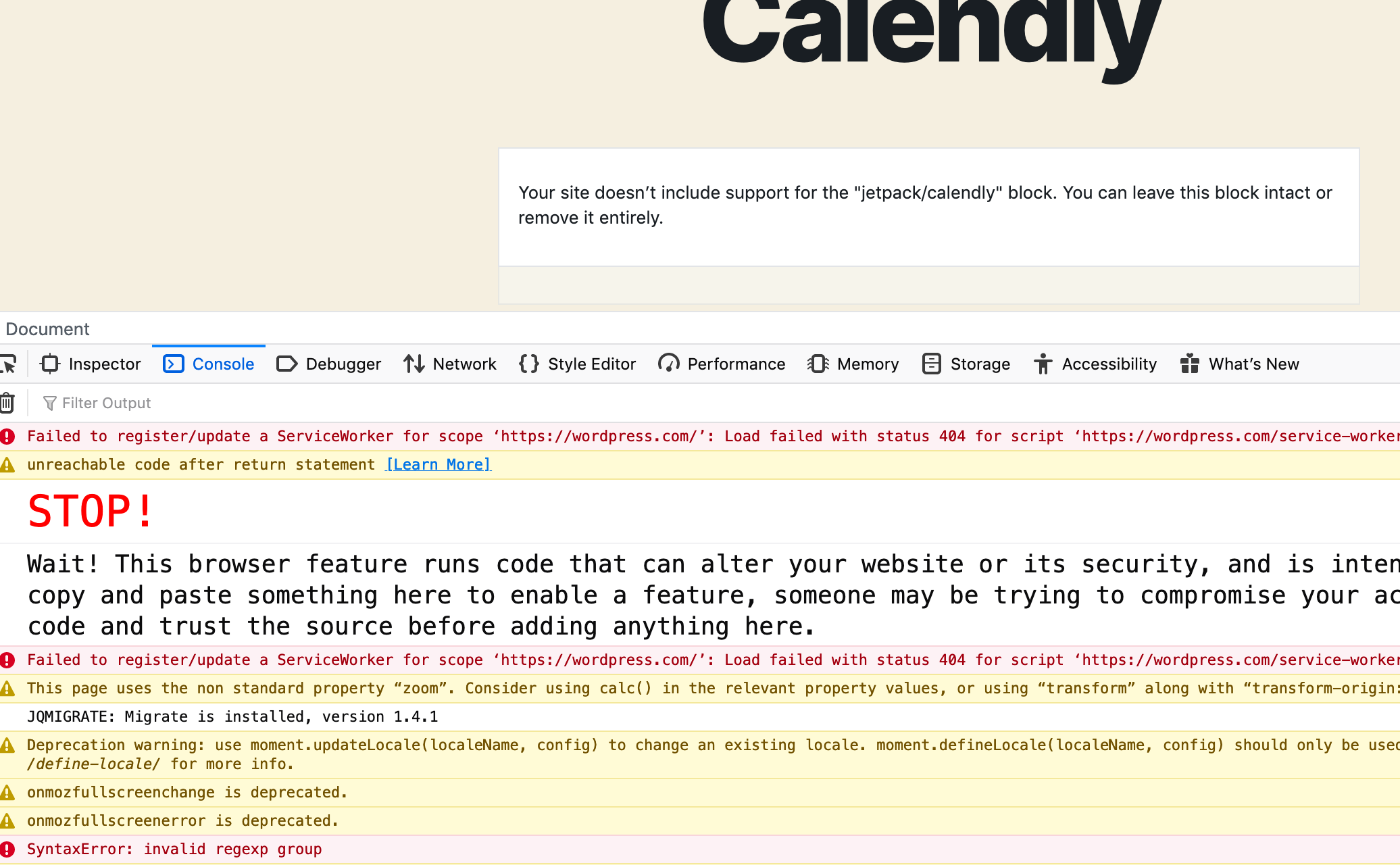
If lines 1-32 of the utils file are commented out then the block loads in Firefox. At a glance it looks like these include lookbehinds which are not supported by firefox.
 glendaviesnz
All 6 comments
I am not able to see the beta blocks on Safari either. Version 13.0.4 (15608.4.9.1.3) on macOS 10.15.2 - MacOS Catalina. Found when p58i-8tn-p2#comment-44412
 arunsathiya
on 17 Jan 2020
arunsathiya
on 17 Jan 2020
Noting here that I can't see _any_ Jetpack blocks in Firefox when I'm proxied. If I unproxy the production JP blocks are visible.
So this seems to be blocked in some way related to proxied connections.
 katiebethbrown
on 17 Jan 2020
katiebethbrown
on 17 Jan 2020
Correction on my last comment: Same situation as @katiebethbrown. Cannot see any Jetpack blocks on Firefox and Safari.
arunsathiya
on 17 Jan 2020
@katiebethbrown That's to be expected. When you're proxied, you'll be served a totally different bundle of blocks (including Beta blocks) on WordPress.com. The bug introduced with the new Calendly Beta block consequently impacts the whole bundle of blocks.
We're working on a fix in #14375.
 jeherve
on 17 Jan 2020
jeherve
on 17 Jan 2020
Fix is merged and deployed to wpcom, so you should be able to see the beta blocks in all browsers now.
 pablinos
on 17 Jan 2020
pablinos
on 17 Jan 2020
I confirm they are visible on Firefox and Safari now, thanks Jeremy and Paul!
arunsathiya
on 18 Jan 2020
Related issues
 kevinlisota
·
3Comments
kevinlisota
·
3Comments
 NicktheGeek
·
3Comments
NicktheGeek
·
3Comments
 crunnells
·
3Comments
crunnells
·
3Comments
 abidhahmed
·
3Comments
abidhahmed
·
3Comments
 MichaelArestad
·
3Comments
MichaelArestad
·
3Comments