Jetpack: Display WordPress Posts Widget: Posts Displayed in larger font than title
Steps to reproduce the issue
- Go to Display > Customize > Widgets
- Add a Display WordPress Posts widget
What I expected
User reports in #2039221-zen that the font of posts in the widget looked like the Recent Posts widget until recently.
Recent posts widget screenshot: 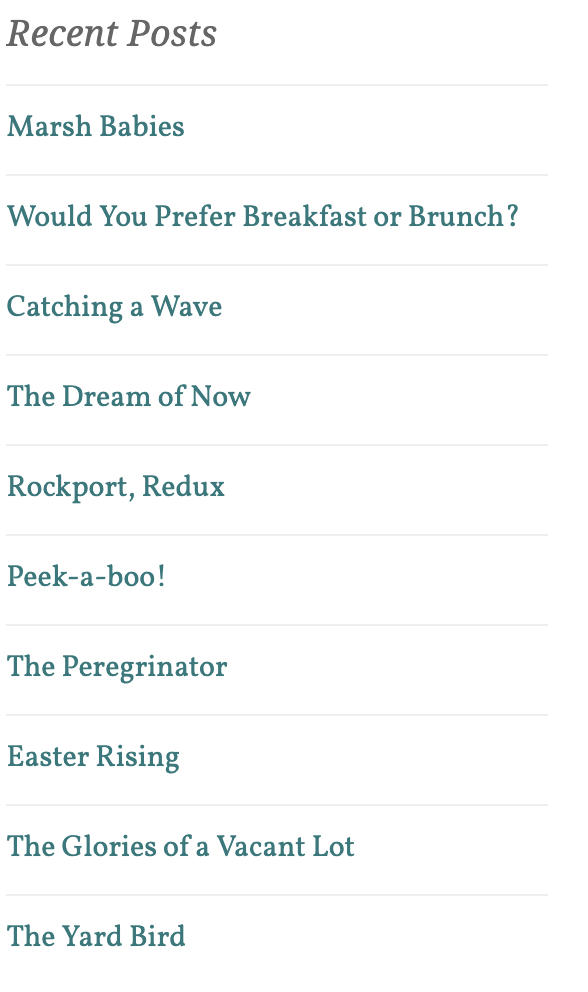
What happened instead
Now the posts in the Display WordPress Posts widget's looks larger than the title as seen here:
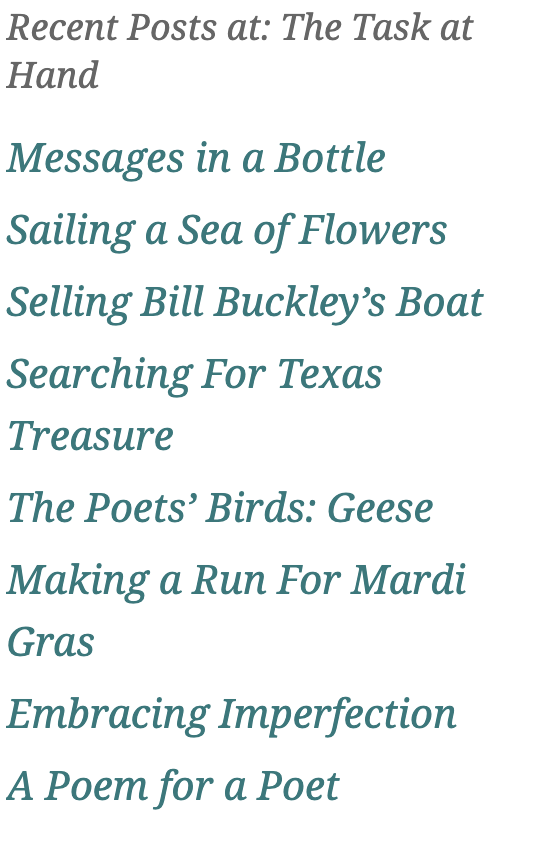
 damiannep
All 7 comments
Another instance in 7780702-hc .
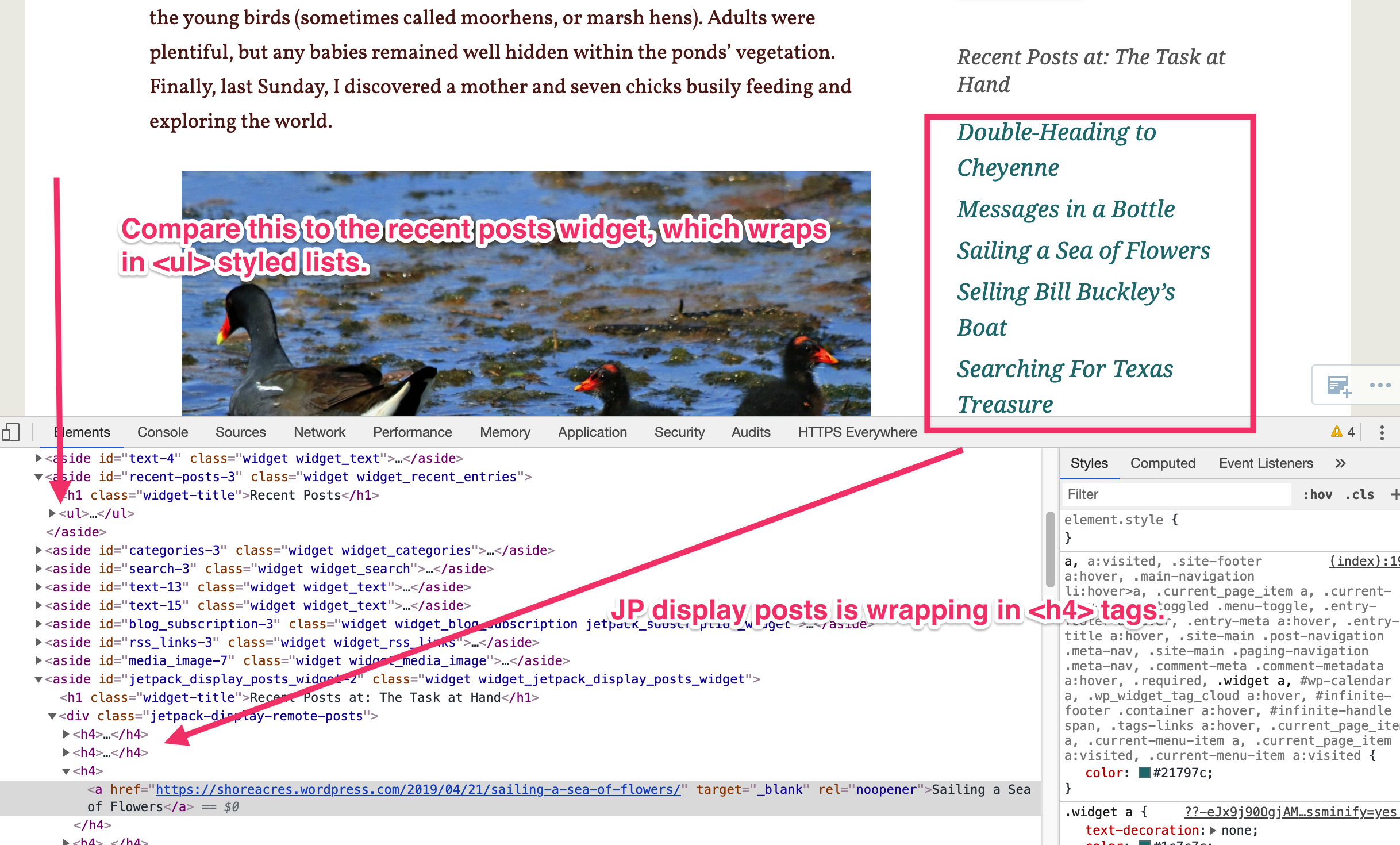
This user has that side-by-side with the Recent Posts widget, and they do not match.
These problematic ones are wrapped in <h4> tags:
Thank you all for your work!
 jessestu
on 20 May 2019
jessestu
on 20 May 2019
This was caused by the changes introduced in #12290, and can be reproduced on WordPress.com and in Jetpack using the Penscratch theme:
https://wordpress.org/themes/penscratch/
It's worth noting that the theme hasn't been updated in a long time on WordPress.org, and has been retired on WordPress.com. It has now been replaced by the Penscratch 2 theme:
https://wordpress.com/theme/penscratch-2
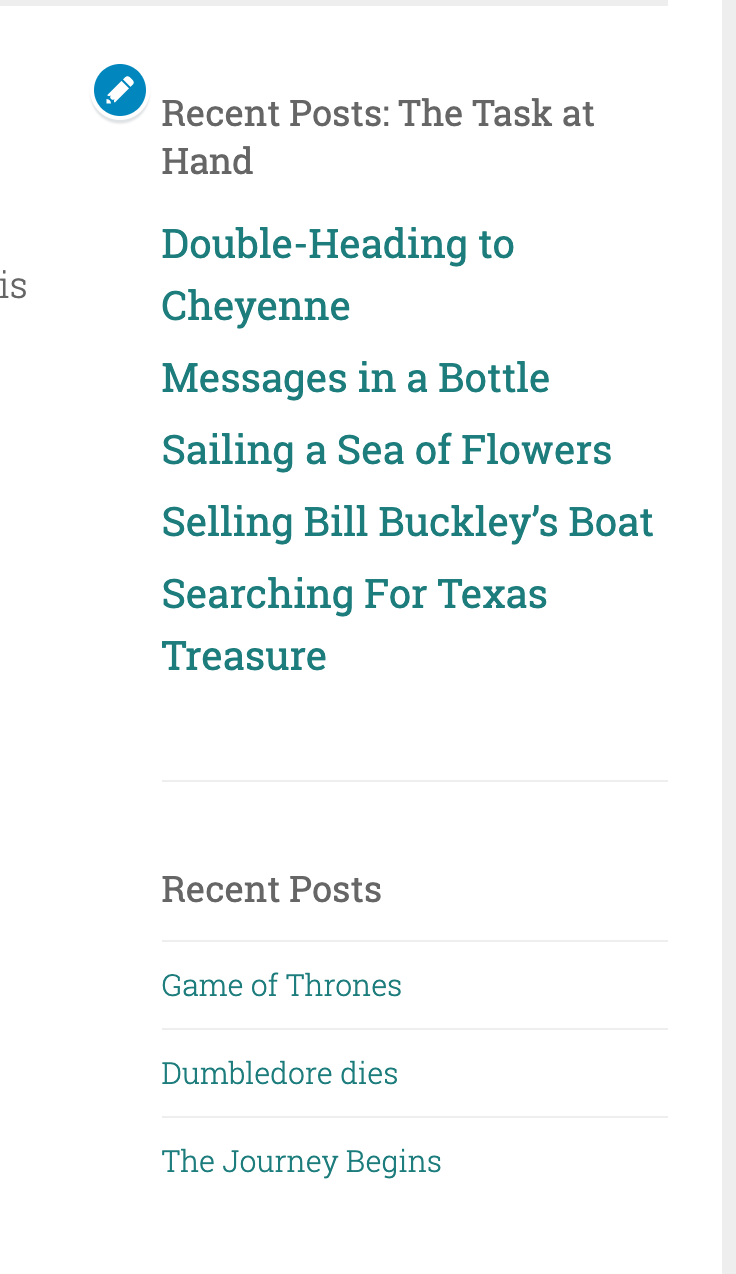
Penscratch 2 also includes the same difference between the 2 widgets:
I'd be inclined to close this as wontfix, while helping the site owner with some CSS to help them solve this on their site, but I'll leave this decision to @scottsweb.
 jeherve
on 20 May 2019
jeherve
on 20 May 2019
I can recommend switching to Penscratch 2 theme for my user, but as you said, that's irrelevant in this case since it happens with the newer, still-supported theme.
Whatever direction you all decide to go, CSS can't fix problems for everyone, including the user I worked with who has the Personal plan and does not have access to CSS fixes on WPCOM without a plan upgrade.
If you decide to wontfix, I'll bump them up a plan on the house and provide CSS.
jessestu
on 21 May 2019
Also, @jeherve, you need a spoiler alert on your example images for when I finally get around to reading Book 6 of Harry Potter! ;-)
jessestu
on 21 May 2019
Thanks for the reports, I had a feeling we might at least get one theme that doesn't play nicely with these changes. I am leaning towards CSS fixes for these users as a temporary solution, I would rather keep Jetpacks CSS less opinionated (we have way more styles to be removed) as it will actually improve our ability to inherit theme styles going forwards - meaning less work for theme authors and Jetpack users.
In the meantime I will also investigate the option of patching the theme on .com.
If you need to see what CSS was removed, you can do so here: https://github.com/Automattic/jetpack/pull/12290/files
 scottsweb
on 21 May 2019
scottsweb
on 21 May 2019
Penscratch-2 is not a Premium theme, so users do not necessarily have access to add Custom CSS. I'm going to go ahead and comp the user in #2039221-zen a Custom Design Upgrade and add the following CSS:
.jetpack-display-remote-posts h4 {
    font-size: 90%;
}
@damiannep, I was working on following up with these steps with my customer and I realized: we worked with the same customer.
Why did it take me so long to realize that?? You'd already done all the hard work :-).
Thank you!
jessestu
on 27 May 2019
Related issues
jeherve
·
3Comments
 BinaryMoon
·
3Comments
BinaryMoon
·
3Comments
 dougaitken
·
3Comments
dougaitken
·
3Comments
 MichaelArestad
·
3Comments
MichaelArestad
·
3Comments
 tyxla
·
3Comments
tyxla
·
3Comments
Most helpful comment
Penscratch-2 is not a Premium theme, so users do not necessarily have access to add Custom CSS. I'm going to go ahead and comp the user in #2039221-zen a Custom Design Upgrade and add the following CSS: