Jetpack: Dashboard: Site accelerator JITM shouldn't be shown to non-admin roles
Steps to reproduce
- Start with a Jetpack site without "site accelerator" feature activated. Or, simply deactivate if active
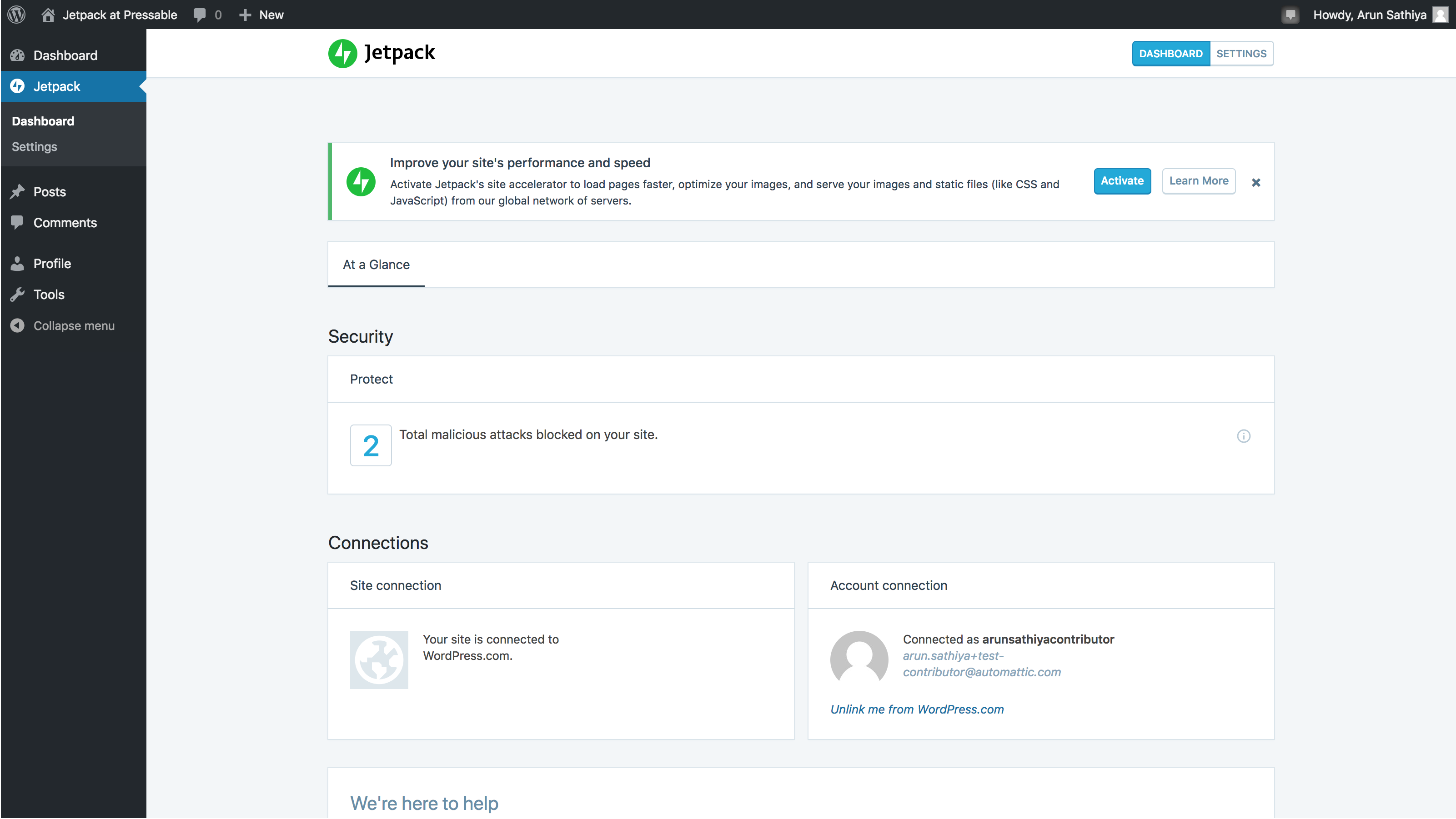
- Visit the Jetpack dashboard on wp-admin, with non-admin role
- Notice that the JITM card banner is shown
- Click on
Activatebutton
What is expected
The card banner is not shown because non-admin roles cannot activate this setting.
What happens instead
- Clicking
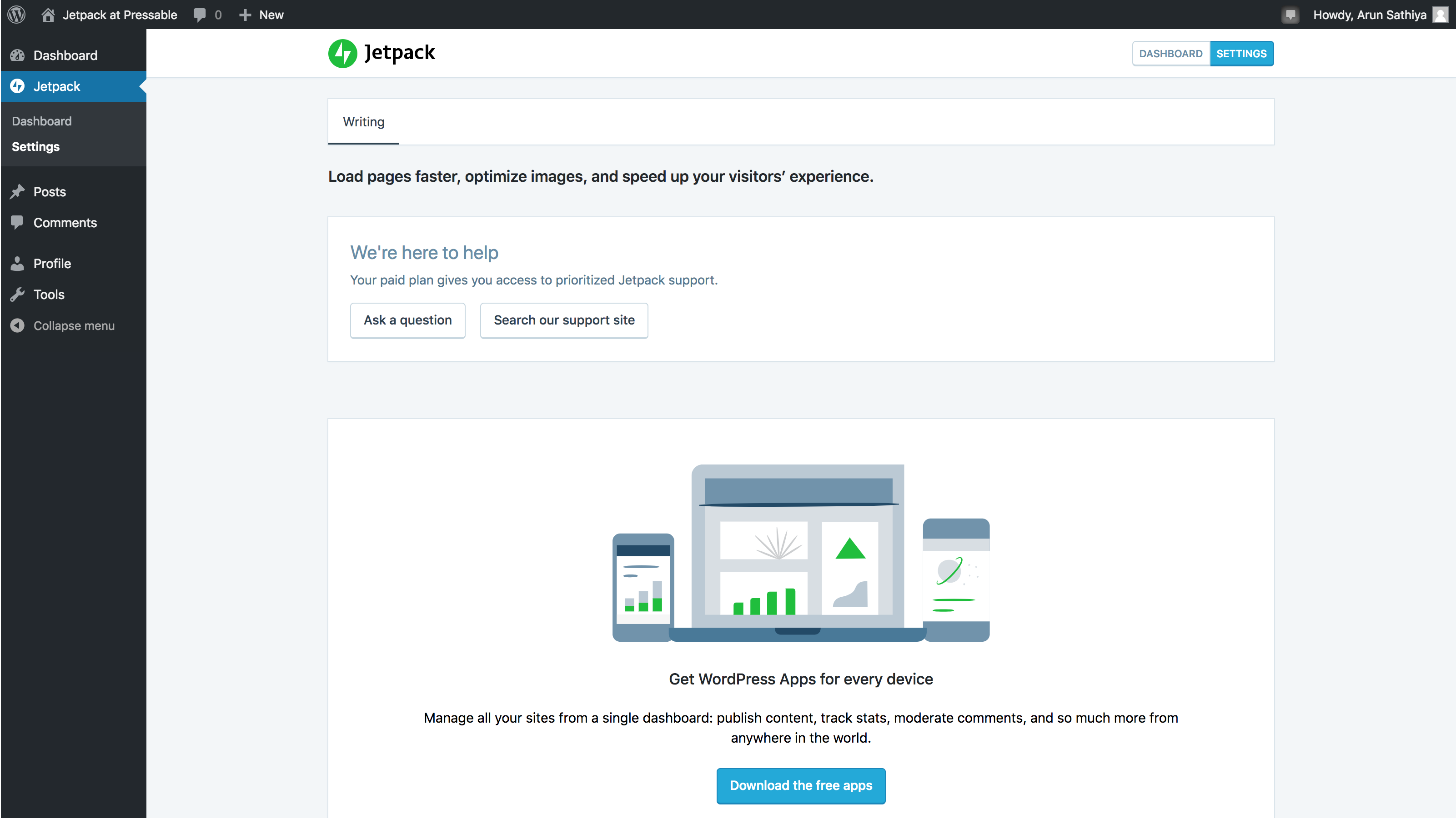
Activateseems to work, and the card banner disappears. Different from what's mentioned here https://github.com/Automattic/jetpack/issues/11288 - Visiting the Jetpack settings does not show the
site acceleratorsetting, because this feature can be activated only by admin role users.
 arunsathiya
All 7 comments
This seems like a big issue as it impacts all JITMs, not just this one. @withinboredom Could you take a look since you are more familiar with JITMs? How do we handle requests when the external user ID (let's say 2 on a site with one admin and one editor only) does not match a WordPress.com User for that blog because the editor has not connected their account to their WordPress.com account?
 jeherve
on 15 Feb 2019
jeherve
on 15 Feb 2019
This will be addressed in D24434-code.
jeherve
on 15 Feb 2019
More recent internal reference: D24890-code, and then D32286-code
jeherve
on 27 Feb 2019
This is being fixed in D32286-code.
 kbrown9
on 25 Sep 2019
kbrown9
on 25 Sep 2019
Why did this bug just sit for 7 months after it was supposed to "be addressed"?
 sparky672
on 25 Sep 2019
sparky672
on 25 Sep 2019
@sparky672 We weren't able to find the best way to fix this until now, but we're on track with a good solution now. We'll close this issue once this is done.
In the meantime you can rest assured: while the notice is displayed to non-admins, they cannot actually enable features unless they have the admin role.
jeherve
on 26 Sep 2019
This should now be fixed.
jeherve
on 11 Oct 2019
Related issues
 Viper007Bond
·
3Comments
Viper007Bond
·
3Comments
 kraftbj
·
3Comments
kraftbj
·
3Comments
 ockham
·
3Comments
ockham
·
3Comments
 BinaryMoon
·
3Comments
BinaryMoon
·
3Comments
 crunnells
·
3Comments
crunnells
·
3Comments