Jetpack: Media Settings: Verbiage Adjustments
Altering the wording within media feature settings to be more explanatory.
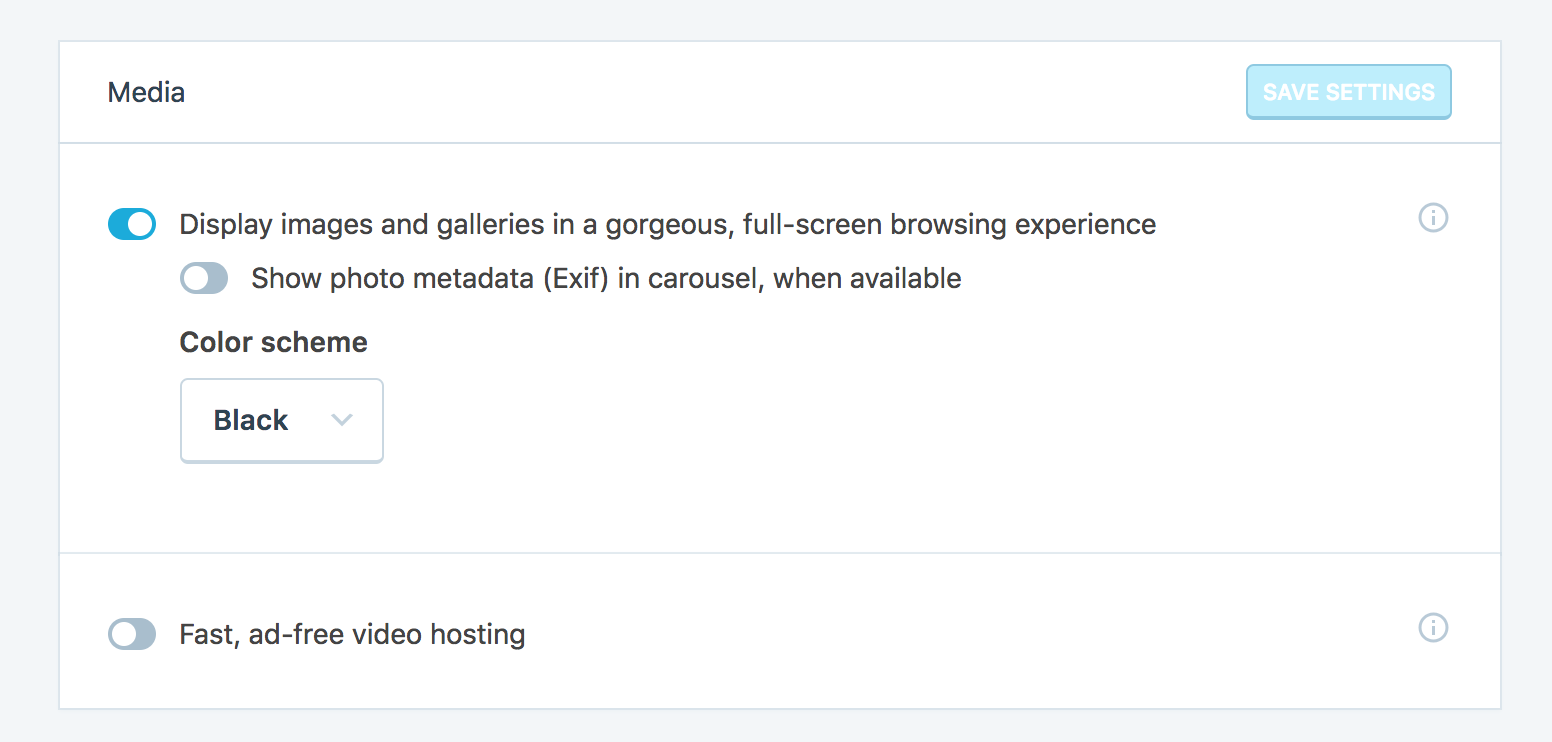
Currently:
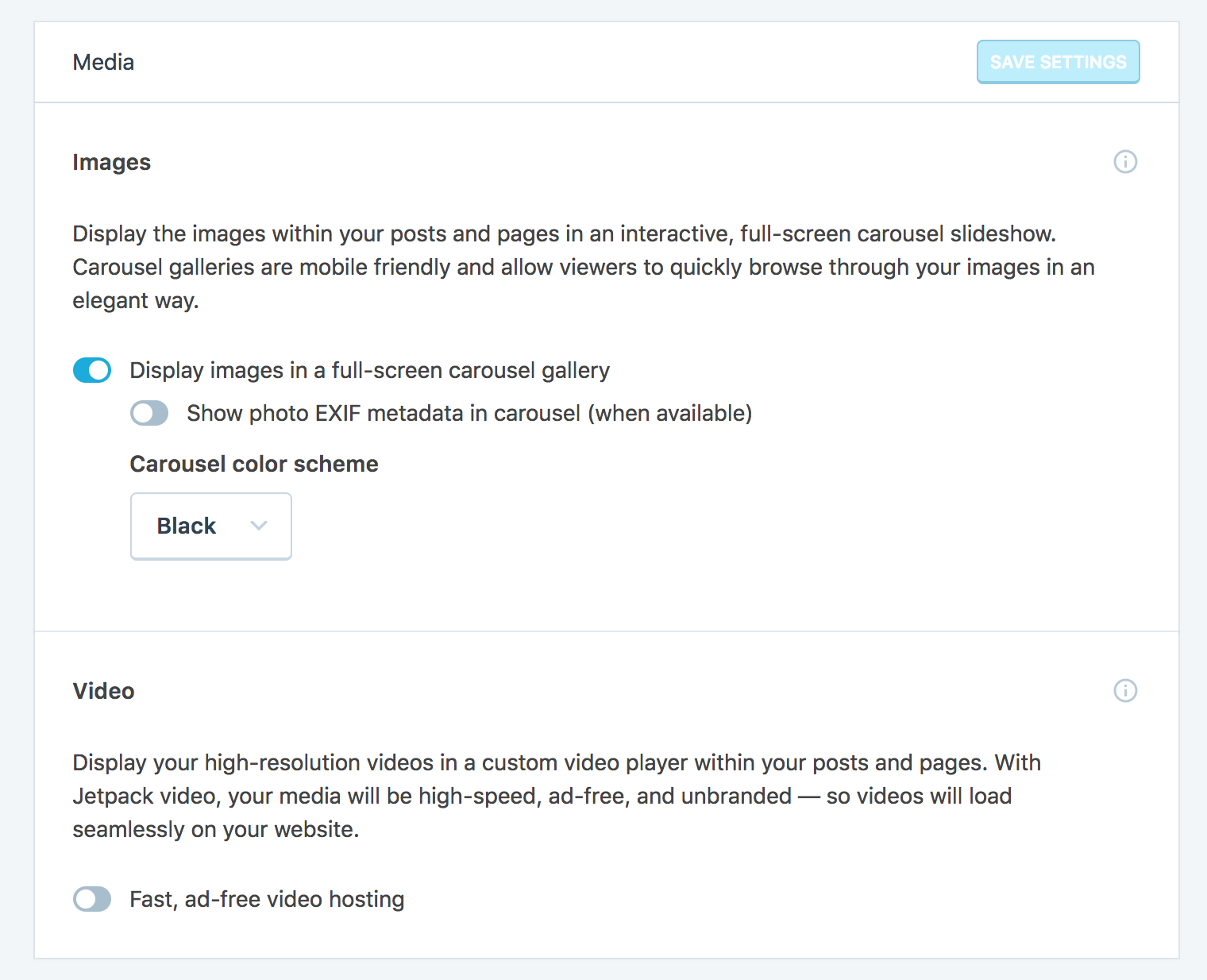
After:
Notes:
1) Break about each section by adding "Images" and "Video" so the sections are more clear
2) Add more lengthy explanations of each feature above the toggles
For images...
Display the images within your posts and pages in an interactive, full-screen carousel slideshow. Carousel galleries are mobile friendly and allow viewers to quickly interact with your photos.
for Video...
Display your high-resolution videos in a custom video player within your posts and pages. With Jetpack video, your media will be high-speed, ad-free, and unbranded — so videos will load seamlessly on your website.
3) Make "Display images and galleries in a gorgeous, full-screen browsing experience" into "Display images in a full-screen carousel gallery"
4)Make "Show photo metadata (Exif) in carousel, when available" into "Show photo EXIF metadata in carousel (when available)"
5) Make "Color scheme" into "Carousel color scheme"
Thoughts? @benhuberman @simison @annacmc
 jeffgolenski
All 4 comments
I'm liking the tweaks -- especially adding introductory copy to each sub-section for better context/orientation.
For the images intro copy, I'd flip the order so that it's clearer from the get-go what you can accomplish with this setting (I also added a couple small tweaks):
Create full-screen carousel slideshows for the images in your posts and pages. Carousel galleries are mobile-friendly and encourage site visitors to interact with your photos.
For the video intro copy, a few suggested changes:
Make the content you publish more engaging with high-resolution video. With Jetpack Video you can customize your media player and deliver high-speed, ad-free, and unbranded videos to your visitors.
Note: I capitalized "video" in "Jetpack Video" since it sounds like a feature name (rather than a generic reference to video), but I'm not too familiar with prior usage of JP Video.
In the settings' copy, I wondered if here...
Show photo EXIF metadata in carousel (when available)"
... there might be room to say what EXIF metadata actually is -- that definitely sounds technical/jargon-y to me. Which isn't to say the terms shouldn't be used, but a few words explaining the potential benefit, for example, could be helpful.
The other proposed changes in that section look good!
In the video section, the toggle copy looks it could use a good, actionable description -- "Activate Jetpack Video"? "Enable high-speed, ad-free video player"? something else along those lines?
 benhuberman
on 5 Jun 2018
benhuberman
on 5 Jun 2018
@benhuberman You're our saving grace, as per usual.
Just to recap the proposed changes:
Images
Create full-screen carousel slideshows for the images in your posts and pages. Carousel galleries are mobile-friendly and encourage site visitors to interact with your photos.
Video
Make the content you publish more engaging with high-resolution video. With Jetpack Video you can customize your media player and deliver high-speed, ad-free, and unbranded videos to your visitors.
For the Exif data part, how about something along the lines of
Show photo Exif metadata in carousel (when available).
_Exif data is great for engaging viewers by automatically displaying the technical details of a photo, such as the focal length, aperture, and ISO._ "
For the video toggle, I think we should stick with your latter recommendation
Enable high-speed, ad-free video player
Simply because it reiterates the benefits and fits the same style of verb-centric toggle descriptions for all the other settings!
jeffgolenski
on 6 Jun 2018
Great, glad these worked.
For the exif snippet, how about trimming just a bit so that it's not overwhelming with detail:
Show photo Exif metadata in carousel (when available).
_Exif data shows viewers additional technical details of a photo, like its focal length, aperture, and ISO._
benhuberman
on 6 Jun 2018
Note to remember to update instructions & screenshot at https://jetpack.com/support/video-hosting/
 simison
on 7 Jun 2018
simison
on 7 Jun 2018
Related issues
 jeherve
·
3Comments
jeherve
·
3Comments
 chrisaldrich
·
3Comments
chrisaldrich
·
3Comments
 MichaelArestad
·
3Comments
MichaelArestad
·
3Comments
 crunnells
·
3Comments
crunnells
·
3Comments
 kevinlisota
·
3Comments
kevinlisota
·
3Comments
Most helpful comment
@benhuberman You're our saving grace, as per usual.
Just to recap the proposed changes:
For the Exif data part, how about something along the lines of
For the video toggle, I think we should stick with your latter recommendation
Simply because it reiterates the benefits and fits the same style of verb-centric toggle descriptions for all the other settings!