Jetpack: Information icons throughout the UI only have "Learn More" links out to support docs.
Throughout the Jetpack UI (especially in Settings), we have (i) icons everywhere to give some more information about what each feature is. In every case, they just say "Learn More" and link off to a support doc.
In most cases, we should have a brief message in the tooltip that appears, which might provide enough context for people. Then we can still include the "Learn More" if they'd like to get more details.
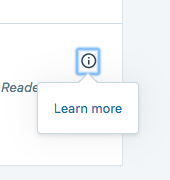
They should also probably include an icon/indication that they load in a new window.
 beaulebens
All 9 comments
@nicoleckohler obviously we have a lot of settings in Calypso and wp-admin, but it would be great to get a list of microcopy to add to the info popovers beyond just 'learn more'. Even if it's Learn more about inserting a gallery :external-icon:
Do you think you could take a run through settings and go through each tab and then down each settings card and provide a quick sentence for each? Once we have that it will be very fast for someone to do a single PR that updates all of them.
 rickybanister
on 1 Mar 2018
rickybanister
on 1 Mar 2018
@rickybanister @beaulebens OK, so there's a lot here.
For each item I've written, I'm still suggesting that we keep the "Learn more" with the link at the end -- this is all just copy we should add in front of it.
In some cases, this copy is kind of repetitive, so once it's implemented, we should look at reducing the copy outside of the tooltip.
Here we go:
WRITING TAB
Enable the WordPress.com toolbar:
Adds a toolbar with links to all your sites, notifications, your WordPress.com profile, and the Reader.
Write posts or pages in … (Markdown):
Allows you to compose content with links, lists, and other styles using the Markdown syntax.
Check your spelling …:
Checks your content for correct grammar and spelling, misused words, and style while you write.
Display images and galleries …:
Replaces the standard WordPress galleries with a full-screen photo browsing experience, including comments and EXIF metadata.
Fast, ad-free video hosting:
Hosts your video files on the global WordPress.com servers.
Serve images from our servers:
Hosts your image files on the global WordPress.com servers.
Lazy load images:
Delays the loading of images until they are visible in the visitor’s browser.
Testimonials:
Adds the Testimonial custom post type, allowing you to collect, organize, and display testimonials on your site.
Portfolios: (there is no tooltip here, but it would be preferable to add one, even if the link is the same)
Adds the Portfolio custom post type, allowing you to manage and showcase projects on your site.
Infinite Scroll:
Loads the next posts automatically when the reader approaches the bottom of the page.
Jetpack Mobile theme:
Enables a lightweight, mobile-friendly theme that will be displayed to visitors on mobile devices.
Post by email:
Allows you to publish new posts by sending an email to a special address.
SHARING TAB
Automatically share… (Publicize):
Allows you to automatically share your newest content on social media sites, including Facebook and Twitter.
Sharing buttons:
Adds sharing buttons to your content so that visitors can share it on social media sites.
Like buttons:
Adds like buttons to your content so that visitors can show their appreciation or enjoyment.
DISCUSSION TAB
Let readers use… (Comments):
Replaces the standard WordPress comment form with a new comment system that includes social media login options.
Subscriptions:
Allows readers to subscribe to your posts or comments, and receive notifications of new content by email.
TRAFFIC TAB
Site stats (the tooltip looks like it’s maybe in the wrong place here?)
Displays information on your site activity, including visitors and popular posts or pages.
Search
Replaces the default WordPress search with a faster, filterable search experience.
Enable ads …:
Displays high-quality ads on your site that allow you to earn income.
Related posts:
Automatically displays similar content at the end of each post.
SEO:
Allows you to optimize your site and its content for better results in search engines.
Google Analytics:
Integrates your WordPress site with Google Analytics, a platform that offers insights into your traffic, visitors, and conversions.
Sitemaps:
Automatically generates the files required for search engines to index your site.
Site verification:
Provides the necessary hidden tags needed to verify your WordPress site with various services.
SECURITY TAB
Your site is backed up …:
Backs up your site to the global WordPress.com servers, allowing you to restore your content in the event of an emergency or error.
Spam filtering:
Removes spam from comments and contact forms.
Brute force:
Protects your site from traditional and distributed brute force login attacks.
WordPress.com login:
Allows registered users to log in to your site with their WordPress.com accounts.
 nicoleckohler
on 8 Mar 2018
nicoleckohler
on 8 Mar 2018
Moving this to needs dev.
 richardmuscat
on 8 Mar 2018
richardmuscat
on 8 Mar 2018
@gravityrail Saw you in a bunch of issues and you're on 🔥— do you have the bandwidth to tackle this one too?
 keoshi
on 8 Mar 2018
keoshi
on 8 Mar 2018
I see this listed as 'in progress', but no PRs are linking to it, @gravityrail need any assistance here, or a handoff?
rickybanister
on 21 Mar 2018
@rickybanister I started working on this one but it was way more complicated than I thought. Prob best to hand to a React expert :)
I just unassigned myself.
 gravityrail
on 22 Mar 2018
gravityrail
on 22 Mar 2018
@rickybanister does this look ok?
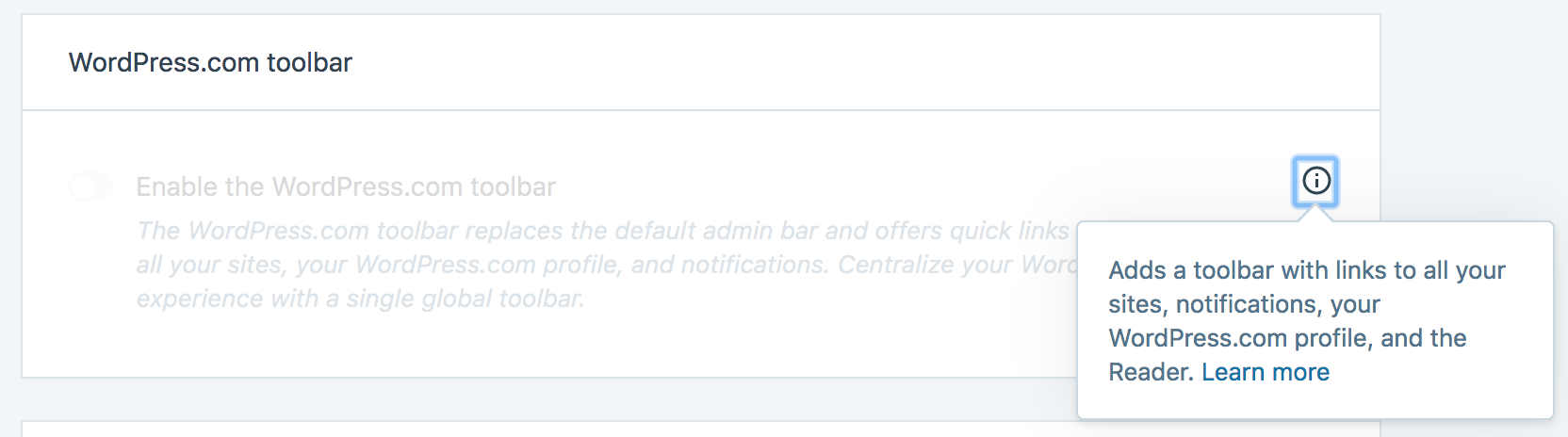
I've made some changes to the settings card component to support the extra info (previously only a URL was needed) and before moving forward and replace everything in every card I'd like to have a confirmation. Also, is the link ok in the same line with the text or should it be in the next line?
 eliorivero
on 23 Mar 2018
eliorivero
on 23 Mar 2018
yup
rickybanister
on 23 Mar 2018
PRs created:
Jetpack: https://github.com/Automattic/jetpack/pull/9137
Calypso: https://github.com/Automattic/wp-calypso/pull/23612
eliorivero
on 23 Mar 2018
Related issues
 crunnells
·
3Comments
crunnells
·
3Comments
 htdat
·
3Comments
beaulebens
·
3Comments
htdat
·
3Comments
beaulebens
·
3Comments
 dougaitken
·
3Comments
dougaitken
·
3Comments
 jeherve
·
3Comments
jeherve
·
3Comments