Jetpack: User-only connection banner wording improvement
Currently, if you visit the Jetpack dashboard as a "secondary user" on the site (_not_ the account which connected Jetpack originally), you see a banner prompting you to connect your user account:

(note "editor" is my username here). I think we should reword this to something like:
"Get more out of Jetpack, connect to a WordPress.com account"
With the button just saying "Connect".
 beaulebens
All 23 comments
@MichaelArestad can we do a little thinking on this one? Can you work up a mockup of perhaps a banner that looks more inviting than a notice?
If we use the banner with the list in the description we can provide some context for why connecting is a good idea. This feels like your site when down or something.
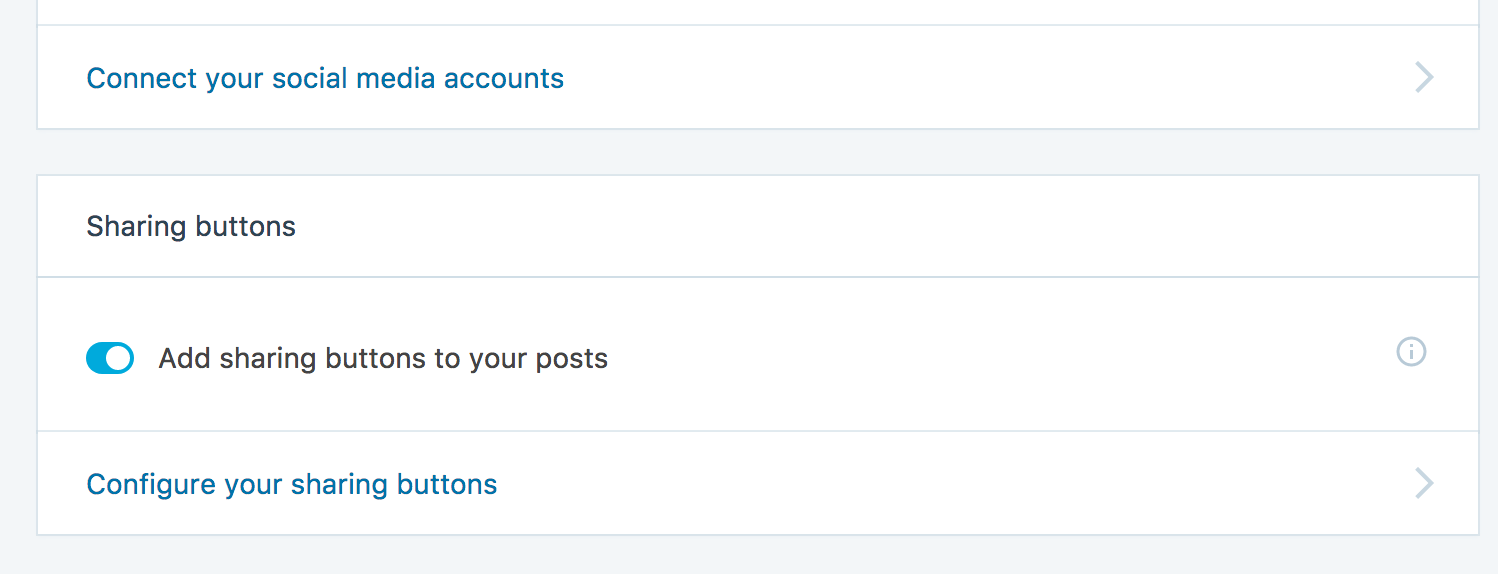
We finally reached consistency with these clickable cards, but for the overall connection prompt the banner will provide a nice highlight:
 rickybanister
on 22 Jun 2017
rickybanister
on 22 Jun 2017
@rickybanister Can we do something more like this instead?
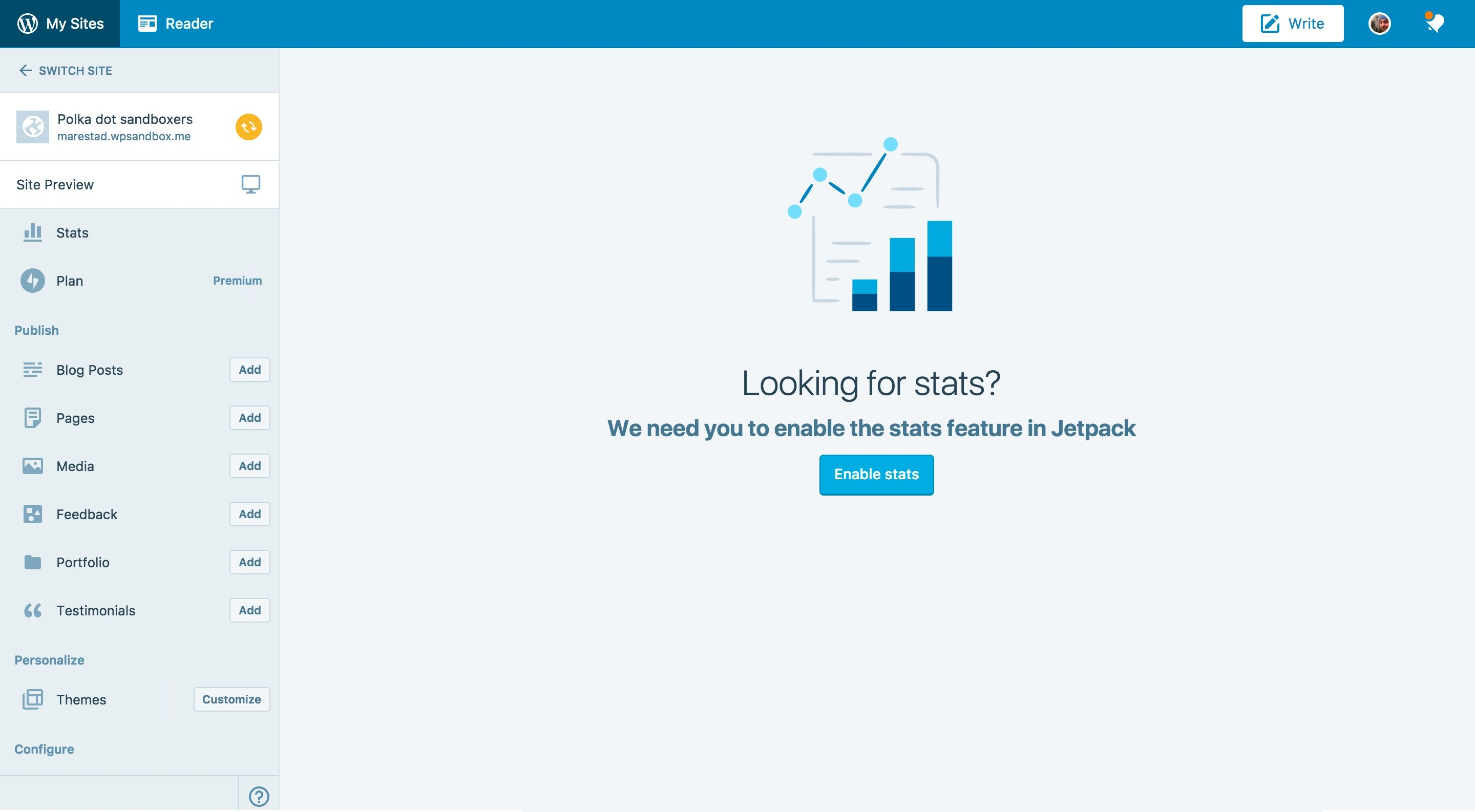
Basically, use the EmptyContent view to brick the screen?
 MichaelArestad
on 22 Jun 2017
MichaelArestad
on 22 Jun 2017
It doesn't exist in Jetpack yet, though so maybe just a Banner + short explanation might do the trick for now.
@rickybanister Do you think it's a good idea to use the banner to highlight things other than upgrades? I think we are using it for a couple things like that, but none in the settings.
MichaelArestad
on 22 Jun 2017
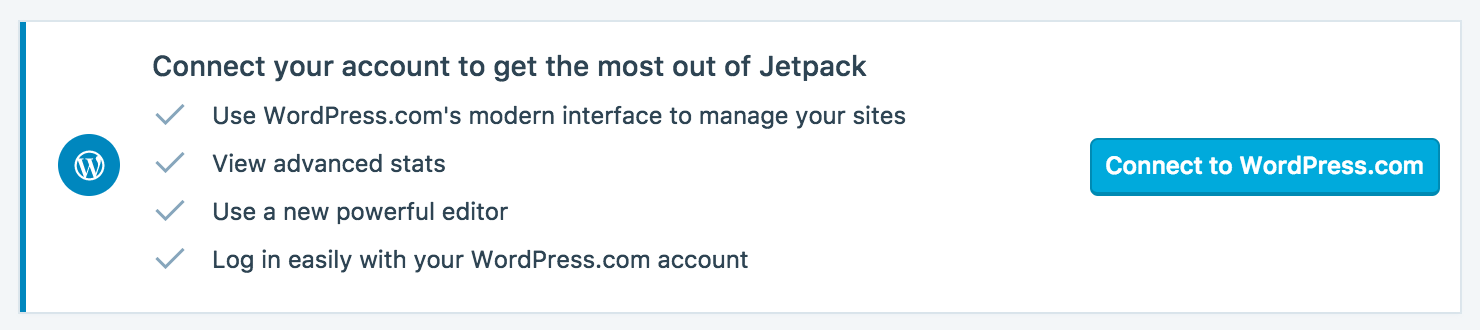
Here's what it could look like with the Banner

Or with the list...
MichaelArestad
on 22 Jun 2017
I think it would make sense to use the full-screen banner immediately after Jetpack is first connected in an attempt to convert all of the site's users to connected ones.
But I would offer those users the same dismiss 'X' as everyone else. If a site has a single connected user, the other users should still be able to see the dashboard with your above banner. They can even adjust some settings (others that require the connection already have the appropriate prompt to get that secondary user to connect).
It would be a larger philosophical change to require all users to connect or to hide the dashboard from them in any more pervasive way.
To summarize:
- In the short-term I'd love to convert the notice to the banner like your final image (perhaps we use the big banner with the list on the dash and the smaller one on every other jetpack view?)
- In a future release I'd love to consolidate the 'warm welcome' and the 'non-connected user' and the 'connection banner' all into a single family of overlays, but they should all be dismissable.
(cc @ashleighaxios who's done some thinking about 'deeply integrating' users with WordPress.com)
rickybanister
on 22 Jun 2017
I am writing here as #5187 was closed.
Today I fully understood how the Jetpack connection works. When I log in to my clients site with my admin account I saw the following message. My first thought was that Jetpack lost the connection again.
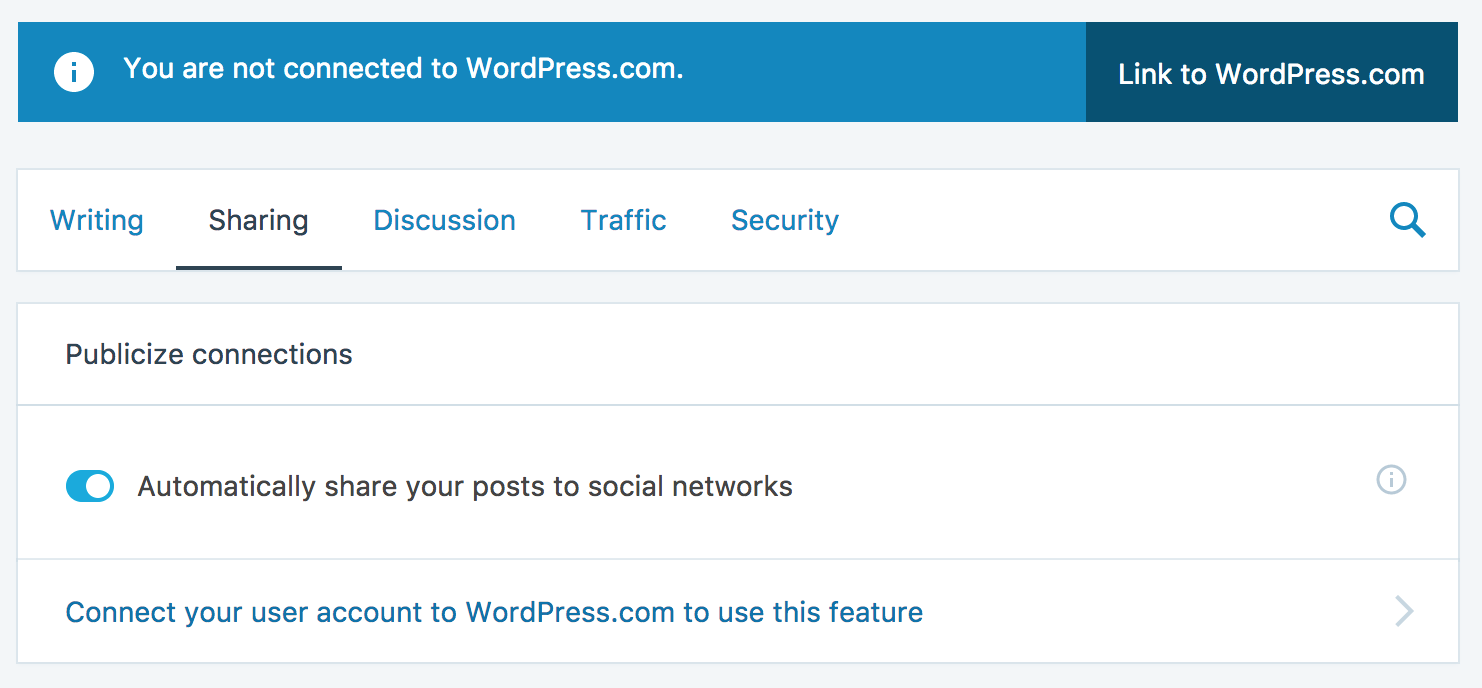
Only after reading the text carefully I realized the site was not connected but the user is not.

I have found this page of documentation where it is partly explained. https://jetpack.com/support/primary-user/
I think some of the notices cause more issues than they help. Would be helpful to see who is the Primary User is.
 grappler
on 27 Jul 2017
grappler
on 27 Jul 2017
Let's go with @MichaelArestad's banner proposed here https://github.com/Automattic/jetpack/issues/6293#issuecomment-310502728
 dereksmart
on 2 Aug 2017
dereksmart
on 2 Aug 2017
I feel this ticket should not be closed as it is still not fully fixed.
@andreamiddleton mentioned the same issue that I had in the WordPress Slack. [[Discussion](https://wordpress.slack.com/archives/C08M59V3P/p1502994546000393)]
I don't think the following text is sufficient as it is not clear if it means the sites user account or the account on WordPress.com
Connect your account to get the most out of Jetpack
grappler
on 18 Aug 2017
Would adding 'user account' be sufficient do you think?
Connect your user account to WordPress.com and get the most out of Jetpack [Connect to WordPress.com]
rickybanister
on 18 Aug 2017
I wonder are we thinking too technical here? "Complete your account setup by [connecting|linking|another word?] to WordPress.com" -- something more to indicate what the broad stroke of what we're doing vs the technical plugging in.
"connect" is technically the right word, but we overuse it with the site's connection vs the user's connection and "connecting and disconnecting Jetpack" is generally understood and used to mean the site itself the vast majority of the time until we don't mean that.
 kraftbj
on 18 Aug 2017
kraftbj
on 18 Aug 2017
Would adding 'user account' be sufficient do you think?
I don't think so as I have user account on my own site and one on WordPress.com. In the screenshot above the suggested line is used under the "Publicize Connection" settings and that was not clear for me.
Sorry for not giving any suggestions before. I think it would help to state the username. So something like:
Connect your user account [username] to WordPress.com
I don't think "get the most out of Jetpack" is not very clear. The reason that I should connect my WordPress.com site is that I can access the same info as the primary user.
This would be my final suggestion. The "too" implies that the site is already connected. It may be good to add a link where it explains what data the secondary user gets access too. I did find a post on the primary user: https://jetpack.com/support/primary-user/
Link your user account too to WordPress.com so to get access to rest of the features of this connected site.
grappler
on 18 Aug 2017
rickybanister isn't connected to wordpress.com [Connect to WordPress.com]
rickybanister, finish setting up Jetpack [Connect to WordPress.com]
Connect rickybanister to WordPress.com to finish setting up Jetpack [Connect to WordPress.com]
rickybanister
on 18 Aug 2017
I feel that "finish setting up Jetpack" implies that the site is not connected to WordPress.com which is not the case just the user.
grappler
on 18 Aug 2017
What if we just go with something much more descriptive along the lines of;
"This site is using Jetpack, but to make the most of it, you need to set up your account."
beaulebens
on 23 Aug 2017
I think that if certain Jetpack settings/features are restricted to the Primary User, then Jetpack should explicitly tell non-primary-users 1) who the Primary User is, and 2) what non-primary-users can't do unless they've connected their own wpcom accounts to Jetpack.
I see that https://jetpack.com/support/primary-user/ says, "If you see some text inviting you to “Link your account…”, then you are not the primary user." but what if the person is certain that they're the primary user and that Jetpack has simply lost the connection? How do they check that?
(Also, the "Jetpack > Settings > Connection Settings" path in that paragraph seems inaccurate, is it outdated?)
 andreamiddleton
on 23 Aug 2017
andreamiddleton
on 23 Aug 2017
Another approach here could be to avoid any 'generic' banner inviting the non-primary user to connect. The generic nature seems to be the major point of confusion.
If we place specific contextual banners near modules or settings that require a connection we could more adequately explain to the current non-primary user why the connection is required.
Beneath stats:
To see more in-depth stats connect your user to a WordPress.com account >
Or perhaps we could approach talking more about a 'Jetpack account' which could help:
To see more in-depth stats create a Jetpack account >
Publicize:
To set up publicize you must connect your user to a WordPress.com account >
To set up publicize you must create a Jetpack account >
rickybanister
on 8 Sep 2017
Another approach here could be to avoid any 'generic' banner inviting the non-primary user to connect. The generic nature seems to be the major point of confusion.
I think that could work pretty well without feeling like Jetpack is broken. I think we're nearing the point of having too many upgrade-style banners. Is there another visual we could try?
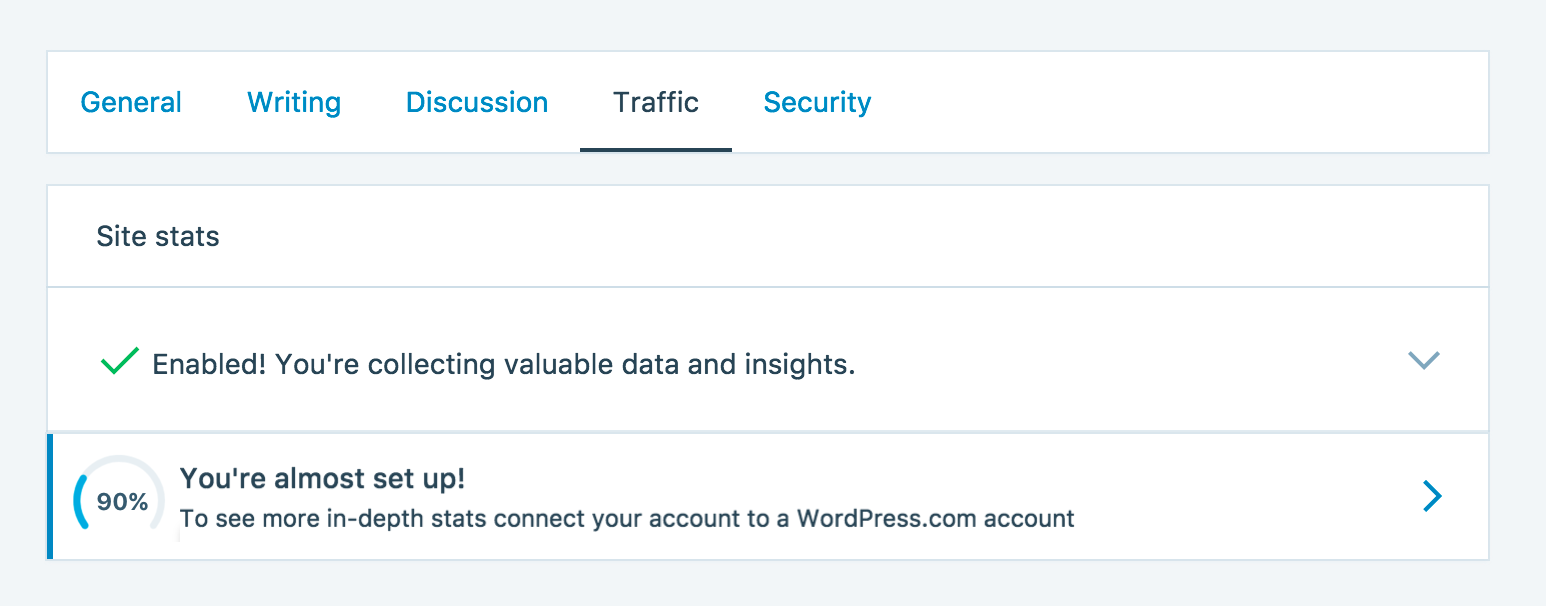
Perhaps there could be a modified version of the upgrade banner. Maybe it has a guage in it like this, but smaller:
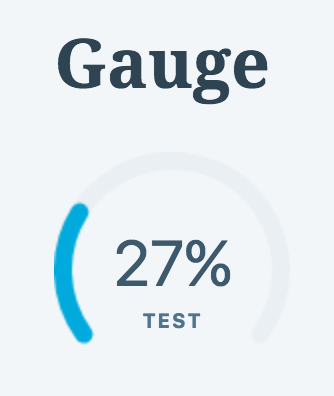
This could be part of the "checklist" group of "things for a new user to do" as seen in one of the following mockups.
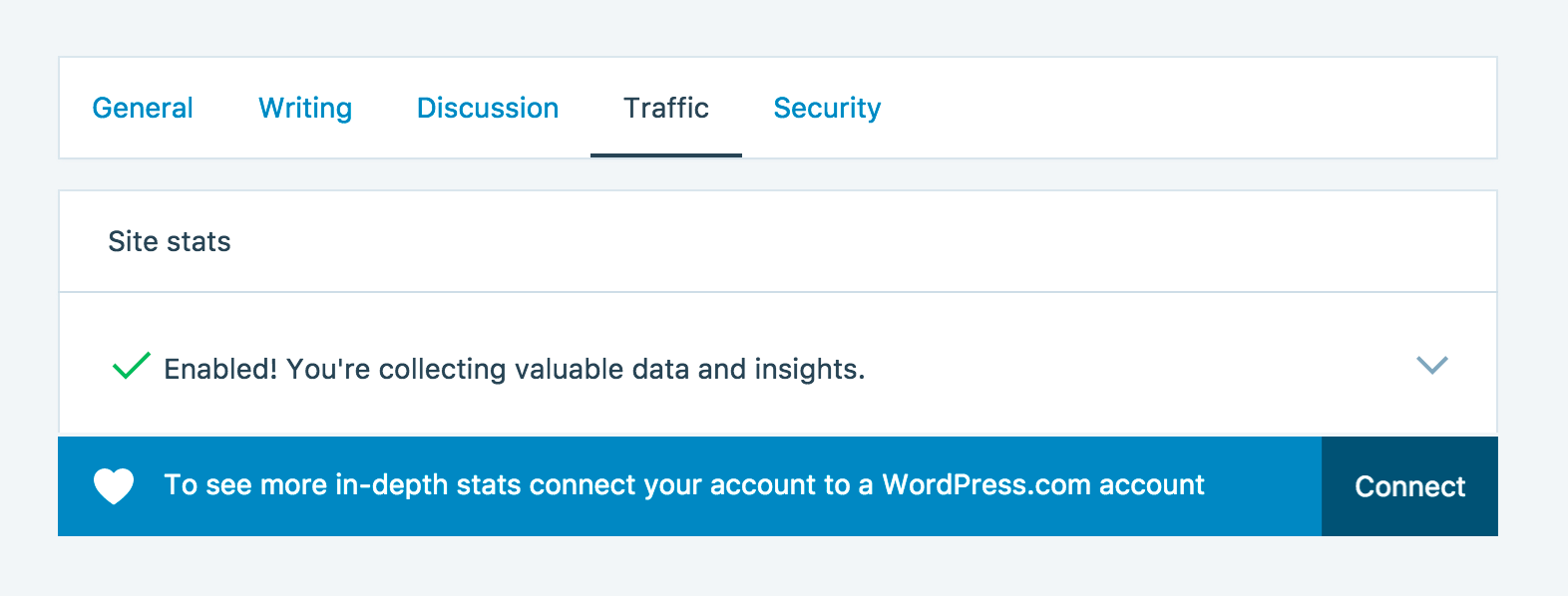
Some mocks of varying banner types:
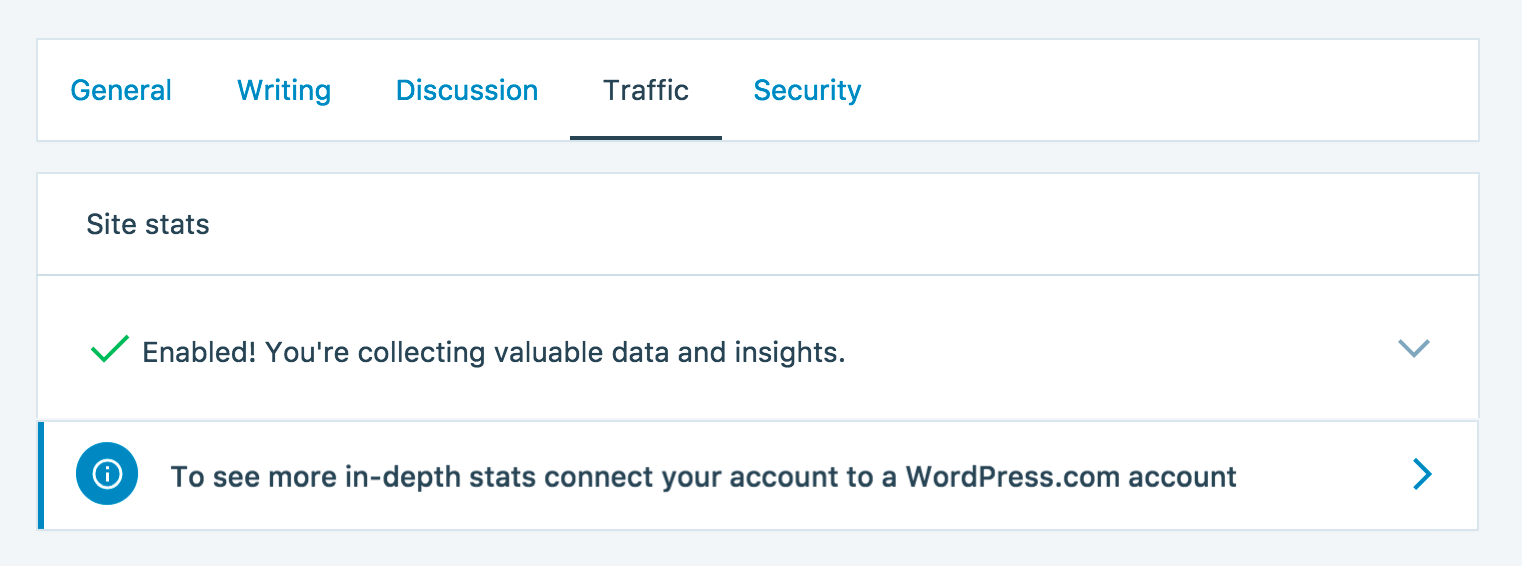
MichaelArestad
on 19 Sep 2017
I like the progress gauge concept. I see no downside to testing something like that.
We also want to try minimizing the 'connect' language as an action. Could we use the gauge concept and try a call to action button to the right of the card (instead of the chevron) that says 'complete setup' or something like that?
Let's treat this like a test.
rickybanister
on 19 Sep 2017
Could we use the gauge concept and try a call to action button to the right of the card (instead of the chevron) that says 'complete setup' or something like that?
I had a similar thought. I think if we hijack the connection banner (as in my frankenmockup) we could show a primary button there. I think these are pretty important so primary is good.
MichaelArestad
on 19 Sep 2017
@dereksmart
This one is tough to get a thorough solution. Ignoring all the conversation in between, let's just focus on cleaning up the original issue by @beaulebens here for hack week and then we can focus later on a more robust solution.
(note "editor" is my username here). I think we should reword this to something like:
"Get more out of Jetpack, connect to a WordPress.com account"
With the button just saying "Connect".
Can we change this banner to read "You'll need a WordPress.com account to begin using Jetpack
[Connect now]"
This way the message kind of touches upon people who may or may not have a WordPress.com account?
 jeffgolenski
on 1 Mar 2018
jeffgolenski
on 1 Mar 2018
This is related to the solution I proposed for the dashboard in #5560
Let's use a banner (not a jitm) with that same copy—I prefer the 'create account' over the 'connect' language.
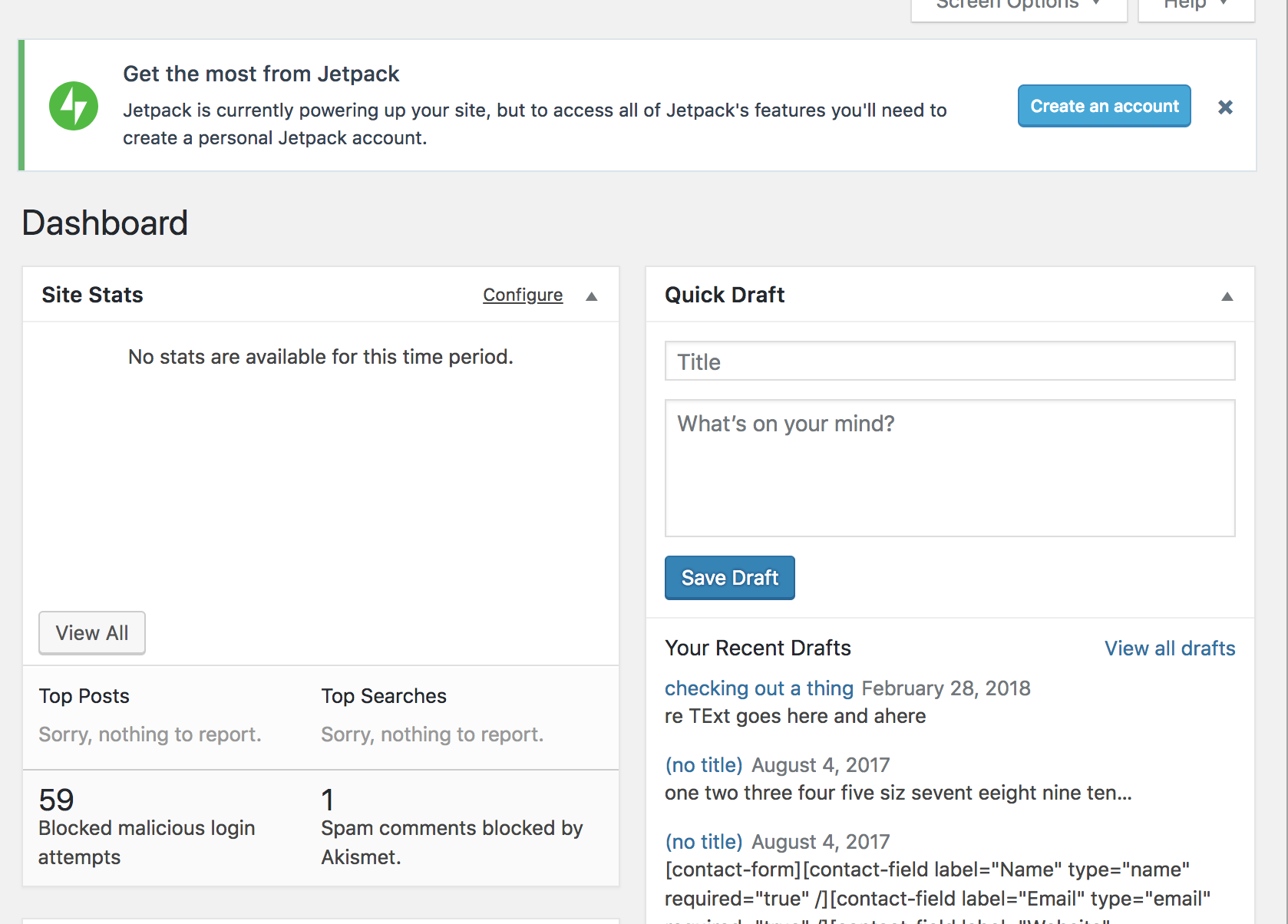
Jetpack is currently collecting your stats, but to access all of Jetpack's features you'll need to create a personal Jetpack account
rickybanister
on 21 Mar 2018
As a super admin trying to debug a sync issue with Publicize, these two screenshots are very confusing indeed:
https://github.com/Automattic/jetpack/issues/6293#issuecomment-318388919
When logged in as a super admin, the first screenshot makes it seem like the Publicize feature is not working, but from what I can gleam from the documentation like Twitter, if the primary user already set up some social networks for sharing, then it's already set up?
I echo what @grappler wrote about knowing who the primary user is in the interface, at least for users with the capability to view this information. Or improving the documentation.
Also see #6169, which was closed, but is related.
 r-a-y
on 25 Jul 2018
r-a-y
on 25 Jul 2018
PR for this is ready to go in https://github.com/Automattic/jetpack/pull/10909
 keoshi
on 10 Dec 2018
keoshi
on 10 Dec 2018
Related issues
 abidhahmed
·
3Comments
kraftbj
·
3Comments
abidhahmed
·
3Comments
kraftbj
·
3Comments
 jeherve
·
3Comments
jeherve
·
3Comments
 BinaryMoon
·
3Comments
BinaryMoon
·
3Comments
 ockham
·
3Comments
ockham
·
3Comments
Most helpful comment
Let's go with @MichaelArestad's banner proposed here https://github.com/Automattic/jetpack/issues/6293#issuecomment-310502728