Jellyfin-android: V2.0.x Connection Failure
Describe the bug
Hi, I have not been able to login to the app after the latest v2.0.0 auto updated from the Play Store. It has been working fine with the cordova version till this upgrade. Now both the local LAN IP and reverse proxy is not working on the v2.0.0. I've confirmed that the WebUI, Tizen, Android TV and iPhone client still works. For WebUI and Android TV I tested on the same device as the v2.0.0. I've tried reinstalling and clearing the cache/data no luck. Previously I remember signing up for the beta and it works but I opted out then reinstalled the cordova version due to subtitles issue in the beta. Think it's been only less than two days v2.0.0 released in the Play Store and I noticed there's no such reported issue so I appreciate if someone could give me some advise on this. Thank you.
To Reproduce
- Launch the app.
- Fill up the server details or from choose server.
- Log in with a working account.
- Kept seeing this "Connection Failure" error screenshot attached.
Expected behavior
App works normally after login.
Logs
No logged activity from Jellyfin Server.
Screenshots

System (please complete the following information):
- App version: 2.0.0
- Android version: Android 10
- Device manufacturer and model: Samsung S9+
- Jellyfin server version: 10.6.4
 Nazar78
All 86 comments
Could you share some more details on your setup please? It seems that the app can load the web ui, but isn't able connect to the API. Do you host the web ui independent from Jellyfin?
 Maxr1998
on 7 Oct 2020
Maxr1998
on 7 Oct 2020
I have the same problem after updating and clearing app data described in #159
 misterbit-pro
on 7 Oct 2020
misterbit-pro
on 7 Oct 2020
@Maxr1998 thanks for the quick reply.
Do you host the web ui independent from Jellyfin?
No they are not independent.
My setup is nothing special but as follows:-
Host: Asustor Nimbustor4.
Jellyfin Server: 10.6.4 Debian Buster in chroot, both server and WebUI installed from the JF repo. I only use custom ffmpeg.
LAN Bind: 192.168.1.6:8096, the rest of JF network is default.
Nginx: https 443 proxy with cache.
Client: Samsung S9+ stock rom Android 10.
The app can discover the LAN JF server but can't login resulted in the connection failure error. Same error for Nginx proxy even with WAN connections.

As @misterbit-pro did, I've cleared the app data and also uninstalled then reinstalled from the Play Store.
Also to let you know, I'm also using the JF API with no issue for triggering scheduled tasks and refresh library via webhooks e.g. with Google Assistant.
Nazar78
on 7 Oct 2020
Hello
I think I am experiencing the same issue.
After spending a few hours perusing the Jellyfin reddit pages and forum as well as the different github repos, I found no solution.
.
When entering the server details in the app I get the following message in red:
Connection cannot be established.
Please check the hostname and your network connection.
Deleting app storage did not help.
Trying with and without baseurl did not help.
Disabling firewall on the server did not help.
I tried to enter server details in different ways: host.domain http(s)://host.domain http://ipaddress or ipaddress alone, with and without ports, with and without baseurl no luck.
The same server can be accessed flawlessly through various web browsers on the same device.
I notice the following warning on the server log each time I try to connect:
Unable to respond to udp request because the local ip address could not be determined.
It used to work on the same device prior to 2.0.0.
Also I tried on two separate android devices (Note 8 and Tab S2) and both present the same issue.
 aljazzair
on 8 Oct 2020
aljazzair
on 8 Oct 2020
Hello
I think I am experiencing the same issue.
After spending a few hours perusing the Jellyfin reddit pages and forum as well as the different github repos, I found no solution.
.
When entering the server details in the app I get the following message in red:Connection cannot be established. Please check the hostname and your network connection.Deleting app storage did not help.
Trying with and without baseurl did not help.
Disabling firewall on the server did not help.
I tried to enter server details in different ways: host.domain http(s)://host.domain http://ipaddress or ipaddress alone, with and without ports, with and without baseurl no luck.The same server can be accessed flawlessly through various web browsers on the same device.
I notice the following warning on the server log each time I try to connect:
Unable to respond to udp request because the local ip address could not be determined.It used to work on the same device prior to 2.0.0.
Also I tried on two separate android devices (Note 8 and Tab S2) and both present the same issue.
Exactly the same issue i have, web browser and Android TV Client works fine without any problems and if i downgrade my Android Jellyfin app it works agian and if i upgrade to 2.0.0 no matter if i clear data or not if i sit on wifi or not etc. i will get "Connection cannot be established." as well.
 Maltahl
on 8 Oct 2020
Maltahl
on 8 Oct 2020
FYI I reinstalled 1.0.2 on the same devices and it works flawlessly without changing anything server side.
Therefore, there is an issue with version 2.0 of the app.
aljazzair
on 8 Oct 2020
I unfortunately can't reproduce this issue, the new app works fine for me both remotely or in local LAN.
I definitely need on-device logs to debug this issue, please see here for information on how to capture a logcat: https://wiki.lineageos.org/logcat.html
I recommend to see through the logs after capturing them, to ensure they contain no private information.
If you don't want to post them here, you can also PM them to me on Matrix.
Maxr1998
on 8 Oct 2020
Also with a domain? It Works if i use ip adresse but if i use my domain it
wont connect no matter if remote or local resolved ip.
On Thu, Oct 8, 2020, 19:17 Max Rumpf notifications@github.com wrote:
I unfortunately can't reproduce this issue, the new app works fine for me
both remotely or in local LAN.
I definitely need on-device logs to debug this issue, please see here for
information on how to capture a logcat:
https://wiki.lineageos.org/logcat.html—
You are receiving this because you commented.
Reply to this email directly, view it on GitHub
https://github.com/jellyfin/jellyfin-android/issues/172#issuecomment-705709914,
or unsubscribe
https://github.com/notifications/unsubscribe-auth/AB5YPNMOW6C73L7GZ3OU6U3SJXXY7ANCNFSM4SHTHFBQ
.
Maltahl
on 8 Oct 2020
Also with a domain? It Works if i use ip adresse but if i use my domain it wont connect no matter if remote or local resolved ip.
…
On Thu, Oct 8, 2020, 19:17 Max Rumpf @.*> wrote: I unfortunately can't reproduce this issue, the new app works fine for me both remotely or in local LAN. I definitely need on-device logs to debug this issue, please see here for information on how to capture a logcat: https://wiki.lineageos.org/logcat.html — You are receiving this because you commented. Reply to this email directly, view it on GitHub <#172 (comment)>, or unsubscribe https://github.com/notifications/unsubscribe-auth/AB5YPNMOW6C73L7GZ3OU6U3SJXXY7ANCNFSM4SHTHFBQ .
Your local IP works? For my case both local IP and domain doesn't work while it works flawlessly with WebUI, Samsung Tizen TV (need some tweaks for domain connect), Android TV, iPhone and of course the older Android app version. Wondering any specific settings in the JF server could have caused this. I'll get the logcat soon.
Nazar78
on 8 Oct 2020
Also with a domain? It Works if i use ip adresse but if i use my domain it wont connect no matter if remote or local resolved ip.
I'm mostly using a domain with a public SSL certificate from LetsEncrypt, but it also works within the local network with a local ip.
Maxr1998
on 8 Oct 2020
Hello
Further information:
I disabled the option "Require HTTPS" on the server side.
Now I can use 2.0 in HTTP with both http://ipaddress and http://host.domain
So the issue described above only affects https connections.
Please note I am using self signed certificates created in Pfsense.
Connecting through HTTPS does work flawlessly using several browsers (chrome, samsung, firefox) on the same device.
Pls let me know if I should be creating a separate bug report since my issue is https only.
aljazzair
on 9 Oct 2020
Self-signed certificates did not work in 2.0.0 but that's already fixed in #179 for 2.1.0
 nielsvanvelzen
on 9 Oct 2020
nielsvanvelzen
on 9 Oct 2020
Self-signed certificates did not work in 2.0.0 but that's already fixed in #179 for 2.1.0
Thank you for the clarification. It seems 2.1 is not out yet.
Looking forward to an upcoming version 👍
Any chance it can be included in a 2.0.1 point release?
Or a public Beta maybe?
Edit: fixed in 2.0.1 ! Thank you!
aljazzair
on 9 Oct 2020
2.0.1 might happen. We're already discussing it, depends on a few factors like the timeline for 2.1 and if we want to add additional fixes.
Edit: Preparing a 2.0.1 version right now!
nielsvanvelzen
on 9 Oct 2020
same issue here.: logcat says:
[10-09 19:22:47.474 1651:1724 E/Volley]
[1235] b.f: Unexpected response code 404 for http://192.168.1.7:8096//System/Info/Public?format=json
does this help ?
 wwwutz
on 9 Oct 2020
wwwutz
on 9 Oct 2020
same issue here.: logcat says:
[10-09 19:22:47.474 1651:1724 E/Volley]
[1235] b.f: Unexpected response code 404 for http://192.168.1.7:8096//System/Info/Public?format=json
does this help ?
Strange, this URL works perfectly fine returning http 200 json format result on the same Android device's Chrome browser. 2.0.1 just got auto update from the Play Store, cleared the cache and data but still can't connect 😪
Nazar78
on 9 Oct 2020
I think the issue is the duplicate slashes causing issues. I think we can fix that by removing the last slash.
nielsvanvelzen
on 9 Oct 2020
I made some changes that I mentioned in my previous post. Please let me know it fixes the issue or not.
You can download the APK from Azure and sideload it on your Android device: https://dev.azure.com/jellyfin-project/7cce6c46-d610-45e3-9fb7-65a6bfd1b671/_apis/build/builds/16274/artifacts?artifactName=jellyfin-android&api-version=6.0&%24format=zip (you want to use the -debug.apk file, not -release-unsigned)
If it doesn't work I'd appreciate some logs of the app (not the server) to look further into the issue. I think we have multiple problems that need to be fixed and my current changes are just a part of that.
nielsvanvelzen
on 10 Oct 2020
@nielsvanvelzen : the debug version connects seamless to jellyfin master. Do you still need the logs ?
wwwutz
on 10 Oct 2020
@nielsvanvelzen test was done with android 7.0, my 7.1.1 device gets stuck.
logcat_10-10-2020_13-57-14.txt
well, rooted, replaced rom... so I wouldn't bet it's not my fault 8-)
wwwutz
on 10 Oct 2020
I think it didn't work on you second device due to another fault introduced in #166 (CC @Maxr1998). But I'm glad it works on your first device which didn't work with the current release.
nielsvanvelzen
on 10 Oct 2020
I made some changes that I mentioned in my previous post. Please let me know it fixes the issue or not.
You can download the APK from Azure and sideload it on your Android device: https://dev.azure.com/jellyfin-project/7cce6c46-d610-45e3-9fb7-65a6bfd1b671/_apis/build/builds/16274/artifacts?artifactName=jellyfin-android&api-version=6.0&%24format=zip (you want to use the -debug.apk file, not -release-unsigned)If it doesn't work I'd appreciate some logs of the app (not the server) to look further into the issue. I think we have multiple problems that need to be fixed and my current changes are just a part of that.
For my case, after entering the credentials, there's a quick blue square flashed on the dark screen then nothing. There's also a heap dump generated. I've attached together with the logcat. Device is stock rom/firmware Samsung S9+ API level 29.
Nazar78
on 10 Oct 2020
@wwwutz and @Nazar78 can you try it again with this one: https://dev.azure.com/jellyfin-project/7cce6c46-d610-45e3-9fb7-65a6bfd1b671/_apis/build/builds/16295/artifacts?artifactName=jellyfin-android&api-version=6.0&%24format=zip
It includes both #186 and #185
nielsvanvelzen
on 10 Oct 2020
@wwwutz and @Nazar78 can you try it again with this one: https://dev.azure.com/jellyfin-project/7cce6c46-d610-45e3-9fb7-65a6bfd1b671/_apis/build/builds/16295/artifacts?artifactName=jellyfin-android&api-version=6.0&%24format=zip
It includes both #186 and #185
Still can't login and heap dump produced. I don't think it's even trying to initiate the authentication as there's no activities received on both Nginx and JF logs. Looks like it crash right after submitting the credentials.
Nazar78
on 11 Oct 2020
I'll split this:
- confirmed to connect from android 7.0 and 10 , so that's fine
wwwutz
on 11 Oct 2020
- gets stuck on my android 7.1.1 device
- install apk
- start app
- app asks for server, click on "auswählen", select 192.168.1.7
- app shows logo, gets stuck
- kill app, restart, still stuck at logo
wwwutz
on 11 Oct 2020
I'll split this:
- confirmed to connect from android 7.0 and 10 , so that's fine
Mine is Android 10 and still can't connect.
Nazar78
on 11 Oct 2020
- does not install on my android 6.0.1 device (wel...)
wwwutz
on 11 Oct 2020
Mine is Android 10 and still can't connect.
Looks like the OS ain't the problem, so we shouldn't use it as an index. people will fall for that. my bad.
wwwutz
on 11 Oct 2020
I looked at both submitted logs, but I couldn't see anything obvious that'd cause these issues. Unfortunately the logs don't contain the output from the webview engine, not sure how those could be enabled though. For me, they just show in the Android Studio logs.
Maxr1998
on 11 Oct 2020
Start app, logo up, nothing happens. On the host I see (wireshark):
GET / HTTP/1.1
Host: 192.168.1.7:8096
Connection: keep-alive
Upgrade-Insecure-Requests: 1
User-Agent: Mozilla/5.0 (Linux; Android 7.1.1; SM-T713 Build/NMF26V; wv) AppleWebKit/537.36 (KHTML, like Gecko) Version/4.0 Chrome/55.0.2883.105 Safari/537.36
Accept: text/html,application/xhtml+xml,application/xml;q=0.9,image/webp,*/*;q=0.8
Accept-Encoding: gzip, deflate
Accept-Language: de-DE,en-US;q=0.8
X-Requested-With: org.jellyfin.mobile.debug

HTTP/1.1 302 Found
Date: Sun, 11 Oct 2020 14:33:46 GMT
Server: Kestrel
Content-Length: 0
Location: /web/index.html

GET /web/loading.js?v=11 HTTP/1.1
Host: 192.168.1.7:8096
Connection: keep-alive
User-Agent: Mozilla/5.0 (Linux; Android 7.1.1; SM-T713 Build/NMF26V; wv) AppleWebKit/537.36 (KHTML, like Gecko) Version/4.0 Chrome/55.0.2883.105 Safari/537.36
Accept: */*
Referer: http://192.168.1.7:8096/web/index.html
Accept-Encoding: gzip, deflate
Accept-Language: de-DE,en-US;q=0.8
X-Requested-With: org.jellyfin.mobile.debug

HTTP/1.1 404 Not Found
Date: Sun, 11 Oct 2020 14:34:43 GMT
Server: Kestrel
Content-Length: 0
X-Response-Time-ms: 0
Oops xD
Maxr1998
on 11 Oct 2020
GET /web/loading.js?v=11 HTTP/1.1
On debian web this js only exist in /web/components/loading/loading.js. I've tried creating a symlink in the web path it loads but still same connection failure error.
Nazar78
on 11 Oct 2020
The app, when killed and restarted does:
GET /GET /dlna/85c1d1b1bd784aa380ab4db63837b898/description.xml HTTP/1.1GET /dlna/85c1d1b1bd784aa380ab4db63837b898/contentdirectory/contentdirectory.xml HTTP/1.1GET /dlna/85c1d1b1bd784aa380ab4db63837b898/connectionmanager/connectionmanager.xml HTTP/1.1
all fine OK'ed but then it's quiet on the wire.
only when I press the "back/exit/leave/arrow back" button, the logo disappears and it tries to GET the loading.js which fails.
wwwutz
on 11 Oct 2020
Oh, did I mention the jf-log when starting the app ?
[2020-10-11 18:26:57.237 +02:00] [DBG] AuthenticationScheme: "CustomAuthentication" was not authenticated.
[2020-10-11 18:26:57.268 +02:00] [DBG] AuthenticationScheme: "CustomAuthentication" was not authenticated.
[2020-10-11 18:26:57.295 +02:00] [DBG] AuthenticationScheme: "CustomAuthentication" was not authenticated.
Those DLNA requests are not from the app, those are definitely from another device on your network.
nielsvanvelzen
on 11 Oct 2020
Yep, this feels wrong in the web side, maybe something with injection, can you share @wwwutz a full network capture with Wireshark? One in a Web Browser, And the other one in the application.
Also, can you try to update / change your webview? See here how to change selection. I don't known if Samsung update their webview, if not install / choose Chrome Stable or try to install / update if you can (maybe?) the Android WebView.
Here I leave part of my log in Android Emulator 7.1.1, I can't reproduce, all fine.
GET / HTTP/1.1
Host: 192.168.0.6:8096
Connection: keep-alive
Upgrade-Insecure-Requests: 1
User-Agent: Mozilla/5.0 (Linux; Android 7.1.1; Android SDK built for x86_64 Build/NYC; wv) AppleWebKit/537.36 (KHTML, like Gecko) Version/4.0 Chrome/69.0.3497.100 Mobile Safari/537.36
Accept: text/html,application/xhtml+xml,application/xml;q=0.9,image/webp,image/apng,*/*;q=0.8
Accept-Encoding: gzip, deflate
Accept-Language: en-US
X-Requested-With: org.jellyfin.mobile.debug

HTTP/1.1 302 Found
Date: Sun, 11 Oct 2020 17:22:41 GMT
Server: Kestrel
Content-Length: 0
Location: /web/index.html

...

GET /web/scripts/apploader.js HTTP/1.1
Host: 192.168.0.6:8096
Connection: keep-alive
User-Agent: Mozilla/5.0 (Linux; Android 7.1.1; Android SDK built for x86_64 Build/NYC; wv) AppleWebKit/537.36 (KHTML, like Gecko) Version/4.0 Chrome/69.0.3497.100 Mobile Safari/537.36
Accept: */*
Referer: http://192.168.0.6:8096/web/index.html
Accept-Encoding: gzip, deflate
Accept-Language: en-US
X-Requested-With: org.jellyfin.mobile.debug

HTTP/1.1 200 OK
Date: Sun, 11 Oct 2020 17:22:41 GMT
Content-Type: application/x-javascript
Server: Microsoft-NetCore/2.0, UPnP/1.0 DLNADOC/1.50
Content-Length: 570
Cache-Control: public
Last-Modified: Sun, 30 Aug 2020 21:58:00 GMT
Accept-Ranges: bytes
Age: 3612283
Access-Control-Allow-Credentials: true
Access-Control-Allow-Headers: Accept, Accept-Language, Authorization, Cache-Control, Content-Disposition, Content-Encoding, Content-Language, Content-Length, Content-MD5, Content-Range, Content-Type, Cookie, Date, Host, If-Match, If-Modified-Since, If-None-Match, If-Unmodified-Since, Origin, OriginToken, Pragma, Range, Slug, Transfer-Encoding, Want-Digest, X-MediaBrowser-Token, X-Emby-Authorization
Access-Control-Allow-Methods: GET, POST, PUT, DELETE, PATCH, OPTIONS
Access-Control-Allow-Origin: 192.168.0.6:8096

GET /web/libraries/alameda.js HTTP/1.1
Host: 192.168.0.6:8096
Connection: keep-alive
User-Agent: Mozilla/5.0 (Linux; Android 7.1.1; Android SDK built for x86_64 Build/NYC; wv) AppleWebKit/537.36 (KHTML, like Gecko) Version/4.0 Chrome/69.0.3497.100 Mobile Safari/537.36
Accept: */*
Referer: http://192.168.0.6:8096/web/index.html
Accept-Encoding: gzip, deflate
Accept-Language: en-US
X-Requested-With: org.jellyfin.mobile.debug

HTTP/1.1 200 OK
Date: Sun, 11 Oct 2020 17:22:42 GMT
Content-Type: application/x-javascript
Server: Microsoft-NetCore/2.0, UPnP/1.0 DLNADOC/1.50
Content-Length: 40196
Cache-Control: public
Last-Modified: Sun, 30 Aug 2020 22:01:35 GMT
Accept-Ranges: bytes
Age: 3612068
Access-Control-Allow-Credentials: true
Access-Control-Allow-Headers: Accept, Accept-Language, Authorization, Cache-Control, Content-Disposition, Content-Encoding, Content-Language, Content-Length, Content-MD5, Content-Range, Content-Type, Cookie, Date, Host, If-Match, If-Modified-Since, If-None-Match, If-Unmodified-Since, Origin, OriginToken, Pragma, Range, Slug, Transfer-Encoding, Want-Digest, X-MediaBrowser-Token, X-Emby-Authorization
Access-Control-Allow-Methods: GET, POST, PUT, DELETE, PATCH, OPTIONS
Access-Control-Allow-Origin: 192.168.0.6:8096

GET /web/scripts/site.js HTTP/1.1
Host: 192.168.0.6:8096
Connection: keep-alive
User-Agent: Mozilla/5.0 (Linux; Android 7.1.1; Android SDK built for x86_64 Build/NYC; wv) AppleWebKit/537.36 (KHTML, like Gecko) Version/4.0 Chrome/69.0.3497.100 Mobile Safari/537.36
Accept: */*
Referer: http://192.168.0.6:8096/web/index.html
Accept-Encoding: gzip, deflate
Accept-Language: en-US
X-Requested-With: org.jellyfin.mobile.debug

HTTP/1.1 200 OK
Date: Sun, 11 Oct 2020 17:22:42 GMT
Content-Type: application/x-javascript
Server: Microsoft-NetCore/2.0, UPnP/1.0 DLNADOC/1.50
Content-Length: 31494
Cache-Control: public
Last-Modified: Sun, 30 Aug 2020 21:58:00 GMT
Accept-Ranges: bytes
Age: 3612283
Access-Control-Allow-Credentials: true
Access-Control-Allow-Headers: Accept, Accept-Language, Authorization, Cache-Control, Content-Disposition, Content-Encoding, Content-Language, Content-Length, Content-MD5, Content-Range, Content-Type, Cookie, Date, Host, If-Match, If-Modified-Since, If-None-Match, If-Unmodified-Since, Origin, OriginToken, Pragma, Range, Slug, Transfer-Encoding, Want-Digest, X-MediaBrowser-Token, X-Emby-Authorization
Access-Control-Allow-Methods: GET, POST, PUT, DELETE, PATCH, OPTIONS
Access-Control-Allow-Origin: 192.168.0.6:8096

...

GET /web/components/loading/loading.js?v=11 HTTP/1.1
Host: 192.168.0.6:8096
Connection: keep-alive
User-Agent: Mozilla/5.0 (Linux; Android 7.1.1; Android SDK built for x86_64 Build/NYC; wv) AppleWebKit/537.36 (KHTML, like Gecko) Version/4.0 Chrome/69.0.3497.100 Mobile Safari/537.36
Accept: */*
Referer: http://192.168.0.6:8096/web/index.html
Accept-Encoding: gzip, deflate
Accept-Language: en-US
X-Requested-With: org.jellyfin.mobile.debug

HTTP/1.1 200 OK
Date: Sun, 11 Oct 2020 17:22:44 GMT
Content-Type: application/x-javascript
Server: Microsoft-NetCore/2.0, UPnP/1.0 DLNADOC/1.50
Content-Length: 3151
Cache-Control: public
Last-Modified: Sun, 30 Aug 2020 21:58:00 GMT
Accept-Ranges: bytes
Age: 3612285
Access-Control-Allow-Credentials: true
Access-Control-Allow-Headers: Accept, Accept-Language, Authorization, Cache-Control, Content-Disposition, Content-Encoding, Content-Language, Content-Length, Content-MD5, Content-Range, Content-Type, Cookie, Date, Host, If-Match, If-Modified-Since, If-None-Match, If-Unmodified-Since, Origin, OriginToken, Pragma, Range, Slug, Transfer-Encoding, Want-Digest, X-MediaBrowser-Token, X-Emby-Authorization
Access-Control-Allow-Methods: GET, POST, PUT, DELETE, PATCH, OPTIONS
Access-Control-Allow-Origin: 192.168.0.6:8096
 CarlosOlivo
on 11 Oct 2020
CarlosOlivo
on 11 Oct 2020
can you share @wwwutz a full network capture with Wireshark? One in a Web Browser, And the other one in the application.
here's the apps tcpdump... quite boring.
I hesitate to drop a dump of accessing my server with the browser, which works fine.
binary tcpdump: jellydebug.tcpdump.log
wwwutz
on 11 Oct 2020
Also, can you try to update / change your webview?
THAT did the trick, I had no Chrome on my device, dev options webview was offering AOSP only. I then installed Chrome beta and switched webview to (now offered) Chrome.
Started app, Bingo.
So, @Nazar78 , is this the common index ? Not having Chrome installed ? Or if, the need to switch webview ?
(hey I learned something new 8) hmmm... for the price of having chrome installed... 8-(
wwwutz
on 11 Oct 2020
So, @Nazar78 , is this the common index ? Not having Chrome installed ? Or if, the need to switch webview ?
Nope, you have an old WebView implementation (Chrome/55.0.2883.105), the most recent stable is 86.0.4240.75.
Mine is Android 10 and still can't connect.
Looks like the OS ain't the problem, so we shouldn't use it as an index. people will fall for that. my bad.
This looks definitely a Samsung / Google fault, and unfortunately there is no way to know if a version of webview is supported.
Ignore below, not needed anymore.
I hesitate to drop a dump of accessing my server with the browser, which works fine
No need to sign in, only to login screen.
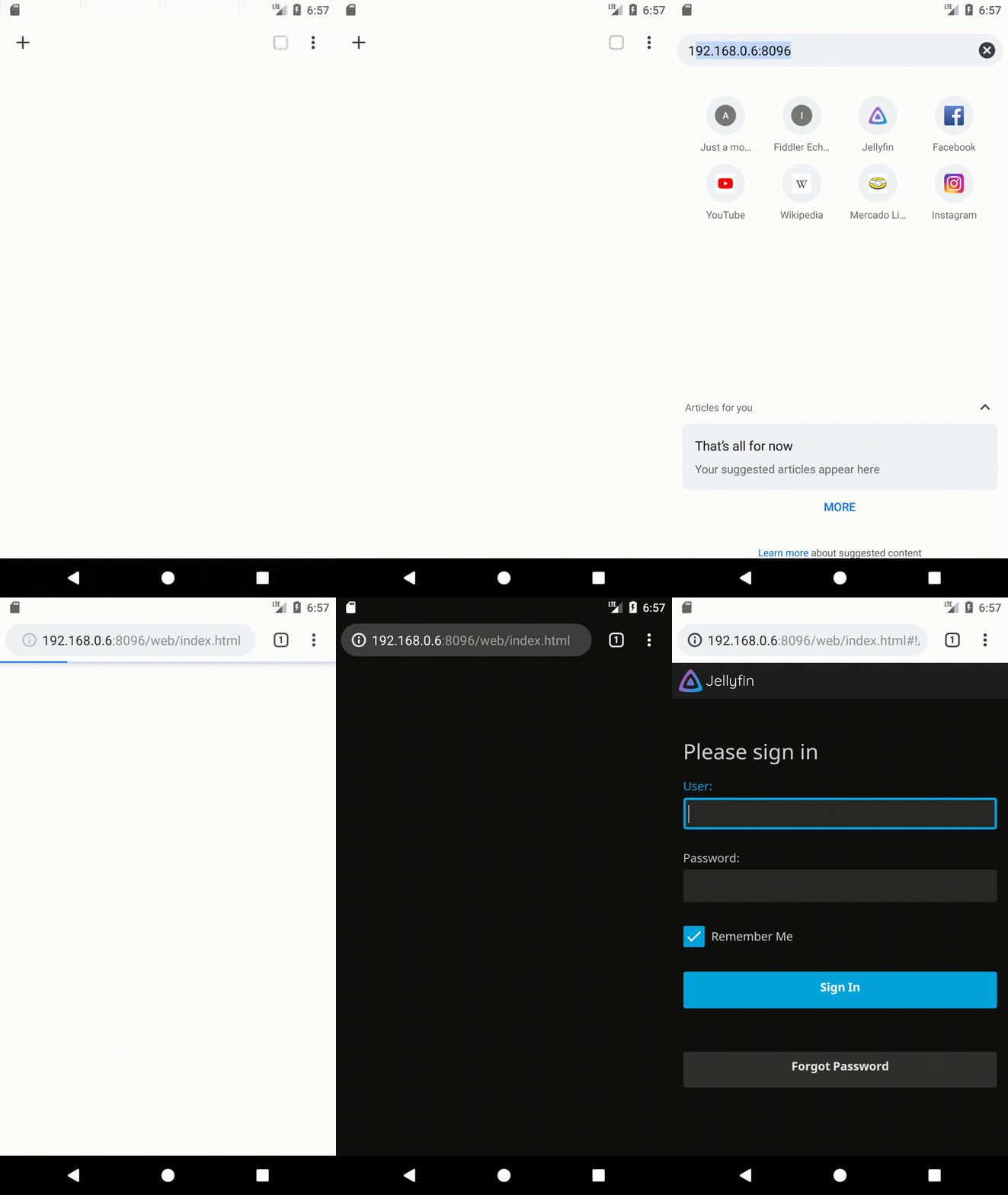
binary tcpdump: jellydebug.tcpdump.log
Also I see this
HTTP/1.1 302 Found
Date: Sun, 11 Oct 2020 18:36:47 GMT
Server: Kestrel
Content-Length: 0
Location: /web/index.html
but not this
GET /web/index.html HTTP/1.1
Host: 192.168.0.6:8096
Connection: keep-alive
Save-Data: on
Upgrade-Insecure-Requests: 1
User-Agent: Mozilla/5.0 (Linux; Android 7.1.1; Android SDK built for x86_64 Build/NYC) AppleWebKit/537.36 (KHTML, like Gecko) Chrome/69.0.3497.100 Mobile Safari/537.36
Accept: text/html,application/xhtml+xml,application/xml;q=0.9,image/webp,image/apng,*/*;q=0.8
Accept-Encoding: gzip, deflate
Accept-Language: en-US,en;q=0.9

HTTP/1.1 200 OK
Date: Sun, 11 Oct 2020 18:56:04 GMT
Content-Type: text/html; charset=UTF-8
Server: Microsoft-NetCore/2.0, UPnP/1.0 DLNADOC/1.50
Cache-Control: public
Last-Modified: Sun, 30 Aug 2020 21:58:00 GMT
Accept-Ranges: bytes
Age: 3617885
Vary: Accept-Encoding
Access-Control-Allow-Credentials: true
Access-Control-Allow-Headers: Accept, Accept-Language, Authorization, Cache-Control, Content-Disposition, Content-Encoding, Content-Language, Content-Length, Content-MD5, Content-Range, Content-Type, Cookie, Date, Host, If-Match, If-Modified-Since, If-None-Match, If-Unmodified-Since, Origin, OriginToken, Pragma, Range, Slug, Transfer-Encoding, Want-Digest, X-MediaBrowser-Token, X-Emby-Authorization
Access-Control-Allow-Methods: GET, POST, PUT, DELETE, PATCH, OPTIONS
Access-Control-Allow-Origin: 192.168.0.6:8096
Content-Length: 8474
Also, can you try to update / change your webview?
_THAT_ did the trick, I had no Chrome on my device, dev options webview was offering AOSP only. I then installed Chrome beta and switched webview to (now offered) Chrome.
Oh wow, that makes a lot of sense though. I didn't expect an outdated WebView to be the issue, but apparently it is..
You can also try the independent Android System Webview which is built on latest Chrome and gets updated by Google via the Play Store. It should be supported from Android 5 upwards.
You can also download it from APKMirror.
Maxr1998
on 11 Oct 2020
I have chrome pre-installed and both webview updated to the play store version. Have tried uninstalling the webview update which reverts to the old version 80.0.3987.99 and also tried the latest 86.0.4240.75 unfortunately no luck still same issue.
Nazar78
on 12 Oct 2020
logcat_10-11-2020_13-33-35.txt
@Nazar78 Unfortunately your logcat feels incomplete. Could you try to capture it from adb logcat and not with Logcat Reader?
2020-10-11_13-33-36_511.zip
The heap dump is maybe related to #189, Can you try this? https://dev.azure.com/jellyfin-project/7cce6c46-d610-45e3-9fb7-65a6bfd1b671/_apis/build/builds/16344/artifacts?artifactName=jellyfin-android&api-version=6.0&%24format=zip
CarlosOlivo
on 12 Oct 2020
I think its interesting to note that the "Connection Failure" problem was not present in rc2, from rc3 the problem does come up. I also mentioned this in #159
misterbit-pro
on 12 Oct 2020
I think its interesting to note that the "Connection Failure" problem was not present in rc2, from rc3 the problem does come up. I also mentioned this in #159
Download jellyfin-android.zip, extract and try to install jellyfin-android-v0.0.0-dev.1-debug.apk to see if the latest changes fix your problem. If not, a logcat would be appreciated.
CarlosOlivo
on 12 Oct 2020
@Nazar78 Unfortunately your logcat feels incomplete. Could you try to capture it from adb logcat and not with Logcat Reader?
Sorry for the late reply, here's the adb logcat with this debug apk: adb logcat>>logcat-20201015.log 2>&1 logcat-20201015.zip
The heap dump is maybe related to #189, Can you try this? https://dev.azure.com/jellyfin-project/7cce6c46-d610-45e3-9fb7-65a6bfd1b671/_apis/build/builds/16344/artifacts?artifactName=jellyfin-android&api-version=6.0&%24format=zip
Another heap dump with this debug apk, it doesn't always happen sort of random: 2020-10-15_19-36-00_935.zip
Nazar78
on 15 Oct 2020
Is there any solution to this?
 QuaiGoner
on 21 Oct 2020
QuaiGoner
on 21 Oct 2020
Is there any solution to this?
I reverted to the v1 for the time being until it's fixed.
Nazar78
on 21 Oct 2020
Is there any solution to this?
I reverted to the v1 for the time being until it's fixed.
You can use the rc2 from github too. This version works quite well
misterbit-pro
on 21 Oct 2020
The best solution is to help us fix the issue. We do not recommend using the old app (1.x.x) since it uses an outdated version of the webui and can cause issues. The release candidates are also not recommended as they (of course) won't be updated.
nielsvanvelzen
on 21 Oct 2020
The best solution is to help us fix the issue. We do not recommend using the old app (1.x.x) since it uses an outdated version of the webui and can cause issues. The release candidates are also not recommended as they (of course) won't be updated.
Is there a possiblity to diff all the commits of rc2 to rc3 to identify the breaking change?
misterbit-pro
on 21 Oct 2020
The change is probably because we started using the apiclient. But since everything works fine for us (the developers) we can't really find the underlying problem.
nielsvanvelzen
on 21 Oct 2020
The change is probably because we started using the apiclient. But since everything works fine for us (the developers) we can't really find the underlying problem.
Oh ok. This sound like something is wrong with my reverse proxy config. Do you use a reverse proxy?
Edit: Not a reverse proxy problem. Can connect with the Android Emulator on my PC
misterbit-pro
on 21 Oct 2020
My setup uses nginx with the recommended config from the documentation. Although a lot of my testing connects directly to my server via http (without the proxy). Can you explain your configuration and if it's different from "default" (using special headers/authentication/paths etc)
nielsvanvelzen
on 21 Oct 2020
@misterbit-pro Did you at least try to install the build in https://github.com/jellyfin/jellyfin-android/issues/172#issuecomment-707264649 ?
@Nazar78 Again I don't see anything important in the logcat, regarding the heap dump, your ROM has a leak originated in Android Q Beta that was not fixed by Samsung, but I can't think of how to implement the workaround due to the callback @nielsvanvelzen @Maxr1998
====================================
HEAP ANALYSIS RESULT
====================================
0 APPLICATION LEAKS
References underlined with "~~~" are likely causes.
Learn more at https://squ.re/leaks.====================================
1 LIBRARY LEAKSA Library Leak is a leak caused by a known bug in 3rd party code that you do not have control over.
See https://square.github.io/leakcanary/fundamentals-how-leakcanary-works/#4-categorizing-leaksLeak pattern: instance field android.app.Activity$1#this$0
Description: Android Q added a new android.app.IRequestFinishCallback$Stub class. android.app.Activity creates an implementation of that interface as an anonymous subclass. That anonymous subclass has a reference to the activity. Another process is keeping the android.app.IRequestFinishCallback$Stub reference alive long after Activity.onDestroyed() has been called, causing the activity to leak.
Fix: You can "fix" this leak by overriding Activity.onBackPressed() and calling Activity.finishAfterTransition(); instead of super if the activity is task root and the fragment stack is empty.
Tracked here: https://issuetracker.google.com/issues/139738913
187703 bytes retained by leaking objects
Displaying only 1 leak trace out of 2 with the same signature
Signature: 7573873eb76c9b7e8963efe04194842e7e15c8b9
┬───
│ GC Root: Global variable in native code
│
├─ android.app.Activity$1 instance
│ Leaking: UNKNOWN
│ Anonymous subclass of android.app.IRequestFinishCallback$Stub
│ ↓ Activity$1.this$0
│~~
╰→ leakcanary.internal.activity.LeakActivity instance
Leaking: YES (ObjectWatcher was watching this because leakcanary.internal.activity.LeakActivity received Activity#onDestroy() callback and Activity#mDestroyed is true)
key = 51195b33-d714-48e1-b8da-7fbe8d838bc7
watchDurationMillis = 9677
retainedDurationMillis = 4674====================================
METADATAPlease include this in bug reports and Stack Overflow questions.
Build.VERSION.SDK_INT: 29
Build.MANUFACTURER: samsung
LeakCanary version: 2.4
App process name: org.jellyfin.mobile.debug
Analysis duration: 5246 ms
Heap dump file path: /data/user/0/org.jellyfin.mobile.debug/files/leakcanary/2020-10-21_08-11-25_053.hprof
Heap dump timestamp: 1603285890429====================================
Anyway, thanks to this, I was able to identify another exception that affects <= Android 8.0 #204
CarlosOlivo
on 22 Oct 2020
@misterbit-pro Did you at least try to install the build in https://github.com/jellyfin/jellyfin-android/issues/172#issuecomment-707264649 ?
@Nazar78 Again I don't see anything important in the logcat, regarding the heap dump, your ROM has a leak originated in Android Q Beta that was not fixed by Samsung, but I can't think of how to implement the workaround due to the callback @nielsvanvelzen @Maxr1998====================================
HEAP ANALYSIS RESULT
====================================
0 APPLICATION LEAKS
References underlined with "~~~" are likely causes.
Learn more at https://squ.re/leaks.====================================
1 LIBRARY LEAKSA Library Leak is a leak caused by a known bug in 3rd party code that you do not have control over.
See https://square.github.io/leakcanary/fundamentals-how-leakcanary-works/#4-categorizing-leaksLeak pattern: instance field android.app.Activity$1#this$0
Description: Android Q added a new android.app.IRequestFinishCallback$Stub class. android.app.Activity creates an implementation of that interface as an anonymous subclass. That anonymous subclass has a reference to the activity. Another process is keeping the android.app.IRequestFinishCallback$Stub reference alive long after Activity.onDestroyed() has been called, causing the activity to leak.
Fix: You can "fix" this leak by overriding Activity.onBackPressed() and calling Activity.finishAfterTransition(); instead of super if the activity is task root and the fragment stack is empty.
Tracked here: https://issuetracker.google.com/issues/139738913
187703 bytes retained by leaking objects
Displaying only 1 leak trace out of 2 with the same signature
Signature: 7573873eb76c9b7e8963efe04194842e7e15c8b9
┬───
│ GC Root: Global variable in native code
│
├─ android.app.Activity$1 instance
│ Leaking: UNKNOWN
│ Anonymous subclass of android.app.IRequestFinishCallback$Stub
│ ↓ Activity$1.this$0
│~~
╰→ leakcanary.internal.activity.LeakActivity instance
Leaking: YES (ObjectWatcher was watching this because leakcanary.internal.activity.LeakActivity received Activity#onDestroy() callback and Activity#mDestroyed is true)
key = 51195b33-d714-48e1-b8da-7fbe8d838bc7
watchDurationMillis = 9677
retainedDurationMillis = 4674====================================
METADATAPlease include this in bug reports and Stack Overflow questions.
Build.VERSION.SDK_INT: 29
Build.MANUFACTURER: samsung
LeakCanary version: 2.4
App process name: org.jellyfin.mobile.debug
Analysis duration: 5246 ms
Heap dump file path: /data/user/0/org.jellyfin.mobile.debug/files/leakcanary/2020-10-21_08-11-25_053.hprof
Heap dump timestamp: 1603285890429====================================
Anyway, thanks to this, I was able to identify another exception that affects <= Android 8.0 #204
Oh sorry, I forgot to reply. Yes I have tried the version, but it hasn't worked either, but I can't send you the logs right now, because I haven't had time to activate the whole adb logging thing. I will do it is asap.
misterbit-pro
on 22 Oct 2020
I have android 10, latest server stable, latest cloent, problem persist
QuaiGoner
on 22 Oct 2020
@QuaiGoner By any chance it is not a Samsung too? Apart from the last client that is in the Play Store / GitHub Releases there are other test builds that try to solve various problems related to this, can you try this one https://github.com/jellyfin/jellyfin-android/issues/172#issuecomment-707264649?
Edit: Not a reverse proxy problem. Can connect with the Android Emulator on my PC
Oh sorry, I forgot to reply. Yes I have tried the version, but it hasn't worked either, but I can't send you the logs right now, because I haven't had time to activate the whole adb logging thing. I will do it is asap.
@misterbit-pro Yes, don't worry, as you can see, the application works well in emulators and in most mobile devices (I think), the only pattern I can see now is that Samsung Q is the one that fails, but I don't have any, that's why it's important capture the logs, but take your time, there's no rush.
CarlosOlivo
on 22 Oct 2020
Yeah, it is a Xiaomi Mi A3
чт, 22 окт. 2020 г. в 12:20, Carlos Olivo notifications@github.com:
@QuaiGoner https://github.com/QuaiGoner By any chance it is not a
Samsung too? Apart from the last client that is in the Play Store / GitHub
Releases there are other test builds that try to solve various problems
related to this, can you try this one #172 (comment)
https://github.com/jellyfin/jellyfin-android/issues/172#issuecomment-707264649
?Edit: Not a reverse proxy problem. Can connect with the Android Emulator
on my PC
Oh sorry, I forgot to reply. Yes I have tried the version, but it hasn't
worked either, but I can't send you the logs right now, because I haven't
had time to activate the whole adb logging thing. I will do it is asap.@misterbit-pro https://github.com/misterbit-pro Yes, don't worry, as
you can see, the application works well in emulators and in most mobile
devices (I think), the only pattern I can see now is that Samsung Q is the
one that fails, but I don't have any, that's why it's important capture the
logs, but take your time, there's no rush.—
You are receiving this because you were mentioned.
Reply to this email directly, view it on GitHub
https://github.com/jellyfin/jellyfin-android/issues/172#issuecomment-714234960,
or unsubscribe
https://github.com/notifications/unsubscribe-auth/AJZH7BF6J3EHNHV65DQMMULSL66JNANCNFSM4SHTHFBQ
.
--
С уважением, Репринцев К.Д.
QuaiGoner
on 22 Oct 2020
Xiaomi A1 here with same issue. Did not post any log because I don't dev on android but eventually if there are instructions somewhere I can have a look. The nginx reverse proxy setup was found on jellyfisn documentation as far as I remember
 pyluyten
on 22 Oct 2020
pyluyten
on 22 Oct 2020
I've tried to upgrade to v2.0.1 from v2.0.0-rc.3 and as others have mentioned, I could add the host URL but cannot sign in with any user. After tinkering around with the URL, I tried to reverting back to v2.0.0-rc.3 and everything immediately works again. I then tried to install v2.0.0-rc.4 and it... seems to work, but turns out it's the same as v2.0.1 where I'm still logged in from the previous version but it's only showing loader without any media.
I'll try to compare these 2 versions later and see what might be the cause for my case, for now the fix for me is to just revert back to v2.0.0-rc.3.
 ignatiusmb
on 22 Oct 2020
ignatiusmb
on 22 Oct 2020
I've tried to upgrade to
v2.0.1fromv2.0.0-rc.3and as others have mentioned, I could add the host URL but cannot sign in with any user. After tinkering around with the URL, I tried to reverting back tov2.0.0-rc.3and everything immediately works again. I then tried to installv2.0.0-rc.4and it... seems to work, but turns out it's the same asv2.0.1where I'm still logged in from the previous version but it's only showing loader without any media.I'll try to compare these 2 versions later and see what might be the cause for my case, for now the fix for me is to just revert back to
v2.0.0-rc.3.
v2.0.0-rc.3 seems to work for me as well. After entering the credentials, I immediately see the library.
@CarlosOlivo and team please do let us know what else we can help or anything to look for. Maybe this weekend I'll try to build from the master branch see if I can debug the issue from my Samsung device. I've worked on cordova before but not really into native.
Nazar78
on 22 Oct 2020
I've noticed that the app does not follow redirects. This means that if I input "http://demo.jellyfin.org/stable" it fails to connect in the app, but the browser works as it redirects to "https://demo.jellyfin.org/stable". Please let me know if this is an issue for you so we can look into fixing it.
nielsvanvelzen
on 23 Oct 2020
I've noticed that the app does not follow redirects. This means that if I input "http://demo.jellyfin.org/stable" it fails to connect in the app, but the browser works as it redirects to "https://demo.jellyfin.org/stable". Please let me know if this is an issue for you so we can look into fixing it.
Not really a big issue but IMHO it's good to have clients properly handling HTTP 30X redirects.
Nazar78
on 23 Oct 2020
It's definitely fixed when we migrate to the new apiclient, but it's not easy to fix in the old one so I'll only patch it if enough people benefit from the fix.
nielsvanvelzen
on 23 Oct 2020
I've noticed that the app does not follow redirects. This means that if I input "http://demo.jellyfin.org/stable" it fails to connect in the app, but the browser works as it redirects to "https://demo.jellyfin.org/stable". Please let me know if this is an issue for you so we can look into fixing it.
What if we're talking about local network like 192.168.x.x:8096 that doesn't have or need https?
ignatiusmb
on 23 Oct 2020
It's an issue that only happens when redirects are used (responses with status code 3xx).
We've added some additional logging in the server selection process which might help solve the connection issues. Don't forget to mask your server address. Optionally send it to me on Matrix in a private chat.
nielsvanvelzen
on 23 Oct 2020
One more thing, just to confirm that this happens regardless of the server used, could you confirm if this also happens with Jellyfin Demo Stable or only with your local servers?
CarlosOlivo
on 23 Oct 2020
on xiaomi a1 : works with https://demo.jellyfin.org/stable but not with http://demo.jellyfin.org/stable nor with my own
pyluyten
on 23 Oct 2020
@pyluyten Did you test with the build that is a comment above yours (https://github.com/jellyfin/jellyfin-android/issues/172#issuecomment-715316248) ? It is a compressed file that you have to unzip, there you will find the file jellyfin-android-v0.0.0-dev.1-proprietary-debug.apk that you must install
CarlosOlivo
on 23 Oct 2020
@CarlosOlivo ouch first missed it, sorry. But then I installed Jellyfin debug and tried again, same result
- Demo Jellyfin with https works
- Demo Jellfyin with http does not work
- My nginx reverse proxy Jellyfin does not work.
pyluyten
on 23 Oct 2020
Oh. Could make it work when telling app my server is
Https://subdomain.domain.xx/jellyfin
While previously I only used
Https://subdomain.domain.xx
So it works with both debug and play store version
pyluyten
on 23 Oct 2020
@CarlosOlivo ouch first missed it, sorry. But then I installed Jellyfin debug and tried again, same result
- Demo Jellyfin with https works
- Demo Jellfyin with http does not work
- My nginx reverse proxy Jellyfin does not work.
The demo http doesn't work because the app doesn't handle http redirect as mentioned by @nielsvanvelzen here https://github.com/jellyfin/jellyfin-android/issues/172#issuecomment-715238582. But accessing it via the browser it'll work as the browser does the redirect.
@CarlosOlivo I tested the jellyfin-android-v0.0.0-dev.1-proprietary-debug.apk on my S9+ but it doesn't work either. I'll get the log soon.
Nazar78
on 24 Oct 2020
Here's the log for jellyfin-android-v0.0.0-dev.1-proprietary-debug.apk: logcat-20201024.zip
Nazar78
on 24 Oct 2020
Here's the debug from Android studio from master branch on my S9+. Ran the same debug on the emulator it works but not on the S9+.
Nazar78
on 24 Oct 2020
Both logs your shared tell me the app is connecting the the server properly, they also show chromium logs afterwards telling me the webui loads properly.
10-24 14:50:34.169 26978 26978 I ConnectFragment: Server at http://192.168.1.6:8096/ with version 10.6.4 valid: true
I/ConnectFragment: Server at https://demo.jellyfin.org/stable/ with version 10.6.4 valid: true
Both logs your shared tell me the app is connecting the the server properly, they also show chromium logs afterwards telling me the webui loads properly.
10-24 14:50:34.169 26978 26978 I ConnectFragment: Server at http://192.168.1.6:8096/ with version 10.6.4 valid: trueI/ConnectFragment: Server at https://demo.jellyfin.org/stable/ with version 10.6.4 valid: true
Yes they seems to be connected but the issue occurs after supplying the credentials. I did a comparison on the debug logs (filtered some irrelevant lines) for both my problematic S9+ (Android Q API 29) (left: debug-20201024.txt) and the emulator (Android Q API 29) (right: debug2-20201024.txt), at which I believe to be the login part, this error in red is apparent, refer to the screenshot below:

I've also tried to upgrade the emulator's WebView to 86.0.4240.110 and I got a different error but the library got displayed:
I/chromium: [INFO:CONSOLE(1)] "Uncaught (in promise) TypeError: Cannot read property 'classList' of undefined", source: https://demo.jellyfin.org/stable/web/components/viewContainer.js?v=24 (1)
[INFO:CONSOLE(1)] "RequireJS error: TypeError: Cannot read property 'classList' of undefined. Failed modules: ", source: https://demo.jellyfin.org/stable/web/scripts/site.js (1)
Full log: debug3-20201024.txt
Nazar78
on 24 Oct 2020
Ok, I found the _possible_ culprit, the custom name of your device has characters that conflict with the encoding
[INFO:CONSOLE(266)] "ApiClient deviceName: Ñážà ŕ's S9+256GB..._m/", source: https://demo.jellyfin.org/stable/web/bundle.js?v=24 (266)
This causes the loading of the webui to fail
I/chromium: [INFO:CONSOLE(266)] "Uncaught (in promise) TypeError: Failed to execute 'fetch' on 'Window': Value is not a valid ByteString.", source: https://demo.jellyfin.org/stable/web/bundle.js?v=24 (266)
You can test if it works for you by replacing
https://github.com/jellyfin/jellyfin-android/blob/52619dfd8e6a3fb344050796f1c561833b34f8af/app/src/main/java/org/jellyfin/mobile/bridge/NativeInterface.kt#L50
to
put("deviceName", "TEST")
in your local Android Studio @Nazar78
The proper solution (if this works) would be to sanitize the deviceName field. cc @nielsvanvelzen @Maxr1998
I've also tried to upgrade the emulator's WebView to 86.0.4240.110 and I got a different error but the library got displayed:
I/chromium: [INFO:CONSOLE(1)] "Uncaught (in promise) TypeError: Cannot read property 'classList' of undefined", source: https://demo.jellyfin.org/stable/web/components/viewContainer.js?v=24 (1)
[INFO:CONSOLE(1)] "RequireJS error: TypeError: Cannot read property 'classList' of undefined. Failed modules: ", source: https://demo.jellyfin.org/stable/web/scripts/site.js (1)
That's fine, for now...
CarlosOlivo
on 24 Oct 2020
The proper solution (if this works) would be to sanitize the
deviceNamefield.
The java.net.URLEncoder should be good for that. Do you want to spin up a PR coincidentally? :P
I/chromium: [INFO:CONSOLE(1)] "Uncaught (in promise) TypeError: Cannot read property 'classList' of undefined", source: https://demo.jellyfin.org/stable/web/components/viewContainer.js?v=24 (1)
[INFO:CONSOLE(1)] "RequireJS error: TypeError: Cannot read property 'classList' of undefined. Failed modules: ", source: https://demo.jellyfin.org/stable/web/scripts/site.js (1)That's fine, for now...
I think that's an error from the web client, and not directly related to the app. I've seen it as well, it doesn't cause issues, at least none that I'm aware of.
Maxr1998
on 24 Oct 2020
I did some quick testing with the new apiclient and using Ñážà ŕ's S9+256GB..._\m/" as input for the device name does give an exception due too illegal characters. I think we want to limit the characters used to just the basics; [a-z0-9\- ] and replace all others with whitespace. We could use url encoding but I expect that to be misinterpreted in the server (since the parsing of the authentication header, which the device name is in, is not really smart).
Also @CarlosOlivo are you by any change in our Matrix servers?
nielsvanvelzen
on 24 Oct 2020
Do you want to spin up a PR coincidentally? :P
Nah, possibly there are several ways to solve this, that's why I leave you to solve it (?)
I think that's an error from the web client, and not _directly_ related to the app.
It's a Schrödinger's bug #153
Also @CarlosOlivo are you by any change in our Matrix servers?
Not yet, I haven't taken the time but maybe I'll make an account soon.
CarlosOlivo
on 24 Oct 2020
Hey @Nazar78, I made a special build from the current master branch with a fix in the apiclient applied. This should fix the device name and _might_ fix the issue. Please let met know if it works so I can push the fixes to the repositories.
apks.zip
_Note: Do not use this APK for any other purposes besides testing._
The change is in the AndroidDevice.kt code and removes all characters not in [a-zA-Z0-9_\r\n\t\f\v ] ([\w\s])
edit: PR with relevant changes for the backport: https://github.com/jellyfin/jellyfin-apiclient-java/pull/137/files
nielsvanvelzen
on 24 Oct 2020
Hi,
(my original post: JellyFin Forum) I will do a summary.
I experienced similar situations with ver. 2.0.1 under Android 9 (Galaxy S7), and worst with Android 10 (Galaxy Tab 6 Lite).
In both, situations, the issue was solved installing a previous version, ver. 2.0.0.
But the last thing that I did, was to restore to factory my S7, and install all again (all), and version 2.0.1 works fine.
I thought that old system files from version 2.0.0 were not deleted properly when version 2.0.1 was auto updated ¿?
But for the S6 Lite device, this explanation was not acceptable, because I did a fresh installation on it, directly version 2.0.1.
Now, after read your comments, I understand was was the problem, with S7, the old personalized name had this character: ö, and after restore to defaults, the name came back to Galaxy S7.
With the Tab, the name device is Galaxy Tab S6 Lite, may be the name is long, and this is the issue. I will change and check.
Regards!
 Sinetiqueta
on 24 Oct 2020
Sinetiqueta
on 24 Oct 2020
Hey @Nazar78, I made a special build from the current master branch with a fix in the apiclient applied. This should fix the device name and _might_ fix the issue. Please let met know if it works so I can push the fixes to the repositories.
apks.zip
_Note: Do not use this APK for any other purposes besides testing._The change is in the
AndroidDevice.ktcode and removes all characters not in[a-zA-Z0-9_\r\n\t\f\v ]([\w\s])edit: PR with relevant changes for the backport: https://github.com/jellyfin/jellyfin-apiclient-java/pull/137/files
Unfortunately this apk doesn't work without changing the anything on my device but great work guys you've nailed it! I changed the codes according to @CarlosOlivo direction https://github.com/jellyfin/jellyfin-android/issues/172#issuecomment-716032225 and it works. Using the debug apks.zip also works when I physically changed my device name to plain S9plus. So the non-alphanumeric client device name is the issue here.
Nazar78
on 25 Oct 2020
I got it working to. I had an 'ä' in my device name. I chsnged it to 'ae' (means the same in german). And it worked
misterbit-pro
on 25 Oct 2020
We've closed this issue as the primary problem it was made for is fixed now. If anyone still experiences issues after 2.1 please open a new issue.
nielsvanvelzen
on 25 Oct 2020
Related issues
 JulioNahum
·
4Comments
JulioNahum
·
4Comments
 willymilkytron
·
4Comments
willymilkytron
·
4Comments
 Norde
·
6Comments
nielsvanvelzen
·
6Comments
Norde
·
6Comments
nielsvanvelzen
·
6Comments
 timonoj
·
4Comments
timonoj
·
4Comments
Most helpful comment
2.0.1 might happen. We're already discussing it, depends on a few factors like the timeline for 2.1 and if we want to add additional fixes.
Edit: Preparing a 2.0.1 version right now!