Iot: Display Grove-LCD RGB Backlight doesn't project.
Describe the bug
Hi,
I have just bought GrovePi+ Starter Kit for Raspberry Pi.
I would like to display some messages from my code in Grove LCD RGB Backlight.
I use C# as my language.
I can confirm that GrovePi+ works fine because I tested LED and it works fine.
Steps to reproduce
You have to connect Grove LCD RGB Backlight to GrovePi+ and run the undermentioned code.
using System;
using System.Device.Gpio;
using System.Device.I2c;
using System.Threading;
using System.Threading.Tasks;
using Iot.Device.CharacterLcd;
using Iot.Device.GrovePiDevice;
using Iot.Device.GrovePiDevice.Models;
using Iot.Device.GrovePiDevice.Sensors;

namespace helloworld
{
    class Program
    {
        static void Main(string[] args)
        {
            Console.WriteLine("Hello World!");
            I2cConnectionSettings i2CConnectionSettings =
                new I2cConnectionSettings(1, GrovePi.DefaultI2cAddress);

            var i2cDevice = I2cDevice.Create(i2CConnectionSettings);

            var grovePi = new GrovePi(i2cDevice);
            Console.WriteLine($"Manufacturer :{grovePi.GrovePiInfo.Manufacturer}");
            Console.WriteLine($"Board: {grovePi.GrovePiInfo.Board}");
            Console.WriteLine($"Firmware version: {grovePi.GrovePiInfo.SoftwareVersion}");
            grovePi.PinMode(GrovePort.DigitalPin4, PinMode.Output);
            grovePi.PinMode(GrovePort.DigitalPin3, PinMode.Output);
            Led led = new Led(grovePi, GrovePort.DigitalPin4);
            LcdRgb1602 display = new LcdRgb1602(i2cDevice, i2cDevice);
            Task.Delay(100).Wait();     // Delay 0.1 second

            display.BlinkingCursorVisible = true;
            display.DisplayOn = true;
            display.Write("Hello World");
            display.BacklightOn = true;

            int counter = 0;
            while (true)
            {
                display.ShiftDisplayLeft();

                led.Value = PinValue.High;
                Console.WriteLine("High");
                Task.Delay(2000).Wait();
                display.Write($"Hello World {counter}");

                led.Value = PinValue.Low;
                Console.WriteLine("Low");
                Task.Delay(2000).Wait();
                counter++;
            }


        }
    }
}
Expected behavior
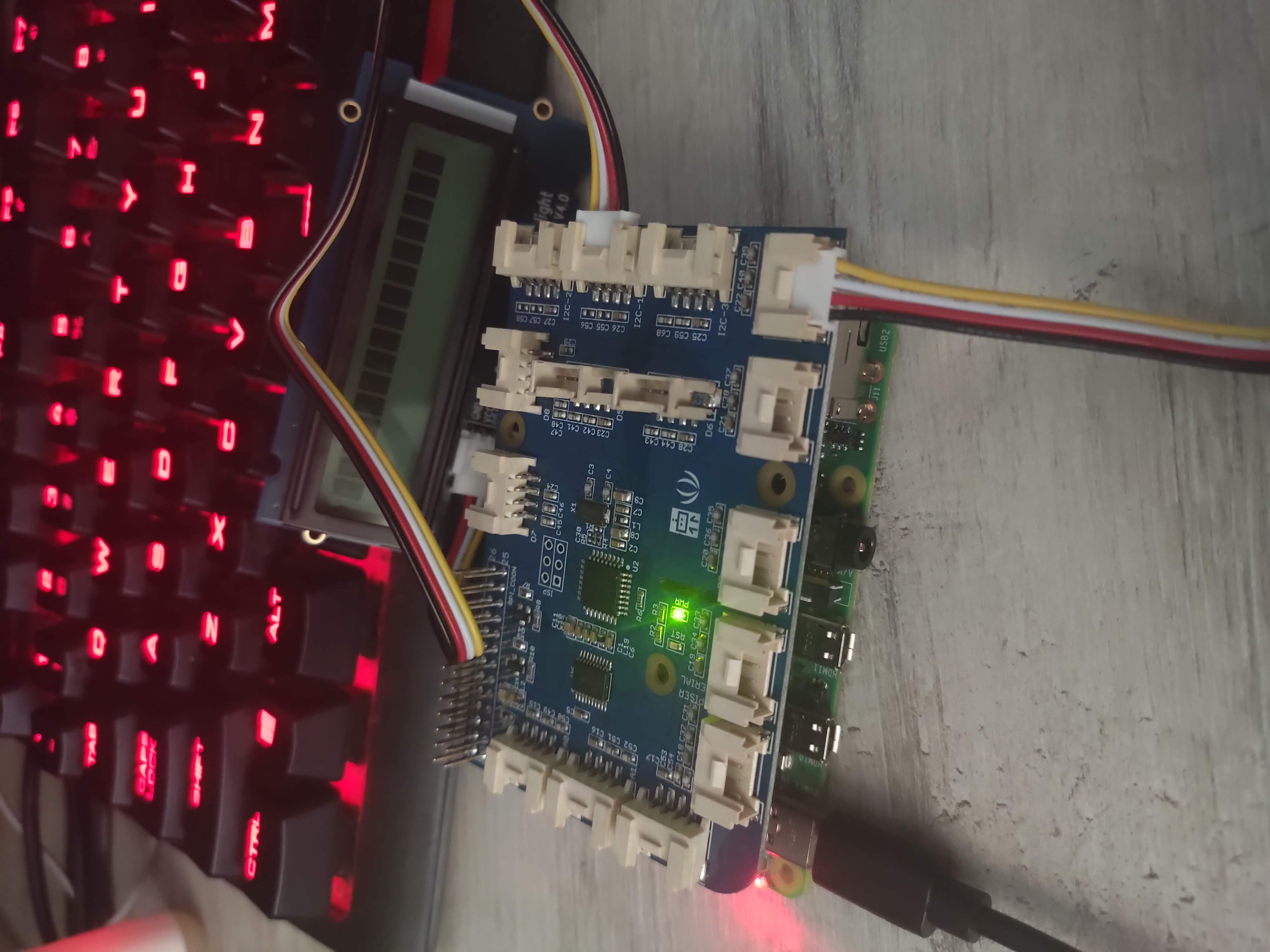
LED works fine but I cannot display any message on LCD.
Actual behavior
LCD doesn't display any message.
Versions used
Add following information:
dotnet --info on the Raspberry Pi4
.NET Core SDK (reflecting any global.json):
 Version:   3.1.403
 Commit:    9e895200cd

Runtime Environment:
 OS Name:     raspbian
 OS Version:  10
 OS Platform: Linux
 RID:         linux-arm
 Base Path:   /home/pi/dotnet/sdk/3.1.403/

Host (useful for support):
  Version: 3.1.9
  Commit:  774fc3d6a9

.NET Core SDKs installed:
  3.1.403 [/home/pi/dotnet/sdk]

.NET Core runtimes installed:
  Microsoft.AspNetCore.App 3.1.9 [/home/pi/dotnet/shared/Microsoft.AspNetCore.App]
  Microsoft.NETCore.App 3.1.9 [/home/pi/dotnet/shared/Microsoft.NETCore.App]

To install additional .NET Core
- Version of
System.Device.Gpiopackage -> iot.Device.Bindings" Version="1.0.0" - Version of
Iot.Device.Bindingspackage (not needed if bug is inSystem.Device.Gpio) -> System.Device.Gpio" Version="1.0.0"
 mskuratowski
All 3 comments
Can you please update your packages to the latest version from the repo?
See here on how to do that: https://github.com/dotnet/iot#how-to-install
If you're using Visual Studio, you can add the repository with all the preview versions and select preview packages.
I'll look at this in parallel with the latest versions from the repo.
 Ellerbach
on 8 Nov 2020
Ellerbach
on 8 Nov 2020
OK, so few things:
- Please use the latest packages
Adjust your code to:
            Led led = new Led(grovePi, GrovePort.DigitalPin4);
            var i2cLcdDevice = I2cDevice.Create(new I2cConnectionSettings(busId: 1, deviceAddress: 0x3E));
            var i2cRgbDevice = I2cDevice.Create(new I2cConnectionSettings(busId: 1, deviceAddress: 0x62));
            LcdRgb display = new LcdRgb(new System.Drawing.Size(16, 2), i2cLcdDevice, i2cRgbDevice);
And that should just work
Ellerbach
on 8 Nov 2020
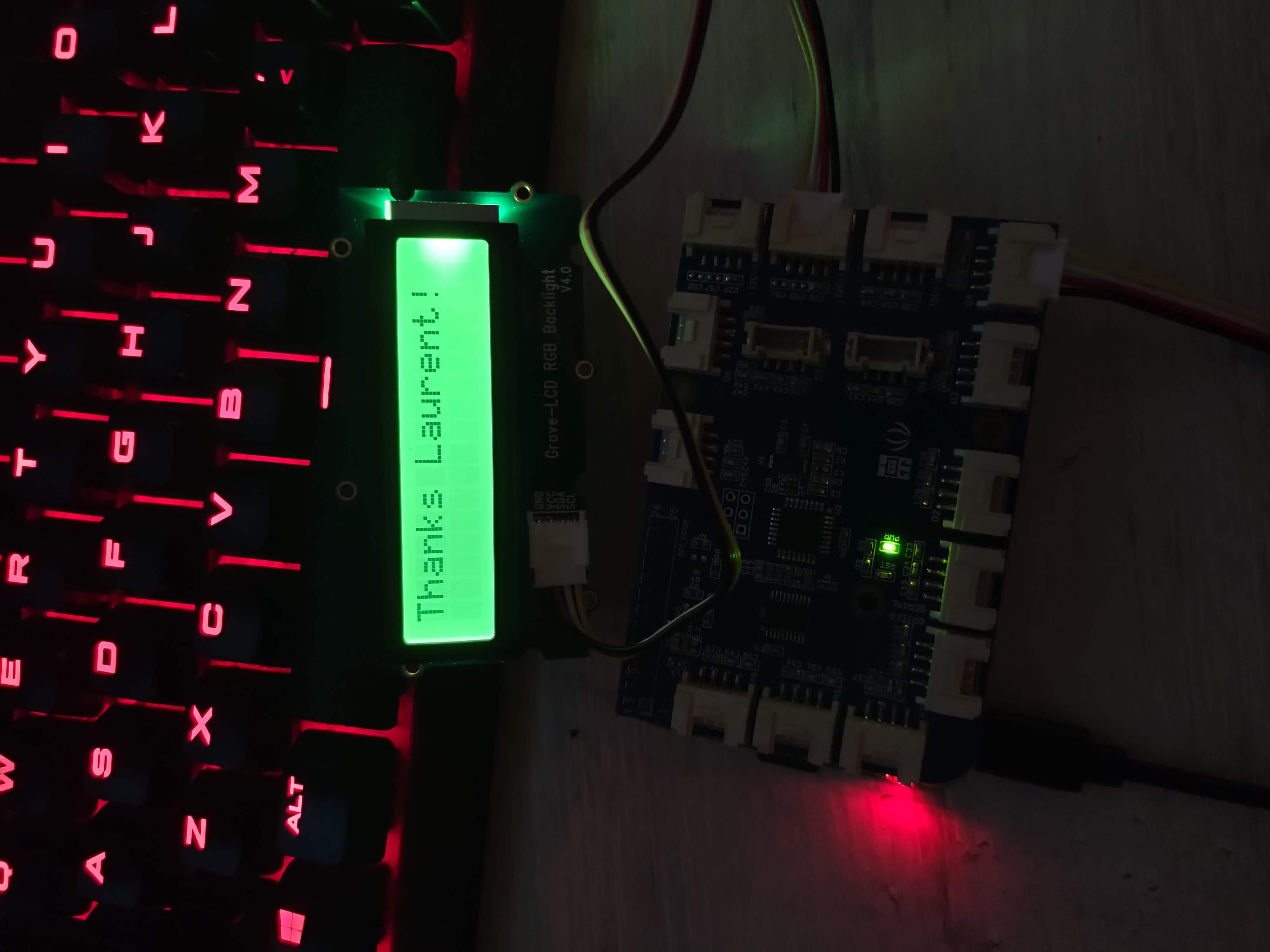
@Ellerbach Thanks a lot. Works perfectly!
mskuratowski
on 8 Nov 2020
Related issues
 JPThorne
·
6Comments
JPThorne
·
6Comments
 krwq
·
4Comments
krwq
·
4Comments
 alexk8
·
3Comments
alexk8
·
3Comments
 ZhangGaoxing
·
3Comments
krwq
·
3Comments
ZhangGaoxing
·
3Comments
krwq
·
3Comments
Most helpful comment
@Ellerbach Thanks a lot. Works perfectly!
