Ios: Upgraded to Home Assistant 0.100.1 and Companion app 2.0.0 Beta no longer loading
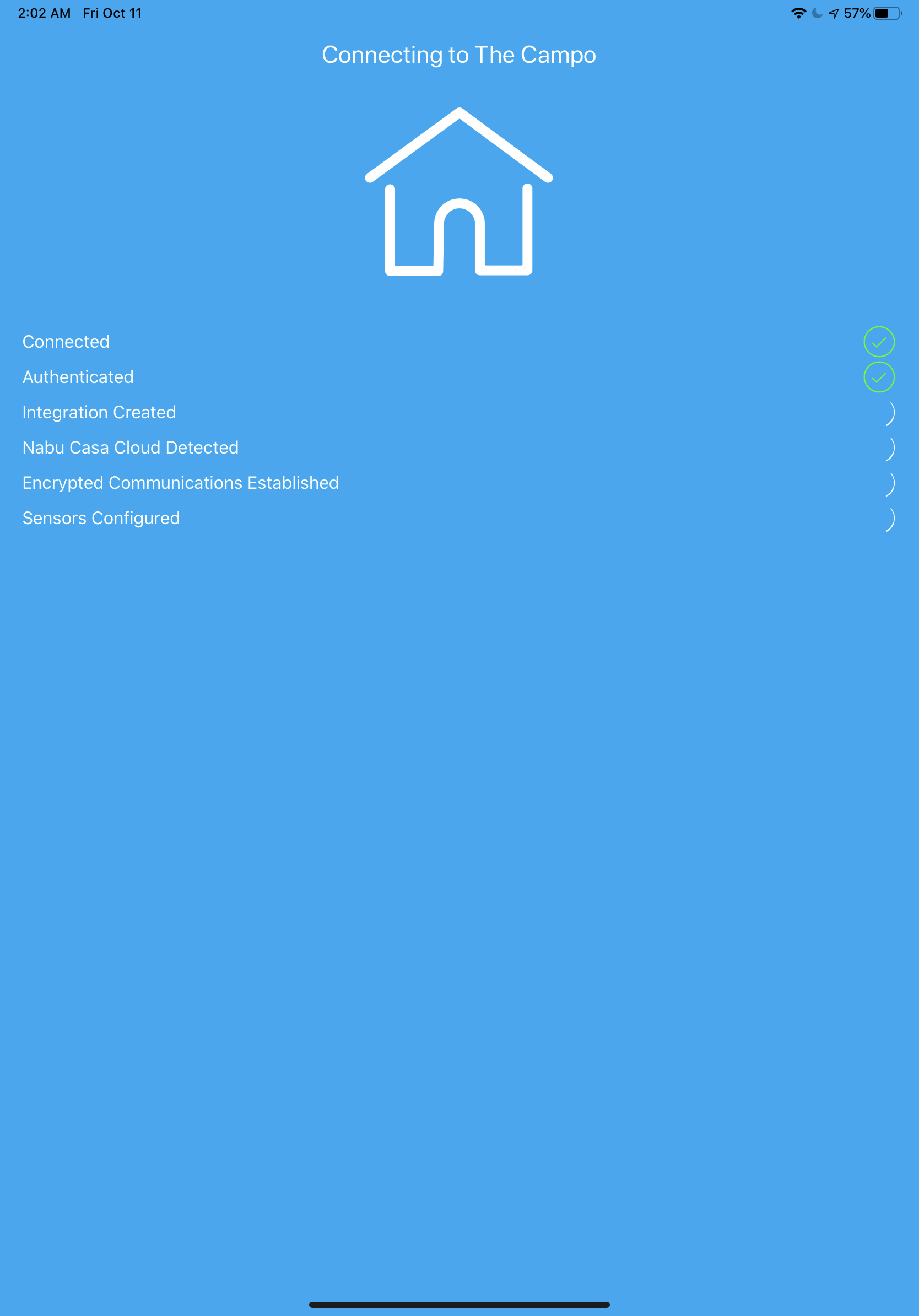
Companion app 2.0.0 will crash on my iPhone 11 Pro when it is launched after upgrading home assistant to 0.100.1. Wife' iPhone X works fine still. I deleted the app and now it won't even complete the initial setup. I can authenticate, give it location, motion and notification permission, but when it goes to make the integration with my home assistant server, it crashes every time at the pictured screen below. I tried even setting it up on my iPad and it crashes at the same place. Occasionally getting Error Code 405 on the iPad but haven't seen that on the phone.
 tkhan456
All 24 comments
This is a known bug and a fix is being worked on urgently.
On 11 Oct 2019, at 08:05, tkhan456 notifications@github.com wrote:
Companion app will crash on launch after upgrading to 0.100.1 on my iPhone 11 Pro. Wife' iPhone X works fine still. I deleted the app and now it won't even complete the initial setup. I can authenticate, give it location, motion and notification permission, but when it goes to make the integration with my home assistant server, it crashes every time pictured screen below.—
You are receiving this because you are subscribed to this thread.
Reply to this email directly, view it on GitHub, or unsubscribe.
 TomBrien
on 11 Oct 2019
TomBrien
on 11 Oct 2019
Great to hear. Thanks for all the hard work everyone is doing. I wish I knew more so I could contribute myself.
tkhan456
on 11 Oct 2019
Same here.
Kind Regards,
Greg Tee
On 11 Oct 2019, 09:05 +0200, tkhan456 notifications@github.com, wrote:
Companion app will crash on launch after upgrading to 0.100.1 on my iPhone 11 Pro. Wife' iPhone X works fine still. I deleted the app and now it won't even complete the initial setup. I can authenticate, give it location, motion and notification permission, but when it goes to make the integration with my home assistant server, it crashes every time pictured screen below.
—
You are receiving this because you are subscribed to this thread.
Reply to this email directly, view it on GitHub, or unsubscribe.
 sj3fk3
on 11 Oct 2019
sj3fk3
on 11 Oct 2019
I should mention that the release version seems unaffected.
On 11 Oct 2019, at 08:29, Greg notifications@github.com wrote:
Same here.
Kind Regards,
Greg Tee
On 11 Oct 2019, 09:05 +0200, tkhan456 notifications@github.com, wrote:Companion app will crash on launch after upgrading to 0.100.1 on my iPhone 11 Pro. Wife' iPhone X works fine still. I deleted the app and now it won't even complete the initial setup. I can authenticate, give it location, motion and notification permission, but when it goes to make the integration with my home assistant server, it crashes every time pictured screen below.
—
You are receiving this because you are subscribed to this thread.
Reply to this email directly, view it on GitHub, or unsubscribe.
—
You are receiving this because you commented.
Reply to this email directly, view it on GitHub, or unsubscribe.
TomBrien
on 11 Oct 2019
Same here
 strfn
on 13 Oct 2019
strfn
on 13 Oct 2019
Anyone know if the new Home Assistant 0.100.2 has fixed this issue or is this more an issue with the companion app?
tkhan456
on 14 Oct 2019
Anyone know if the new Home Assistant 0.100.2 has fixed this issue or is this more an issue with the companion app?
Nope - the problem persists in 0.100.2
 michalzadkowski
on 14 Oct 2019
michalzadkowski
on 14 Oct 2019
Same problem here - all broken now. @TomBrien you noted that the release version is still ok - do you mean the old clunker or that there is a release version of the 2.0.0 app?
 ntompson
on 14 Oct 2019
ntompson
on 14 Oct 2019
I don’t know if a release 2.0.0 version. I think the old companion app version. You can also downgrade to 0.99.3 of home assistant. That seems to still work
tkhan456
on 14 Oct 2019
Sorry no I meant 1.5 which is the App Store version. Not sure I would call it clunky 😉
TomBrien
on 14 Oct 2019
I don’t know if a release 2.0.0 version. I think the old companion app version. You can also downgrade to 0.99.3 of home assistant. That seems to still work
Confirming that a downgrade to 0.99.3 worked for me. Perhaps a note should be attached to the 0.100.x releases to say that 2.0.0 iOS companion users should hold off on upgrade until this issue is resolved.
ntompson
on 14 Oct 2019
The problem is with a certain library in the 2.0 beta app that expects double digit version numbers. Now that Home Assistant has a triple digit version number (.100) that library is choking and crashing the entire app. Will require a new build of the app to be fixed.
Until a fix is released, you have three options at the moment:
- Use the current stable App Store version (1.5.1) temporarily, which doesn't have this problem.
- Downgrade Home Assistant to version 0.99.3. Here is the ssh command for Hass.io users:
hassio homeassistant update --version=0.99.3 - Use the temporary workaround here that will allow you to be on the latest version of HA but "spoof" the version number to the app and thus avoid this crashing issue.
 SeanPM5
on 14 Oct 2019
SeanPM5
on 14 Oct 2019
New release. Reportedly has fixed it but in to worried to try the upgrade haha
tkhan456
on 18 Oct 2019
Just applied build 66 through TestFlight and I'm getting "HA API not configured" in a red bar at the top of the screen. Nothing happens - blank screen. :-(
ntompson
on 18 Oct 2019
Message from Robbie:
I was cleaning up code to do clean commits for these fixes and forgot to re-apply the 0.100 fix
build 67 is building now
Build 66 does fix the Siri issue, image attachments in notifications, and a bunch of other things. iOS 13 users will notice dark mode support in the App Configuration section as well. The crash fix will be out in b67 soon.
SeanPM5
on 18 Oct 2019
Sorry for the truly stupid and off-topic question, but is there a way I can see the build 66 / build 67 etc commits / changes etc on GitHub?
ntompson
on 18 Oct 2019
After today update there is still problem with app. Now its "HA API Manager that is unavailable"
 darkkatarsis
on 18 Oct 2019
darkkatarsis
on 18 Oct 2019
@ntompson you should be able to see it in one of the branches but there are no recent changes... so I’m unsure where the code is 🤷♂️
https://github.com/home-assistant/home-assistant-iOS/branches
 d0ugal
on 18 Oct 2019
d0ugal
on 18 Oct 2019
Build 67 is working well for me.
d0ugal
on 18 Oct 2019
@darkkartarsis
HA API Manager that is unavailable
I had the same problem, external URL was missing. I could not enter the correct external URL. So I deleted and reinstalled to retrigger onboarding process. But now I am experiencing issue #451 and can not login either
 jorisrymenants
on 18 Oct 2019
jorisrymenants
on 18 Oct 2019
Fixed for me now in build 68
 mcchots
on 18 Oct 2019
mcchots
on 18 Oct 2019
Build 68, should fix this. You may need to delete the "Mobile App" integration (Configuration>Integrations) in HA then uninstall the app on you phone before reinstalling. Closing this for now. Feel free to reply on here if problem persists and we can re open.
TomBrien
on 18 Oct 2019
Confirming build 68 works for me. Following the "scorched earth" procedure seems to help with a clean reinstall (https://companion.home-assistant.io/en/next/troubleshooting/beta-cleaning).
@d0ugal - yes, that's as far as I got as well. Could it be that commits for the more recent builds are not being pushed back to GitHub??
ntompson
on 19 Oct 2019
@ntompson unfortunately that seems likely
d0ugal
on 19 Oct 2019
Related issues
 gerard33
·
3Comments
gerard33
·
3Comments
 jamieshaw
·
8Comments
jamieshaw
·
8Comments
 Nicxe
·
8Comments
Nicxe
·
8Comments
 snowe2010
·
12Comments
snowe2010
·
12Comments
 vmcosco
·
8Comments
vmcosco
·
8Comments
Most helpful comment
This is a known bug and a fix is being worked on urgently.