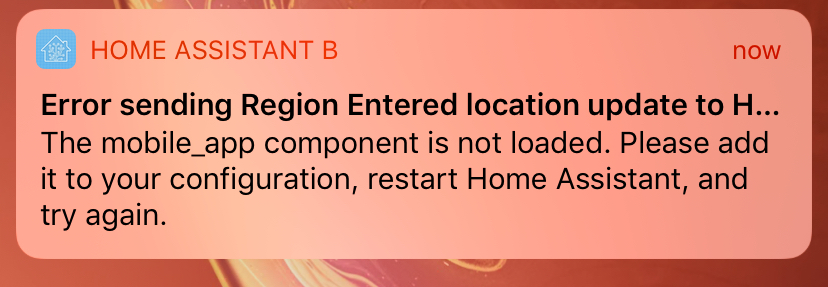
Ios: “Error sending Region Entered location update”
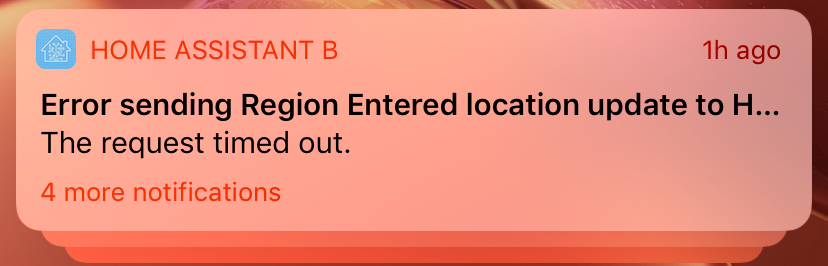
Using nubu-casa cloudhooks
Zone has lat/Lon and iBeacon
 devanl
All 23 comments
Almost certainly due to your transitioning from cellular to wifi or vice versa. Is this possibly the case?
 robbiet480
on 19 May 2019
robbiet480
on 19 May 2019
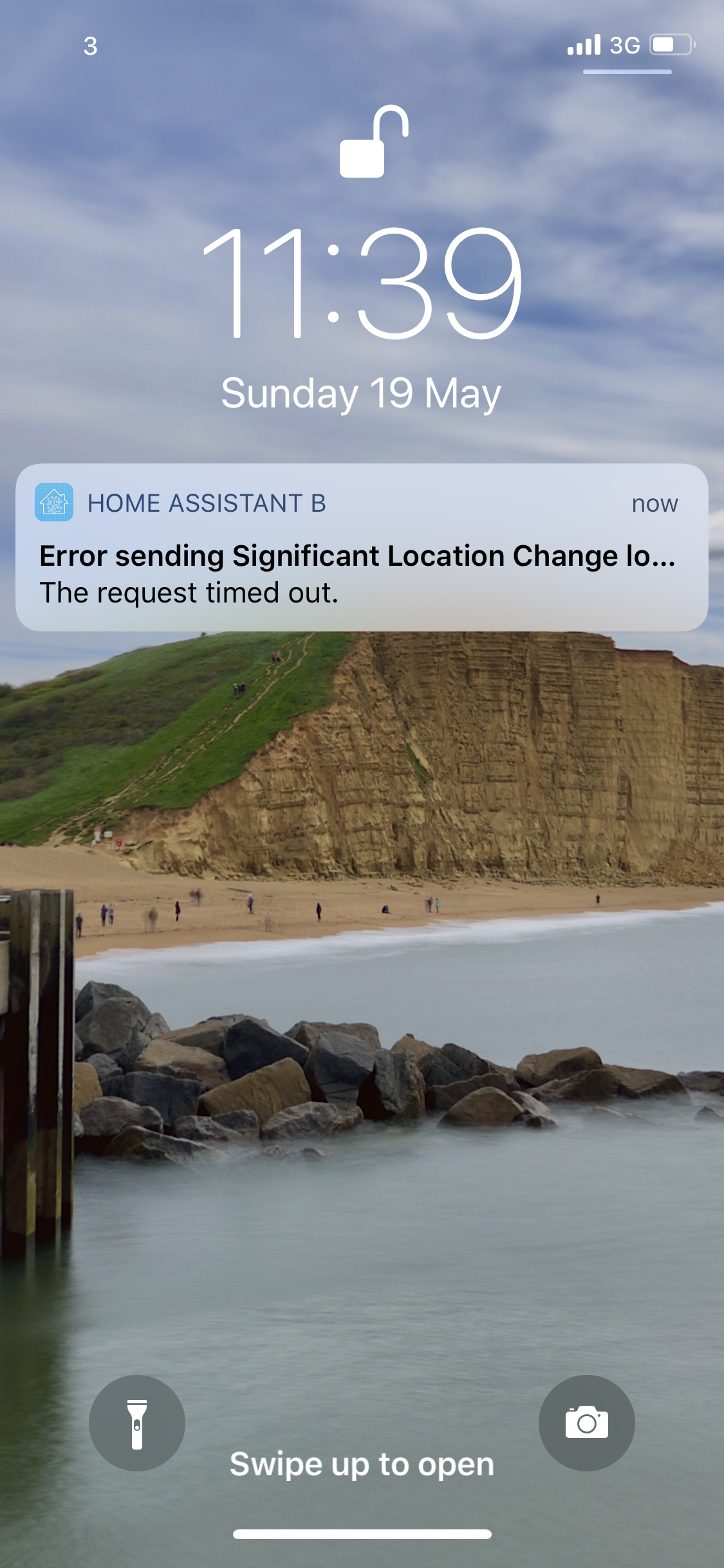
I get a similar issue (iPhone X, latest beta version) except I have “error sending significant location update” as “the request timed out”
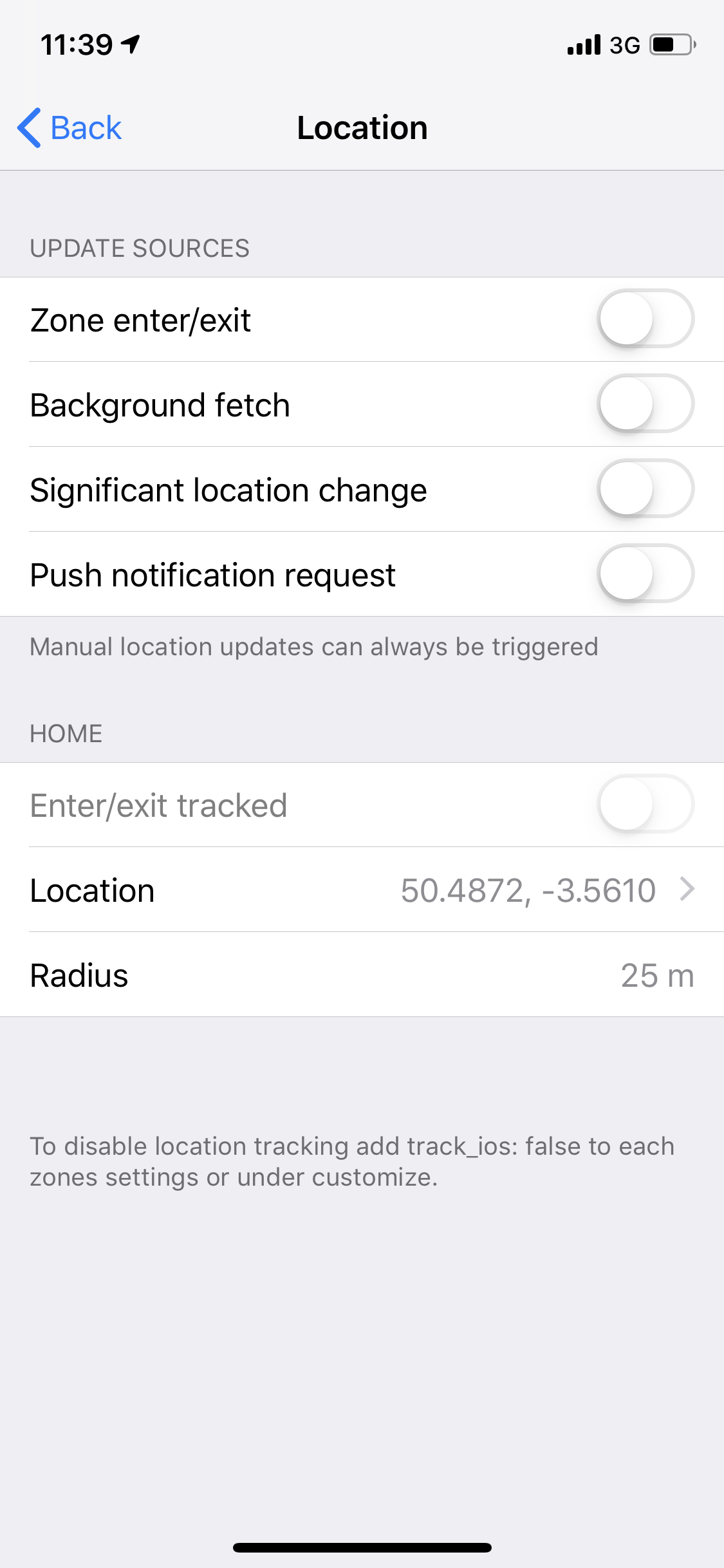
Interestingly I actually have all app-side location settings switched off so I would have thought it shouldn’t be trying to send any location information home?
EDIT: To clarify - I get this every 5-10 minutes or so when out and about on cellular data. If I stay in one place - no messages (makes sense). I’m not transitioning from cellular to WiFi or vice versa but equally I could be in an area with full cell signal and still get the message.
 aegjoyce
on 19 May 2019
aegjoyce
on 19 May 2019
To add: Robbie, the amount of work you’ve done on this app in the last few months is astonishing - it looks and feels so damn slick now, the sheer number of fixes you’ve pushed is incredible, so thank you from myself and the community :)
aegjoyce
on 19 May 2019
aegjoyce
on 19 May 2019
I noticed this issue as well. Came up with the latest update.
It seems to come up every time I enter or leave a zone I set up. Seems unrelated to Wi-Fi or cellular switching (atleast what I observed).
iPhone X, iOS 12.3
 Cludch
on 19 May 2019
Cludch
on 19 May 2019
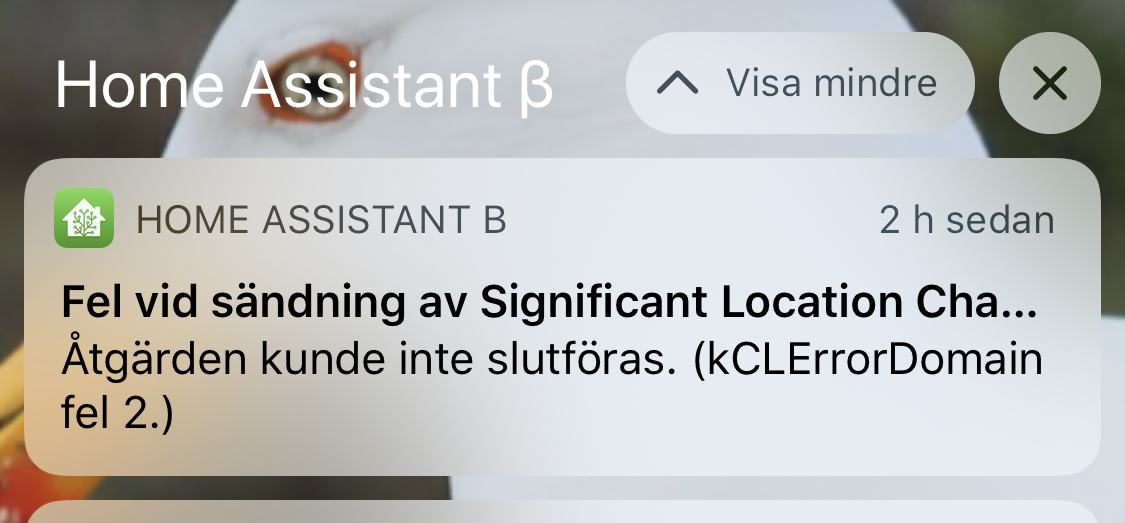
I got similar error for no obvious reason.
iPhone X, iOS 12.3, HAC 2.0.0(58)
 astrandb
on 19 May 2019
astrandb
on 19 May 2019
Just to weigh in that I have seen a fair few of these timeouts recently. Mainly during a recent trip to China with poor WiFi or on London Underground. Does falling off WiFi trigger a location update? All in all I felt the behaviour was expected. I believe this has been going on in the background anyway and reporting via the notification was new in 58?
 TomBrien
on 29 May 2019
TomBrien
on 29 May 2019
SLU can be triggered by networking changes yes.
robbiet480
on 29 May 2019
I also have been getting this error / notification on the most recent Companion App Beta for the last two versions, I have two zones - 'Home and 'Work' and i get this error every time I leave the lat/long radius
 michaeldvinci
on 31 May 2019
michaeldvinci
on 31 May 2019
Just chiming in, that these are, indeed, very common. For zone entering / exiting, almost more often than not, when entering or exiting some of the zones I have set up. For SLU, well, often. Seemingly never when on WiFi though. (Regardless of zone.)
 krissen
on 31 May 2019
krissen
on 31 May 2019
Started getting this two days ago, not sure if it’s related.
The mobile app component appears to be installed in the integrations pane.
devanl
on 1 Jun 2019
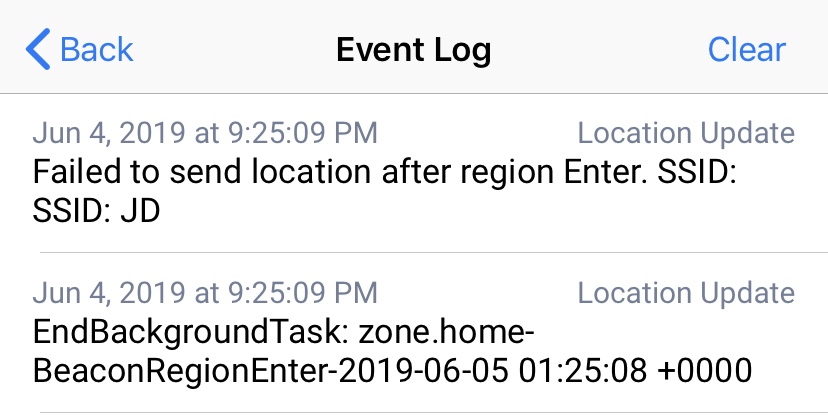
Two updates, I’m still getting this error after disabling the app toggles for all location update sources. Also, the screenshot below appears to be events in the log on app from the time the notification occurs.
devanl
on 5 Jun 2019
I get this when I leave my house. I’m in a cell dead zone, so it makes sense.
It would be nice if the app could just wait with sending an update until it gets sufficient service. I’m guessing it tests for connection before sending, but then looses it in the middle of sending.
Instead of throwing an error, just try again when connection is reestablished.
 AZDane
on 7 Jun 2019
AZDane
on 7 Jun 2019
Same thing here. Get the message when I leave house on car.
 ArgoHA
on 17 Jun 2019
ArgoHA
on 17 Jun 2019
Bump on this issue. Been happening ever since I installed 2.0 beta. I'm fine with clearing the error (it is a beta afterall), but these errors seem to be triggering my failed login IP ban and hence my HomeAssistant instance keeps banning me.
 brahmafear
on 17 Jun 2019
brahmafear
on 17 Jun 2019
These are appearing because there is actually a problem happening when we are trying to send a location & sensors update back to HA. Previously to this error existing though, it would just silently fail without you knowing. The only change that happened here was me adding a notification with the actual error. A notification appearing on your iPhone would not trigger a failed login IP ban...
I assume you aren't all getting the exact same message, kCLErrorDomain code 2, right? I can silence that one specifically, since it just means Apple's geocode server is rejecting too many requests from your device, but all other errors should be treated as valid.
robbiet480
on 18 Jun 2019
A related issue, trying to silence these on my own I disable all the update sources in the app for location and the error still shows up regularly.
devanl
on 18 Jun 2019
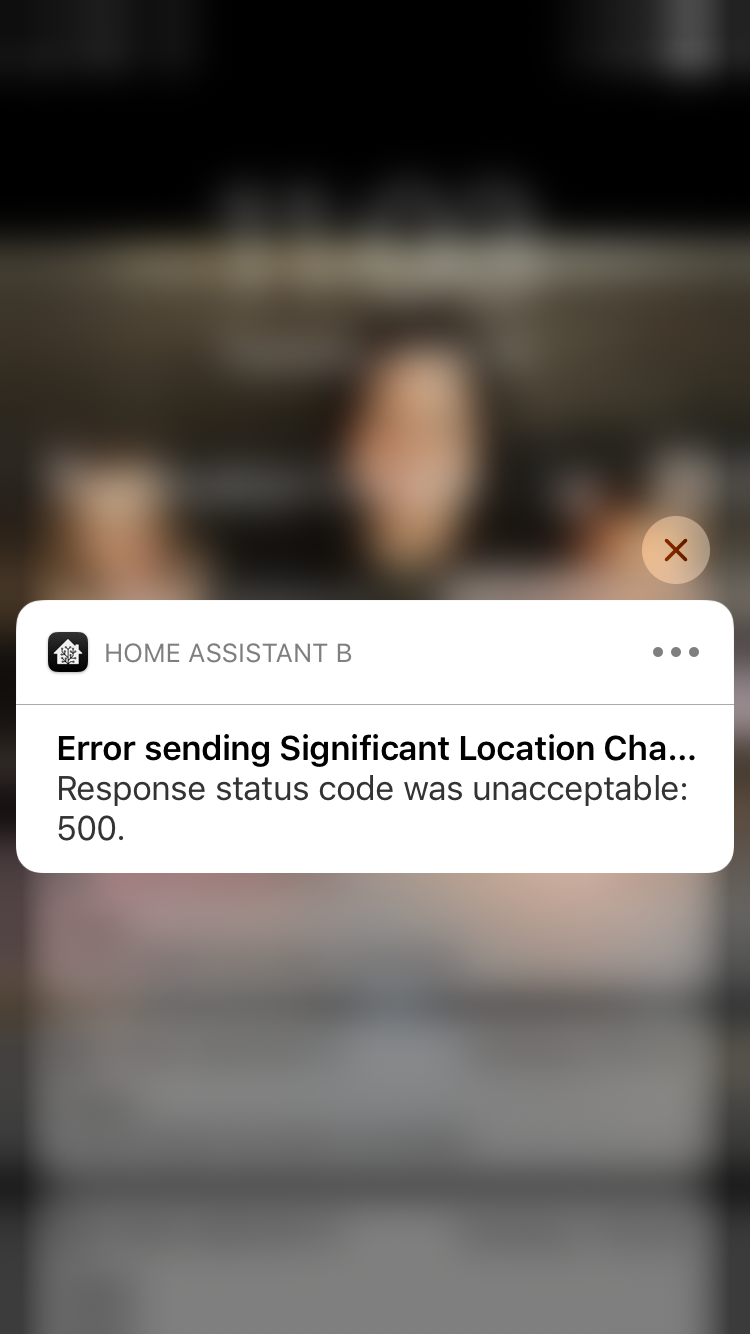
I think this is related to this topic.. I get this message fairly constantly when I’m on the move. The location does seem to be updated correctly in HA even with this message, it’s just a nuisance. Latest build, using HA Cloud.
 brg468
on 18 Jun 2019
brg468
on 18 Jun 2019
I understand the failure messages aren't causing my IP ban to trigger, but
I'm wondering if those 500 messages are related. The only IPs that are
getting banned are my mobile phone's IP while on mobile network and the IP
of a remote location where I connect to wifi.
I've reset config for the beta mobile app for now (in order to disconnect
it from my HA instance) to see if the IP bans cease. If so, that would
suggest the beta app is causing the IP bans.
If it makes a difference:
Using latest beta build (according to TestFlight).
Using latest HA build on HassIO (running in docker on Ubuntu 18.04).
Using direct IP connection to my home ISP/endpoint. Ie, not Casa/Cloud.
Never had these issues on 1.0 or 1.5 series of iOS app. Just 2.0 builds.
On Tue, Jun 18, 2019 at 11:08 AM brg468 notifications@github.com wrote:
I think this is related to this topic.. I get this message fairly
constantly when I’m on the move. The location does seem to be updated
correctly in HA even with this message, it’s just a nuisance. Latest build,
using HA Cloud.[image: 57D74D93-C44D-4FC3-B991-F1306C718544]
https://user-images.githubusercontent.com/19143191/59695836-e4ca8b80-91b8-11e9-99b2-4e38750c5f50.png—
You are receiving this because you commented.
Reply to this email directly, view it on GitHub
https://github.com/home-assistant/home-assistant-iOS/issues/378?email_source=notifications&email_token=ABMHITEVMSLHFGP3CYNPQXDP3D26TA5CNFSM4HN22MB2YY3PNVWWK3TUL52HS4DFVREXG43VMVBW63LNMVXHJKTDN5WW2ZLOORPWSZGODX66M5Q#issuecomment-503178870,
or mute the thread
https://github.com/notifications/unsubscribe-auth/ABMHITBFJKLXOUHQ3W6NU63P3D26TANCNFSM4HN22MBQ
.
brahmafear
on 18 Jun 2019
One more detail to provide: These are the messages showing up in HA logs.
The IP corresponds with my mobile's IP address on either cell network or
remote wifi.
Login attempt or request with invalid authentication from X.X.X.X
On Tue, Jun 18, 2019 at 11:19 AM Dave Myers brahmafear@gmail.com wrote:
I understand the failure messages aren't causing my IP ban to trigger, but
I'm wondering if those 500 messages are related. The only IPs that are
getting banned are my mobile phone's IP while on mobile network and the IP
of a remote location where I connect to wifi.I've reset config for the beta mobile app for now (in order to disconnect
it from my HA instance) to see if the IP bans cease. If so, that would
suggest the beta app is causing the IP bans.If it makes a difference:
Using latest beta build (according to TestFlight).
Using latest HA build on HassIO (running in docker on Ubuntu 18.04).
Using direct IP connection to my home ISP/endpoint. Ie, not Casa/Cloud.Never had these issues on 1.0 or 1.5 series of iOS app. Just 2.0 builds.
On Tue, Jun 18, 2019 at 11:08 AM brg468 notifications@github.com wrote:
I think this is related to this topic.. I get this message fairly
constantly when I’m on the move. The location does seem to be updated
correctly in HA even with this message, it’s just a nuisance. Latest build,
using HA Cloud.[image: 57D74D93-C44D-4FC3-B991-F1306C718544]
https://user-images.githubusercontent.com/19143191/59695836-e4ca8b80-91b8-11e9-99b2-4e38750c5f50.png—
You are receiving this because you commented.
Reply to this email directly, view it on GitHub
https://github.com/home-assistant/home-assistant-iOS/issues/378?email_source=notifications&email_token=ABMHITEVMSLHFGP3CYNPQXDP3D26TA5CNFSM4HN22MB2YY3PNVWWK3TUL52HS4DFVREXG43VMVBW63LNMVXHJKTDN5WW2ZLOORPWSZGODX66M5Q#issuecomment-503178870,
or mute the thread
https://github.com/notifications/unsubscribe-auth/ABMHITBFJKLXOUHQ3W6NU63P3D26TANCNFSM4HN22MBQ
.
brahmafear
on 18 Jun 2019
This is what I get on the server side every time I refresh the app or get one of the '500' messages that I posted above. Any thoughts?
2019-06-19 12:44:20 ERROR (MainThread) [hass_nabucasa.iot] Error handling message
Traceback (most recent call last):
  File "c:\python\home-assistant\lib\site-packages\hass_nabucasa\iot.py", line 220, in _handle_connection
    self.cloud, msg["handler"], msg["payload"]
  File "c:\python\home-assistant\lib\site-packages\hass_nabucasa\iot.py", line 274, in async_handle_message
    return await handler(cloud, payload)
  File "c:\python\home-assistant\lib\site-packages\hass_nabucasa\iot.py", line 316, in async_handle_webhook
    return await cloud.client.async_webhook_message(payload)
  File "c:\python\home-assistant\lib\site-packages\homeassistant\components\cloud\client.py", line 185, in async_webhook_message
    response_dict = utils.aiohttp_serialize_response(response)
  File "c:\python\home-assistant\lib\site-packages\homeassistant\components\cloud\utils.py", line 11, in aiohttp_serialize_response
    'body': response.text,
  File "c:\python\home-assistant\lib\site-packages\aiohttp\web_response.py", line 597, in text
    return self._body.decode(self.charset or 'utf-8')
AttributeError: 'StringPayload' object has no attribute 'decode'
Well of course it had to be something as simple as upgrading to the latest HA version...So far the 500 errors have stopped.
brg468
on 20 Jun 2019
I believe this is addressed in release. Although genuine errors are of course still possible. Closing but feel free to reopen if still an issue
TomBrien
on 6 Dec 2019
Related issues
 rifelpet
·
4Comments
rifelpet
·
4Comments
 Nicxe
·
8Comments
Nicxe
·
8Comments
 henrikbjorn
·
7Comments
henrikbjorn
·
7Comments
 fi-sch
·
3Comments
fi-sch
·
3Comments
 wilfredsmit
·
5Comments
wilfredsmit
·
5Comments
Most helpful comment
To add: Robbie, the amount of work you’ve done on this app in the last few months is astonishing - it looks and feels so damn slick now, the sheer number of fixes you’ve pushed is incredible, so thank you from myself and the community :)