Ionide-vscode-fsharp: FSharp script fsx file basic errors in VSCode Ionide
Hi,
Apologies for this question. I must be doing something obviously wrong here. I'm writing a basic hello world fsx script in Ionide with VS Code in Linux with .NET Core 3.1. Even basic f# statements like printfn are showing errors. I imagine this should just work. What am I missing?

When I hover over the error it shows
The type 'Object' is required here and is unavailable. You must add a reference to assembly 'System.Private.CoreLib, Version=4.0.0.0, Culture=neutral, PublicKeyToken=7cec85d7bea7798e'.F# Compiler(1108)

A reference to the type 'System.Object' in assembly 'System.Runtime' was found, but the type could not be found in that assemblyF# Compiler(1109)
Ionide: Ionide-fsharp 4.5.0
Dotnet --info
> dotnet --info
.NET Core SDK (reflecting any global.json):
 Version:   3.1.100
 Commit:    cd82f021f4

Runtime Environment:
 OS Name:     ubuntu
 OS Version:  19.10
 OS Platform: Linux
 RID:         ubuntu.19.10-x64
 Base Path:   /usr/share/dotnet/sdk/3.1.100/

Host (useful for support):
  Version: 3.1.0
  Commit:  157910edee

.NET Core SDKs installed:
  2.1.803 [/usr/share/dotnet/sdk]
  3.1.100 [/usr/share/dotnet/sdk]

.NET Core runtimes installed:
  Microsoft.AspNetCore.All 2.1.15 [/usr/share/dotnet/shared/Microsoft.AspNetCore.All]
  Microsoft.AspNetCore.App 2.1.15 [/usr/share/dotnet/shared/Microsoft.AspNetCore.App]
  Microsoft.AspNetCore.App 3.1.0 [/usr/share/dotnet/shared/Microsoft.AspNetCore.App]
  Microsoft.NETCore.App 2.1.15 [/usr/share/dotnet/shared/Microsoft.NETCore.App]
  Microsoft.NETCore.App 3.1.0 [/usr/share/dotnet/shared/Microsoft.NETCore.App]
 ktodyruik
All 9 comments
Hey @ktodyruik :wave:,
Thank you for opening an issue. We will get back to you as
soon as we can. Also, check out our OpenCollective and consider
backing us.
https://opencollective.com/ionide
PS.: We offer
backersupport for all backers. Don't forget to addbackerlabel when you start backing us :smile:
![open-collective-bot[bot] picture](https://avatars.githubusercontent.com/in/23739?v=4&s=40) open-collective-bot[bot]
on 16 Feb 2020
open-collective-bot[bot]
on 16 Feb 2020
Please make sure the FSharp.useSdkScripts option is set to true, this is required for good support of F# scripts in a .net core scenario.
 baronfel
on 16 Feb 2020
baronfel
on 16 Feb 2020
Please make sure the FSharp.useSdkScripts option is set to true, this is required for good support of F# scripts in a .net core scenario.
Thanks @baronfel for the suggestion. It is already set to true.
ktodyruik
on 16 Feb 2020
Update: I removed the older Dotnet Core SDK and runtime version so that only Dotnet core 3.1 is installed. This cleared up whatever issue Ionide was having. Would be very interested in any insights on this.
My current installation looks like this now:
> dotnet --info
.NET Core SDK (reflecting any global.json):
Version: 3.1.100
Commit: cd82f021f4
Runtime Environment:
OS Name: ubuntu
OS Version: 19.10
OS Platform: Linux
RID: ubuntu.19.10-x64
Base Path: /usr/share/dotnet/sdk/3.1.100/
Host (useful for support):
Version: 3.1.0
Commit: 157910edee
.NET Core SDKs installed:
3.1.100 [/usr/share/dotnet/sdk]
.NET Core runtimes installed:
Microsoft.AspNetCore.App 3.1.0 [/usr/share/dotnet/shared/Microsoft.AspNetCore.App]
Microsoft.NETCore.App 3.1.0 [/usr/share/dotnet/shared/Microsoft.NETCore.App]
I have the same issue, deleted older 3.1 versions of sdk/runtime but still have that intellisense error.
dotnet --info
.NET Core SDK (reflecting any global.json):
Version: 3.1.102
Commit: 573d158fea
Runtime Environment:
OS Name: Mac OS X
OS Version: 10.15
OS Platform: Darwin
RID: osx.10.15-x64
Base Path: /Users/Marvin/.dotnet/sdk/3.1.102/
Host (useful for support):
Version: 3.1.2
Commit: 916b5cba26
.NET Core SDKs installed:
3.1.102 [/Users/Marvin/.dotnet/sdk]
.NET Core runtimes installed:
Microsoft.AspNetCore.App 3.1.2 [/Users/Marvin/.dotnet/shared/Microsoft.AspNetCore.App]
Microsoft.NETCore.App 3.1.2 [/Users/Marvin/.dotnet/shared/Microsoft.NETCore.App]
To install additional .NET Core runtimes or SDKs:
https://aka.ms/dotnet-download
 mvperez
on 25 Feb 2020
mvperez
on 25 Feb 2020
I am also seeing this error--just getting started following the same guide here: https://docs.microsoft.com/en-us/dotnet/fsharp/get-started/get-started-vscode
Seems that the workaround is switching to "FSharp.fsacRuntime": "net", in VSCode settings. The default is "netcore", and I'm not sure what the difference is
 quicksnap
on 14 Mar 2020
quicksnap
on 14 Mar 2020
Looks like my .NET Core was on 2.x--upgrading to 3.1 seems to make it all work with "netcore"
quicksnap
on 14 Mar 2020
In my case, I resolved this issue by setting FSharp.dotNetRoot to the correct .NET Core SDK path.
I first triggered this issue after setting up a new F# project inside a devcontainer. I've included the full contents of the devcontainer Dockerfile below for reference. I created an empty F# project with dotnet new console -lang F# then added a Sandbox.fsx file for quick testing purposes.
It seemed like the project loaded correctly (the F# Solution Explorer was populated). I also made sure FSharp.useSdkScripts was set to true, but typing anything into the .fsx file would show the type 'Object' is required here error message:

I reloaded the VS Code window a few times via the Developer: Reload Window command. There seemed to be two different outcomes after reloading and pulling up the script file:
- The analyzer would never finish loading. Hovering over symbols in the script file would show
Cached typecheck results not yet availablein the F# log. - The analyzer would load, but the
type 'Object' is requirederrors would appear.
One of the times I got lucky and an additional message appeared in the F# logs:
[14:39:50 WRN] [SdkRefs] Couldn't find latest 3.x sdk and runtime versions inside /usr/local/share/dotnet
Aha! A quick dotnet --info shows that the SDK is indeed not located at /usr/local/share/dotnet:
user@c2da5eba9d76:~/lab/asynchronicity$ dotnet --info
.NET Core SDK (reflecting any global.json):
 Version:   3.1.101
 Commit:    b377529961

Runtime Environment:
 OS Name:     debian
 OS Version:  10
 OS Platform: Linux
 RID:         debian.10-x64
 Base Path:   /usr/share/dotnet/sdk/3.1.101/

Host (useful for support):
  Version: 3.1.1
  Commit:  a1388f194c

.NET Core SDKs installed:
  3.1.101 [/usr/share/dotnet/sdk]

.NET Core runtimes installed:
  Microsoft.AspNetCore.App 3.1.1 [/usr/share/dotnet/shared/Microsoft.AspNetCore.App]
  Microsoft.NETCore.App 3.1.1 [/usr/share/dotnet/shared/Microsoft.NETCore.App]
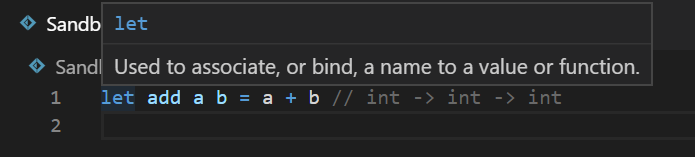
I updated FSharp.dotNetRoot to /usr/share/dotnet and reloaded the window. Everything seemed to start working for me at that point:
Devcontainer Dockerfile
FROM mcr.microsoft.com/dotnet/core/sdk:3.1

ARG USERNAME=user
ARG USER_UID=1000
ARG USER_GID=$USER_UID

# [Optional] Version of Node.js to install.
ARG INSTALL_NODE="true"
ARG NODE_MAJOR_VERSION="12"

# [Optional] Install the Azure CLI
ARG INSTALL_AZURE_CLI="false"

# Avoid warnings by switching to noninteractive
ENV DEBIAN_FRONTEND=noninteractive

# Configure apt and install packages
RUN apt-get update \
    && apt-get -y install --no-install-recommends apt-utils dialog 2>&1 \
    #
    # Verify git, process tools, lsb-release (common in install instructions for CLIs) installed
    && apt-get -y install git iproute2 procps lsb-release \
    #
    # Additional development tools
    && apt-get -y install make vim \
    #
    # [Optional] Install Node.js for ASP.NET Core Web Applicationss
    && if [ "$INSTALL_NODE" = "true" ]; then \
        curl -sL https://deb.nodesource.com/setup_$NODE_MAJOR_VERSION.x | bash - \
        && apt-get install -y nodejs; \
    fi \
    #
    # [Optional] Install the Azure CLI
    && if [ "$INSTALL_AZURE_CLI" = "true" ]; then \
        apt-get install -y apt-transport-https curl gnupg2 lsb-release \
        && echo "deb [arch=amd64] https://packages.microsoft.com/repos/azure-cli/ $(lsb_release -cs) main" > /etc/apt/sources.list.d/azure-cli.list \
        && curl -sL https://packages.microsoft.com/keys/microsoft.asc | apt-key add - 2>/dev/null \
        && apt-get update \
        && apt-get install -y azure-cli; \
    fi \
    #
    # Create a non-root user
    && groupadd --gid $USER_GID $USERNAME \
    && useradd -s /bin/bash --uid $USER_UID --gid $USER_GID -m $USERNAME \
    # Add sudo support for the non-root user
    && apt-get install -y sudo \
    && echo $USERNAME ALL=\(root\) NOPASSWD:ALL > /etc/sudoers.d/$USERNAME\
    && chmod 0440 /etc/sudoers.d/$USERNAME \
    #
    # Clean up
    && apt-get autoremove -y \
    && apt-get clean -y \
    && rm -rf /var/lib/apt/lists/*

# Switch back to dialog for any ad-hoc use of apt-get
ENV DEBIAN_FRONTEND=
Devcontainer configuration
{
    "workspaceFolder": "/home/user/lab/asynchronicity",
    "extensions": [
        "eamodio.gitlens",
        "Ionide.Ionide-fsharp",
        "ms-dotnettools.csharp"
    ],
    "settings": {
        "FSharp.dotNetRoot": "/usr/share/dotnet",
        "FSharp.useSdkScripts": true
    }
}
 brpratt
on 21 Mar 2020
brpratt
on 21 Mar 2020
Seems like setting dotNetRoot is indeed correct solution, I can reproduce it on fresh VM and fresh devcontainer instance.
 Krzysztof-Cieslak
on 21 Mar 2020
Krzysztof-Cieslak
on 21 Mar 2020
Related issues
 isaacabraham
·
5Comments
isaacabraham
·
5Comments
 cloudRoutine
·
5Comments
cloudRoutine
·
5Comments
 sergey-tihon
·
6Comments
isaacabraham
·
3Comments
sergey-tihon
·
6Comments
isaacabraham
·
3Comments
 landy
·
5Comments
landy
·
5Comments
Most helpful comment
In my case, I resolved this issue by setting
FSharp.dotNetRootto the correct .NET Core SDK path.I first triggered this issue after setting up a new F# project inside a devcontainer. I've included the full contents of the devcontainer Dockerfile below for reference. I created an empty F# project with
dotnet new console -lang F#then added aSandbox.fsxfile for quick testing purposes.It seemed like the project loaded correctly (the F# Solution Explorer was populated). I also made sure
FSharp.useSdkScriptswas set totrue, but typing anything into the.fsxfile would show thetype 'Object' is required hereerror message:I reloaded the VS Code window a few times via the
Developer: Reload Windowcommand. There seemed to be two different outcomes after reloading and pulling up the script file:Cached typecheck results not yet availablein the F# log.type 'Object' is requirederrors would appear.One of the times I got lucky and an additional message appeared in the F# logs:
Aha! A quick
dotnet --infoshows that the SDK is indeed not located at/usr/local/share/dotnet:I updated
FSharp.dotNetRootto/usr/share/dotnetand reloaded the window. Everything seemed to start working for me at that point:Devcontainer Dockerfile
Devcontainer configuration