Ionide-vscode-fsharp: Typing too quickly stop members showing in intellisense
If you type too quickly, intellisense doesn't update and provide correct suggestions when you go "into" a module. You have to "cancel" the current intellisense pop-up and then call it again with e.g. CTRL + SPACE (and sometimes that doesn't work).
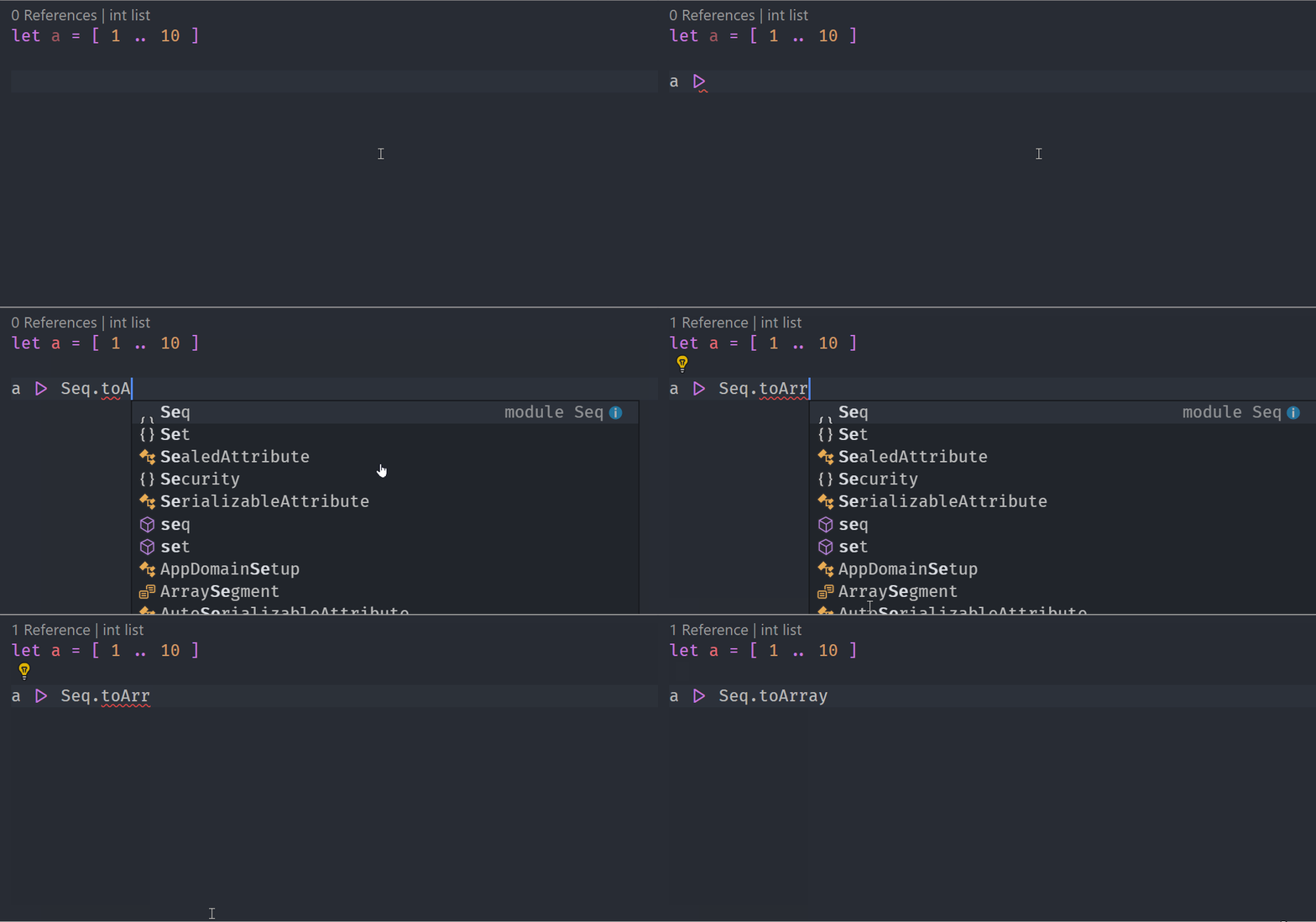
This isn't a "show stopper" but it's quite annoying as it occurs very regularly and affects productivity and developer satisfaction.
bug
 isaacabraham
👍3
All 3 comments
Solution: don't type so quickly
 Krzysztof-Cieslak
on 24 Jun 2019
Krzysztof-Cieslak
on 24 Jun 2019
😄1
This should be fixed in Ionide 4.0 (or I don't type quickly enough)
Krzysztof-Cieslak
on 24 Jun 2019
😄1
@Krzysztof-Cieslak this is back again in latest Ionide. Sometimes it's fine but if the typechecker isn't fast enough, intellisense simply doesn't catch up. This makes the user think that either their code is broken or that Ionide isn't working.
isaacabraham
on 26 Dec 2019
👍1
Was this page helpful?
0 / 5 - 0 ratings
Related issues
 sivabudh
·
3Comments
isaacabraham
·
5Comments
sivabudh
·
3Comments
isaacabraham
·
5Comments
 Agaspher20
·
4Comments
Agaspher20
·
4Comments
 yuhr
·
3Comments
yuhr
·
3Comments
 0x53A
·
6Comments
0x53A
·
6Comments