Ionide-vscode-fsharp: Project Explorer: clicking on a file outside the project (/../) collapses the tree
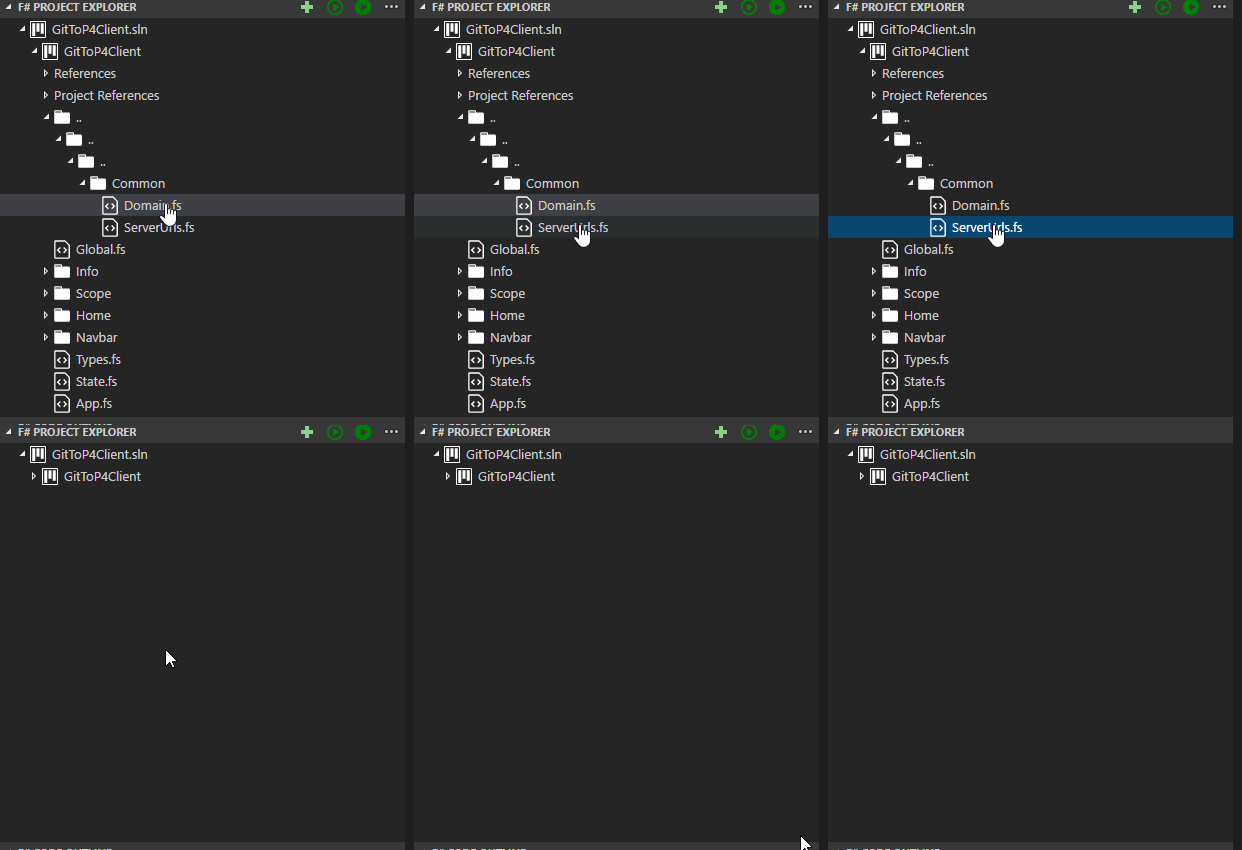
    <!-- Common between Server / Client -->
    <Compile Include="../../../Common/Domain.fs" />
    <Compile Include="../../../Common/ServerUrls.fs" />
 0x53A
0x53A
All 6 comments
Uhhh... I'm using such project structure and haven't experienced similar problems
 Krzysztof-Cieslak
on 20 Oct 2017
Krzysztof-Cieslak
on 20 Oct 2017
I copied the directory to reduce for a reproduction ...
Now the Project Explorer shows the full path __to the original directory__.
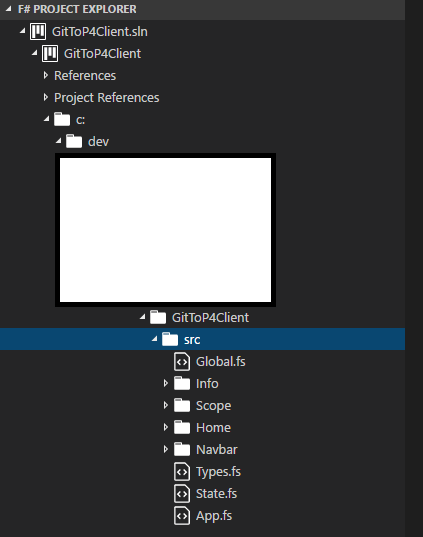
(The project is in ___D:\temp\repro#ionide#605\Client\GitToP4Client___).
0x53A
on 20 Oct 2017
Try F#: Clear cache and reload
Krzysztof-Cieslak
on 20 Oct 2017
👍1
In a quick test it happened also with a new project dotnet new lib -lang F#.
But it only collapses if the file was not already open.
If it was already open, then it just switches to the file and everything is ok.
0x53A
on 20 Oct 2017
I can repro
Krzysztof-Cieslak
on 20 Oct 2017
👍1
I can't repro with latest version of plugin. We might have fixed it while making other changes to solution explorer.
Krzysztof-Cieslak
on 24 May 2018
Was this page helpful?
0 / 5 - 0 ratings
Related issues
 bruno-cadorette
·
4Comments
bruno-cadorette
·
4Comments
 gsomix
·
6Comments
gsomix
·
6Comments
 draganjovanovic1
·
3Comments
draganjovanovic1
·
3Comments
 MangelMaxime
·
4Comments
MangelMaxime
·
4Comments
 sergey-tihon
·
6Comments
sergey-tihon
·
6Comments