Ionic-native: Ionic V4 produced object is not a function with GooglePlus
I'm submitting a ... (check one with "x")
[ X] bug report
[ ] feature request
[ ] support request => Please do not submit support requests here, use one of these channels: https://forum.ionicframework.com/ or https://ionicworldwide.herokuapp.com/
Current behavior:
When integrating @ionic-native/google-plus with Ionic version 4, it immediately logs this message to the browswer console:
Error: Uncaught (in promise): TypeError: Object(...) is not a function
TypeError: Object(...) is not a function
Expected behavior:
I would expect not to get this error.
Steps to reproduce:
- Create a brand new Ionic v4 application.
- Add the @ionic-native/google-plus (and associated cordova-plugin-googleplus).
- Add GooglePlus to your code base. For instance:
constructor(
    private googlePlus: GooglePlus,
)
Related code:
No other related code.
Other information:
I believe this has also been reported to the ordova-plugin-googleplus repo issues here - https://github.com/EddyVerbruggen/cordova-plugin-googleplus/issues/502
Ionic info: (run ionic info from a terminal/cmd prompt and paste output below):
Ionic:

   ionic (Ionic CLI)          : 4.0.2 (C:\Users\Steve\AppData\Roaming\npm\node_modules\ionic)
   Ionic Framework            : @ionic/angular 4.0.0-beta.0
   @angular-devkit/core       : 0.7.1
   @angular-devkit/schematics : 0.7.1
   @angular/cli               : 6.1.1
   @ionic/ng-toolkit          : 1.0.1
   @ionic/schematics-angular  : 1.0.2

Cordova:

   cordova (Cordova CLI) : 8.0.0
   Cordova Platforms     : android 7.0.0, ios 4.5.5

System:

   Android SDK Tools : 26.1.1
   NodeJS            : v8.11.3 (C:\Program Files\nodejs\node.exe)
   npm               : 6.2.0
   OS                : Windows 10

Environment:

   ANDROID_HOME : C:\Android\Sdk
 SteveKennedy
All 16 comments
This also happening when using Facebook native plugin

 askona
on 1 Aug 2018
askona
on 1 Aug 2018
Have you imported it like this: @ionic-native/google-plus/ngx?
 danielsogl
on 1 Aug 2018
danielsogl
on 1 Aug 2018
Same issue using the native camera plugin. I believe the issue might be related to the native plugin's being incompatible with RXJS v6.
I created a fresh project using: ionic start myApp tabs --type=angular, ran ionic serve to check everything was ok then installed the camera plugin following the beta documentation, loaded up the app and got the error.

 joshallison
on 3 Aug 2018
joshallison
on 3 Aug 2018
Same issues Even i am facing the android permissions
VM384 vendor.js:61568 Uncaught TypeError: Object(...) is not a function
    at VM384 vendor.js:61568
    at Object../node_modules/@ionic-native/android-permissions/index.js (VM384 vendor.js:61628)
    at __webpack_require__ (VM381 runtime.js:82)
    at Object../src/app/app.component.ts (VM385 main.js:157)
    at __webpack_require__ (VM381 runtime.js:82)
    at Object../src/app/app.module.ts (VM385 main.js:236)
    at __webpack_require__ (VM381 runtime.js:82)
    at Object../src/main.ts (VM385 main.js:546)
    at __webpack_require__ (VM381 runtime.js:82)
    at Object.0 (VM385 main.js:569)
 siva563
on 3 Aug 2018
siva563
on 3 Aug 2018
Both the GooglePlus and Facebook plugins are fixable/usable. First, make sure you're using at least the v5.0.0-beta.14 version of @ionic-native. Then, import them into your classes with /ngx at the end (exactly as described in earlier posts in this issue these) . Like always, I also had to add a reference to my app.module providers section. I am not sure that the rest of the @ionic-native plugins will work this way, but please try. Because I opened this ticket, and now have a working solution, I'm ok with closing this issue.
SteveKennedy
on 3 Aug 2018
I can confirm adding 'ngx' to the end of the import statement as @SteveKennedy mentioned fixes this issue with the native camera plugin.
import { Camera } from '@ionic-native/camera/ngx'
joshallison
on 3 Aug 2018
Also, i guess version on @ionic-native/facebook or other should be 5.0.0-beta.14 too, not only @ionic-native. This resolved my issue
askona
on 3 Aug 2018
@SteveKennedy , What about Android permission native plugin, I was using READ SMS Concept for that I am using Android Permission Native Plugin but I am getting Error like below

I am using Beta Version
"@ionic-native/android-permissions": "^4.11.0",
"cordova-plugin-android-permissions": "^1.0.0",
@danielsogl Could you please help me to fix this issue
siva563
on 4 Aug 2018
@siva563 You are using "4.11.0" of @ionic- native. You need "5.0.0-beta.14" of @ionic-native.
SteveKennedy
on 4 Aug 2018
@SteveKennedy I am using Ionic Native core "@ionic-native/core": "^5.0.0-beta.14",
siva563
on 4 Aug 2018
@SteveKennedy Issue got fixed. i used below command to install
npm install --save @ionic-native/[email protected]
Thanks for help !! saved my time
siva563
on 4 Aug 2018
Same issue #15135 please help
 ImAbhishekTomar
on 11 Aug 2018
ImAbhishekTomar
on 11 Aug 2018
I also can say that ussing a beta version and adding /ngx as @SteveKennedy said works for me.
 michaelmontero
on 5 Oct 2018
michaelmontero
on 5 Oct 2018
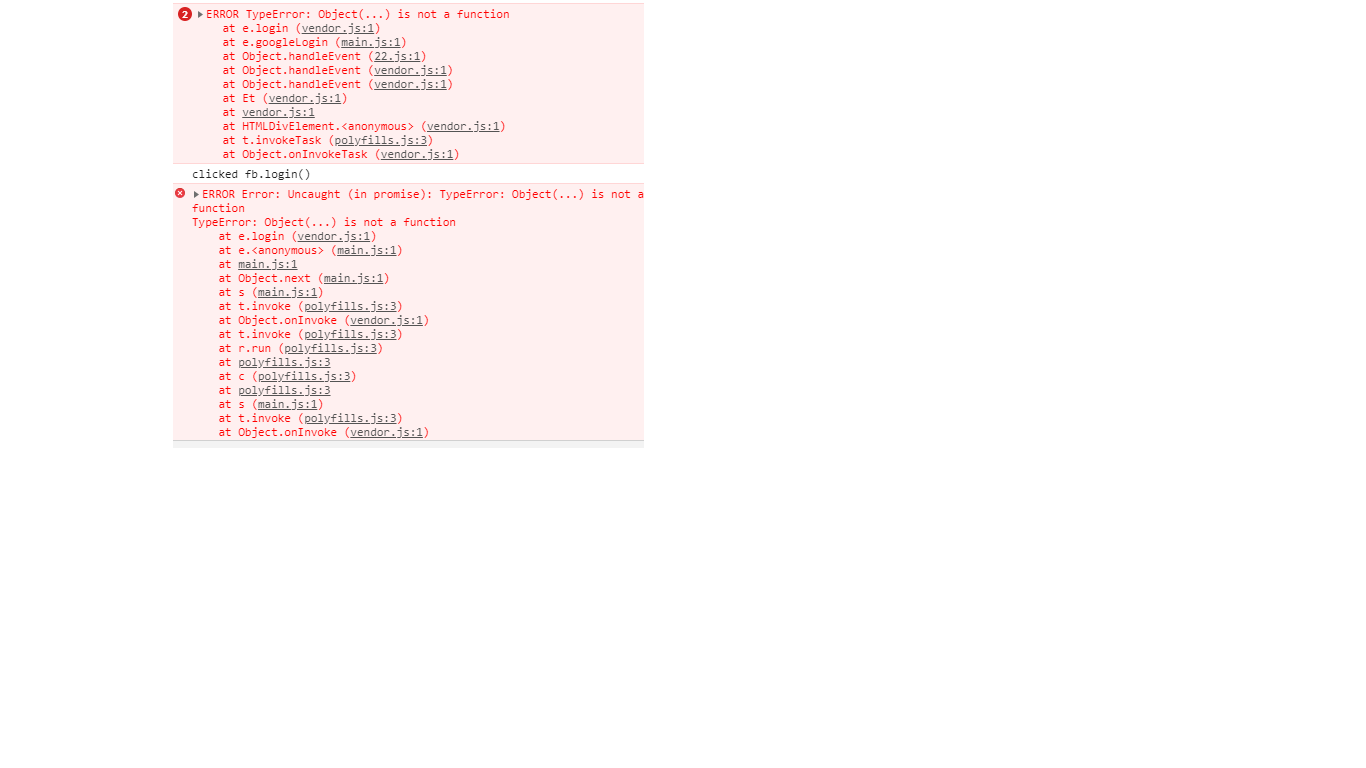
I have been importing both google plus and facebook with /ngx but still facing the same issue.
I am using ::::
Ionic CLI : 4.3.0
cordova : 8.1.2
Installed platforms:
android 7.0.0
Available platforms:
browser ~5.0.1
ios ~4.5.4
osx ~4.0.1
windows ~6.0.0
 NimaiUser
on 31 Jan 2019
NimaiUser
on 31 Jan 2019
@SteveKennedy Issue got fixed. I used below command to install
npm install --save @ionic-native/[email protected]Thanks for the help !! saved my time
 rajat6563
on 8 May 2019
rajat6563
on 8 May 2019

Same here, maintaining a ionic 3.9.9 app, still can't solve. The blog on SO mentioned the Google Plus is no longer supported and should move to Google Sign In?
 jin-yee
on 9 Jul 2020
jin-yee
on 9 Jul 2020
Related issues
 Remco75
·
26Comments
Remco75
·
26Comments
 mlynch
·
36Comments
mlynch
·
36Comments
 m4riachi
·
39Comments
m4riachi
·
39Comments
 elmergu
·
41Comments
elmergu
·
41Comments
 ivanovvitaly
·
59Comments
ivanovvitaly
·
59Comments
Most helpful comment
Both the GooglePlus and Facebook plugins are fixable/usable. First, make sure you're using at least the v5.0.0-beta.14 version of @ionic-native. Then, import them into your classes with /ngx at the end (exactly as described in earlier posts in this issue these) . Like always, I also had to add a reference to my app.module providers section. I am not sure that the rest of the @ionic-native plugins will work this way, but please try. Because I opened this ticket, and now have a working solution, I'm ok with closing this issue.