Ionic-framework: bug: ion-label floating not working properly it disappears
Bug Report
Ionic version:
[x] 4.4.0
Current behavior:
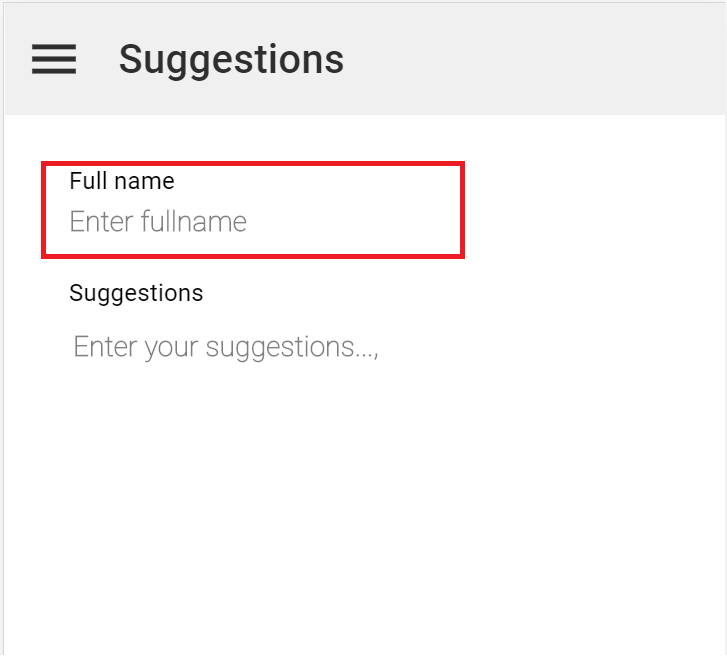
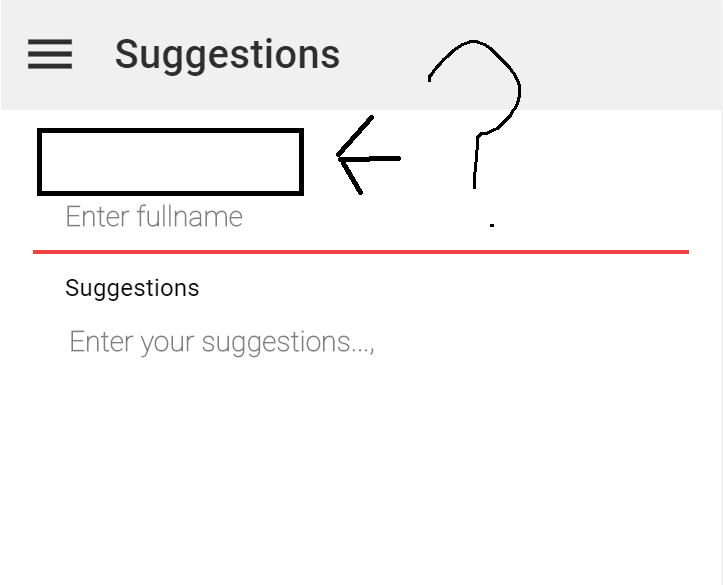
Label with position float disappears when get focused to ion-input
Expected behavior:
should not disappear as previous versions
Steps to reproduce:
Create a project using ionic v4.4.0
Create an ion-item with
<ion-item>
      <ion-label position="floating">
        <div class="lstn-subtitle1">
          {{ 'LBL_FULL_NAME' | translate}}
        </div>
      </ion-label>
      <ion-input clearInput formControlName="fullname">
      </ion-input>
</ion-item>
Ionic info:
Ionic:

   ionic (Ionic CLI)             : 4.12.0 (C:\Users\sheri\AppData\Roaming\npm\node_modules\ionic)
   Ionic Framework               : @ionic/angular 4.4.0
   @angular-devkit/build-angular : 0.12.4
   @angular-devkit/schematics    : 7.3.6
   @angular/cli                  : 7.3.8
   @ionic/angular-toolkit        : 1.4.1

Cordova:

   cordova (Cordova CLI) : 9.0.0 ([email protected])
   Cordova Platforms     : android 8.0.0
   Cordova Plugins       : cordova-plugin-ionic-keyboard 2.1.3, cordova-plugin-ionic-webview 4.0.1, (and 11 other plugins)

System:

   NodeJS : v10.15.3 (C:\Program Files\nodejs\node.exe)
   npm    : 6.4.1
   OS     : Windows 10
 SherifMoShalaby
All 6 comments
SherifMoShalaby
on 12 May 2019
Thanks for the issue. Please provide a Codepen, Plunker, etc. that I can use to reproduce this. I am not able to see it in a Codepen: https://codepen.io/brandyscarney/pen/bywKmV?editors=1010
 brandyscarney
on 13 May 2019
brandyscarney
on 13 May 2019
Thanks for the issue. Please provide a Codepen, Plunker, etc. that I can use to reproduce this. I am not able to see it in a Codepen: https://codepen.io/brandyscarney/pen/bywKmV?editors=1010
I don't know why this is happening, i tried it my self in a new project and it's working gr8 with no problems
i figured out that
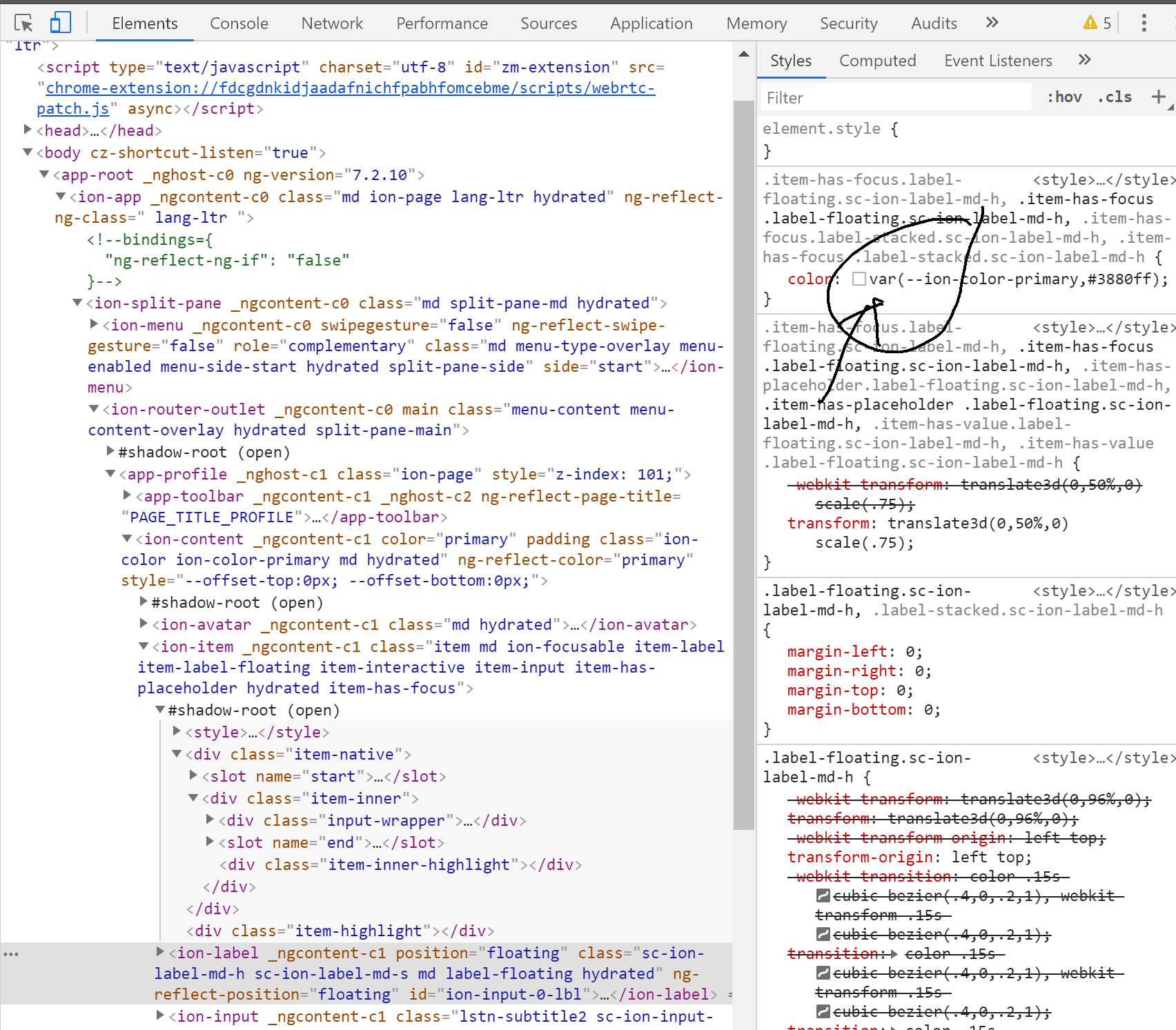
got it from my browser, but the weird thing that the label is disappearing !!.
i solved it for now by forcing this by
.item-has-focus.label-floating.sc-ion-label-md-h,
.item-has-placeholder .label-floating.sc-ion-label-md-h {
    color: var(--ion-color-primary-contrast);
}
Thanks for the response! So it looks like you are overriding the --ion-color-primary value somewhere to be #ffffff or white. The label was updated to use the primary color on focus to match the Material Design spec. You may want to search your project for --ion-color-primary to see where you are overriding this color. The primary color is used as an accent color throughout several Ionic components and I wouldn't recommend overriding it to white as it will make a lot of defaults look off. Here is where we set them in our Angular starters: https://github.com/ionic-team/ionic-conference-app/blob/master/src/theme/variables.scss#L23
You can see changing the primary color to white here immediately makes segment look like it is missing a button: https://ionicframework.com/docs/theming/color-generator
Here's a way to change just the label color on item focus:
.item-has-focus ion-label {
  color: purple !important;
}
The reason for !important is this issue: https://github.com/ionic-team/ionic/issues/17425
brandyscarney
on 13 May 2019
yes you are right
thanks for help
SherifMoShalaby
on 14 May 2019
Thanks for the issue! This issue is being locked to prevent comments that are not relevant to the original issue. If this is still an issue with the latest version of Ionic, please create a new issue and ensure the template is fully filled out.
![ionitron-bot[bot] picture](https://avatars1.githubusercontent.com/in/8640?v=4&s=40) ionitron-bot[bot]
on 13 Jun 2019
ionitron-bot[bot]
on 13 Jun 2019
Related issues
 fdnhkj
·
3Comments
fdnhkj
·
3Comments
 gio82
·
3Comments
gio82
·
3Comments
 GeorgeAnanthSoosai
·
3Comments
GeorgeAnanthSoosai
·
3Comments
 masimplo
·
3Comments
masimplo
·
3Comments
 alan-agius4
·
3Comments
alan-agius4
·
3Comments