Ionic-framework: Misaligned navbar components in iOS 10
Ionic version: (check one with "x")
(For Ionic 1.x issues, please use https://github.com/ionic-team/ionic-v1)
[ ] 2.x
[x] 3.7.1
[ ] 4.x
I'm submitting a ... (check one with "x")
[x] bug report
[ ] feature request
Current behavior:
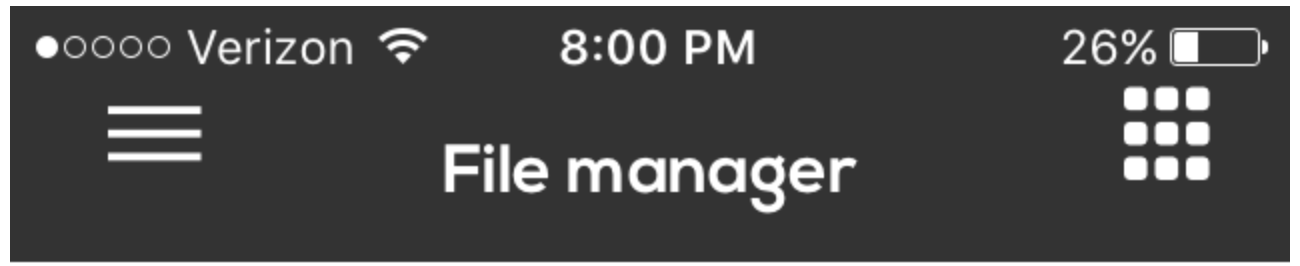
Navigation bar icons are vertically misaligned in iOS 10
Expected behavior:
The icons are vertically centered. Which happens in iOS 11

Steps to reproduce:
Related code:
  <ion-navbar>
    <ion-title (click)="scrollToTop()">{{'DASHBOARD.FILE_MANAGER' | translate }}</ion-title>
    <ion-buttons left>
      <button ion-button icon-only menuToggle>
        <ion-icon name="menu"></ion-icon>
      </button>
    </ion-buttons>
    <ion-buttons end>
      <button ion-button icon-only (click)="goToDashboard()">
        <ion-icon name="apps"></ion-icon>
      </button>
    </ion-buttons>
  </ion-navbar>
Other information:
Ionic info: (run ionic info from a terminal/cmd prompt and paste output below):
cli packages: (/Users/arroyo/3dagogo-repos/AstroPrint-Mobile/node_modules)

    @ionic/cli-utils  : 1.12.0
    ionic (Ionic CLI) : 3.12.0

global packages:

    cordova (Cordova CLI) : 7.0.1

local packages:

    @ionic/app-scripts : 3.0.0
    Cordova Platforms  : android 6.2.3 ios 4.5.1
    Ionic Framework    : ionic-angular 3.7.1

System:

    Android SDK Tools : 26.1.1
    ios-deploy        : 1.9.2
    ios-sim           : 5.0.8
    Node              : v8.1.4
    npm               : 5.4.2
    OS                : macOS Sierra
    Xcode             : Xcode 9.0 Build version 9A235

Misc:

    backend : legacy
 CoDanny
All 20 comments
Hm, would you be able to try installing
npm i [email protected]
This has a few more fixes for ios11, and does not seem to be causing issues for ios10 in my tests.
 mhartington
on 6 Oct 2017
mhartington
on 6 Oct 2017
I have tried to install the [email protected] and still have same issue in iOS 10.
@ionic/cli-utils  : 1.12.0
ionic (Ionic CLI) : 3.12.0
global packages:
cordova (Cordova CLI) : 7.0.1
local packages:
@ionic/app-scripts : 2.1.4
Cordova Platforms  : android 6.2.3 ios 4.4.0
Ionic Framework    : ionic-angular 3.7.1-201710032000
System:
ios-deploy : 1.9.2
ios-sim    : 5.0.6
Node       : v8.4.0
npm        : 5.5.1
OS         : macOS Sierra
Xcode      : Xcode 9.0 Build version 9A235
Misc:
backend : pro
 DavidRyu123
on 9 Oct 2017
DavidRyu123
on 9 Oct 2017
I am seeing the same issue. Upgrading to [email protected] had no effect on the problem.
 mattss
on 9 Oct 2017
mattss
on 9 Oct 2017
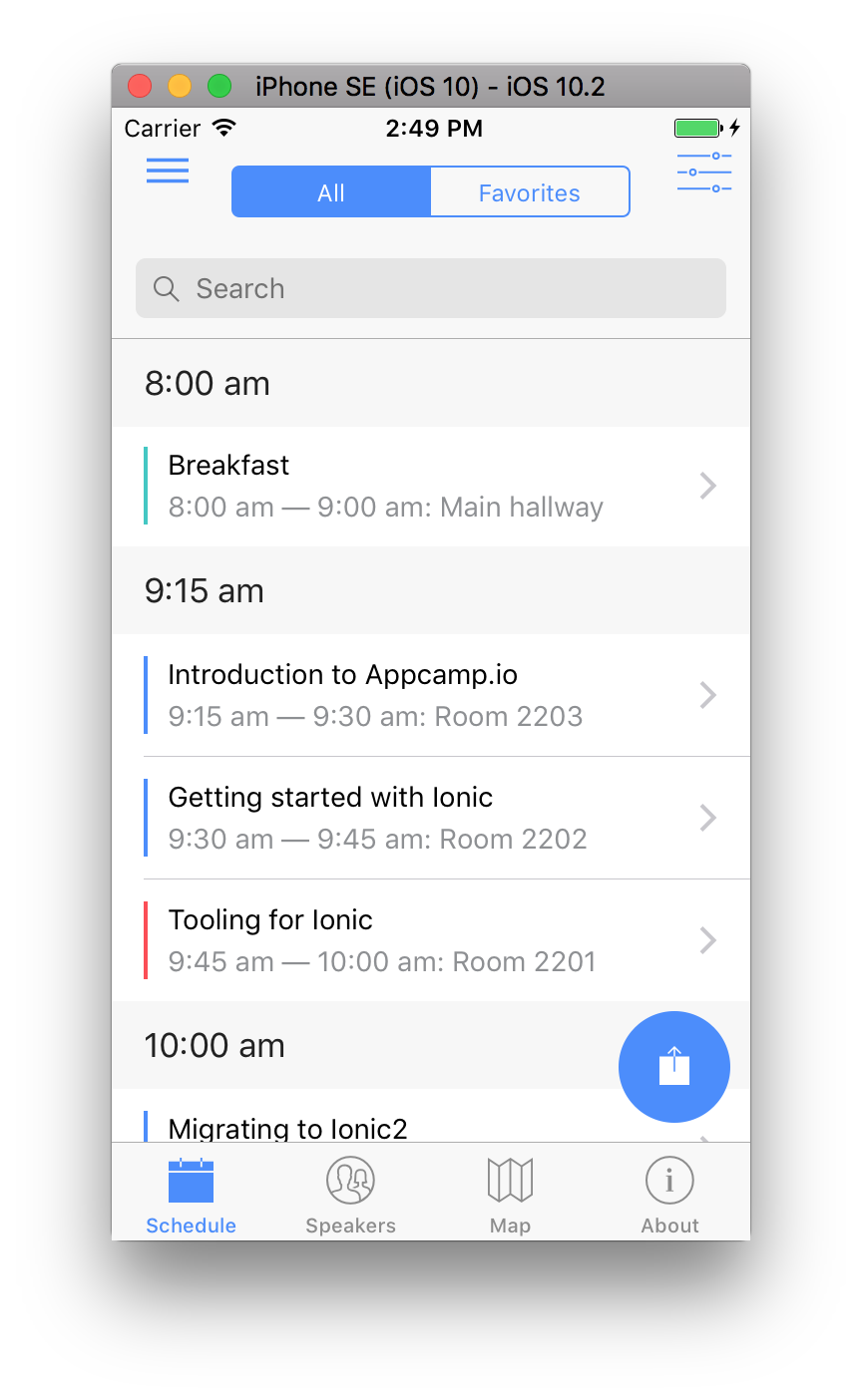
I can replicate this by just cloning the ionic conference app (https://github.com/ionic-team/ionic-conference-app), and deploying to an iOS 10 simulator using XCode 9. Switching the same app to a simulator on iOS 11 looks fine.
ionic info output
cli packages:
@ionic/cli-utils  : 1.12.0
ionic (Ionic CLI) : 3.12.0
global packages:
cordova (Cordova CLI) : 7.0.1
local packages:
@ionic/app-scripts : 3.0.0
Cordova Platforms  : ios 4.5.1
Ionic Framework    : ionic-angular 3.7.1
System:
Android SDK Tools : 25.2.3
ios-deploy        : 1.9.2
ios-sim           : 5.0.13
Node              : v8.1.3
npm               : 5.0.3
OS                : macOS Sierra
Xcode             : Xcode 9.0 Build version 9A235
Misc:
backend : legacy
@mhartington As far as I can tell, this is due to ionic's base styles using the new 'safe area' CSS constants to calculate the header padding values. These are not available prior to iOS 11, and there don't appear to be any fallback styles set in the ionic stylesheets.
mattss
on 9 Oct 2017
@mhartington More specifically, some items have a fallback padding value (e.g. child elements of ion-navbar), which is why the title and ion-segment look correct. However, ion-navbar itself has no fallback padding, which is why the buttons are positioned incorrectly.
mattss
on 9 Oct 2017
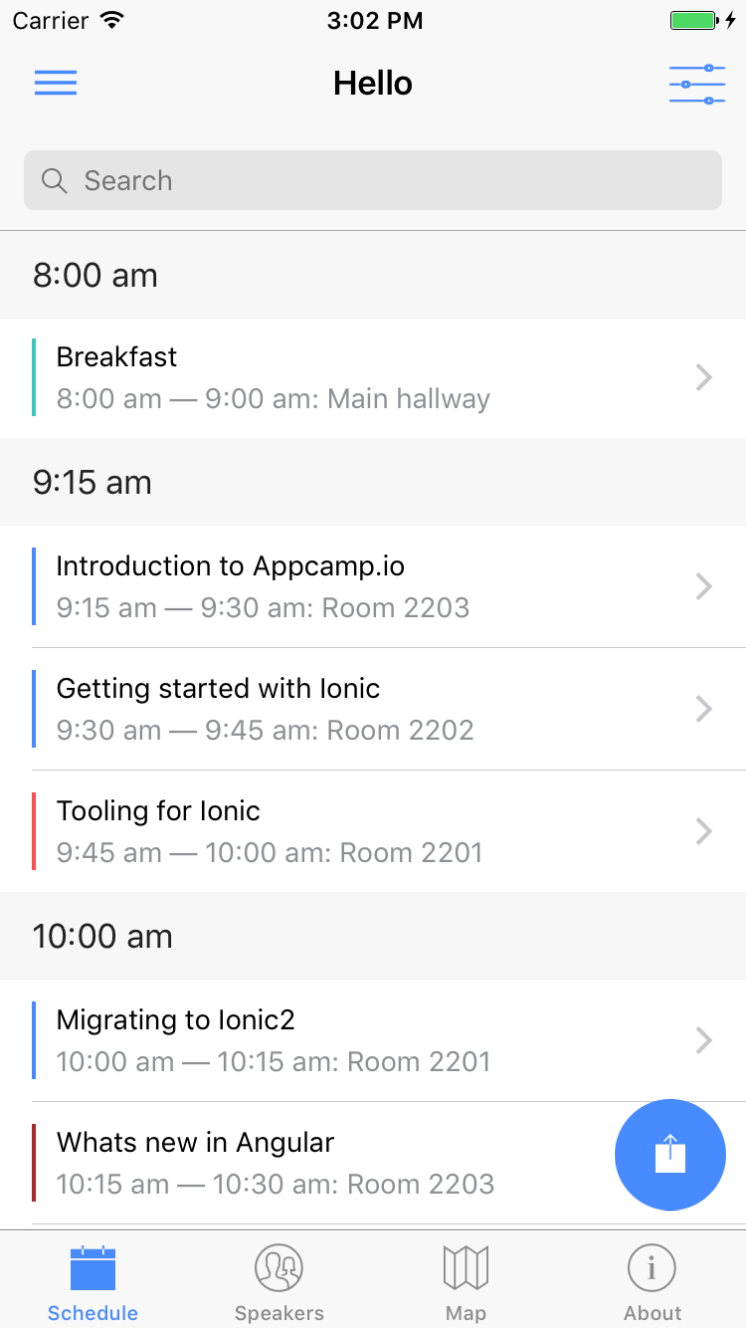
@mattss I'm still not able to replicate this. Using
npm i [email protected]
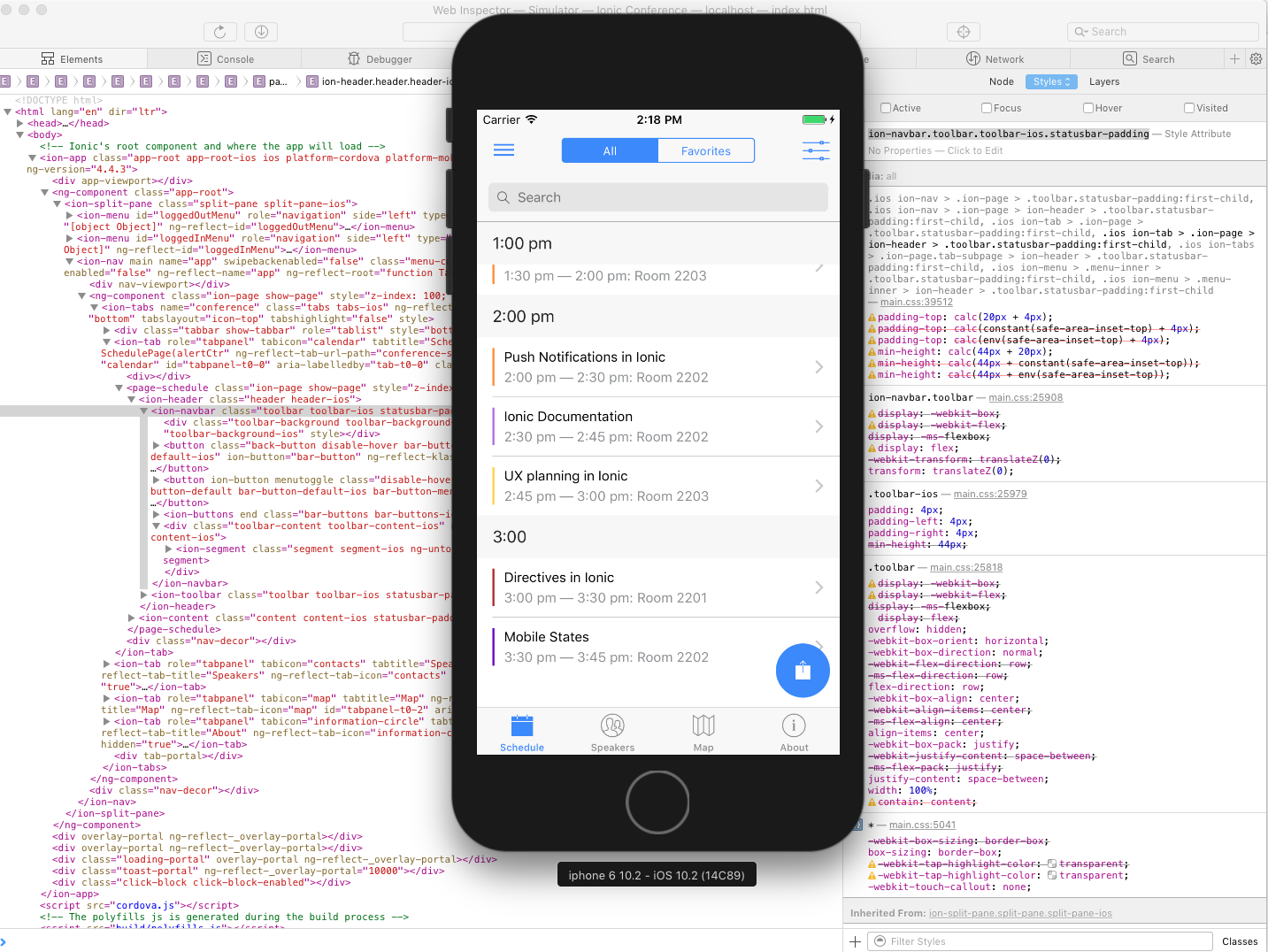
This is iPhone 6 running ios10.2, which doesn't have constant or env functions in css, it has the fall back values.
In the screen shot, you can see the correct css padding/positioning being applied.
mhartington
on 9 Oct 2017
@mhartington that's a different version to the one you suggested above - will try that one instead thanks.
mattss
on 9 Oct 2017
I am unable to duplicate _this_ issue with npm i [email protected]. iOS 11 is on the left, iOS 10.3.1 on the right:
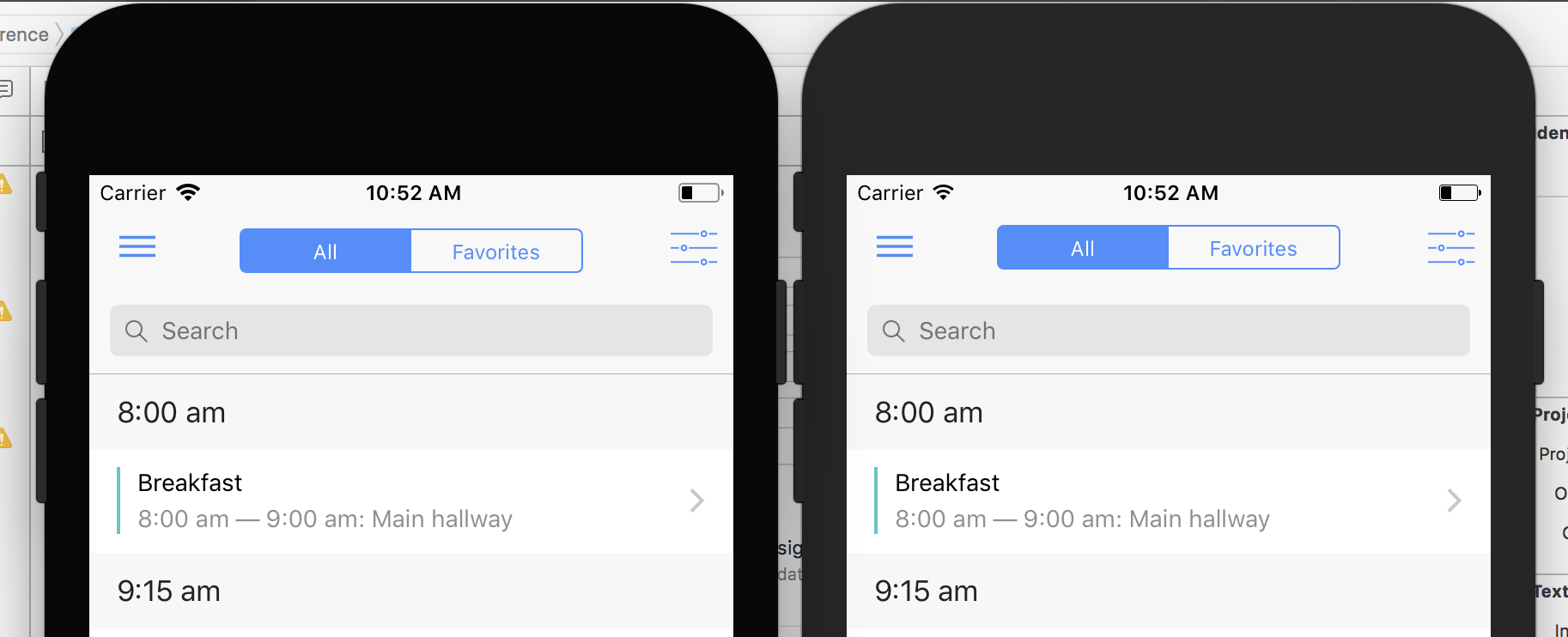
However, it appears that #13046 is still an issue. Note the slightly lower title on the iOS 11 device:
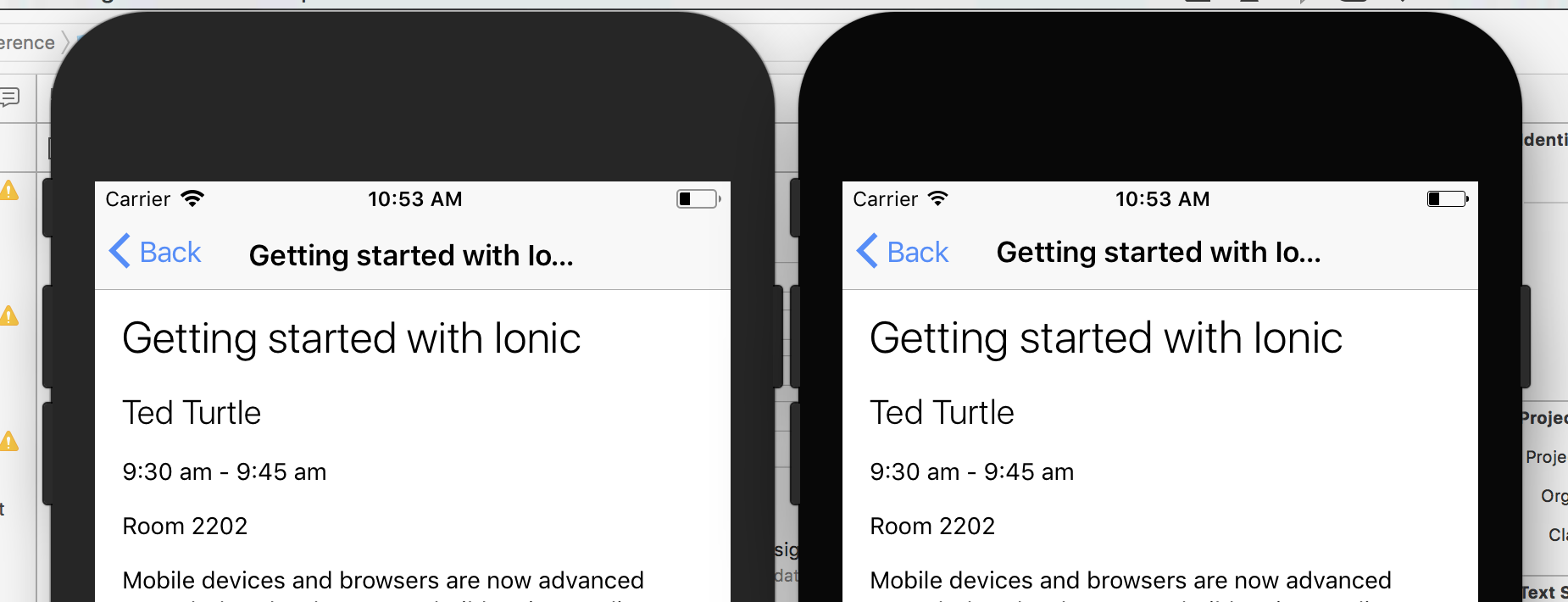
@mhartington - would you like me to reopen #13046? or would you like to just deal with that alignment issue here as well?
 kensodemann
on 9 Oct 2017
kensodemann
on 9 Oct 2017
@mhartington I've just realised that this is only an issue if you build for production i.e with:
ionic cordova build ios --prod
If you build without '--prod', the issue goes away. As far as I can tell, some CSS rules are being evaluated differently in production mode.
mattss
on 9 Oct 2017
Hmm, interesting. Alright, thanks for the tip @mattss
mhartington
on 9 Oct 2017
Perhaps not a final solution but, put this CSS in each affected pages or in variables.scss solved issues for me
      @media only screen and (max-width: 767px) {
        .toolbar-ios.statusbar-padding:first-child {
            padding-top: calc(20px + 4px);
            min-height: calc(44px + 20px);
        }

        .toolbar-ios.statusbar-padding:first-child ion-title {
            padding-top: 20px;
            height: calc(44px + 20px);
            min-height: calc(44px + 20px);
        }
    }
Hi, while this could work as a work around, it will be fixed in the framework.
@mattss I can replicate the issue with a prod build, thanks for helping me figure it out.
mhartington
on 9 Oct 2017
Hey everyone, can you try to update app-scripts to the 3.0.0-201710091726
npm i @ionic/[email protected]
There was a bug in dep where css was getting removed, causing this issue
mhartington
on 9 Oct 2017
@mhartington - the update to app-scripts fixed the main issue for me (tested with and without --prod)
The title being slightly lower than the < Back button on iOS 11 is still an issue, but. didn't really expect an app-scripts update to fix that...
kensodemann
on 9 Oct 2017
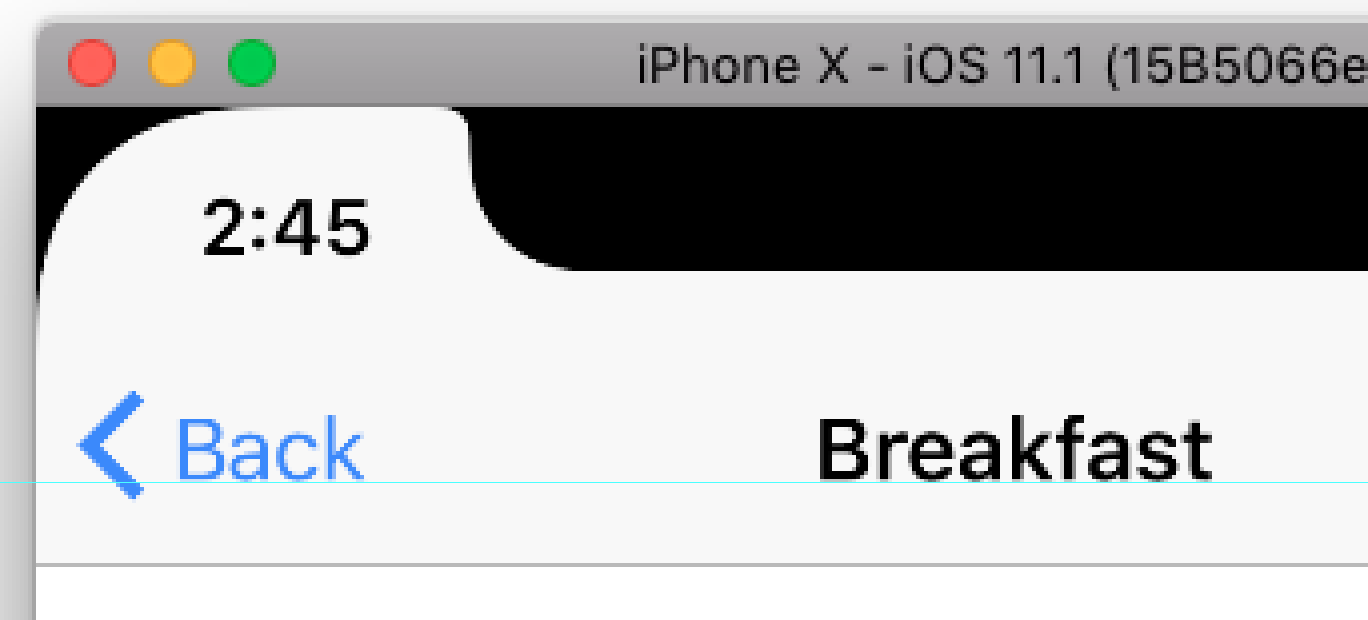
Title is looking good now.
Just pushed a fix, will cut a nightly soon.
mhartington
on 9 Oct 2017
mhartington
on 9 Oct 2017
Works for me! Thanks @mhartington 👍
mattss
on 9 Oct 2017
it Works for me! Thanks @mhartington
npm i @ionic/[email protected]
 zaq962
on 4 Dec 2017
zaq962
on 4 Dec 2017
Thanks for the issue! This issue is being locked to prevent comments that are not relevant to the original issue. If this is still an issue with the latest version of Ionic, please create a new issue and ensure the template is fully filled out.
![ionitron-bot[bot] picture](https://avatars1.githubusercontent.com/in/8640?v=4&s=40) ionitron-bot[bot]
on 1 Sep 2018
ionitron-bot[bot]
on 1 Sep 2018
Related issues
 manucorporat
·
3Comments
manucorporat
·
3Comments
 MrBokeh
·
3Comments
MrBokeh
·
3Comments
 danbucholtz
·
3Comments
danbucholtz
·
3Comments
 SebastianGiro
·
3Comments
SebastianGiro
·
3Comments
 gio82
·
3Comments
gio82
·
3Comments
Most helpful comment
@mhartington I've just realised that this is only an issue if you build for production i.e with:
If you build without '--prod', the issue goes away. As far as I can tell, some CSS rules are being evaluated differently in production mode.