Integration: HACS not showing up under integrations
Did the "regular" install of HACS 0.15.7 on HA (venv) 0.100 just now.
Copied hacs directory into custom_components, set all owner etc to homeassistant, then restarted.
Went into configuration, integrations, but HACS doesn't show up.
Then i found out, that it's the first entry with NO description:

If you click the first entry, it opens a window that looks like the following, but is missing some text entry and stuff. You can enter the token, it will accept, and then work (somehow)
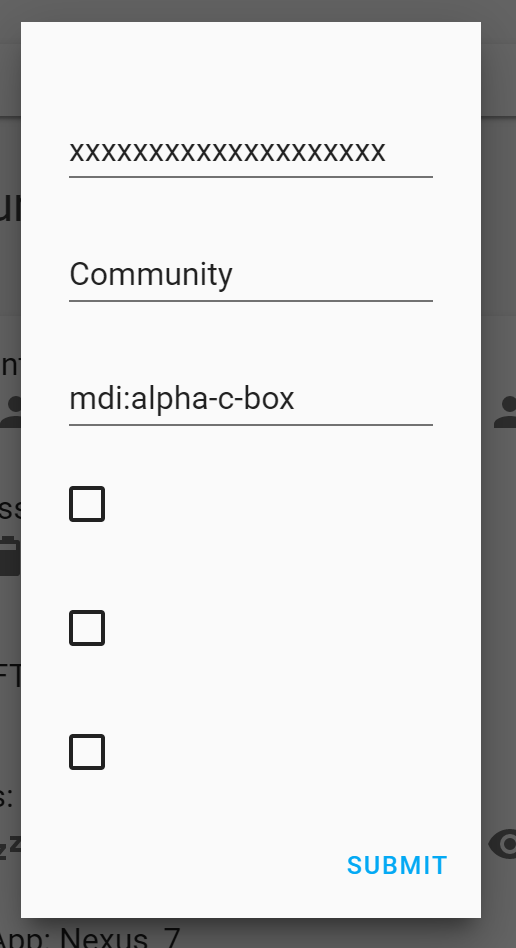
Then i enter my token, and i can see it in HA.
But it looks differently from the pictures in installation documentation:

What do you think can cause this? Wrong permissions?
Thanks
 iz3man
All 14 comments
Hi @iz3man 👋
Make sure you have read the issue guidelines and that you filled out the entire template.
![github-actions[bot] picture](https://avatars2.githubusercontent.com/in/15368?v=4&s=40) github-actions[bot]
on 17 Oct 2019
github-actions[bot]
on 17 Oct 2019
Can be one of 2 issues:
1: You are missing the .translations directory
2: You need to clear your cache on the integration page.
 ludeeus
on 17 Oct 2019
ludeeus
on 17 Oct 2019
Thanks @ludeeus. Seems my copy process missed the .translation directory. It DOES work now.
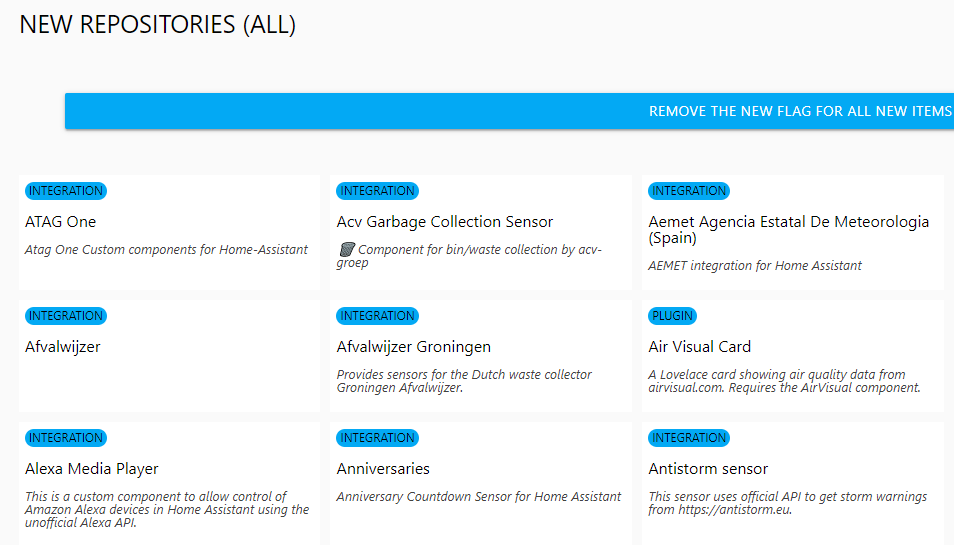
Still the "store" view doesn't look like I think it has too. Or is it ok that way?
iz3man
on 17 Oct 2019
I have hassio with 0.100.2 version and now i try add integration HACS but in list not find it. I cleared all cache but nothing....
 pepeEL
on 17 Oct 2019
pepeEL
on 17 Oct 2019
You need to install it @pepeEL Open a separate issue if you have issues with the installation.
@iz3man I'm not sure what you mean, that looks correct to me?
ludeeus
on 17 Oct 2019
But install by copy it ? But some time ago i see that in integration it will be show.
pepeEL
on 17 Oct 2019
@ludeeus In your documentation video it looks like this:
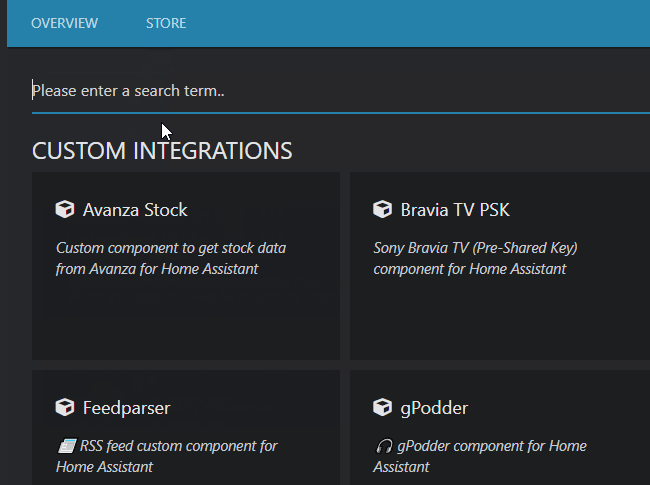
Notice the different grid, and the little icons this one has included?
Not that I care about it at all. but it's an indication that it's not 100% correct, and maybe this means there are other problems as well?!
iz3man
on 17 Oct 2019
*Separate issue @pepeEL
@iz3man I see, in my example I don't have any "New" repositories as you have, if you click the big blue button, it will look the same ;)
ludeeus
on 17 Oct 2019
LOL :) All solved now. Thanks a lot for your support and work!!
iz3man
on 17 Oct 2019
I had this issue as well, and it was caused because I unzipped hacs.zip directly into the HA custom_components directory, expecting (hoping?) that it would unzip everything into a hacs/ sub-directory. Arguably, https://hacs.xyz/docs/installation/manual implied that this would be the case: unlike on the Windows and macOS GUIs, unzip on Linux doesn't automatically extract into a sub-directory, so I needed to manually move all the unzipped files manually into a hacs/ sub-directory. The ".translations" sub-directory was missed because it's a dot file that is hidden by ls by default. (Interestingly there was also no HA log message flagging the missing directory, only the usual warning about the use of a custom integration.)
Would it be useful to add a note to the documentation that the archive needs to be manually unzipped into a sub-directory, and/or consider renaming the .translations to make this directory visible?
 crowbarz
on 29 Oct 2019
crowbarz
on 29 Oct 2019
This issue is closed, closed issues are ignored.
If you have issues similar to this, please open a seperate issue.
https://github.com/custom-components/hacs/issues/new/choose
And remember to fill out the entire issue template :)
![hacs-bot[bot] picture](https://avatars1.githubusercontent.com/in/44231?v=4&s=40) hacs-bot[bot]
on 29 Oct 2019
hacs-bot[bot]
on 29 Oct 2019
Is there another solution to fix this? Have this issue as well, and the above suggestions don't work.
 P-Verbrugge
on 18 Jul 2020
P-Verbrugge
on 18 Jul 2020
I had the same issue because i had unziped the file on custom_components and didn't create a new directory called hacs with the unziped stuff inside
 marco-silva0000
on 26 Aug 2020
marco-silva0000
on 26 Aug 2020
WTF, why do I need to clear the cache to see new integrations? By the way, using an incognito window works, but this is totally wrong (and it's probably a HASSIO fault)
 danielo515
on 26 Sep 2020
danielo515
on 26 Sep 2020
Related issues
 noxhirsch
·
6Comments
noxhirsch
·
6Comments
 landiatico
·
6Comments
landiatico
·
6Comments
 DoubleAmperSand
·
4Comments
DoubleAmperSand
·
4Comments
 JPM-git
·
8Comments
github-actions[bot]
·
3Comments
JPM-git
·
8Comments
github-actions[bot]
·
3Comments
Most helpful comment
I had this issue as well, and it was caused because I unzipped hacs.zip directly into the HA custom_components directory, expecting (hoping?) that it would unzip everything into a hacs/ sub-directory. Arguably, https://hacs.xyz/docs/installation/manual implied that this would be the case: unlike on the Windows and macOS GUIs, unzip on Linux doesn't automatically extract into a sub-directory, so I needed to manually move all the unzipped files manually into a hacs/ sub-directory. The ".translations" sub-directory was missed because it's a dot file that is hidden by ls by default. (Interestingly there was also no HA log message flagging the missing directory, only the usual warning about the use of a custom integration.)
Would it be useful to add a note to the documentation that the archive needs to be manually unzipped into a sub-directory, and/or consider renaming the .translations to make this directory visible?