Incubator-superset: Please provide documentation for deckgl charts
It is difficult to find any meaningful information about the deckgl charts.
Would it please be possible to add at least rudimentary documentation providing a brief overview of the accepted geospatial formats (e.g. GeoJSON) and any requirements such as coordinate reference system (e.g. epsg 4326?), geometry types (e.g. do Multipolygons work or only Polygons?) etc.
Thanks.
 songololo
All 7 comments
Issue-Label Bot is automatically applying the label #enhancement to this issue, with a confidence of 0.90. Please mark this comment with :thumbsup: or :thumbsdown: to give our bot feedback!
Links: app homepage, dashboard and code for this bot.
![issue-label-bot[bot] picture](https://avatars2.githubusercontent.com/in/27079?v=4&s=40) issue-label-bot[bot]
on 9 Nov 2020
issue-label-bot[bot]
on 9 Nov 2020
@srinify
 junlincc
on 9 Nov 2020
junlincc
on 9 Nov 2020
There's a bit of info here https://docs.preset.io/docs/scatterplot
 mistercrunch
on 10 Nov 2020
mistercrunch
on 10 Nov 2020
Thank you. Can anyone give some clues as to what the polygon chart expects in terms of geometry? (e.g. whether geojson polygon in epsg 4326 coordinate reference system works?)
songololo
on 10 Nov 2020
@srinify @mistercrunch @junlincc
I'm able to get it working for point data (e.g. GeoJSON in EPSG 4326 CRS) but not for Polygon data:
Here are some examples that should be fairly easy to reproduce. These make use of the SQL editor and I'm using the amancevice docker container (v0.37.2).
Running a query to create a rectangular polygon (using PostGIS):
SELECT 1 as mock_data, ST_MakeEnvelope(-0.127677, 51.507515, -0.122161, 51.510021, 4326) as geom;
Gives a jagged polygon (instead of rectangular):
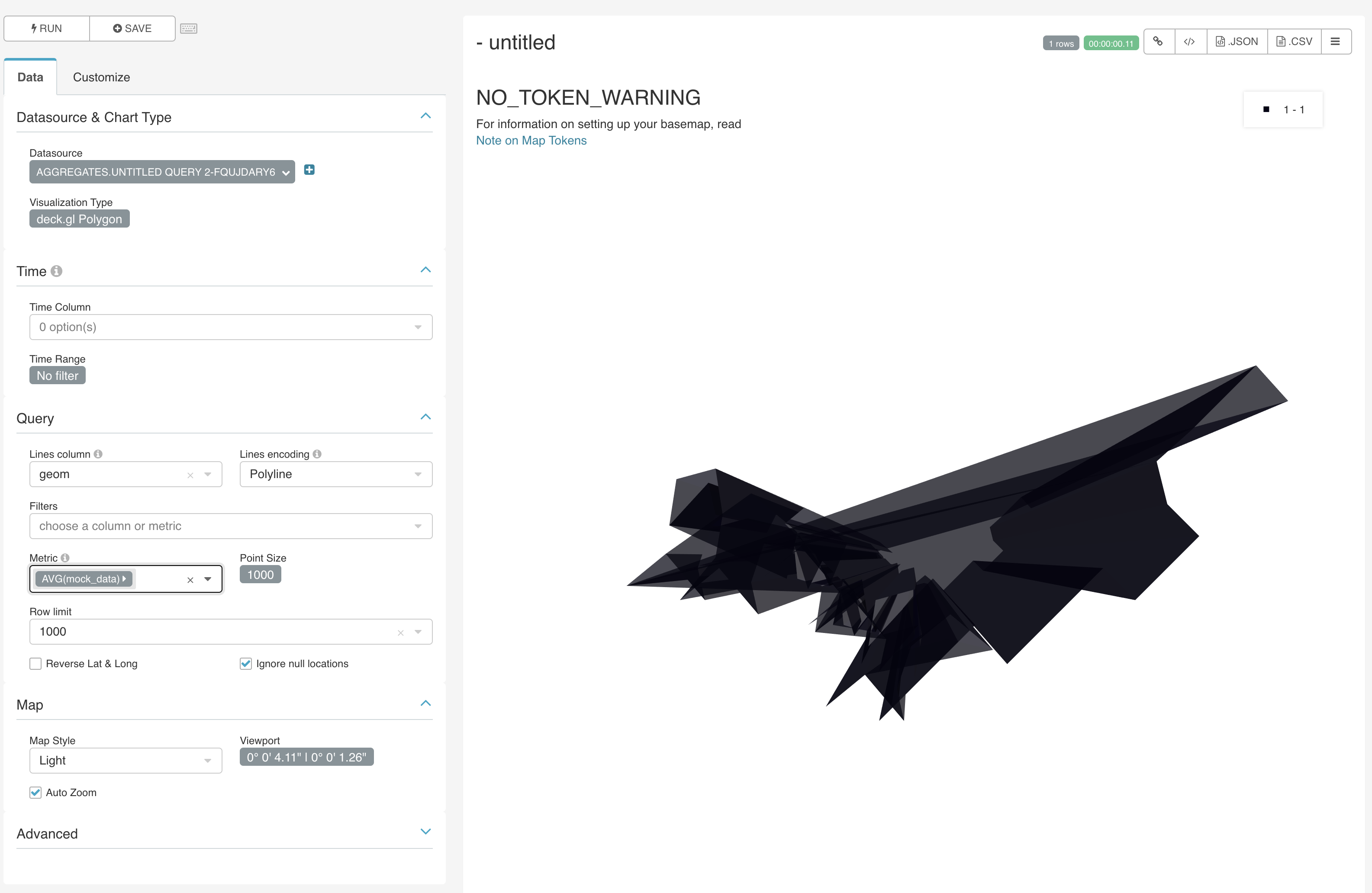
Similarly, when casting the geometry to Well Known Text format:
SELECT 1 as mock_data, ST_AsText(ST_MakeEnvelope(-0.127677, 51.507515, -0.122161, 51.510021, 4326)) as geom;
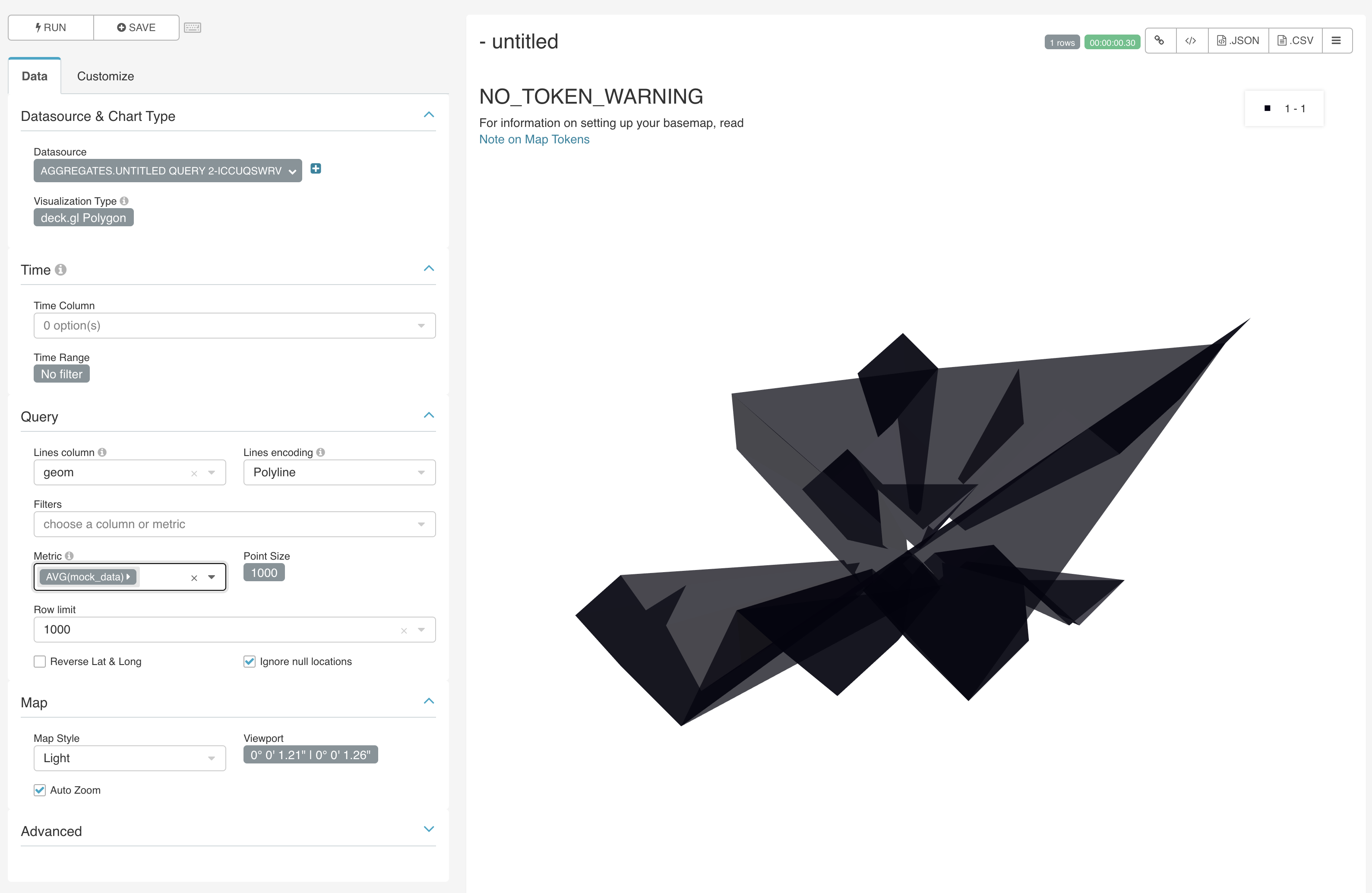
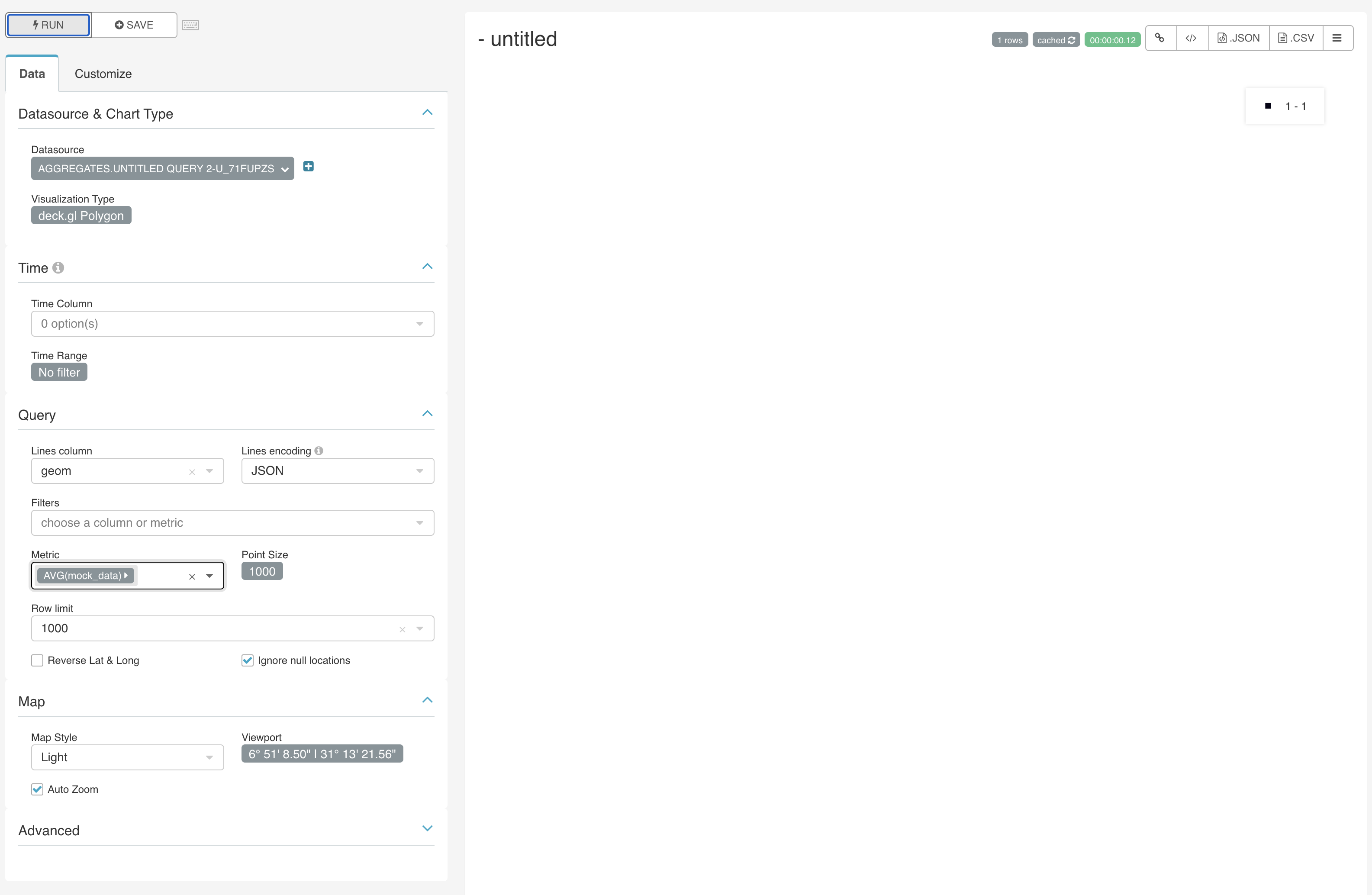
And with GeoJSON it displays nothing:
SELECT 1 as mock_data, ST_AsGeoJSON(ST_MakeEnvelope(-0.127677, 51.507515, -0.122161, 51.510021, 4326)) as geom;
Any information or advice on how to display a polygon would be much appreciated.
Thanks.
songololo
on 10 Nov 2020
I managed to make some headway, posting here for others:
The JSON strings returned from postGIS using the ST_AsGeoJSON function contain only the geometry component of the geoJSON spec. This means that it is necessary to wrap these geometries in a full-fledged geoJSON object before deck.gl can recognise it.
For example:
SELECT *, json_build_object(
  'type',       'Polygon',
  'geometry',   ST_AsGeoJSON(ST_Transform(geom, 4326))::json)::text as geoJSON
FROM <my-schema>.<my-table>;
If you are working with MultiPolygons then you need to extract a Polygon first:
SELECT *, json_build_object(
  'type',       'Polygon',
  'geometry',   ST_AsGeoJSON(ST_Transform((ST_DUMP(geom)).geom::geometry(Polygon, 27700), 4326))::json)::text as geoJSON
FROM <my-schema>.<my-table>;
Note that in both cases, the geoJSON result has to be cast to a text type otherwise superset will have issues when it runs internal queries, which are otherwise unable to sort the results (duplicate checking?) if using JSON.
songololo
on 11 Nov 2020
Yes, I can confirm that we're expecting a geo json object as text. We could do more magic to understand the Postgres/postGIS geoJSON type and convert it accordingly, but it gets tricky for us to support special types that are database specific.
mistercrunch
on 11 Nov 2020
Related issues
 kalimuthu123
·
3Comments
kalimuthu123
·
3Comments
 ghost
·
3Comments
ghost
·
3Comments
 josephtyler
·
3Comments
josephtyler
·
3Comments
 joshuacano
·
3Comments
joshuacano
·
3Comments
 tmccartan
·
3Comments
tmccartan
·
3Comments