Inav: OSD ladder and Artificial Horizon position in 2.2.x
Since flashing INAV 2.2.x, the vertical ladder position and more importantly the AH level position has moved. In INAV 2.1 the vertical ladders were more central and the AH was dead centre when the model was level. The ladders you can live with, they just looked better positioned before. But the AH for level flight is off by quite a way.
Here is an image showing the 2.1 and 2.2 ladder and AH level positions. Both are running the exact same settings using the diff from 2.1 and both have the appropriate versions default font loaded. I have added the yellow crosshairs to show the horizontal and vertical centres of the images.
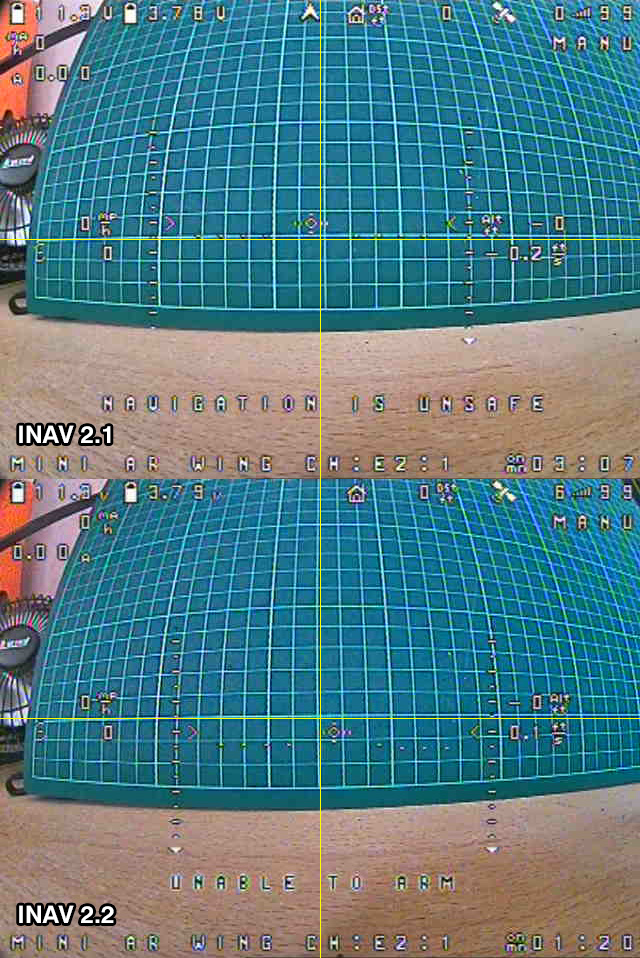
As you can see, the AH in 2.1 is perfect, but 2.2 it is low.
- FC Board name and vendor: Matek F405-STD
- INAV version string: 2.1 & 2.2
 MrD-RC
All 11 comments
Issue-Label Bot is automatically applying the label BUG to this issue, with a confidence of 0.69. Please mark this comment with :thumbsup: or :thumbsdown: to give our bot feedback!
Links: app homepage, dashboard and code for this bot.
![issue-label-bot[bot] picture](https://avatars2.githubusercontent.com/in/27079?v=4&s=40) issue-label-bot[bot]
on 8 Jul 2019
issue-label-bot[bot]
on 8 Jul 2019
Just to confirm, this issue is in both 2.2.0 and 2.2.1
MrD-RC
on 8 Jul 2019
Just an idea, did you reflash the fonts when upgrading to 2.2.x? I know the fonts were changed to support the radar functionality.
 FinalFrag
on 10 Jul 2019
FinalFrag
on 10 Jul 2019
Sorry, I thought I put that in the bug report. With each version of INAV I uploaded the correct fonts to the FC. So 2.1.0 had the 2.1.0 fonts and 2.2.1 had the 2.2.1 fonts.
MrD-RC
on 10 Jul 2019
Confirmed, the AHI is lower by one line in 2.2.1. There was a similar bug introduced in 2.1 RC2 where the AHI would sit one line too high and was related to PAL/NTSC detection.
You can go to OSD settings, OSD-HUD-HORIZIN OFFSET and set it to -1 for now. But it still needs to be fixed I think.
@fiam @OlivierC-FR
 Arvycka
on 11 Jul 2019
Arvycka
on 11 Jul 2019
It's because it's computed a different way now, intead of being top left, it's bottom right, but anyway it will always be offset horizontally since there's an even numbers of columns (30). A workaround for this could be to spread the crosshair pixels over 2 or 4 chars instead of 3 right now, but then it would still be wrong vertically because PAL has 16 lines so same issue. Where NSTC has 13 (6+1+6, so vertical centering is possible). Having different crosshairs in the font, switched depending of PAL or NTSC, would be a waste of resources IMHO. And then there's the varying 4:3 and 16:9 implementations, and random croppings done by the FPV goggles.... I added the horizon offset setting so the pilot can adjust that.
I don't see any easy fix for this, until the truly graphical OSDs arrive.
 OlivierC-FR
on 11 Jul 2019
OlivierC-FR
on 11 Jul 2019
Then with "HORIZON OFFSET" setting in the OSD menu the default AHI position doesn't really mater I suppose, as it can be set to one's preference.
Arvycka
on 11 Jul 2019
Oliver, it’s not the crosshair that’s really the issue. The ladders and crosshair moving can be adjusted by moving OSD data on the screen.
However, the AHI always used to be level with the horizon and now is noticeably off. This is where the real problem lies.
I understand that there are only a limited number of character spaces on the display. But if the location of the 0,0 coordinate was changed from top left to bottom right, why were the positions of the static elements (ladders, crosshair, etc) not adjusted by that 1 character so that they were in the same position? As I said, I don’t really care about those, but the level AHI should be as close to the centre of the display as possible. With 2.1 it was pretty damn close, with 2.2 it’s low. You can see this by the yellow centre lines on the posted images.
MrD-RC
on 14 Jul 2019
Yes I am having this issue since updating to 2.2.1. Both my crosshair and ladders have moved 1 column to the right and is now off center.

 gmacfpv
on 3 Aug 2019
gmacfpv
on 3 Aug 2019
Seeing as "HORIZON OFFSET" has been implemented, could we have an offset created where we can tell osd where we want the center point to be? Something like "crosshair_X & crosshair_Y"??? Then all static elements positions will be determined by this point?
gmacfpv
on 3 Aug 2019
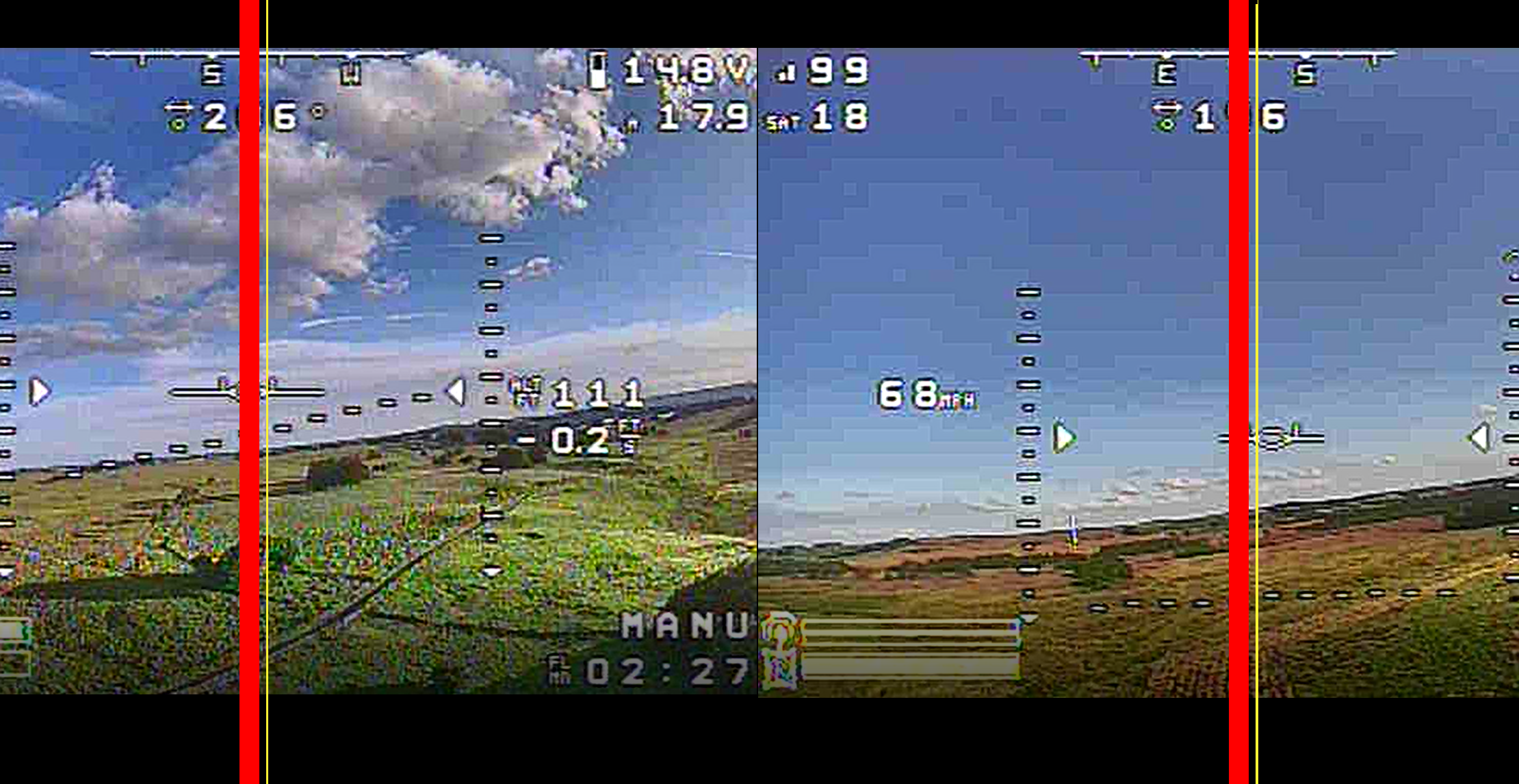
There's an even number of rows, the real physical center is the yellow lines, so actually there's no "correct before" / "wrong now", but more like : "before = 1 char wrong to the left" / "now = 1 char wrong to the right" :)
OlivierC-FR
on 7 Aug 2019
Related issues
 iforce2d
·
64Comments
iforce2d
·
64Comments
 stronnag
·
188Comments
stronnag
·
188Comments
 chris669
·
67Comments
chris669
·
67Comments
 georgekucher
·
52Comments
georgekucher
·
52Comments
 Antiheld86
·
67Comments
Antiheld86
·
67Comments
Most helpful comment
Seeing as "HORIZON OFFSET" has been implemented, could we have an offset created where we can tell osd where we want the center point to be? Something like "crosshair_X & crosshair_Y"??? Then all static elements positions will be determined by this point?