Imgbrd-grabber: Can't select Translation
Bug description
A clear and concise description of what the bug is.
Steps to reproduce
Ver 7.2.1_x64
Windows 10 Japanese 1909 System
- Go to 'Tools'
- Click on 'Options'
- Click General and Language
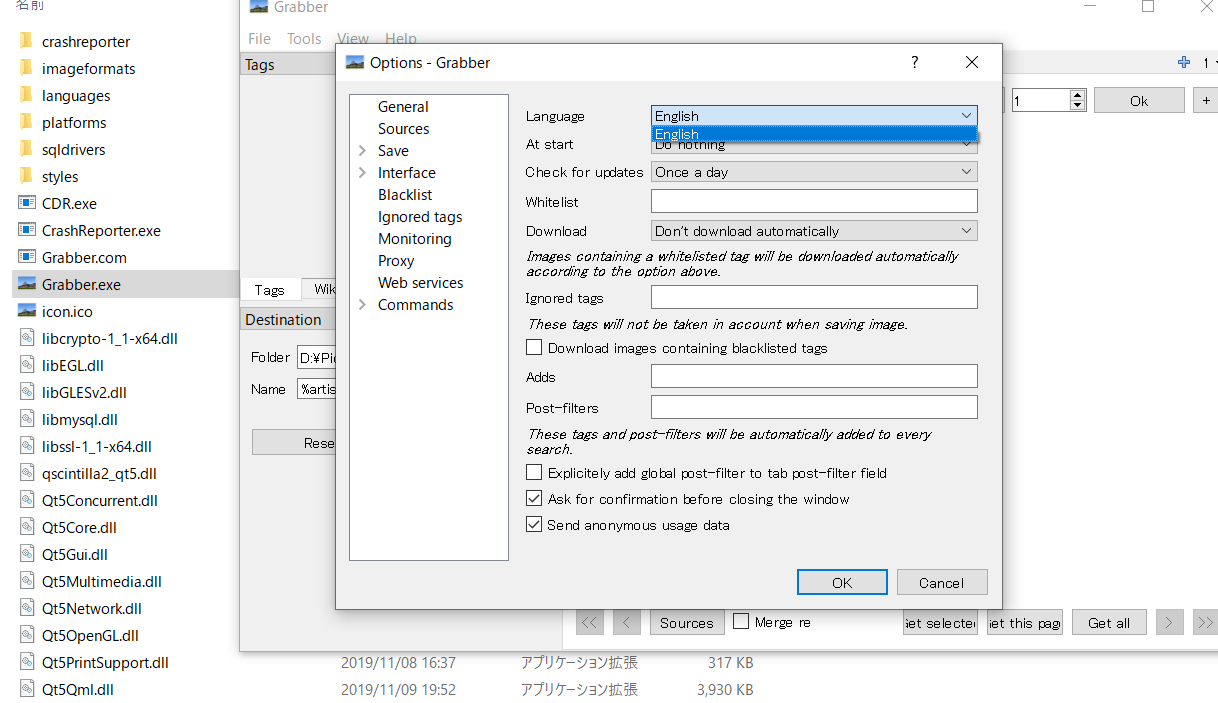
- See only English available
Completely install in new virtual machine.reinstall the program,clean the Bionus Folder in appdata.None work.
 SakurabaKiyoka
All 10 comments
Can you find any translation file under "PATH TO GRABBER/languages"? It's confirmed that these language files are included in the setup script.
 sanddudu
on 6 Mar 2020
sanddudu
on 6 Mar 2020
Can you find any translation file under "PATH TO GRABBER/languages"? It's confirmed that these language files are included in the setup script.
yes,i see the languages folder and there's languages.ini and ChineseSimplified.qm,English.qm,and some qm file.
SakurabaKiyoka
on 6 Mar 2020
I try run grabber with administrator also but nothing happend.
SakurabaKiyoka
on 6 Mar 2020
there's the troubleshoot screenshot.
SakurabaKiyoka
on 6 Mar 2020

Присоединяюсь к данной проблеме.(Нету русского языка)
Хотя в папке есть файл с русским языком. (уже переустанавливал)
 2greh
on 17 Mar 2020
2greh
on 17 Mar 2020
Seems to be caused by #1797 since Grabber is looking for a writable path for the languages, while they could be simply opened in read-only. I pushed a commit which should hopefully fix this issue.
 Bionus
on 21 Mar 2020
Bionus
on 21 Mar 2020
Copy folder "languages" from C:\Program Files\Grabber to "c:\Users\_Alexey_\AppData\Local\Bionus\Grabber\" for solved language load.

 iDolmatov
on 17 Apr 2020
iDolmatov
on 17 Apr 2020
Don't work in release v7.3.0

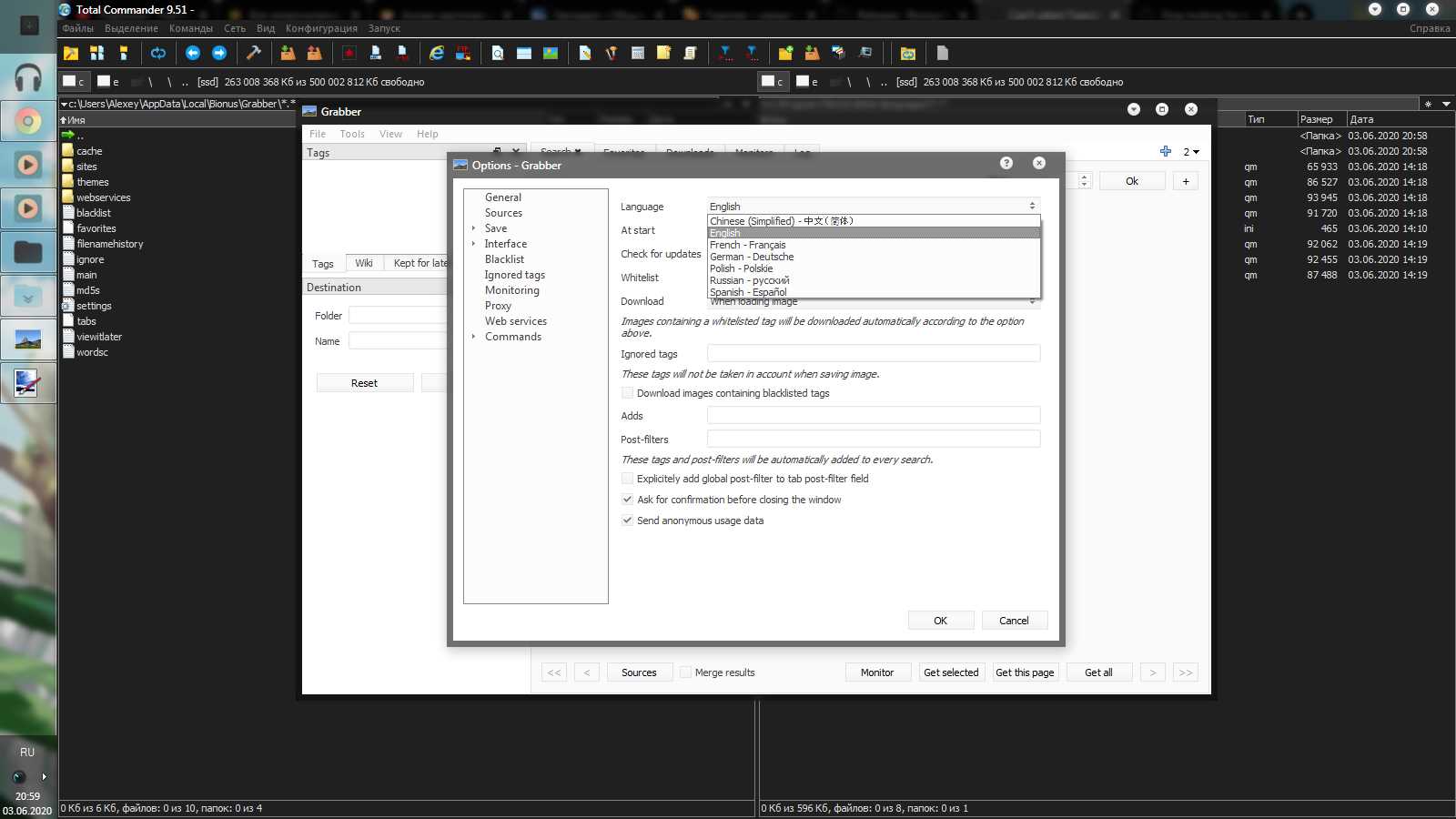
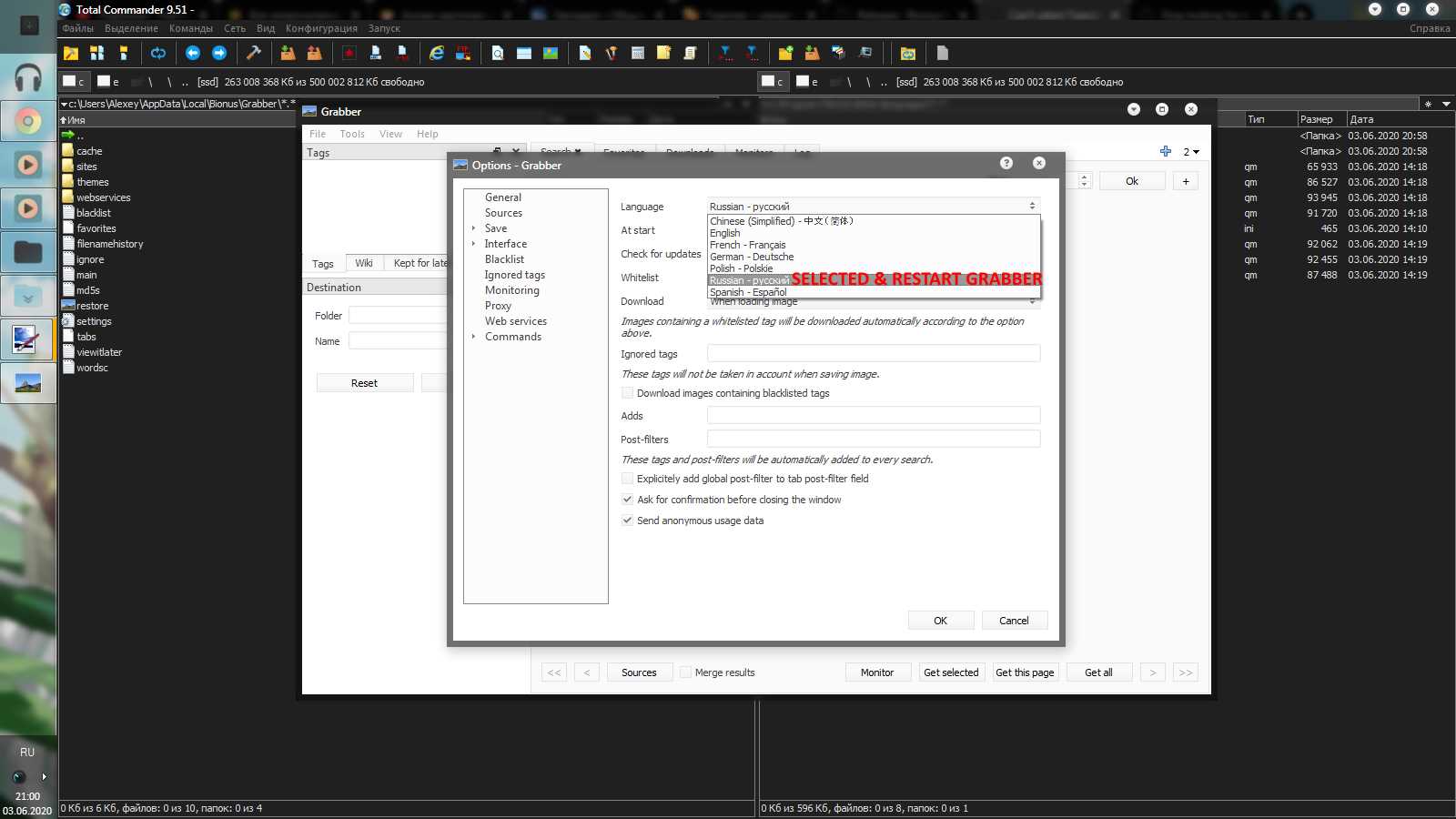
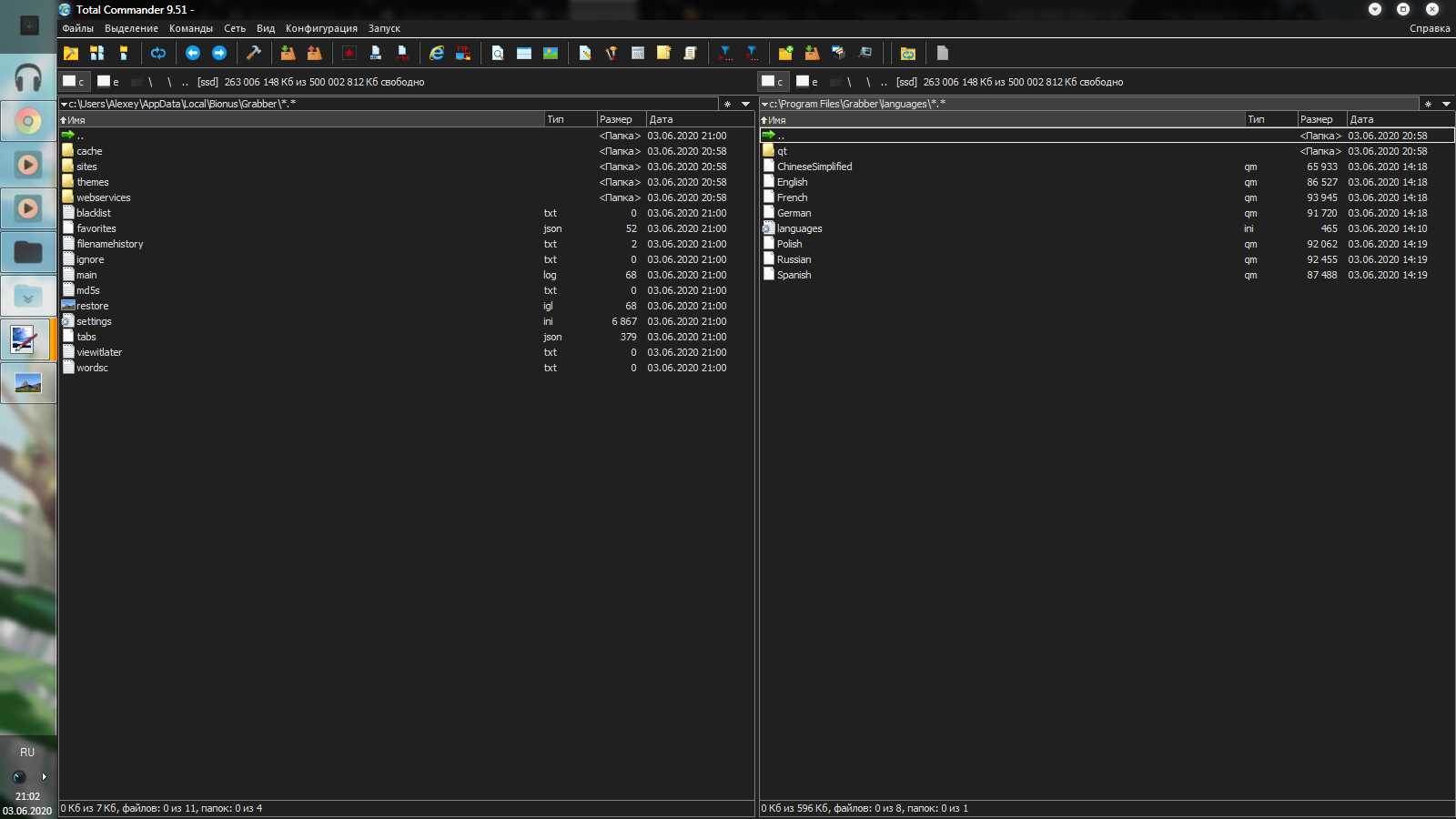
P.s. has trouble (Error 503 Backend unavailable, connection timeout) for get upload images, because try edit comment.
iDolmatov
on 3 Jun 2020
had the same error, doing this fixed it
 123321mario
on 28 Jun 2020
123321mario
on 28 Jun 2020
had the same error, doing this fixed it
Yeah,It's works but it's the temporary resolve way only.It should be fixed in sources code.
SakurabaKiyoka
on 30 Jun 2020
Related issues
 Lil-Sassy
·
4Comments
Lil-Sassy
·
4Comments
 Impervox
·
6Comments
Impervox
·
6Comments
 maskkulin
·
7Comments
maskkulin
·
7Comments
 ROdoka
·
3Comments
ROdoka
·
3Comments
 Greko5
·
4Comments
Greko5
·
4Comments
Most helpful comment
Copy folder "languages" from C:\Program Files\Grabber to "c:\Users\_Alexey_\AppData\Local\Bionus\Grabber\" for solved language load.