Image-sequencer: 'Select A Module' Dropdown - css width property
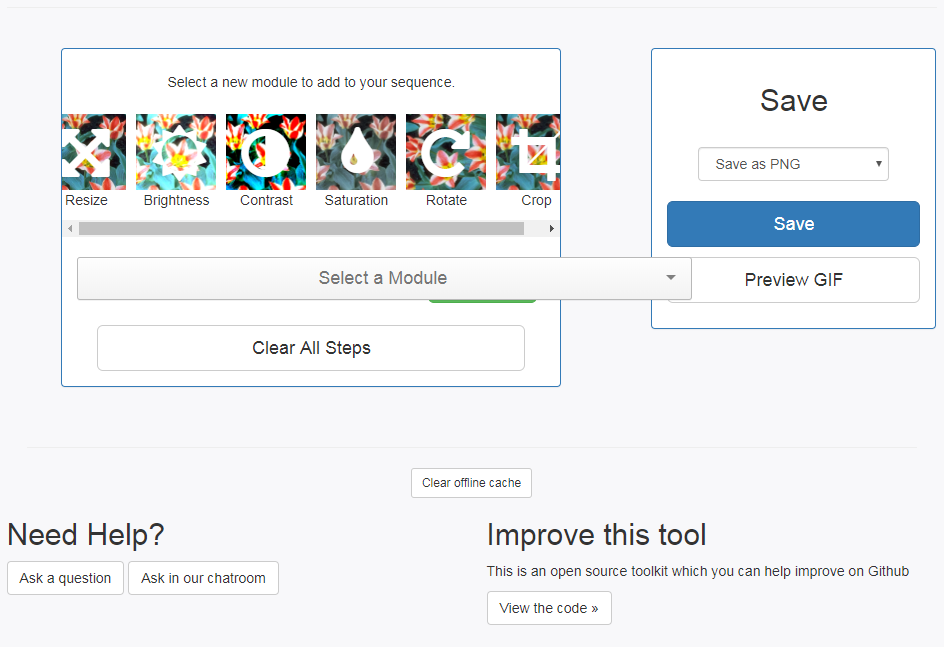
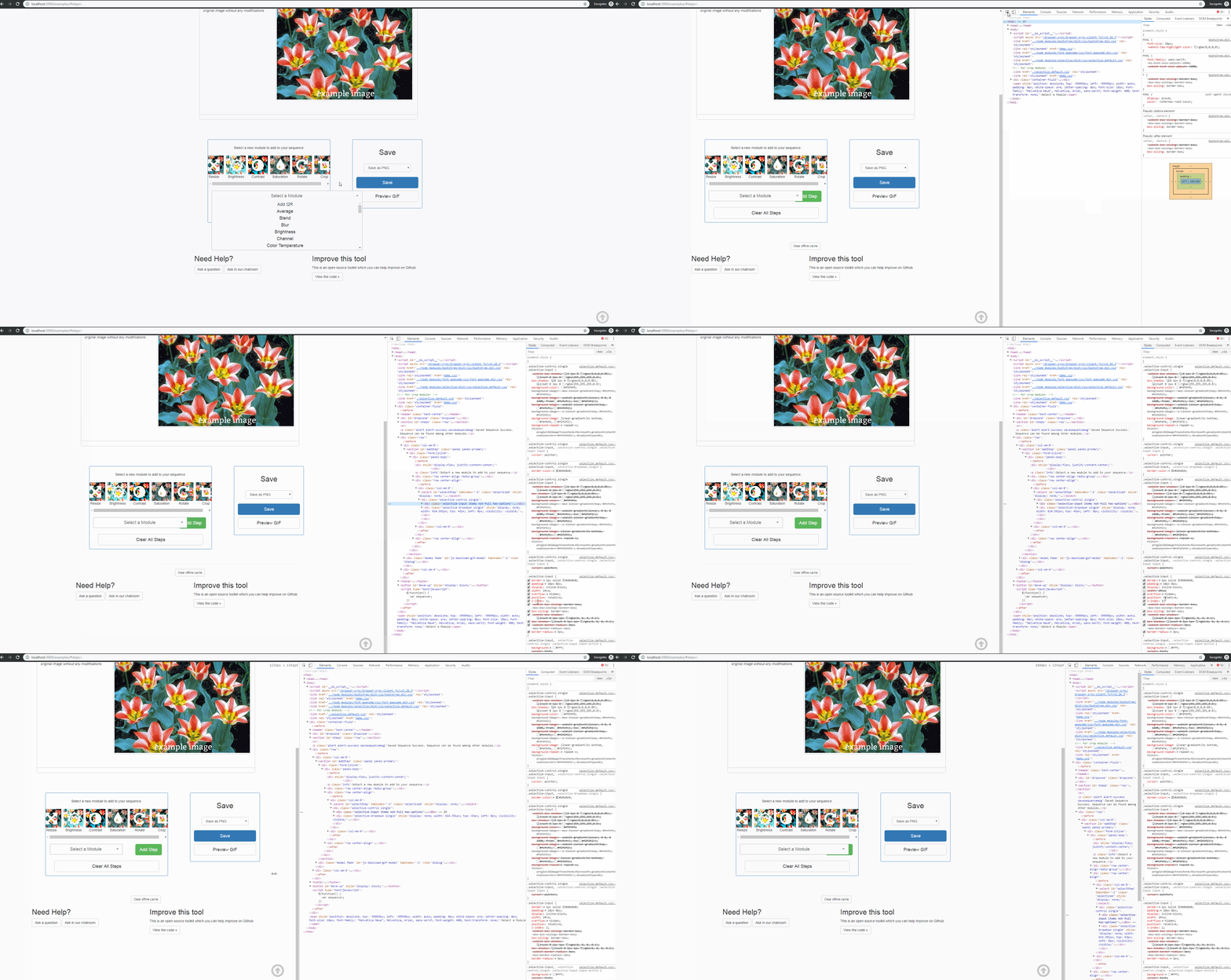
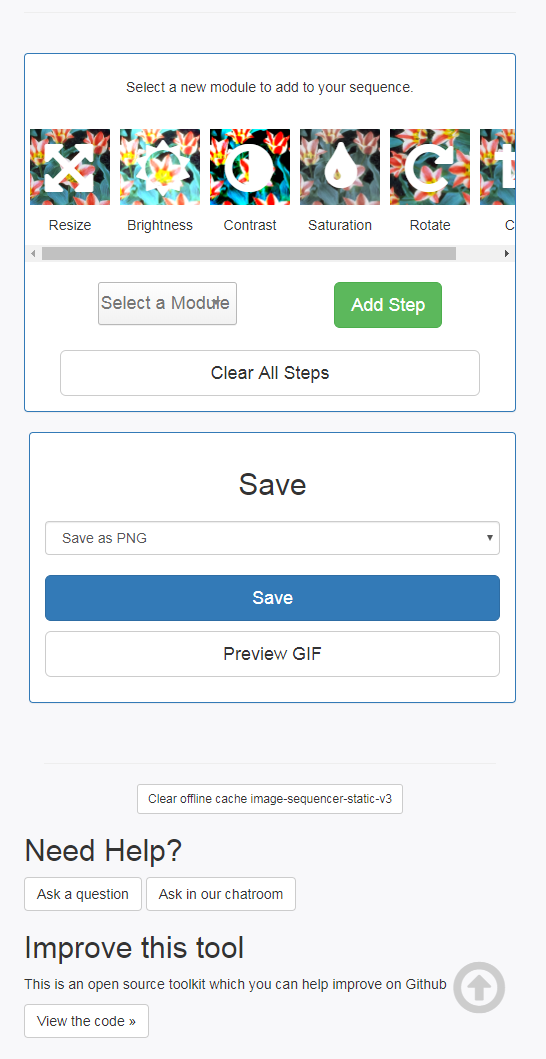
The width of the dropdown containing the modules is set to a vw value in the css. This results in the dropdown growing and shrinking depending on the width of the browser window. Causing it to extend beyond where it should covering up the "Add Step" button.
I was able to fix this by removing the width: 24vw; from .selectize-input
This code lives in examples->selectize.default.css and the width value is on line 139
css
.selectize-input {
  border: 1px solid #d0d0d0;
  padding: 10px 0px;
  display: inline-block;
  width: 24vw;
  overflow: hidden;
  position: relative;
  z-index: 1;
  -webkit-box-sizing: border-box;
  -moz-box-sizing: border-box;
  box-sizing: border-box;
  -webkit-box-shadow: inset 0 1px 1px rgba(0, 0, 0, 0.1);
  box-shadow: inset 0 1px 1px rgba(0, 0, 0, 0.1);
  -webkit-border-radius: 3px;
  -moz-border-radius: 3px;
  border-radius: 3px;
}
This exists within the Latest Stable Demo: https://sequencer.publiclab.org
This should be an easy first-timer issue.
Thanks!
 teisenhower
All 22 comments
Thanks for opening your first issue here! Please follow the issue template to help us help you 👍🎉😄
If you have screenshots to share demonstrating the issue, that's really helpful! 📸 You can make a gif too!
![welcome[bot] picture](https://avatars.githubusercontent.com/in/4141?v=4&s=40) welcome[bot]
on 26 Apr 2019
welcome[bot]
on 26 Apr 2019
Oh, this is great! So, does the solution then scale to multiple widths?
this is indeed something I've been hoping we can fix. Thank you!
On Fri, Apr 26, 2019 at 10:54 AM welcome[bot] notifications@github.com
wrote:
Thanks for opening your first issue here! Please follow the issue template
to help us help you 👍🎉😄
If you have screenshots to share demonstrating the issue, that's really
helpful! 📸 You can make a gif https://www.cockos.com/licecap/ too!—
You are receiving this because you are subscribed to this thread.
Reply to this email directly, view it on GitHub
https://github.com/publiclab/image-sequencer/issues/1044#issuecomment-487086590,
or mute the thread
https://github.com/notifications/unsubscribe-auth/AAAF6J6VH2GNGZKBB7XQO7LPSMJRXANCNFSM4HIWJY4A
.
 jywarren
on 26 Apr 2019
jywarren
on 26 Apr 2019
Of course! Happy to help out!
The simple solution of just removing that width property outlined above won't enable it to scale to different widths, it'll be locked to whatever other css is setting the width. However, we could absolutely implement another solution that allows the width to be dynamic while still containing it to fit within the box and not overlap the button. If that's what you're looking for.
Thanks!!
teisenhower
on 26 Apr 2019
Hey!
Here is something I worked up if you did want multiple widths. This involves altering the CSS a little bit and also changing some of the Bootstrap column classes in the index. But this will allow the "Select A Module" dropdown and "Add Step" button to scale depending on the width of the browser window.
Full Browser
(large breakpoint)
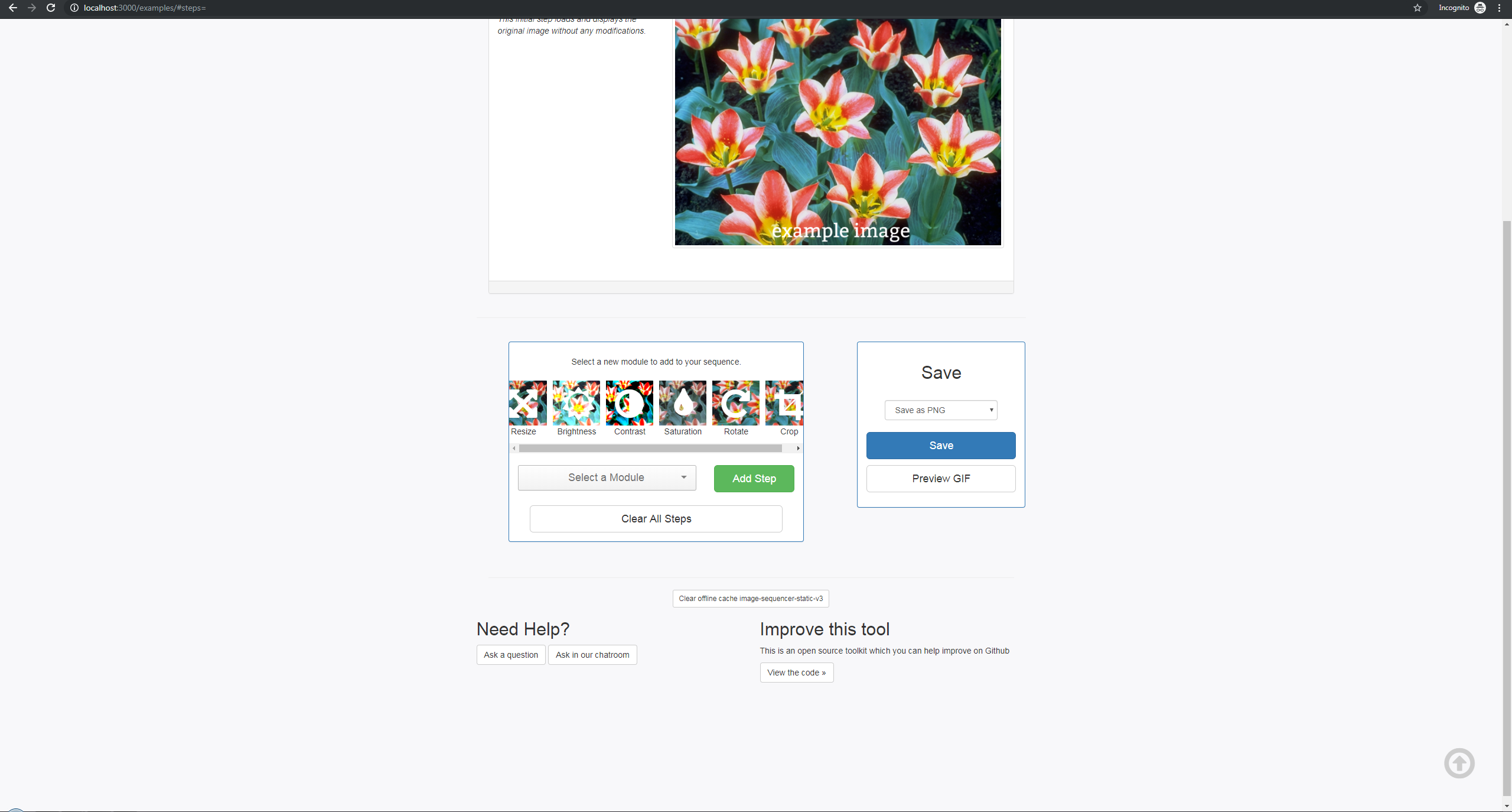
Large Breakpoint
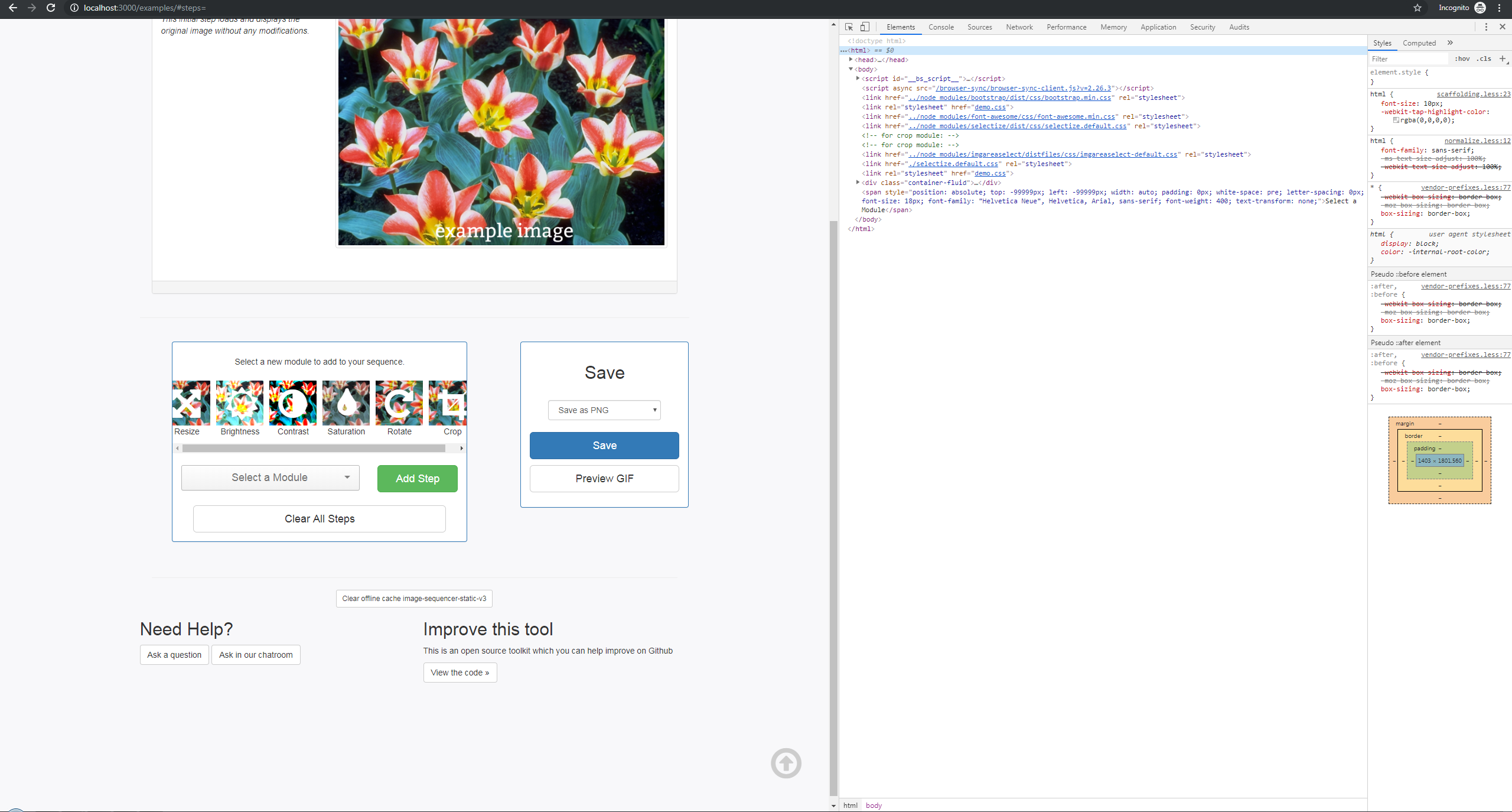
Medium Breakpoint
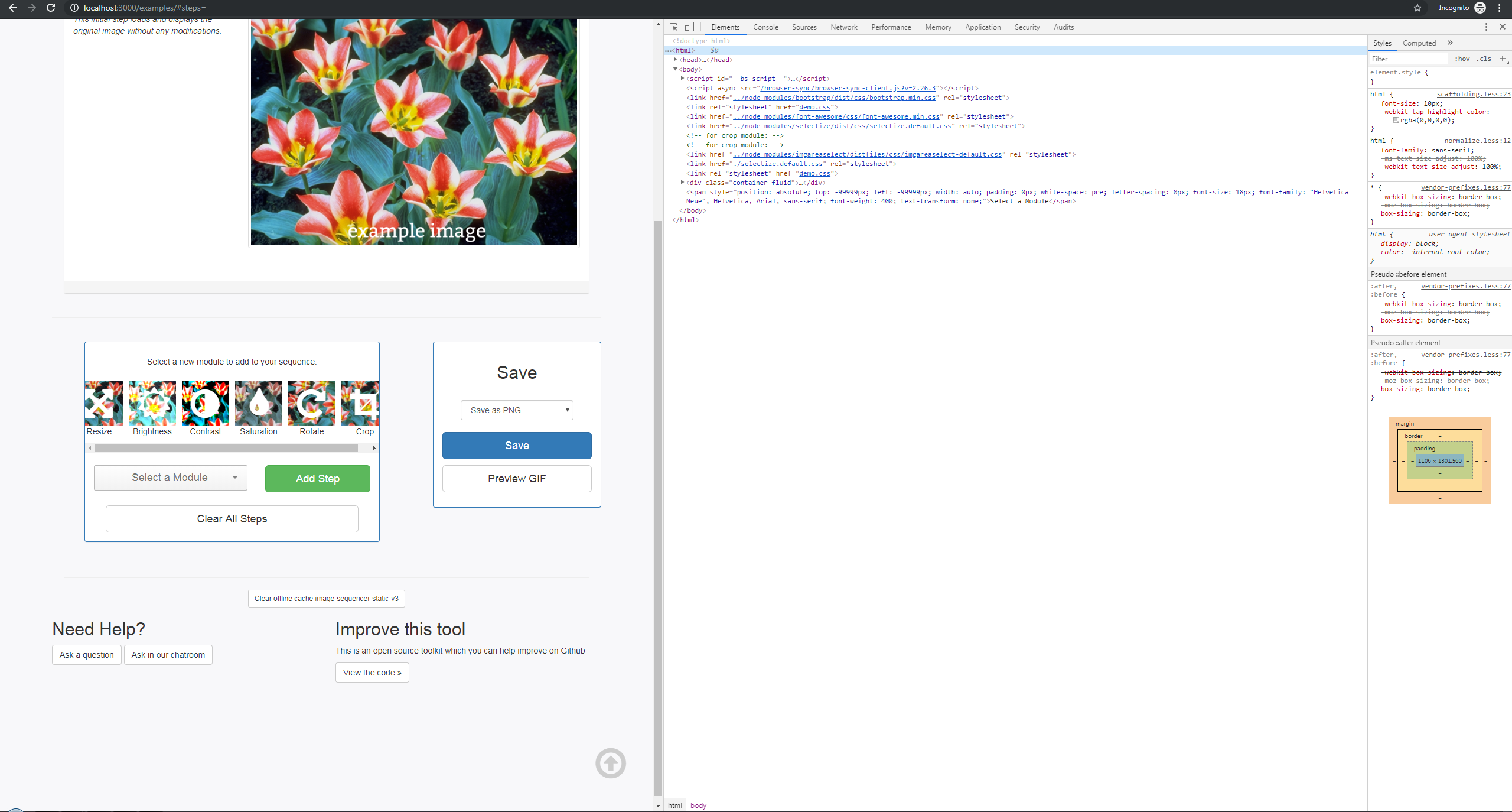
Small Breakpoint
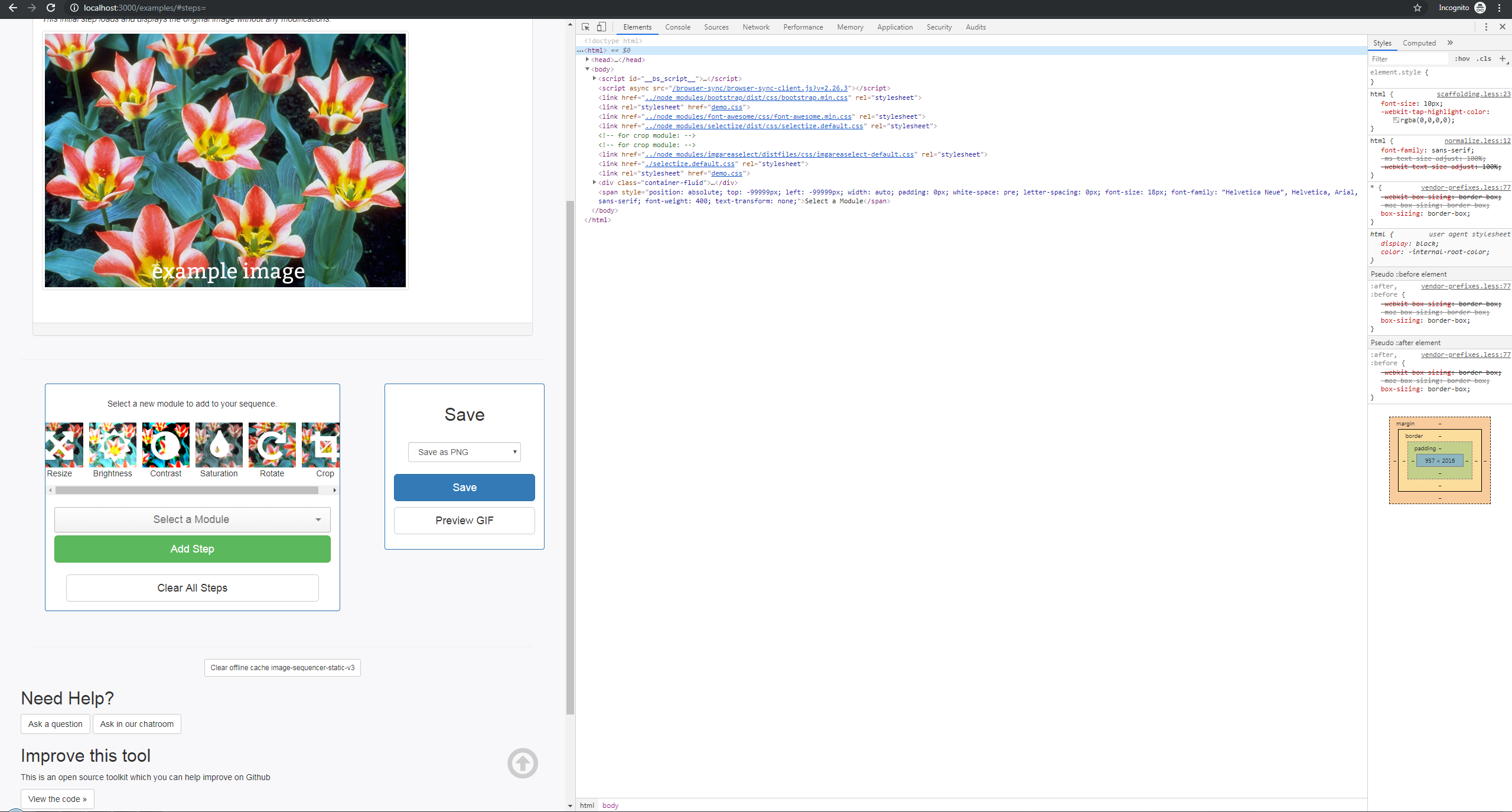
XSmall Breakpoint
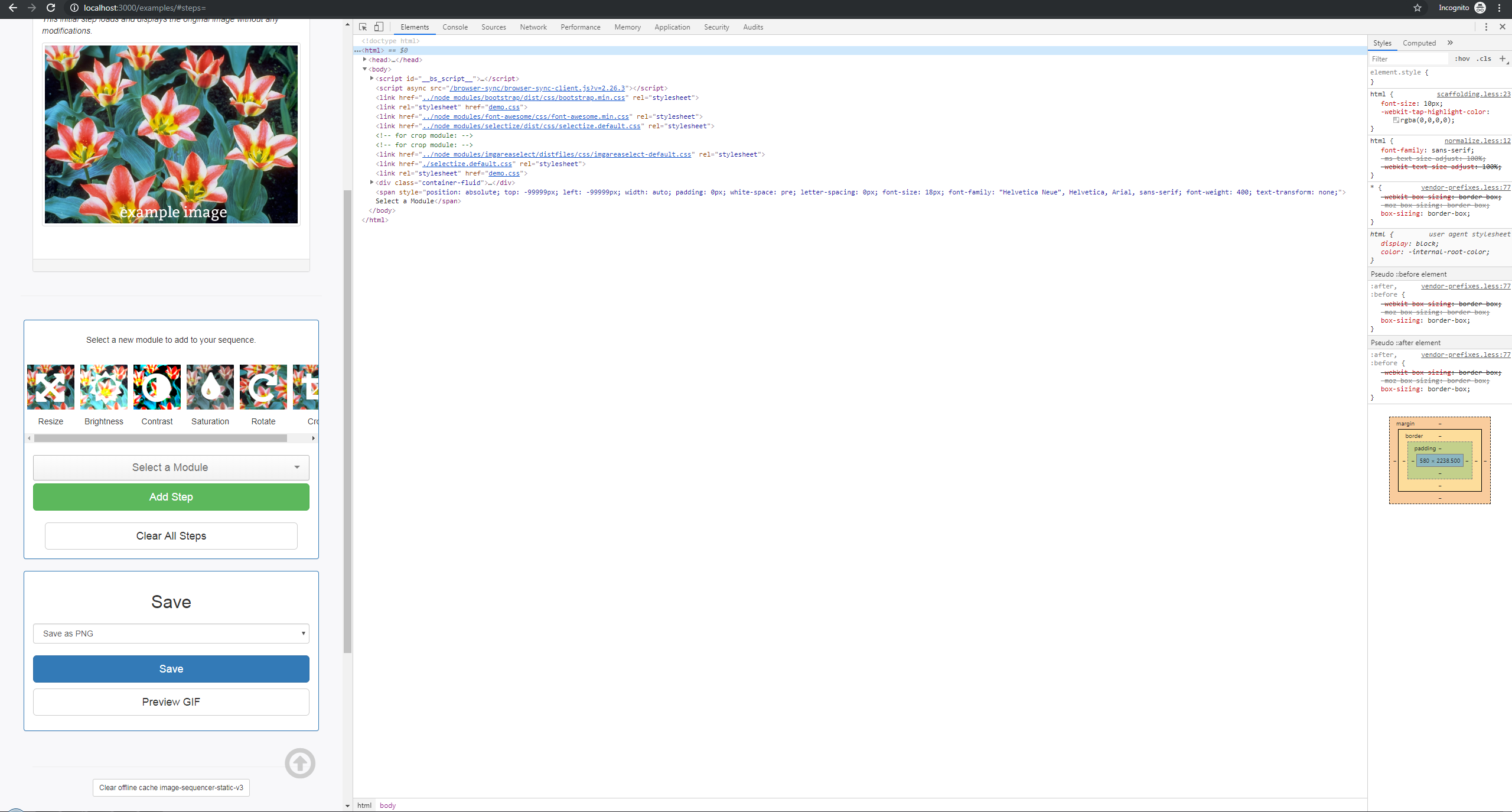
GIF Example
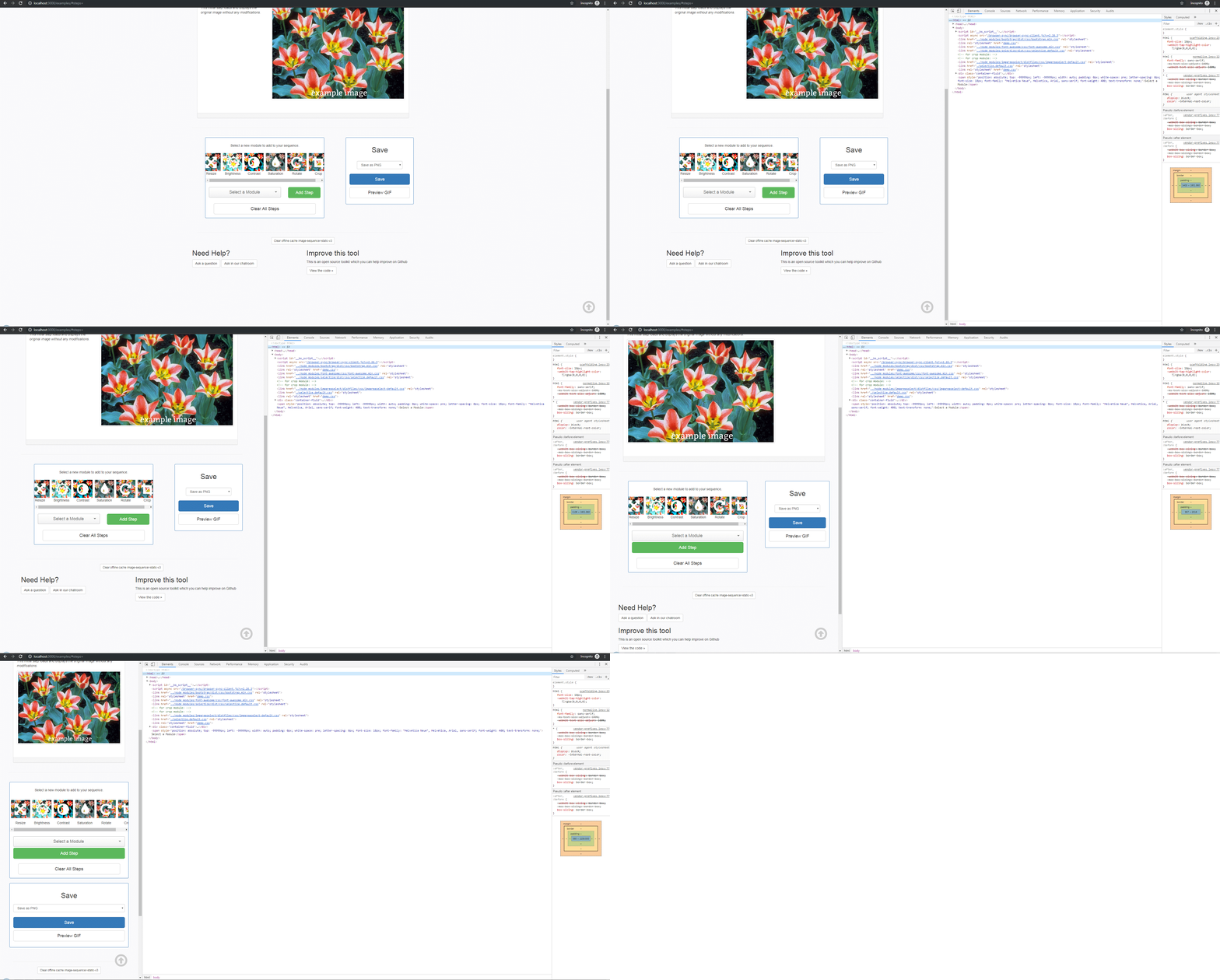
This would also eliminate this from happening on smaller screens. Where the "arrow" icon gets pushed into the text.
teisenhower
on 27 Apr 2019
@teisenhower are you going to open a PR?
 harshkhandeparkar
on 28 Apr 2019
harshkhandeparkar
on 28 Apr 2019
Btw, please don't change the lib file selectize.default.css directly. Instead, you can add a rule to demo.css and add the !important
harshkhandeparkar
on 28 Apr 2019
Hey! I absolutely can if you'd like but I was also going to see if you guys wanted to make this a first timers only issue since it's not too difficult of a fix.
Thanks!
teisenhower
on 28 Apr 2019
You can do that too!
Just open the file(single) you want to edit, in the broswer. Make the
changes. It will ask you the new branch name, just prepend first-timers-
to the branch name. E.g. first-timers-selectize-fix. A new FTO will be
created! Try it!
On Sun 28 Apr, 2019, 5:57 PM Terrence, notifications@github.com wrote:
Hey! I can but I was also going to see if you guys wanted to make this a
first timers only issue.—
You are receiving this because you commented.
Reply to this email directly, view it on GitHub
https://github.com/publiclab/image-sequencer/issues/1044#issuecomment-487374530,
or mute the thread
https://github.com/notifications/unsubscribe-auth/AIJI5H2BJCYYV36ZBSRBBKLPSWJZ5ANCNFSM4HIWJY4A
.
harshkhandeparkar
on 28 Apr 2019
Awesome! I'll be sure to do that as soon as I get home today. Thanks!
teisenhower
on 28 Apr 2019
Great! Thanks a ton!
On Sun 28 Apr, 2019, 6:53 PM Terrence, notifications@github.com wrote:
Awesome! I'll be sure to do that as soon as I get home today. Thanks!
—
You are receiving this because you commented.
Reply to this email directly, view it on GitHub
https://github.com/publiclab/image-sequencer/issues/1044#issuecomment-487379141,
or mute the thread
https://github.com/notifications/unsubscribe-auth/AIJI5H33CHYAL6N4PWRETQTPSWQOJANCNFSM4HIWJY4A
.
harshkhandeparkar
on 28 Apr 2019
@HarshKhandeparkar Do I need to edit the code in my fork or the main repo? I started doing it on the main repo and it wants me to make a PR. Is that what I should do?
teisenhower
on 28 Apr 2019
Just don't open the PR, the issue will still be created
harshkhandeparkar
on 28 Apr 2019
Make it on the main repo.
harshkhandeparkar
on 28 Apr 2019
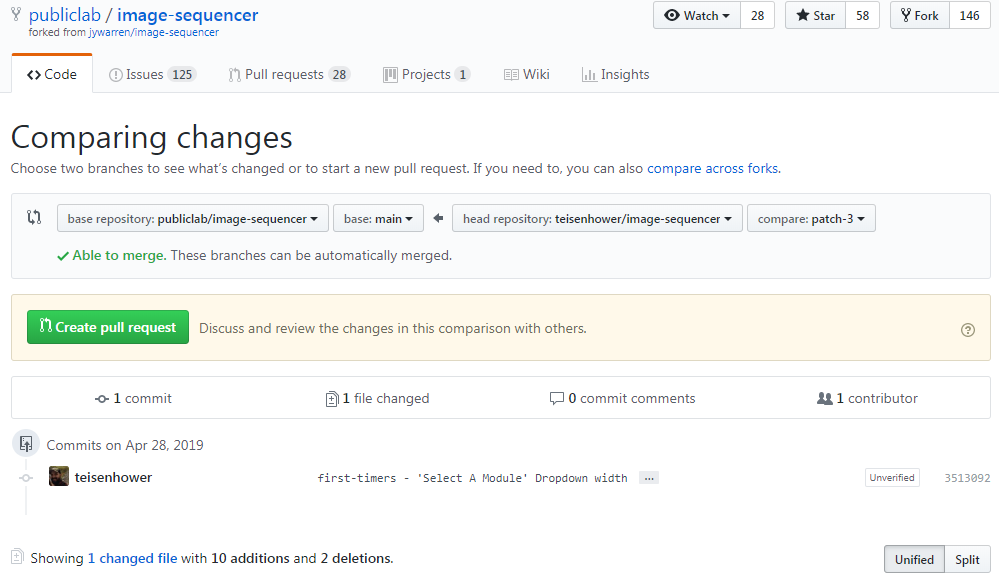
Sorry for the confusion, it is having me compare the changes between 2 branches, not create a new branch.
teisenhower
on 28 Apr 2019
OK, sorry for the trouble:
- Edit the file here https://github.com/publiclab/image-sequencer/edit/main/examples/demo.css
- Commit names do not matter, only the branch name does
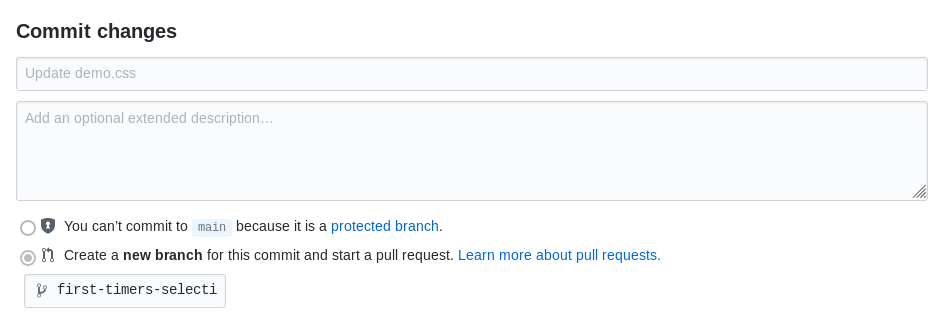
See this at the very end of the page? See thecreate a new branchoption, addfirst-timers-*in there(*being anything descriptive). Click on thecommit changesorpropose changesbutton. - If it redirects you to a create pull request page, just close the tab.
harshkhandeparkar
on 28 Apr 2019
I do not have that at the bottom of my page. I just have a "propose file change" form. I don't have the option of creating a new branch. I was just looking into this, not sure why I am not seeing that option.
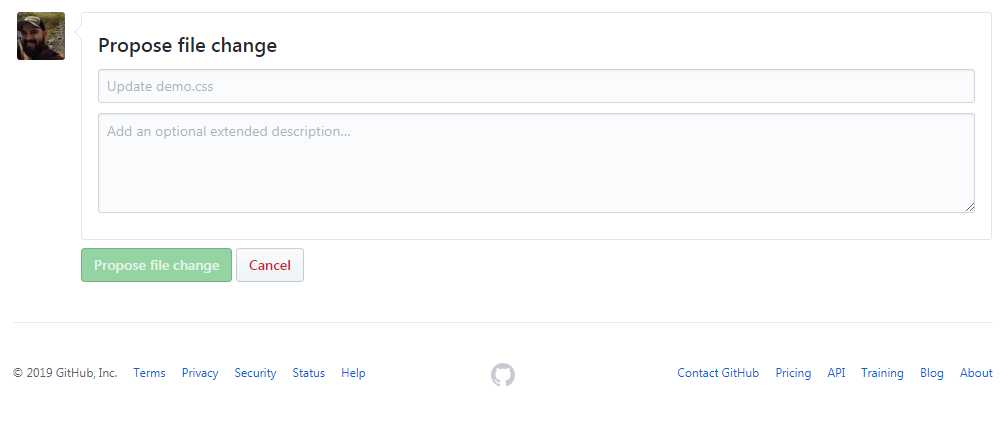
I am getting this alert at the top of that edit page, saying I don't have write access to
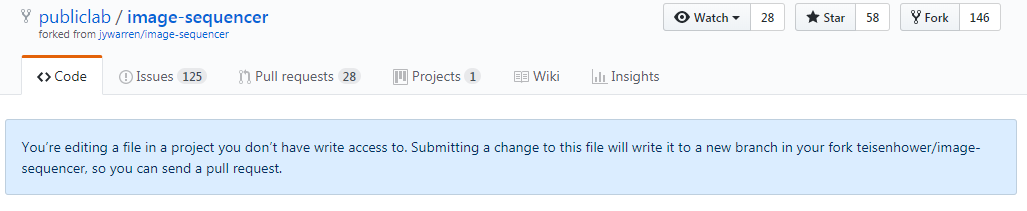
I apologize for the added hassle on this
teisenhower
on 28 Apr 2019
One last thing, try editing the file a little bit?
harshkhandeparkar
on 28 Apr 2019
Oh absolutely sorry for the trouble, I thought anybody could do that. Ok I will do that myself, could you please tell me what to change/add?
harshkhandeparkar
on 28 Apr 2019
No worries!! I just wanted to make sure I was doing everything the way you guys need.
Here are the changes made to the demo.css file
starting at line 105
````css
add-step-btn{
/* margin-left needed to be removed in order to solve column width issue #1044/
/ margin-left: 10px; /
/ width added to solve the column width issue #1044*/
width: 100% !important;
}
````
added to end of file
````css
.selectize-input {
/* width added to solve the column width issue #1044/
/ cancels out the width:24vw in selectize.default.css - issue #1044*/
width: 100% !important;
}
````
Then there are some minor class changes to be made in the index.html file
These lines are 140-150
- We are adding
justify-content-centerto the row containing the dropdown and add step button - Adding
text-centerclass to theselectgroup. This keeps all the elements inside the dropdown center justified. - Then finally on the divs containing the dropdown and add step button we are changing the col classes. This is what allows their widths to change depending on the window size.
Proposed changes to index.html
````html
````
Current index.html
````html
````
teisenhower
on 28 Apr 2019
Ok thanks a lot.
harshkhandeparkar
on 28 Apr 2019
Not a problem! Happy to help the project and give someone else the opportunity to contribute.
teisenhower
on 28 Apr 2019
Done #1049
harshkhandeparkar
on 28 Apr 2019
Related issues
 kindanduseful
·
5Comments
kindanduseful
·
5Comments
 blurry-x-face
·
4Comments
jywarren
·
5Comments
blurry-x-face
·
4Comments
jywarren
·
5Comments
 sashadev-sky
·
3Comments
harshkhandeparkar
·
4Comments
sashadev-sky
·
3Comments
harshkhandeparkar
·
4Comments
Most helpful comment
Not a problem! Happy to help the project and give someone else the opportunity to contribute.