Igniteui-angular: Bootstrap & IgniteUI issues
Description
I'm using bootstrap for my layout, but I'm having issues with controls from ignite ui, switching over to your Layout Manager is not an option due a policy at work.
I added a small video of the weird things I encounter in the attachment section.
Is there anyway to overcome this?
Steps to reproduce
- Add igniteUI
- Add bootstrap
- Design a website? 😄
Result
For example the igx-dataGrid would go out of screen.
Expected result
The controls are 'slave'/working of/with bootstrap
Attachments
A small video:
BootstrapWithIgnite.zip
 Hypenate
All 11 comments
@Hypenate The layout of the components is all done with flex. There's probably an incompatibility between flex and bootstrap, but @simeonoff is the expect and I will let him comment on this.
 kdinev
on 14 Jun 2018
kdinev
on 14 Jun 2018
I have just updated to bootstrap 4.1.1, but the issue remains.
My feeling is that the bootstrap container is causing this.
Hypenate
on 14 Jun 2018
@Hypenate Most probably. Simo will investigate and will update you.
kdinev
on 14 Jun 2018
@Hypenate and @kdinev Looks like a bug width the sizing of the grid to me.
 simeonoff
on 15 Jun 2018
simeonoff
on 15 Jun 2018
I agree with @simeonoff.
@Hypenate could you try something out, because I am unable to reproduce the issue, but I have memoris that I saw this somewhere before? Set grid width and all grid parent elements to 100%.
Also as I see from the video, you are using navigation drawer, is it possible to remove it just for the test. The issue could be related to the drawer container as well.
In general, providing a working sample with the issue would be highly appreciated.
 zdrawku
on 15 Jun 2018
zdrawku
on 15 Jun 2018
Allright, so I made something, @zdrawku is correct, the navigation drawer has an effect on things but also the container-fluid from bootstrap.
It's a bit different from the issues I showed in the video but hopefully this sets things in the right direction as I commented the igx-nav-drawer in "the real app" and the grid/bootstrap behaved in a normal way.
With igx-nav-drawer commented, with a <div class="container-fluid"> around the igx-grid's:

With igx-nav-drawer uncommented, with a <div class="container-fluid"> around the igx-grid's:
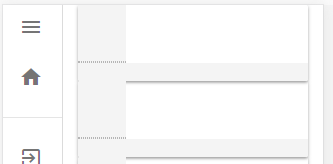
With igx-nav-drawer uncommented, without a <div class="container-fluid"> around the igx-grid's:

I created a reproduction in my git:
Link to reproduction
Note: check out the app.component.html to get the different results as described above.
Hypenate
on 16 Jun 2018
@Hypenate thank you for the provided information, @DDavidkov could you take a look at this
zdrawku
on 19 Jun 2018
We added a second navigation drawer, the issues is worse now.
The navigation drawer definitely has an impact.
Update:
If I set the width of the <aside /> element in the <igx-nav-drawer /> to 0 it works as expected.
@zdrawku
I made a quick clip about it.
Nav Drawer.zip
Hypenate
on 10 Jul 2018
@Hypenate Yes, it is connected to the nav drawer and it seems to be caused by the transitionDuration property not playing along nicely with the grid's sizing logic. For now you can add the following CSS as a workaround in your styles.css file, while we implement a proper fix:
.igx-nav-drawer__aside {
  transition-duration: 0ms;
}
 DDavidkov
on 10 Jul 2018
DDavidkov
on 10 Jul 2018
@DDavidkov Doesn't seem to fix the issue for me but I understand you have found the issue and are solving it!
I will await this holy grail 😄
Hypenate
on 10 Jul 2018
I removed the igx-tabs and replaced them with tabs from bootstrap (see request #1982), now there is no horizontal scrollbar visible and things are working as expected.
Also the grid now stays in it's tab.
Hypenate
on 11 Jul 2018
Related issues
 ChronosSF
·
3Comments
ChronosSF
·
3Comments
 cornel-stoica-str
·
3Comments
cornel-stoica-str
·
3Comments
 furugen
·
3Comments
furugen
·
3Comments
 ViktorSlavov
·
3Comments
ViktorSlavov
·
3Comments
 ymita
·
3Comments
ymita
·
3Comments