What's going on?
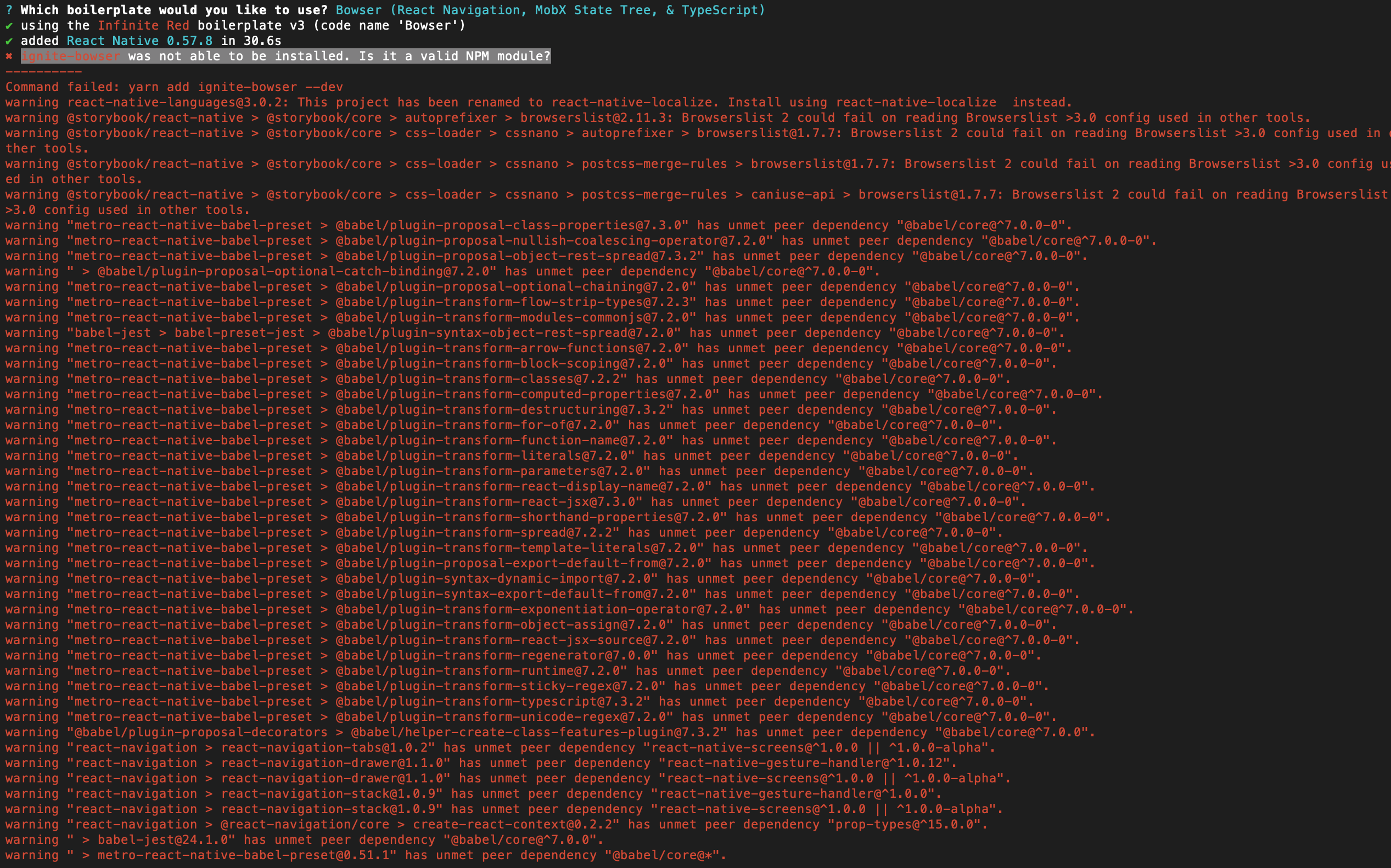
- Create new app with ignite new fails.
Command failed: yarn add ignite-bowser --dev
 ~ ❯❯❯ node -v
v10.14.1
~ ❯❯❯ react-native -v
react-native-cli: 2.0.1
react-native: n/a - not inside a React Native project directory
~ ❯❯❯ ignite -v
2.2.2
Steps to reproduce
- yarn global add ignite-cli
- ignite new test_app
ignite doctor results:

 raooll
All 11 comments
Hi @raooll , it looks like you have the command line tools installed but not Xcode. Can you confirm this?
 jamonholmgren
on 13 Feb 2019
jamonholmgren
on 13 Feb 2019
@jamonholmgren yes I have only installed command line tool. Is the missing xcode causing the problem ?
raooll
on 13 Feb 2019
Hey @jamonholmgren, I installed the latest xcode and I still get the same error.
raooll
on 13 Feb 2019
I also had a problem like this, a solution was to open Xcode and set the Command Line Tools:
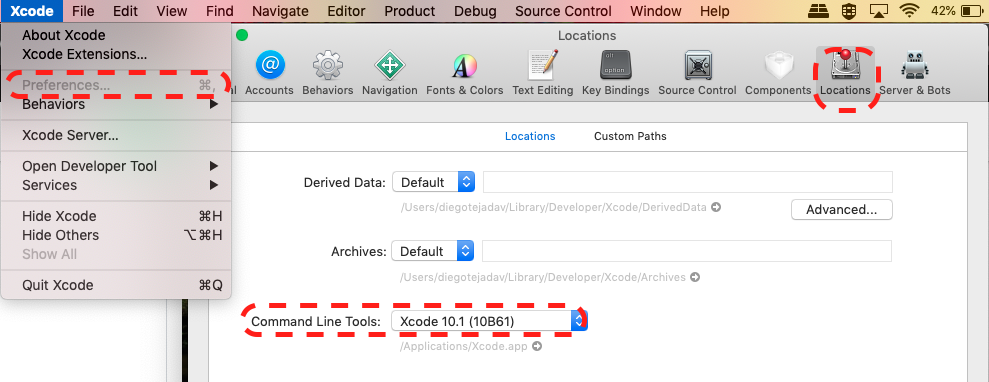
Restart the machine and try it again.
 diegotejadav
on 13 Feb 2019
diegotejadav
on 13 Feb 2019
Hello @diegotejadav, the command line tools is set in my Xcode, still the same error.
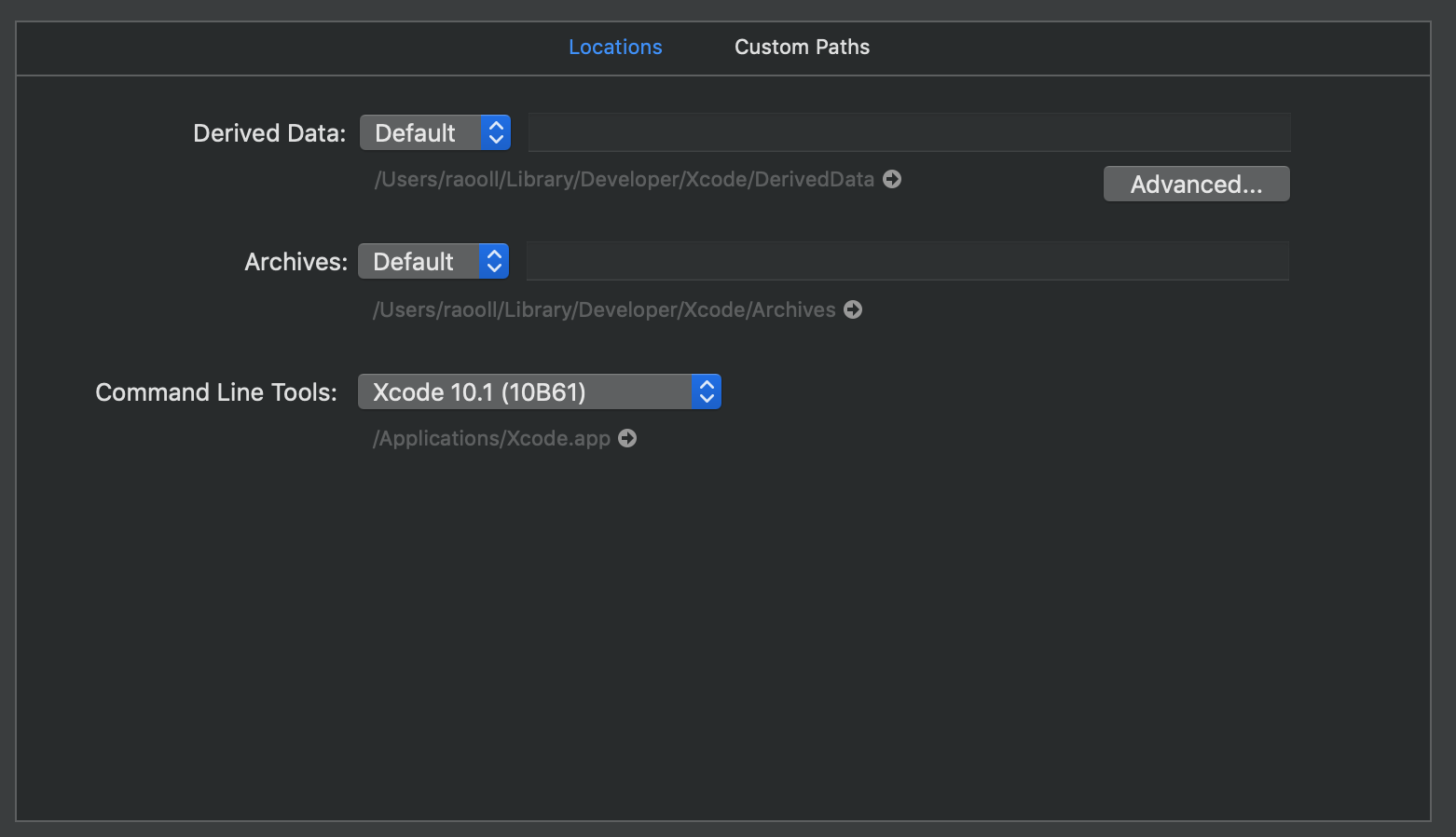
Restarting the machine did not help either.
raooll
on 14 Feb 2019
Weird. I'm not entirely sure what's going on there. My machine is completing the steps properly. Are you getting a new error or the same one?
jamonholmgren
on 14 Feb 2019
@raooll Can you try creating a new react native bare app, like this:
react-native init Test
cd Test
and then add ignite-bowser, like this:
yarn add ignite-bowser --dev
Does that complete?
jamonholmgren
on 14 Feb 2019
@jamonholmgren tried the above, it worked without any problem.

Sorry for the miss communication "yarn add ignite-bowser --dev" did complete, but ignite new is still failing. @jamonholmgren .
raooll
on 15 Feb 2019
Same issue
ignite new is failing!
UPDATE
After installing xcode 10.1 its working.
 ethicalvats
on 8 Mar 2019
ethicalvats
on 8 Mar 2019
After the app was generated running it via iOS sim 12.1 it shows this screen

I am trying the fixes as per https://stackoverflow.com/questions/52262084/syntax-error-support-for-the-experimental-syntax-decorators-legacy-isnt-cur
will let you know
Found another similar issue:
ethicalvats
on 8 Mar 2019
I think the comments under this issue are mostly unrelated, so I'm going to close and lock this, and if you can create new issues we'll take a look!
jamonholmgren
on 10 Apr 2019
Related issues
 GantMan
·
18Comments
GantMan
·
18Comments
 chapeljuice
·
22Comments
chapeljuice
·
22Comments
 carlos-peru
·
18Comments
carlos-peru
·
18Comments
 san4u
·
18Comments
san4u
·
18Comments
 johndanek
·
19Comments
johndanek
·
19Comments
Most helpful comment
@jamonholmgren tried the above, it worked without any problem.
Sorry for the miss communication "yarn add ignite-bowser --dev" did complete, but ignite new is still failing. @jamonholmgren .