Ignite: Ignite not able to generate components any longer?
When I run ignite g it gives me a list of generators such as 'component', 'container', etc., but the descriptions are gone and they say 'missing'. See screenshot below:
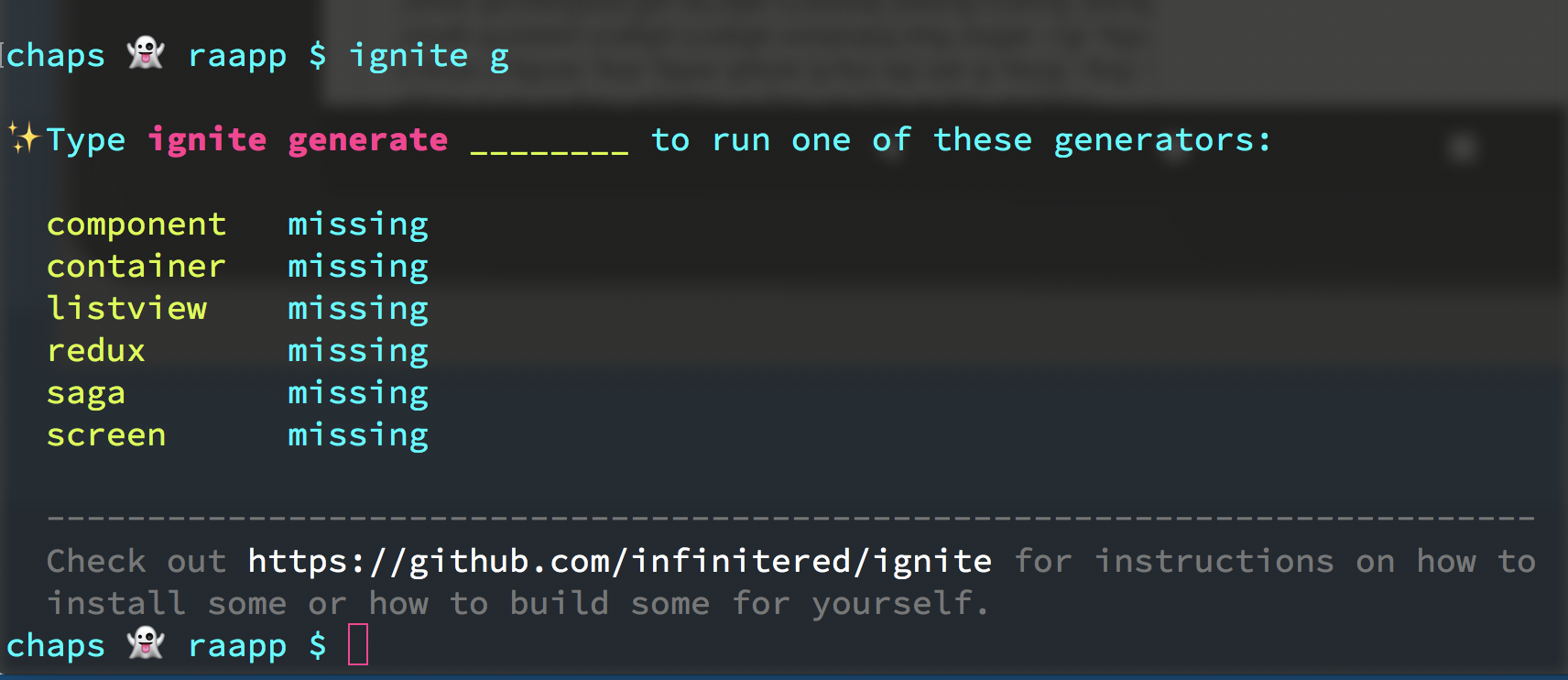
Any idea what's going on?
ignite doctor results:
  platform           darwin
  arch               x64
  cpu                8 cores                               Intel(R) Core(TM) i7-6820HQ CPU @ 2.70GHz
  directory          /Users/chapeljuice/Documents/repos/raapp

JavaScript
  node               9.3.0        /Users/chapeljuice/.nvm/versions/node/v9.3.0/bin/node
  npm                5.5.1        /Users/chapeljuice/.nvm/versions/node/v9.3.0/bin/npm
  yarn               0.23.2       /usr/local/bin/yarn

React Native
  react-native-cli   2.0.1
  app rn version     0.51.0

Ignite
  ignite             2.0.0-beta.8   /usr/local/bin/ignite

Android
  java               1.8.0_121    /usr/bin/java
  android home       -            /Users/chapeljuice/Library/Android/sdk

iOS
  xcode              9.2
 chapeljuice
All 22 comments
I should also add that when I actually try to generate a component like so:
ignite g component NewComponent
Nothing happens. The terminal just gives me a new prompt.
chapeljuice
on 12 Jan 2018
What you described happens if you don't have the node dependencies installed. Try running yarn or npm install and then generating the component. Also make sure ignite-ir-boilerplate is in your package.json under devDependencies
 ruddell
on 12 Jan 2018
ruddell
on 12 Jan 2018
Thanks for your response!
So I ran npm install and double checked my devDependencies. I have:
    "ignite-animatable": "^1.0.0",
    "ignite-dev-screens": "^2.2.0",
    "ignite-i18n": "^1.1.1",
    "ignite-ir-boilerplate": "^2.3.1",
    "ignite-vector-icons": "^1.1.0",
...but it's still behaving the same way.
Any other thoughts?
chapeljuice
on 12 Jan 2018
Try running with ignite g component OmgWorkPlz --debug... it'll be more chatty which might reveals some clues (like an out of date yarn or node_modules living in the ~ directory.
 skellock
on 12 Jan 2018
skellock
on 12 Jan 2018
@skellock no such luck :(

chapeljuice
on 12 Jan 2018
Does ignite g component OmgWorkPlz --debug --wtf return anything (https://github.com/infinitered/ignite/blob/4e8b4a4ef441ceebebc5d85406a9c24c29784cb1/src/cli/cli.js#L51)? What's the exit code echo $?
 tastycode
on 18 Jan 2018
tastycode
on 18 Jan 2018
I have the same problem:

 LuisUrrutia
on 6 Feb 2018
LuisUrrutia
on 6 Feb 2018
eek. Can you find your global node modules and then identify if you have those generator files in your install? Are they missing or is ignite not able to find them, is the question.
 GantMan
on 6 Feb 2018
GantMan
on 6 Feb 2018
First things first, I cloned ir-boilerplate and used this clone as my boilerplate.
ignite new Bla -b /path/on/my/system
So I think that there is a problem there. I did this 'cause the latest version of that repo, has the fix for react-navigator >= beta.28, but when i tried to install like:
ignite new Bla
It didn't get the latest version of that package.
UPDATE
I changed ignite-ir-boilerplate in my package.json from:
"ignite-ir-boilerplate": "file:/path/in/my/system"
to:
"ignite-ir-boilerplate": "git+https://github.com/infinitered/ignite-ir-boilerplate.git"
And everything started to work as usual
LuisUrrutia
on 6 Feb 2018
@LuisUrrutia
How did you do it?
Whenever I try to generate a new screen I got the following error.
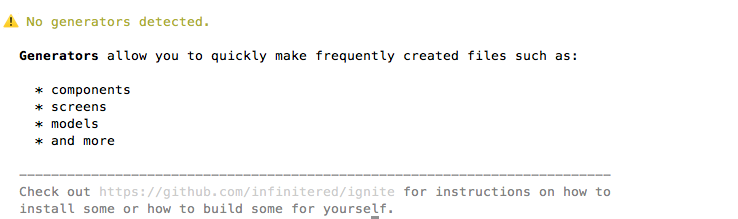
 ericklarac
on 7 Feb 2018
ericklarac
on 7 Feb 2018
@ericklarac is ignite-ir-boilerplate in your package.json?
Have you created your base with a cloned version of ignite-ir-boilerplate?
LuisUrrutia
on 7 Feb 2018
Yes it is, and I changed it as your example but not working :(
ericklarac
on 7 Feb 2018
Did you run yarn or npm install after?
LuisUrrutia
on 7 Feb 2018
Yes, and react-native link
ericklarac
on 7 Feb 2018
I'm having the same issue, and added the
"ignite-ir-boilerplate": "git+https://github.com/infinitered/ignite-ir-boilerplate.git"
and react-native link
ignite generate listview TextablesScreen
? What coding style do you want for your list? Listview (classic)
? What kind of List would you like to generate? Grid
? How will your data be presented on this list? Sectioned
✔︎ App/Containers/View.js
✔︎ App/Containers/Styles/ViewStyle.js
It's creating the name View, not TextablesScreen and it's breaking saying View.
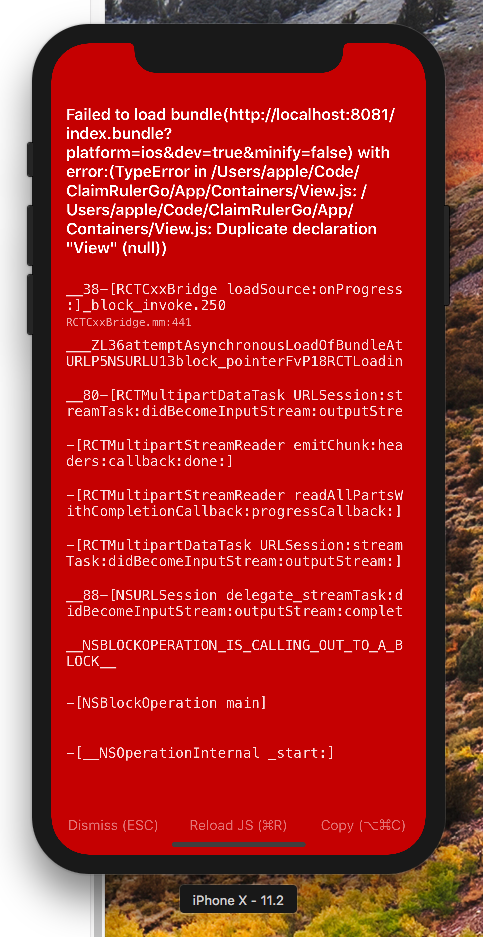
 imcodingideas
on 13 Feb 2018
imcodingideas
on 13 Feb 2018
@imcodingideas A quick solution could be to rename it like:
import { View as MyView } from '....'
And then you could use the component as
<MyView _props_ />
ericklarac
on 14 Feb 2018
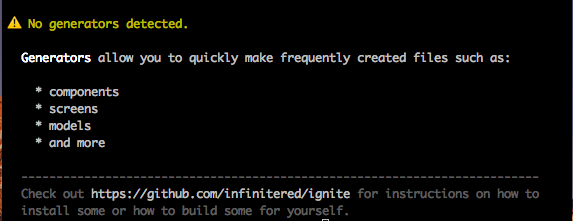
Facing similar issue. How to fix this ?
 akhil-geekyants
on 26 Feb 2018
akhil-geekyants
on 26 Feb 2018
@akhil-geekyants @LuisUrrutia @chapeljuice
The solution is adding the generators to the _ignite/ignite.json_
{
  "createdWith": "2.0.0",
  "examples": "classic",
  "navigation": "react-navigation",
  "askToOverride": true,
  "generators": {
    "component": "ignite-ir-boilerplate",
    "container": "ignite-ir-boilerplate",
    "listview": "ignite-ir-boilerplate",
    "list": "ignite-ir-boilerplate",
    "redux": "ignite-ir-boilerplate",
    "saga": "ignite-ir-boilerplate",
    "screen": "ignite-ir-boilerplate"
  }
}
Thanks @ericklarac
skellock
on 16 Mar 2018
The solution for v2.1.1 is adding the generators to the ignite/ignite.json, as shown below ( when using andross ).
{
  "createdWith": "2.1.1",
  "examples": "classic",
  "navigation": "react-navigation",
  "askToOverwrite": true,
  "generators": {
    "component": "ignite-ir-boilerplate-andross",
    "container": "ignite-ir-boilerplate-andross",
    "listview": "ignite-ir-boilerplate-andross",
    "list": "ignite-ir-boilerplate-andross",
    "redux": "ignite-ir-boilerplate-andross",
    "saga": "ignite-ir-boilerplate-andross",
    "screen": "ignite-ir-boilerplate-andross"
  }
}
 shiverysea
on 7 Sep 2018
shiverysea
on 7 Sep 2018
I'm having this issue with v2.2.4" after downgrading from v3.1.1 due to https://github.com/infinitered/ignite/issues/1394
Adding the generators like on the previous solution for v2.1.1 did not work (assuming I should substitute ignite-ir-boilerplate-bowser for ignite-ir-boilerplate-andross)
{
  "createdWith": "2.2.4",
  "boilerplate": "ignite-bowser",
  "examples": "classic",
  "navigation": "react-navigation",
  "askToOverwrite": true,
  "generators": {
    "component": "ignite-ir-boilerplate-bowser",
    "model": "ignite-ir-boilerplate-bowser",
    "screen": "ignite-ir-boilerplate-bowser",
    "map": "ignite-maps",
    "map-utilities": "ignite-maps",
    "map-callout": "ignite-maps"
  },
  "boilerplateVersion": "4.1.1"
}
 James-deWitt
on 10 May 2019
James-deWitt
on 10 May 2019
We did rename ignite-ir-boilerplate-bowser to ignite-bowser, so maybe try that, @James-deWitt ?
EDIT: Never mind, saw your follow-up on the other issue.
 jamonholmgren
on 15 May 2019
jamonholmgren
on 15 May 2019
Related issues
GantMan
·
36Comments
 budda
·
24Comments
budda
·
24Comments
 boyinfotronics
·
34Comments
boyinfotronics
·
34Comments
 pdad04
·
25Comments
pdad04
·
25Comments
 AlirezaAkbarix
·
23Comments
AlirezaAkbarix
·
23Comments
Most helpful comment
@skellock no such luck :(