Id: Inform users about autosaved edits
Often when editing with the iD editor, I'll make a quick change here and there, but want to continue in an hour or so.
While I know that iD has a feature where it will ask if you want to resume your edits from last time, there is no way to verify when it actually saves this.
What would be the best solution I think is implementing this: https://developer.mozilla.org/en-US/docs/Web/API/Window/beforeunload_event
So before you close the tab, it quickly saves everything to it's usual spot.
(maybe adding a button to perform this manually might also be good, since that makes the user aware you can save changes without actually submitting them)
 thibaultmol
All 3 comments
Hi @thibaultmol, your edits are saved to your browser's local storage every time you make a change. You can close the window immediately after editing something and come back anytime later and iD will always offer to restore your edits (as long as you didn't clear your browser's site data). Any other behavior would be a serious bug so you should let us know if you're seeing a problem!
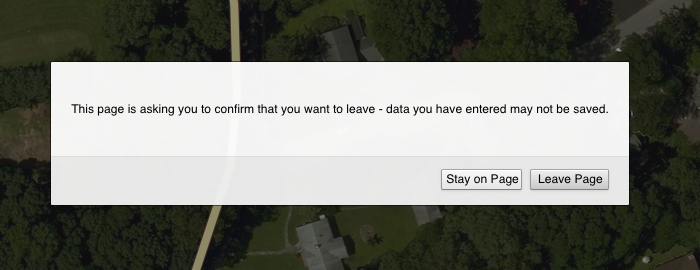
I wouldn't want to add a button for this since it'd be unnecessary and could worry users. However, I agree we could give a friendlier message instead of these type warnings shown by some browsers:

 quincylvania
on 13 Dec 2019
quincylvania
on 13 Dec 2019
That's fair yeah,
A better prompt would help with that.
I was thinking a Google Docs style "your changes have been saved locally" message, just to help users realize that... and have the message auto fade away after a few seconds after each panel close or switch.
(also, side question: how long do the edits stay in the browser storage?)
thibaultmol
on 13 Dec 2019
That's fair yeah,
A better prompt would help with that.
Thanks for understanding and bringing up this issue!
how long do the edits stay in the browser storage
The edits should be stored indefinitely, even if iD is updated. Manually or automatically clearing your browser's site data (e.g. closing your iD session in a private window) will delete your edits. Certain metadata may be considered stale after awhile and discarded, but not the changes themselves. That said, I wouldn't recommend sitting on edits for more than a day or two since someone else could edit the same features and cause conflicts.
quincylvania
on 17 Dec 2019
Related issues
 bhousel
·
3Comments
bhousel
·
3Comments
 tmcw
·
3Comments
tmcw
·
3Comments
 scaidermern
·
3Comments
scaidermern
·
3Comments
 jidanni
·
3Comments
jidanni
·
3Comments
 1ec5
·
3Comments
1ec5
·
3Comments
Most helpful comment
Thanks for understanding and bringing up this issue!
The edits should be stored indefinitely, even if iD is updated. Manually or automatically clearing your browser's site data (e.g. closing your iD session in a private window) will delete your edits. Certain metadata may be considered stale after awhile and discarded, but not the changes themselves. That said, I wouldn't recommend sitting on edits for more than a day or two since someone else could edit the same features and cause conflicts.