Id: Assistant help panel when adding or drawing a feature
Now that the user chooses the preset before drawing, iD can show geometry- and preset-specific instructions during drawing. Rather than the toolbar item I first proposed in #5960, this info would be better served in a panel like this:
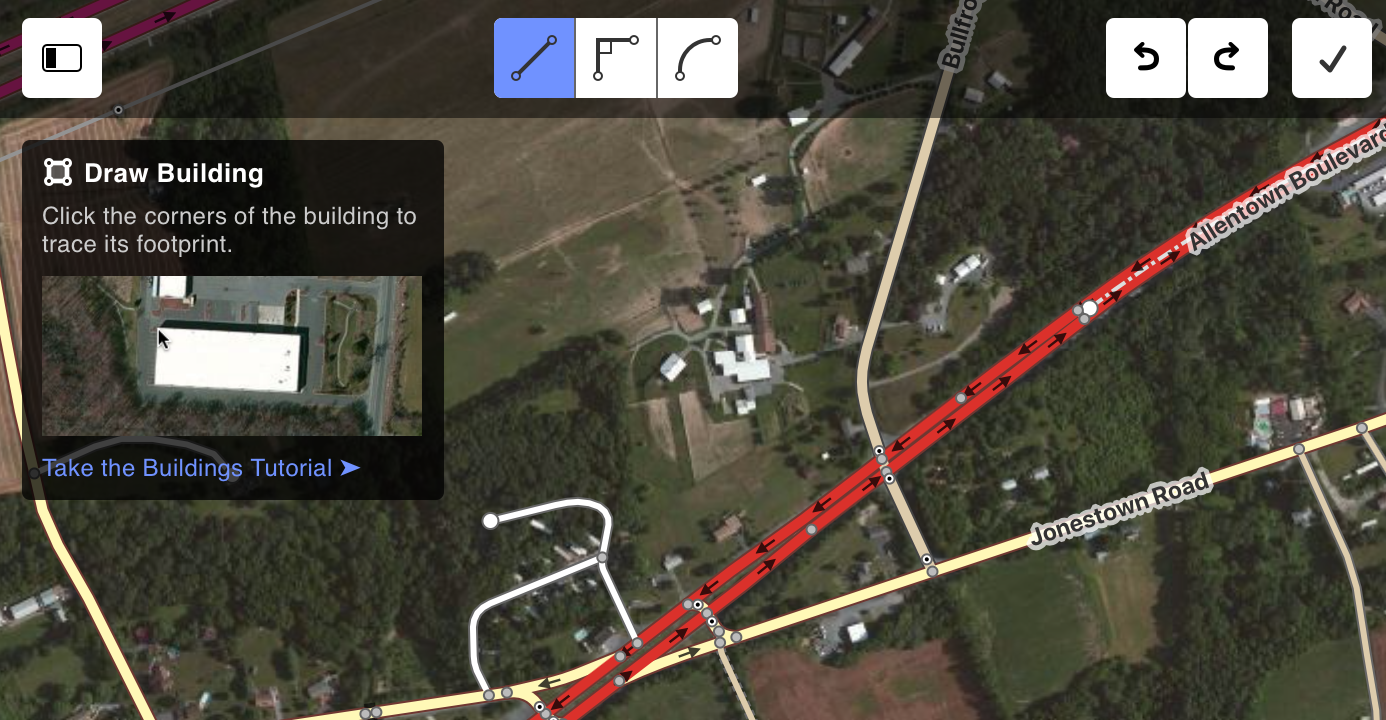
Possible content includes:
- The name of the mode and preset to reinforce what the user is doing
- An icon to specify the underlying geometry type
- Simple text instructions for the preferred method of drawing
- A screenshot or GIF illustrating the method (GIFs would not necessarily start automatically)
- A link to take the relevant tutorial (after #6079)
- A short list of additional tips or best practices (not pictured)
- A link to the OSM wiki if instructions exist there (not pictured)
The panel would be collapsible and would be collapsed automatically after the user adds a few features of the given type.
 quincylvania
All 5 comments
@quincylvania
When the sidebar is enabled, the information should go to the sidebar, which is currently unused when drawing. I don't see any need to for collapsing in this case.
When the sidebar is disabled, a help panel makes sense.
Maybe, the shown information can be reduced in this case.
Maybe, a link to open the sidebar to see more information can be added.
New users can work with active sidebar.
Some basic information about the drawn feature type and geometry should always be present, even after many user adds.
 slhh
on 28 Mar 2019
slhh
on 28 Mar 2019
@quincylvania this would help new mappers, but would be annoying for experienced mappers who already know how to trace a building. Could a setting be placed somewhere (maybe next to the minimap toggle) to disable the assitant help panel?
 BjornRasmussen
on 2 Apr 2019
BjornRasmussen
on 2 Apr 2019
When the sidebar is enabled, the information should go to the sidebar, which is currently unused when drawing.
@slhh Maybe. When adding new UI elements I'd prefer to make them work without the sidebar first.
this would help new mappers, but would be annoying for experienced mappers who already know how to trace a building
@BjornRasmussen For sure. As I said in the initial post:
The panel would be collapsible and would be collapsed automatically after the user adds a few features of the given type.
I'd still like for it to say "Draw Building" or whatnot to remind the user what they're drawing. We can see how this works in practice and if this gets in the way then we can figure out an alternative.
quincylvania
on 2 Apr 2019
Even if the sidebar is enabled, what about an x to close the walkthrough just in case you already are familiar with the process?
 todrobbins
on 3 Apr 2019
todrobbins
on 3 Apr 2019
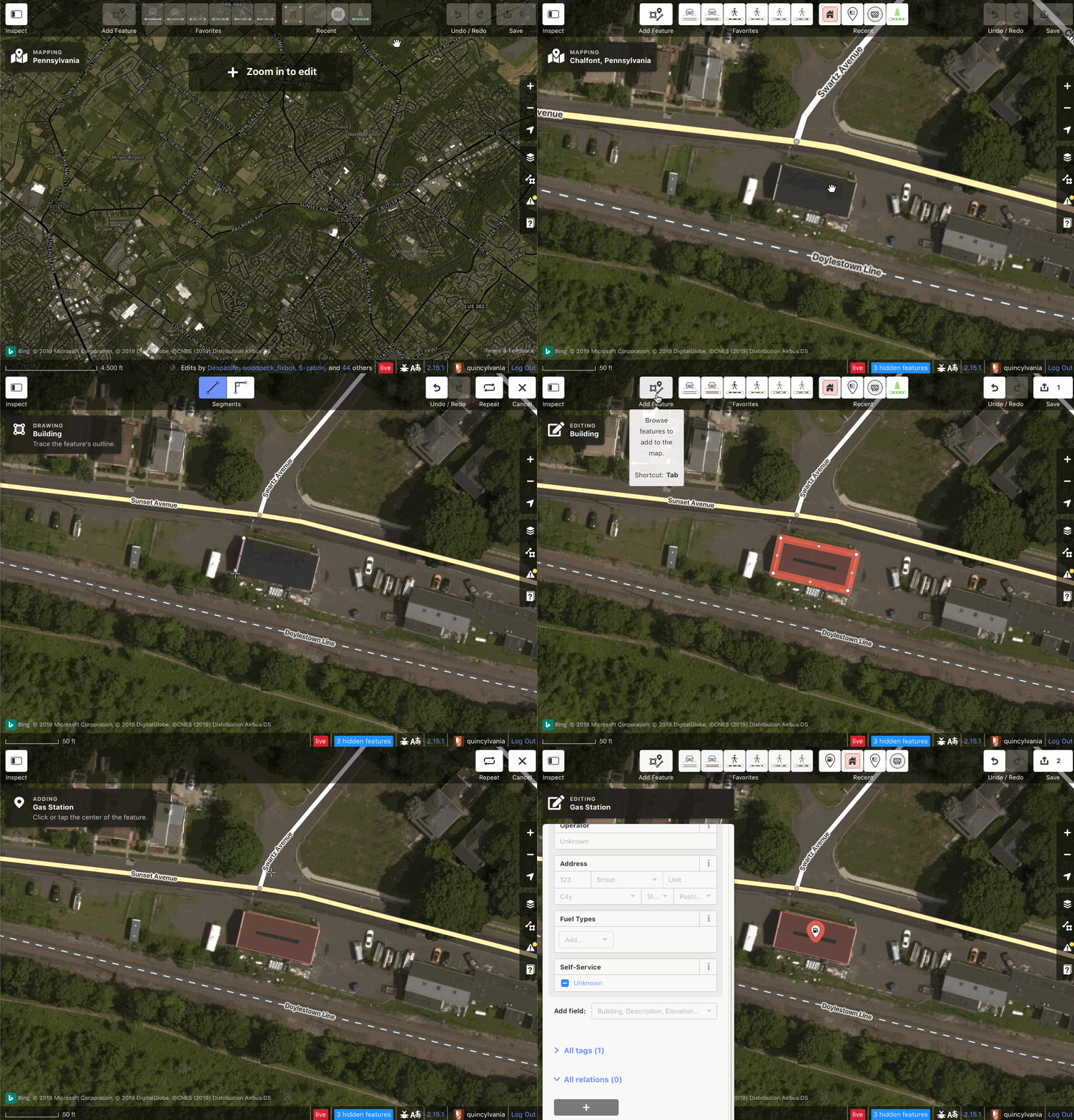
I added a bare-bones version of this. It's a persistent assistant panel that reminds you what you're doing and how to do it. I haven't added the functionality for hiding the instructions yet since they're so short.
quincylvania
on 4 Jun 2019
Related issues
 manfredbrandl
·
3Comments
manfredbrandl
·
3Comments
 tordans
·
3Comments
tordans
·
3Comments
tordans
·
3Comments
tordans
·
3Comments
tordans
·
3Comments
tordans
·
3Comments
 tmcw
·
3Comments
tmcw
·
3Comments
Most helpful comment
I added a bare-bones version of this. It's a persistent assistant panel that reminds you what you're doing and how to do it. I haven't added the functionality for hiding the instructions yet since they're so short.