Id: can't upload changeset in google chrome
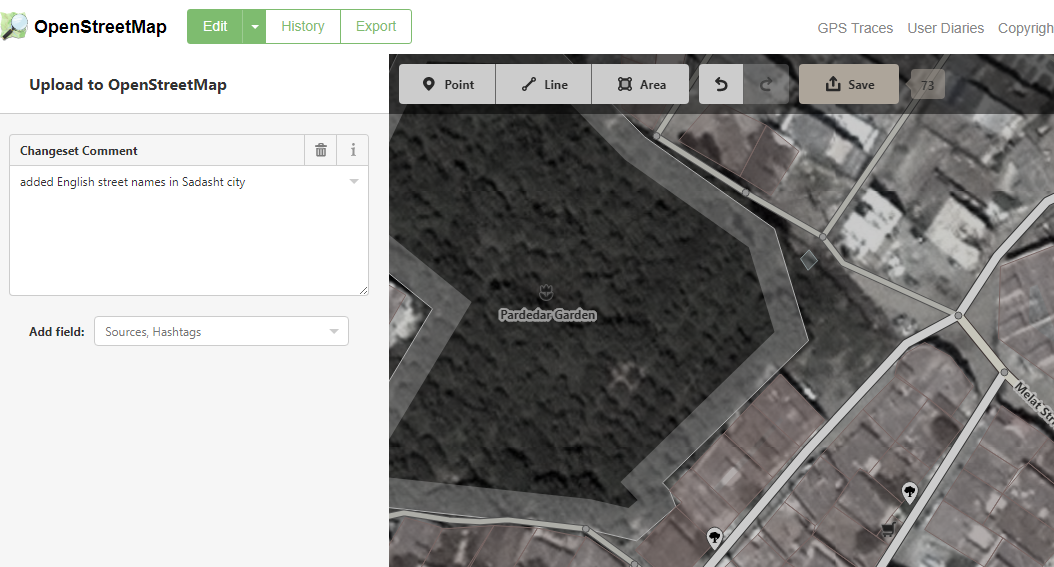
I done 73 edit on my city , and now I want to save my changeset but I can't uploaded my changeset , upload button don't display in page, this is happen in google chrome.
I upload below photo for show my problem.
 Sirvanalie
All 11 comments
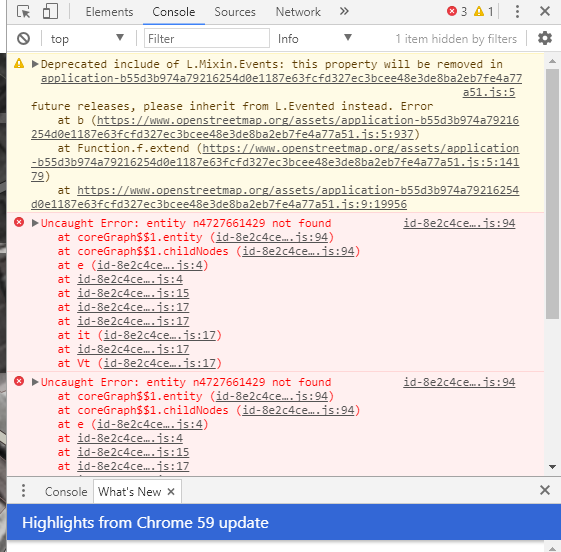
That's odd. iD works on Chrome just fine for me. Which version of chrome do you use? Do you see any error messages displayed in the javascript console after this happens?
 tyrasd
on 5 Sep 2017
tyrasd
on 5 Sep 2017
I think this is a duplicate of #4108.. Let's leave both open, as this one is fresher and might still be traceable if @Sirvanalie can provide some specific details from the javascript console..
I do think there is a real bug in the commit ui code around where it is supposed to show the buttons. It might be that the async OSM API call to fetch the user details failed?
 bhousel
on 6 Sep 2017
bhousel
on 6 Sep 2017
@tyrasd hi. This is my console. My google chrome Version 61.0.3163.79 (Official Build) (64-bit)
Sirvanalie
on 6 Sep 2017
Thanks for the additional information. Looks indeed very much like the other issue on osm-help. Hmm, can you maybe try the "workaround" proposed in https://help.openstreetmap.org/questions/56164/save-button-disappeared/56626 and see if that one works for you, @Sirvanalie? Btw, do you remember editing node/4727661429 (or way/479710171 or anything else in its vicinity) immediately before this bug happened?
tyrasd
on 6 Sep 2017
@tyrasd dear I want to save my changeset , not to ignore them. I n help center they say :You must close the browser window, reopen, and choose not to restore. Then Save will work again. I don't want to delete my changeset. My problem is use this 73 changeset , NOT to ignore them 👎
Sirvanalie
on 7 Sep 2017
:question: I'm not sure whether I understand you correctly or not. But what I wanted you to try is the solution proposed by the user GregRetro on osm-help:
FIX: Control-Z (or use the Undo button) for ALL of the changes that are cached in your session, until the Undo button is no longer lit. Then, CTRL-Y (or Redo) all of the changes over again. You may have to mash that button for quite a while... This will redo all of your edits in the current version of iD, and saving will be re-enabled.
(This procedure wouldn't get rid of your 73 changes.)
Does that not work for you?
tyrasd
on 7 Sep 2017
Thanks. I deleted my changeset :(. Now I should again to edit map . AND added oldest changeset .
Sirvanalie
on 8 Sep 2017
Thanks, finally its solved and I uploaded my changeset .
Sirvanalie
on 18 Sep 2017
finally its solved
What did you do to solve the problem?
tyrasd
on 18 Sep 2017
Nothing, just after a few days, again I want upload my oldest changeset without any hope for solved or not , but when open site and select Restore old changeset , I can uploaded .
Sirvanalie
on 19 Sep 2017
Glad this is now working for you, @Sirvanalie 👍
bhousel
on 19 Sep 2017
Related issues
bhousel
·
3Comments
 jidanni
·
3Comments
jidanni
·
3Comments
 naoliv
·
3Comments
naoliv
·
3Comments
 mvl22
·
3Comments
mvl22
·
3Comments
 rivermont
·
3Comments
rivermont
·
3Comments
Most helpful comment
Thanks, finally its solved and I uploaded my changeset .