Iceraven-browser: Add-ons can fail to show in the add-on list depending on language settings
MOD EDIT: this issue was originally about not being able to find LocalCDN
It's weird, it was requested in #2 and added but I don't find it with the browser.
 bbigras
All 8 comments
It's weird, it was requested in #2 and added but I don't find it with the browser.
It's in there, but the list is very long right now (I should hasten to add that the long list is a feature, not a bug. It gives users more options than a short list, so more people are happy. :) ).
From the "home screen" (with the browser name and top sites):
Three dot menu in the upper right hand corner>Add-ons>Search tool>type in the beginning of the name of the extension until it pops-up>click add
It's just easy to miss because the list is so long now, which is why the search tool is there, so if you need something specific that's buried somewhere deep down there, you don't have to do a bunch of scrolling.
I tested these directions to work with Iceraven 1.1 (Other than the final step of adding it. I saw the extension pop-up, logo and all, though. I just didn't want to install because I already have Decentralyze and they are very similar add-ons). If they aren't working for you and you have a previous version, or are using an automatically created testing build (unofficial Iceraven releases not really intended for public use), you may want to upgrade or downgrade to 1.1, which is the most current official release on the official release page (Official for Iceraven, not for the browser it forked from).
 CharmCityCrab
on 29 Sep 2020
CharmCityCrab
on 29 Sep 2020
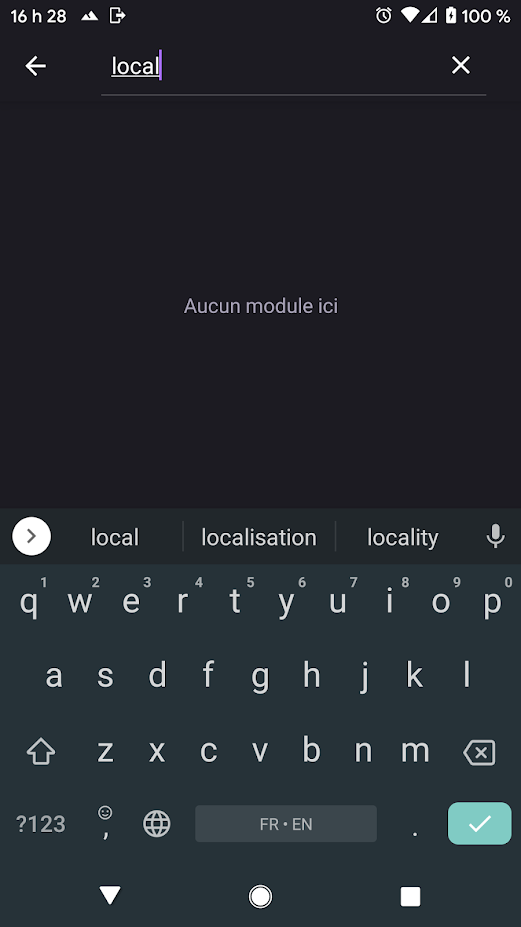
I did check the full list (it wasn't that long) and I tried the search tool but I can't find it.
I got the last release from https://github.com/fork-maintainers/iceraven-browser/releases
I must be doing something wrong.
bbigras
on 29 Sep 2020
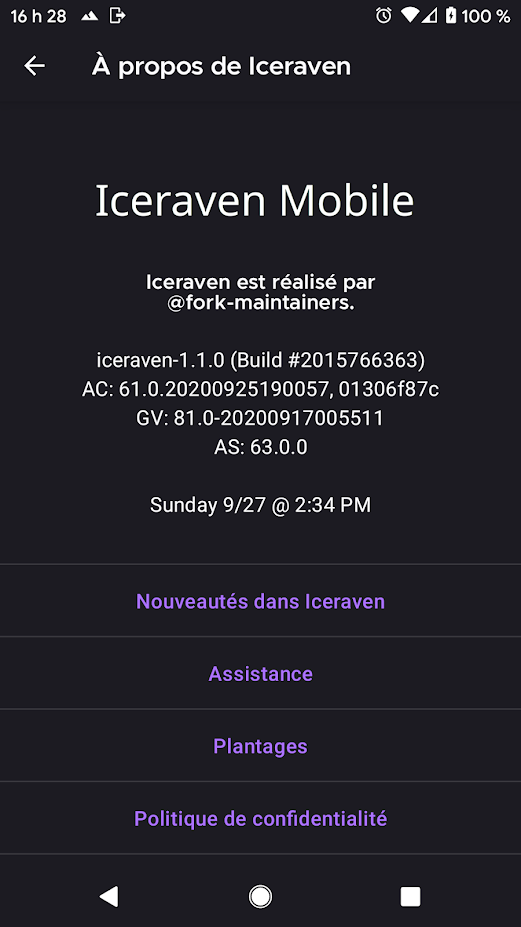
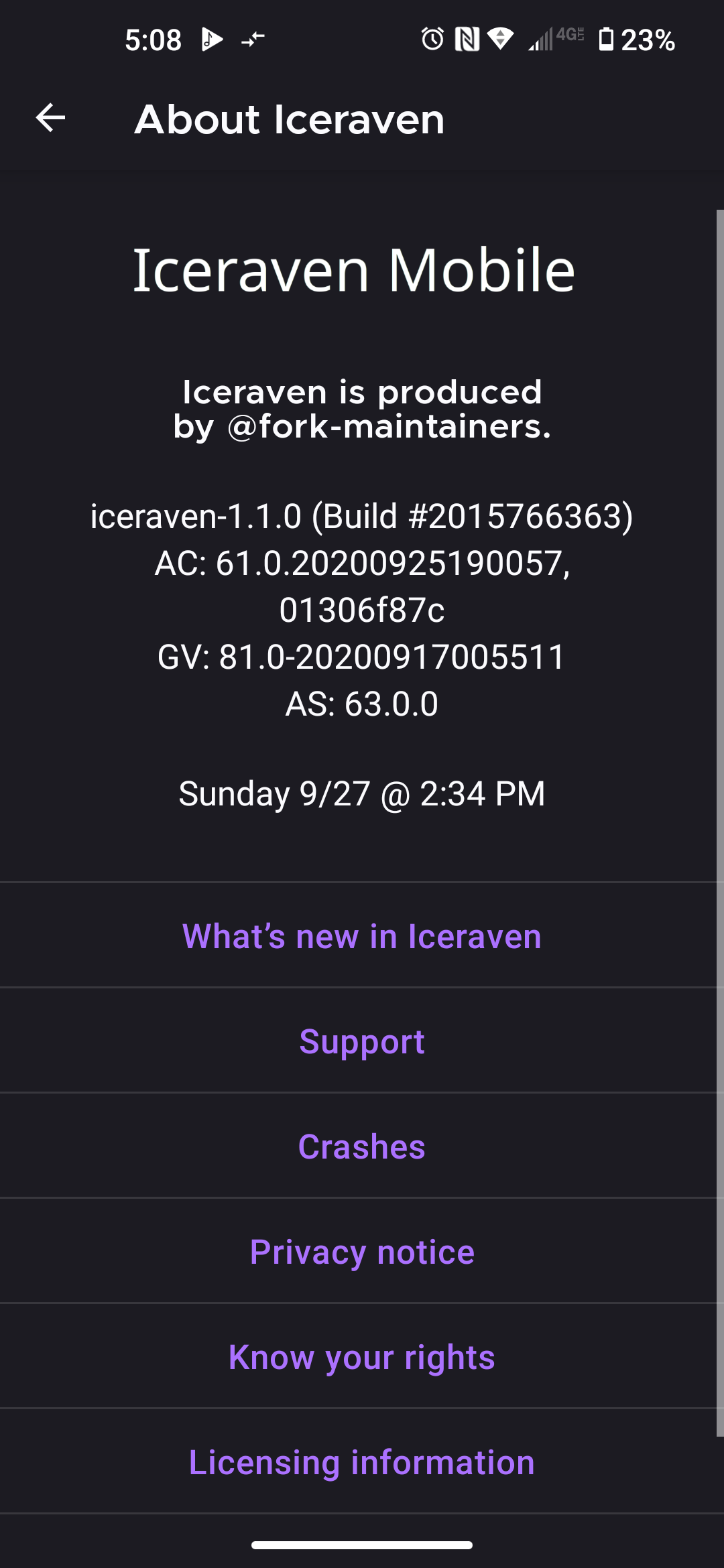
These pictures are just to show that this really is working for me in order to help troubleshooting wise. I'm not trying to cast doubt on it not working for the other poster or anything. It just may help people to know that it works for some people and not others so that they can help figure out what the difference is, and make changes to try to fix the problem for those experiencing it.
One difference I noticed is of course the language localization difference. I doubt a language localization pack would cause this, but one never knows.
Are the names of extensions also translated along with the browser UI when a different language for the UI is set, or do the extension names always remain in English? If the extension names are translated, he'd want to searching for something other than "local", probably an equivalent word in the language his copy of Iceraven uses. The extension names probably do stay in English, so I doubt that will help, but I thought I'd ask just in case.
Is there the equivalent of an "add-on" cache he could clear? How about a way to reload the list of extensions?
If it wouldn't be too much trouble for the user (i.e. If he isn't expecting an important phone call or something and doesn't have anything running he can't shut down), he might want to try shutting down the phone and rebooting. The old IT chesnut of "Have you tried turning it off and then turning it on again?" still does actually solve a lot of things.
It seems more likely to be a coding issue than an issue with his phone, but the phone is the easiest thing to change around on his end, I figure, and won't take up much time.

CharmCityCrab
on 29 Sep 2020
Some addons have translated names but I made sure to check all of them and localcdn wasn't there. The logo would have been the same.
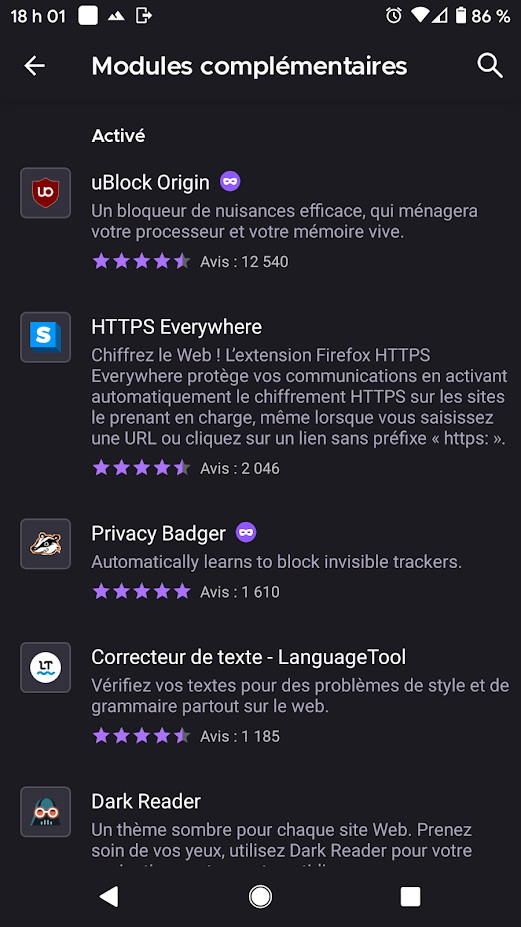
If I delete all the app's storage, start it again, switch the language to English, localcdn is in the list of addons.
If I do the same but leave french as the language, I don't see it.
bbigras
on 30 Sep 2020
It downloads and saves all the translations for all the add-ons, so if changing the language and clearing the app data works, I would think changing the language without clearing the app data would also work, as a workaround.
LocalCDN has translations for de, en-US, and fr in the JSON. It's named "LocalCDN" in all of them, as far as I can tell. Privacy Badger appears to only define en-US, with that as its default locale, so that is used as a fallback. LanguageTool uses en-GB as its default locale and defines a bunch of localizations:
Locale | Text
-- | --
ca | "Gramàtica i corrector ortogràfic - LanguageTool"
de | "Grammatik- und Rechtschreibprüfung - LanguageTool"
en-GB | "Grammar and Spell Checker - LanguageTool"
es | "Corrector ortográfico y gramatical - LanguageTool"
fr | "Correcteur de texte - LanguageTool"
nl | "Spelling- en grammaticacontrole - LanguageTool"
pl | "Sprawdzanie ortografii i gramatyki – LanguageTool"
pt-BR | "Corretor gramatical e ortográfico - LanguageTool"
pt-PT | "Corretor Gramatical e Ortográfico - LanguageTool"
ru | "Корректор грамматики и орфографии - LanguageTool"
uk | "Коректор граматики та орфографії – LanguageTool"
I'm not sure what makes LocalCDN not show up when LanguageTool does.
 interfect
on 30 Sep 2020
interfect
on 30 Sep 2020
If you set the language back does the add-on go away?
interfect
on 30 Sep 2020
For reference, right now LocalCDN is item 5 in this page of the JSON: https://addons.mozilla.org/api/v4/accounts/account/16201230/collections/What-I-want-on-Fenix/addons/?page=5
interfect
on 30 Sep 2020
If you set the language back does the add-on go away?
No it's still there. It's possible the addon list is not refreshed since I'm pretty sure I tested "clear app, leave lang to FR, check addon list (addons are fetched), switch to EN, check addons (list is not refreshed and LocalCDN is missing).
It downloads and saves all the translations for all the add-ons, so if changing the language and clearing the app data works, I would think changing the language without clearing the app data would also work, as a workaround.
I think the addon list is not refreshed when I switch lang.
bbigras
on 30 Sep 2020
Related issues
CharmCityCrab
·
7Comments
interfect
·
5Comments
 linsui
·
4Comments
linsui
·
4Comments
 bbigam
·
9Comments
bbigam
·
9Comments
 Raul1198
·
3Comments
Raul1198
·
3Comments