Hyrax: Show confirmation before leaving unsaved changes in forms with tabs
Descriptive summary
Edit forms for the following are presented as tabbed forms, which makes user to navigate from tab to tab while making changes.
- Edit filesets
- Edit pages in admin dashboard
- Edit collections (#3454)
If the user leave the current tab with unsaved changes and make changes in the next tab and saves it, edits in the previous tab gets discarded.
Rationale
The tab format misguides the user to think, hitting Save on the last tab will save the content entered in all the tabs.
For an example: When editing page contents for About Page, Help Page and the others (Admin dashboard -> Settings -> Pages), the changes in the previous tab are discarded when a user hits save in the current tab.
Expected behavior
- Notify user when leaving unsaved changes in the current tab, by using a pop-up
- If the user confirms leaving the tab, navigate to the tab user wanted and reset the content in the previous tab
- If not stay in the current tab
Actual behavior
Change tabs when there are unsaved changes in the current tab. When clicked on the Save button in the next tab, the changes made in the previous tab are discarded.
Steps to reproduce the behavior
Editing pages in admin dashboard;
- As an admin, go to
Dashboard->Settings->Pages - Change content in the
About Pagetab - Go to
Help Pagetab without saving the changes - Make some changes in the
Help Pagetab - Hit
Savebutton - Go back to
About Page, the changes made in the form are not saved
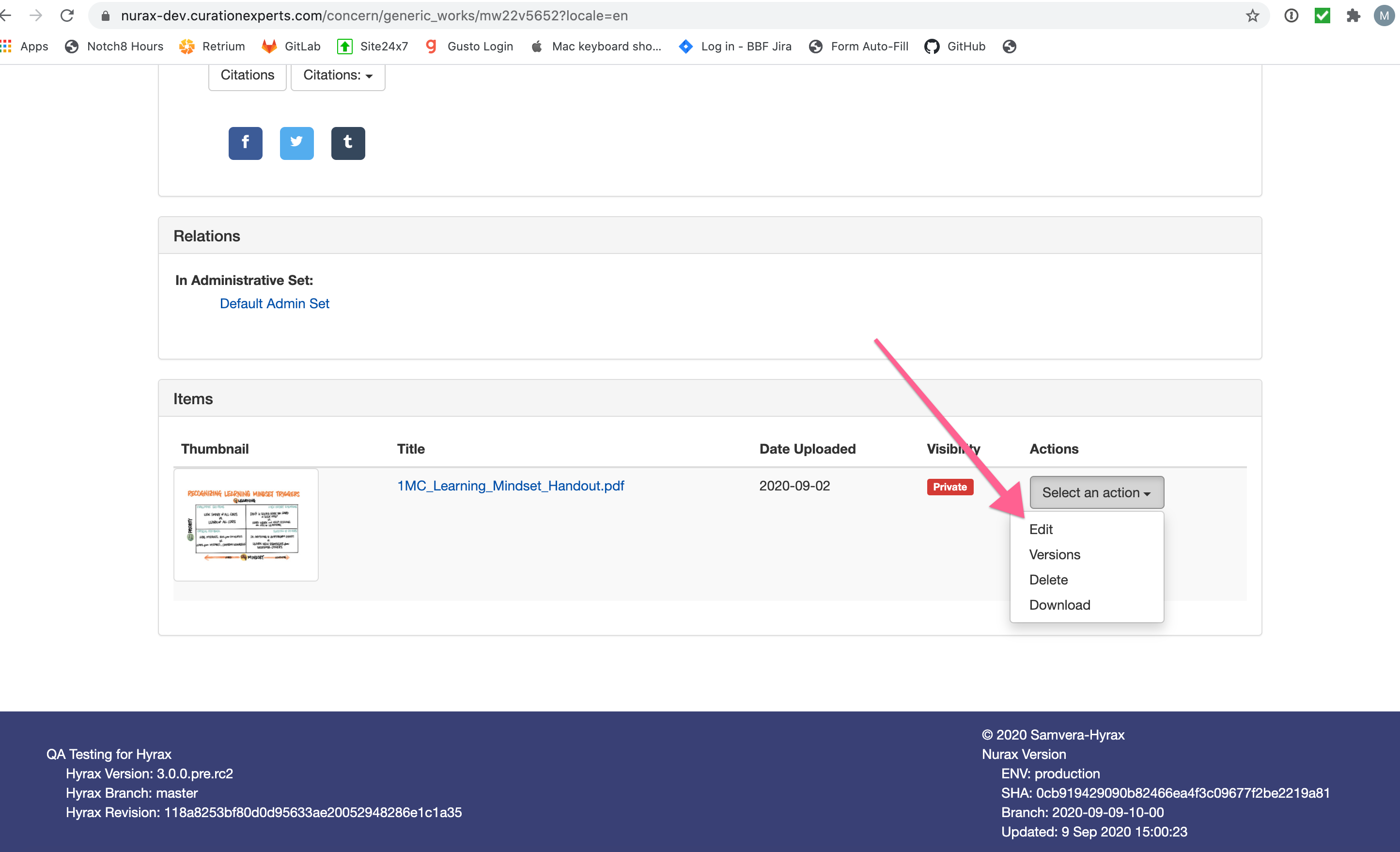
Editing filesets;
- Go to
Dashboard->Works - Click on a work -> Go to items section on the bottom of the page ->
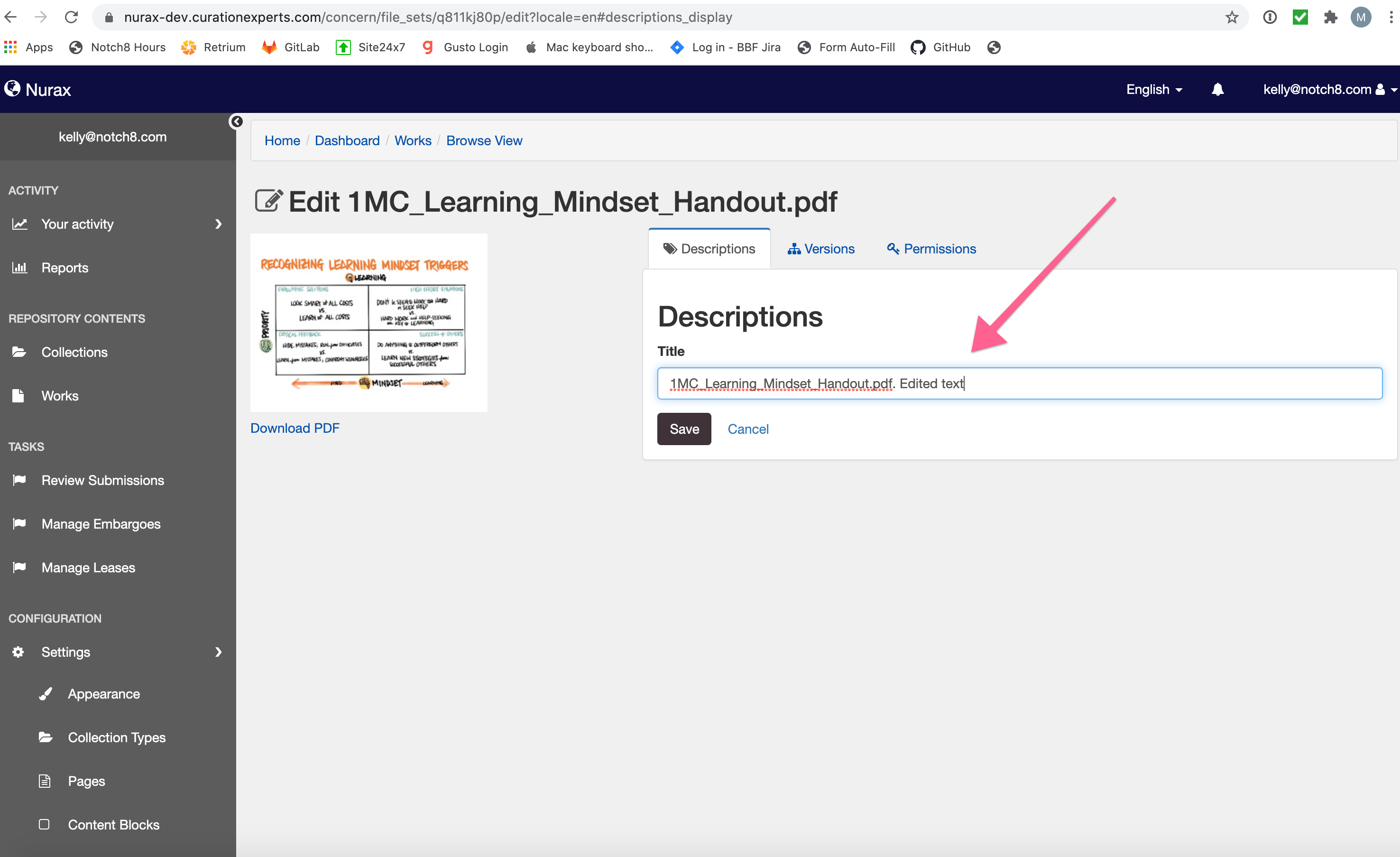
Select an action->Edit - Change the text in the form in
Descriptionstab - Go to
Permissionstab without saving the changes - Add a user and hit
Savebutton at the bottom - Go back to
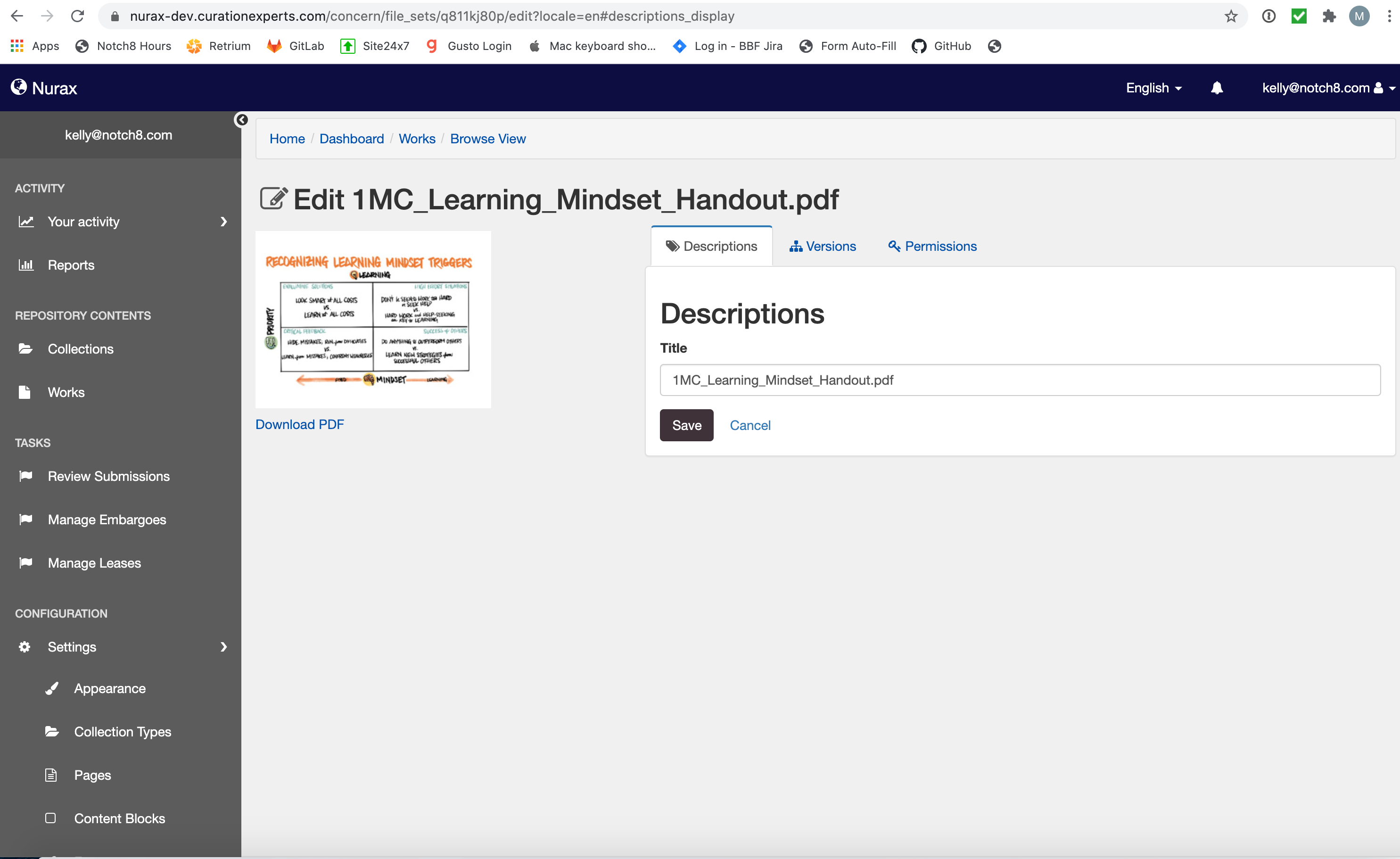
Descriptionstab, the changes made were discarded
Related work
 Dananji
All 21 comments
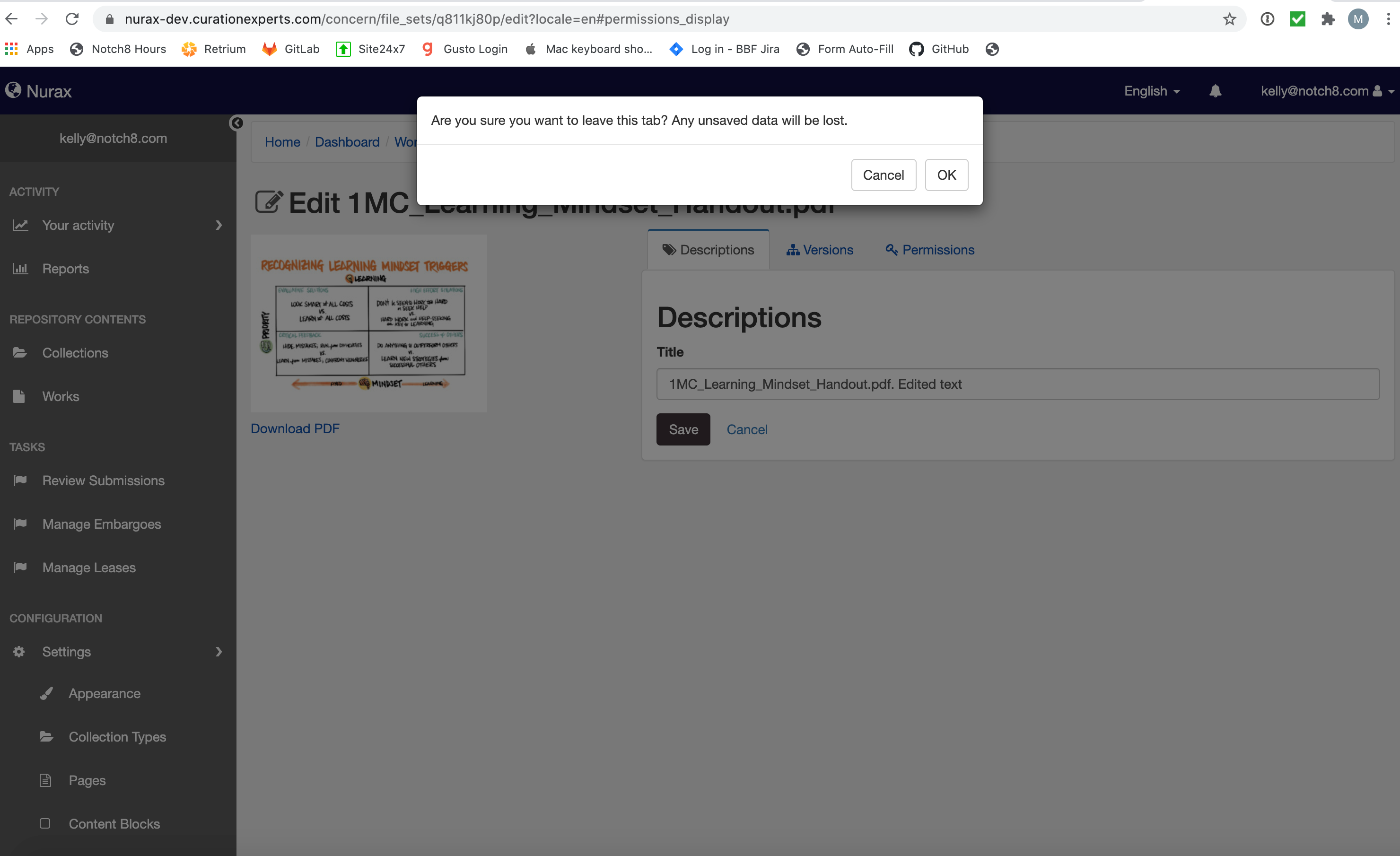
@no-reply In the current generic solution for the modal, unsaved changes are not discarded when switching tabs. It gives you the pop-up saying Are you sure you want to leave this tab? Any unsaved data will be lost. when switching tabs and content in the previous tabs are not discarded until you Save contents in another tab.
So if you go back to the previous tab, you can still see the changes as long as you don't hit save on another tab.
Should we,
- Reset the previous tab's content, when user chooses to change tabs?
- Keep the current behavior?
I am not sure what's the best path to take here.
Dananji
on 13 Aug 2019
Could we consider a solution where switching between tabs does not delete data? Alternatively, what about redesigning these forms to avoid misleading tabs altogether?
It seems like the modal is a bit of a band-aid, and I'm not sure it's worth the effort to refine the behavior of the form to improve the experience with the modal, when what's really needed is a consistent form experience.
cc: @samvera/hyrax-repo-managers
 no-reply
on 3 Sep 2019
no-reply
on 3 Sep 2019
Yes, the presentation of the forms is misleading to the user.
Should we keep the modal until we implement a redesign?
Dananji
on 3 Sep 2019
In my experience these sort of "form watch" warnings really frustrate users at scale (ie people working in the interface all day).
On the new form for a work, changing tabs is supported before clicking save and there is a single save for all tabs. I would suggest that the bug is not a lack of warning, but the bug is that the tab changes are page changes and that this should be implemented as a single page w/ real tabs and a single save button.
 orangewolf
on 4 Sep 2019
orangewolf
on 4 Sep 2019
Having said that, if we see this as a stop gap, I support done code over dream implementations ;-)
orangewolf
on 4 Sep 2019
I found that collapsible forms can be one of the solutions for these types of forms with multiple sections, and I made this simple demo on JsFiddle to show how this would look like, https://jsfiddle.net/Dananji/st5mv7y9/24/
Dananji
on 4 Sep 2019
Just another thought, there are some operations within a tab that save without hitting save and some that do not. That is one of the current frustrations. Although ideally we'd rethink the tab approach, I'm supportive of a warning. Power users can learn to hit save, but IR and data users are occasional users and I think stop gap would address this for 3.0?
 julesies
on 6 Sep 2019
julesies
on 6 Sep 2019
It's a bit unclear on which course of action was decided, but the behavior on pages seems to have reverted to the undesired behavior described in the original post: There is no modal to warn when you switch to another tab, and the save button only saves the changes to the active page, not any of the others
 dlim87
on 2 Oct 2019
dlim87
on 2 Oct 2019
@dlim87 I can see the popup-modal working in https://nurax-stable.curationexperts.com/ for editing a collection. If you could tell me the test environment you are using I might be able help you.
Dananji
on 2 Oct 2019
This was on OSX - Firefox, chrome, and safari, checking it on nurax-dev (not stable, since that wouldn't reflect the current status of hyrax)
Though checking it on nurax-stable, I'm not seeing the modal pop up on any of those 3 browsers either
dlim87
on 2 Oct 2019
Nor am I seeing the modal on Windows 10 - firefox and chrome on nurax-stable, either
Steps to reproduce:
- login as an admin
- go to Settings > Pages
- make some changes on the about page
- click on help page tab
dlim87
on 2 Oct 2019
I can't access Collections in nurax-dev, I get the following error;
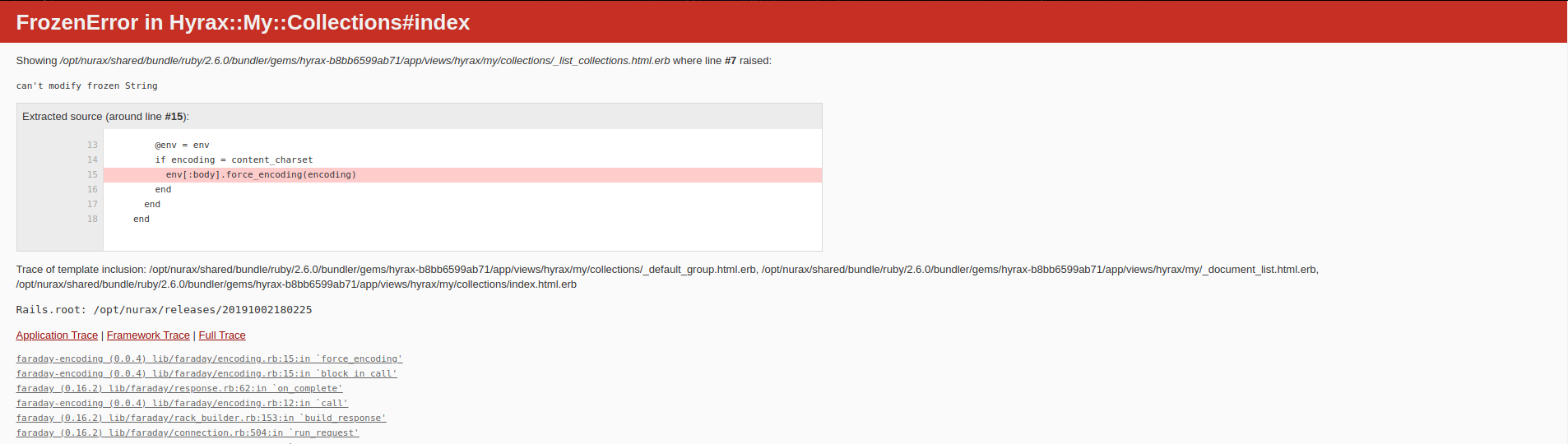
In nurax-stable, HTML for the modal with the id nav-safety-modal shows up when I inspect the page. I'm sorry I have no idea what's wrong with this. Maybe someone else can help?
Dananji
on 2 Oct 2019
sorry, the nurax thing is a known issue. several people in the nurax slack channel are working on it now.
it's very unexpected that @dlim87 is not also seeing this
no-reply
on 2 Oct 2019
I was talking about on Settings > Pages, from the first set of steps in the original post.
I was leaving looking at the works part until after that other problem was resolved. I'm not sure where collections come into this?
dlim87
on 2 Oct 2019
The popup-modal is implemented for 3 forms;
- Admin Pages edit form
- Fileset edit form
- Collections edit form
I was going to test Collections edit form and Filesets edit form, but I got the above when I tried visiting Collections page, and Filesets page respectively.
I'm not an admin user in nurax-dev, so I was not able to test the Admin pages edit form.
Sorry I don't know what's wrong.
Dananji
on 2 Oct 2019
Testing on nurax-stable. (which again, may not be reflective of the current status)
- Admin > settings> pages> edit form: As already noted, the modal does not show up between making changes to the form fields and then clicking on the other tabs. Only the changes on the tab where save is pushed are changed
- fileset edit form. The modal doesn't show up, but the entered data is persisted when you switch between the tabs. There was a change to the behavior since the original post, where added users don't trigger a save on a work. Pressing the save button saves all the changes to the work now, regardless of the tab, so a modal is probably not necessary.
- collections edit form - does have the modal pop up
We should definitely test 2 and 3 on nurax-dev once it's fixed, but the lack of a modal on the Admin Pages edit form was the one I was saying was broken this whole time
dlim87
on 2 Oct 2019
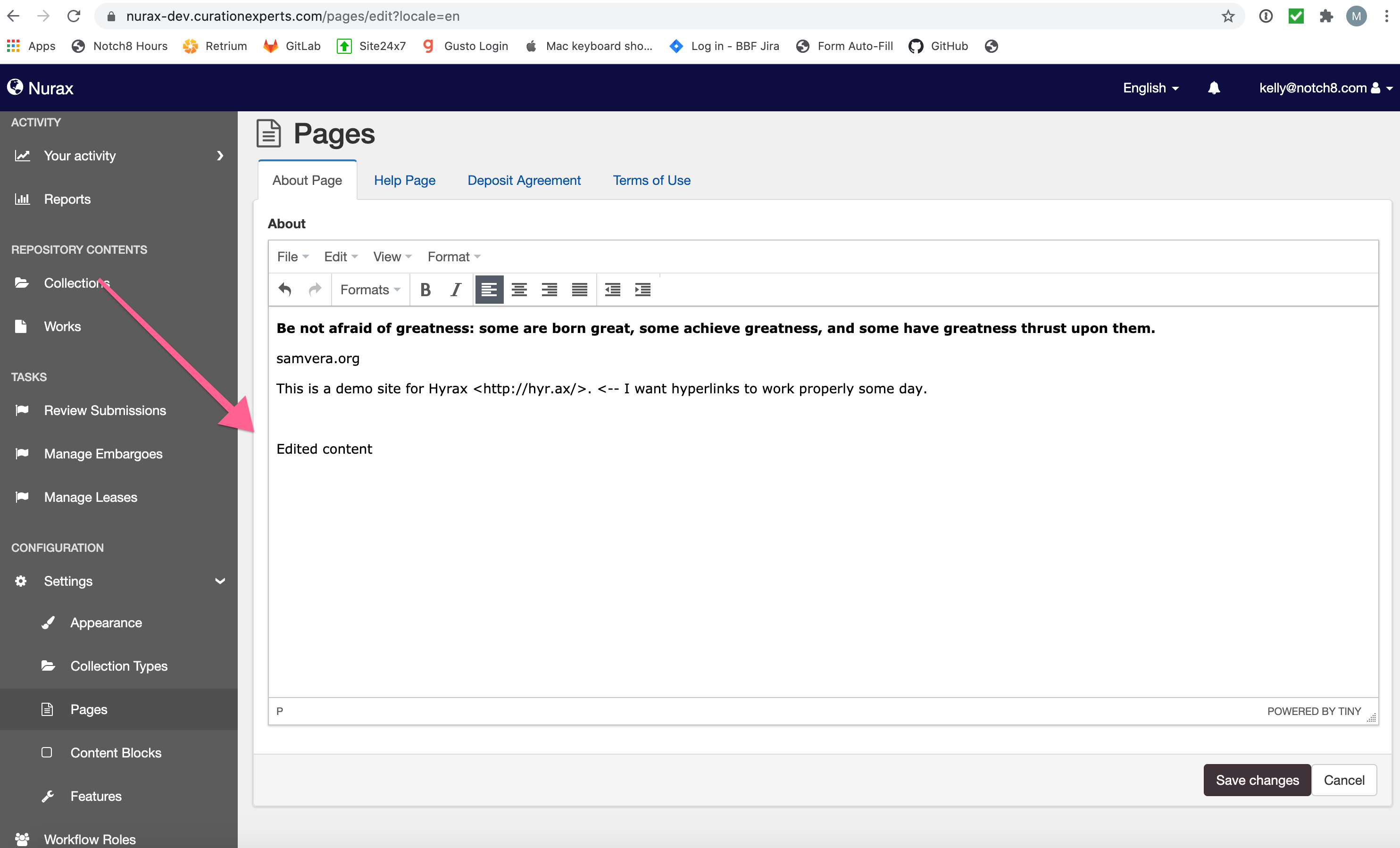
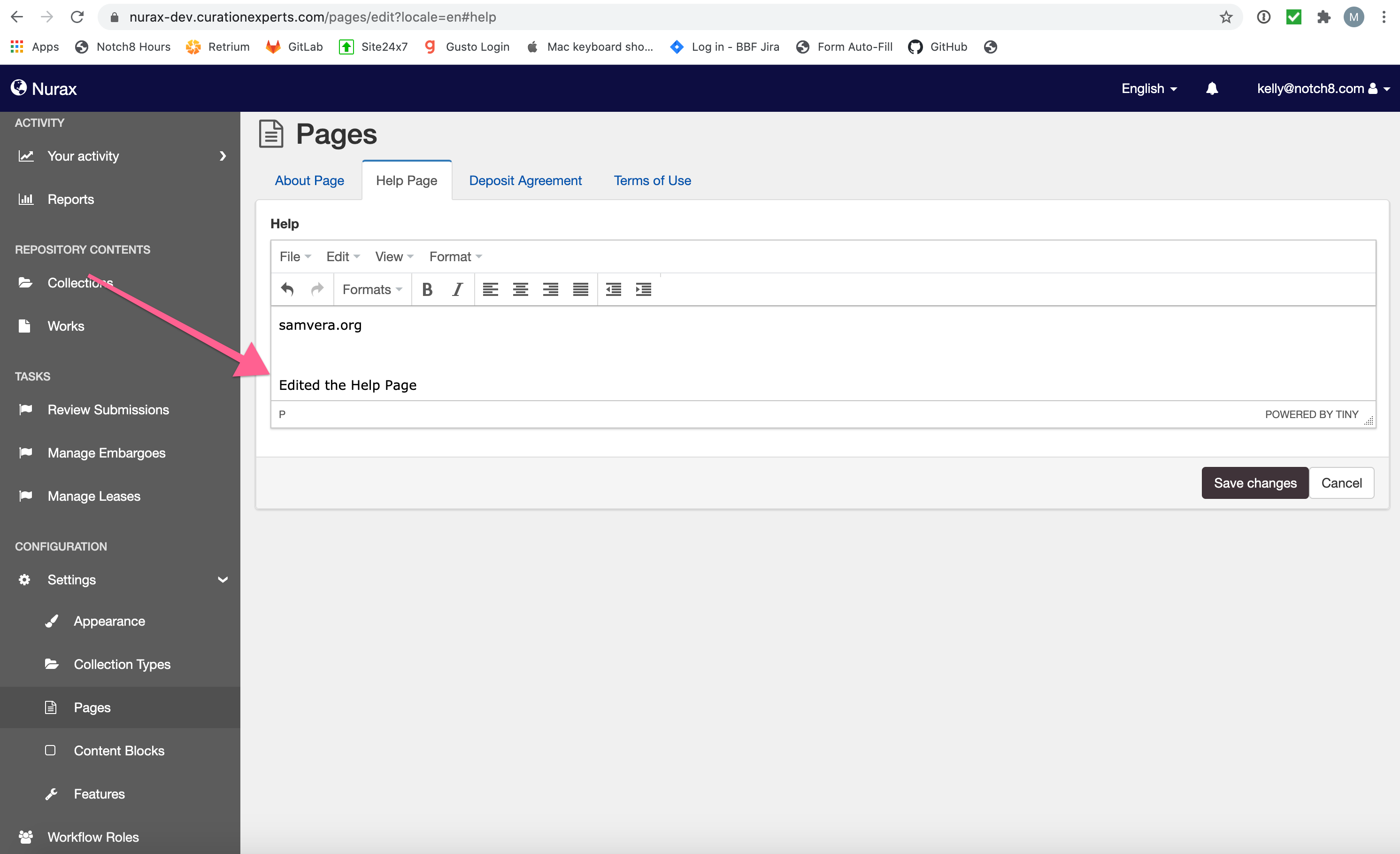
When I make changes in one tab _without saving_ them, and then make changes in _another_ tab and _save_ them, the changes from the original tab are _not_ present.
The confirmation box does _not_ appear on the _Admin dashboard_ pages form, yet it _appears_ for the _editing filesets_ form.
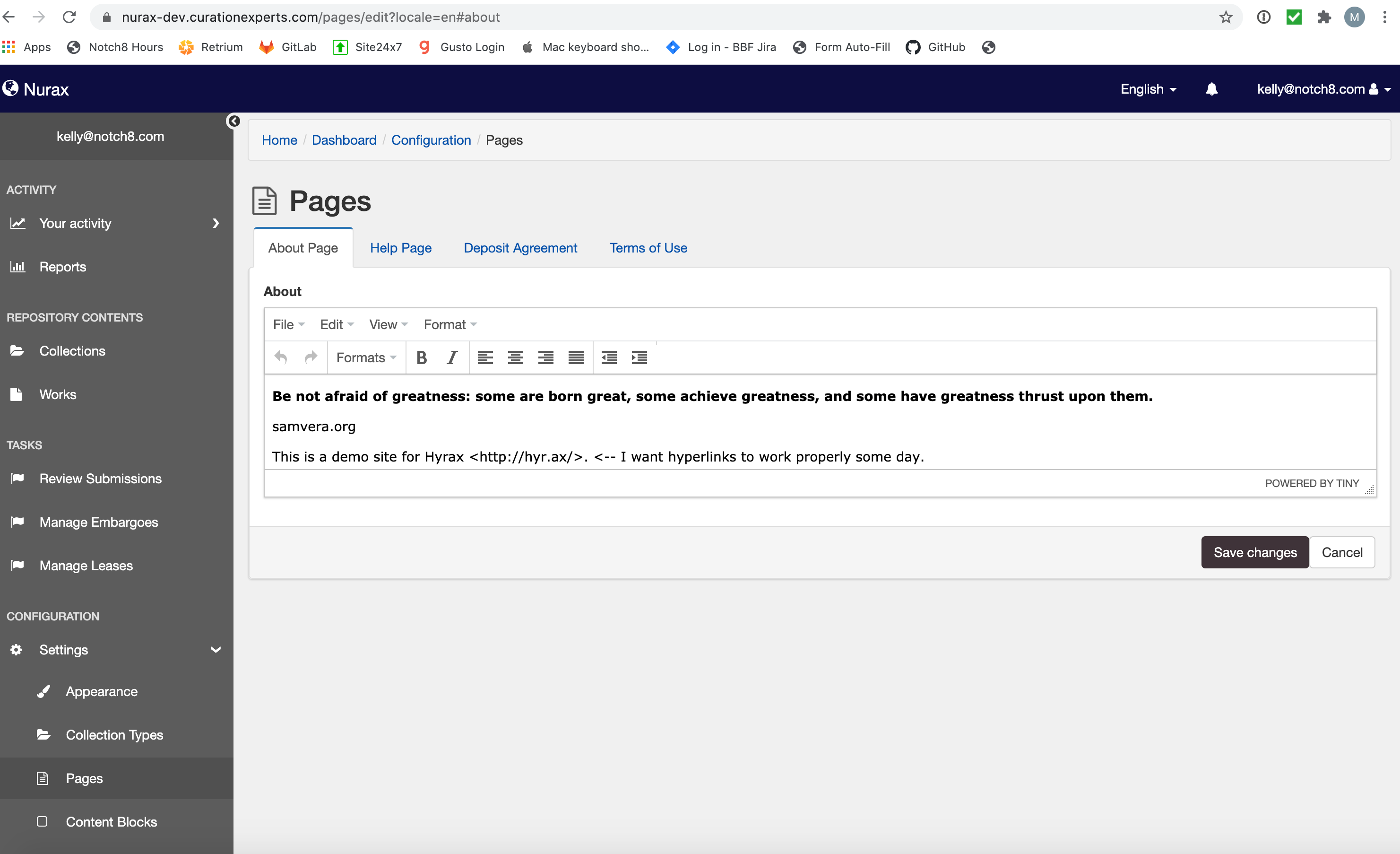
Admin dashboard pages:
Edited the About Page:
Edited the Help Page:
Saved the changes from the Help Page:
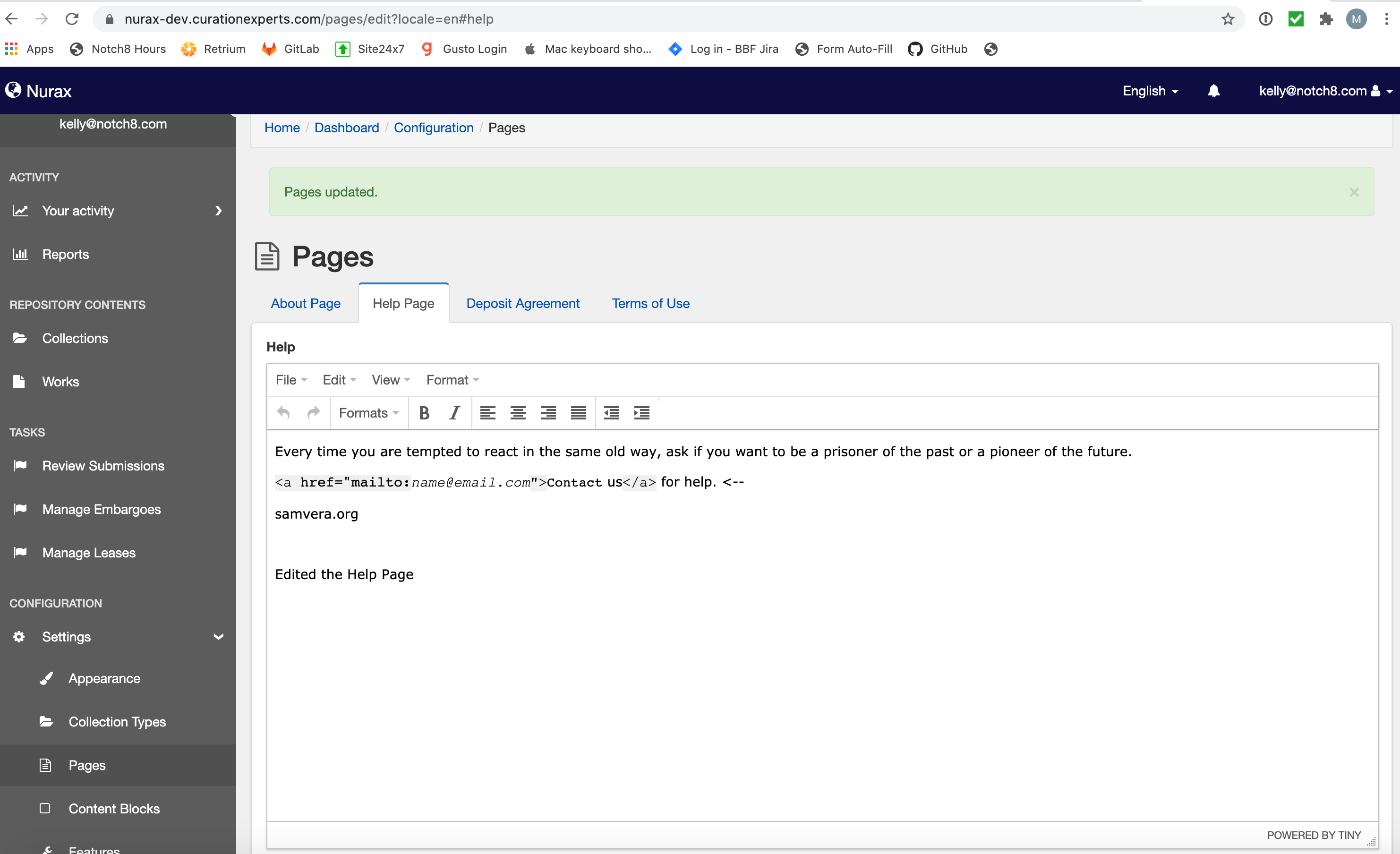
The edits made in the About Page are not present:
Filesets:
Edited the fileset:
Made some edits to the Descriptions:
Confirmation box appeared before navigating to a different tab without saving the changes:
Made changes in the Permissions tab:
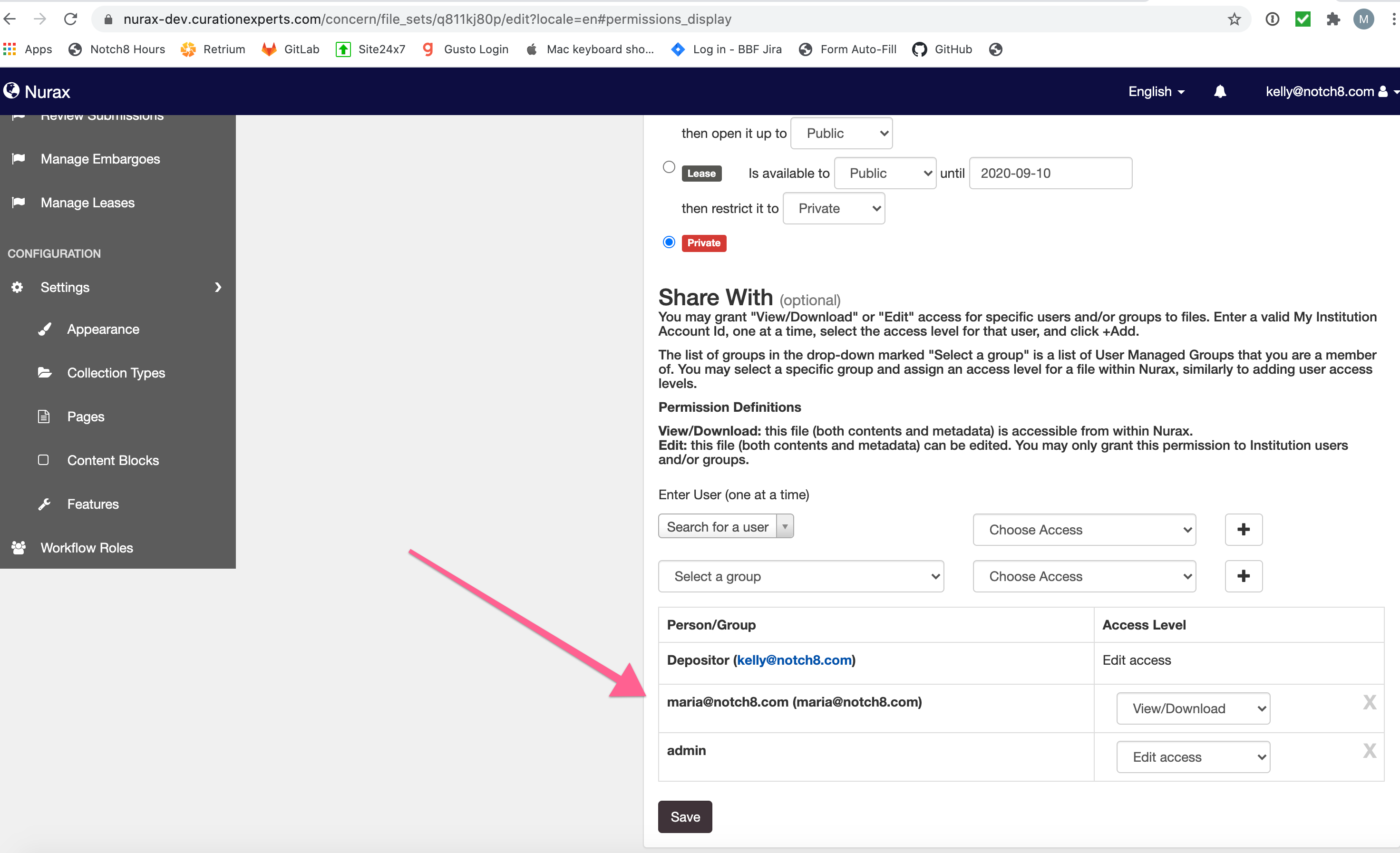
Saved the changes from Permissions:
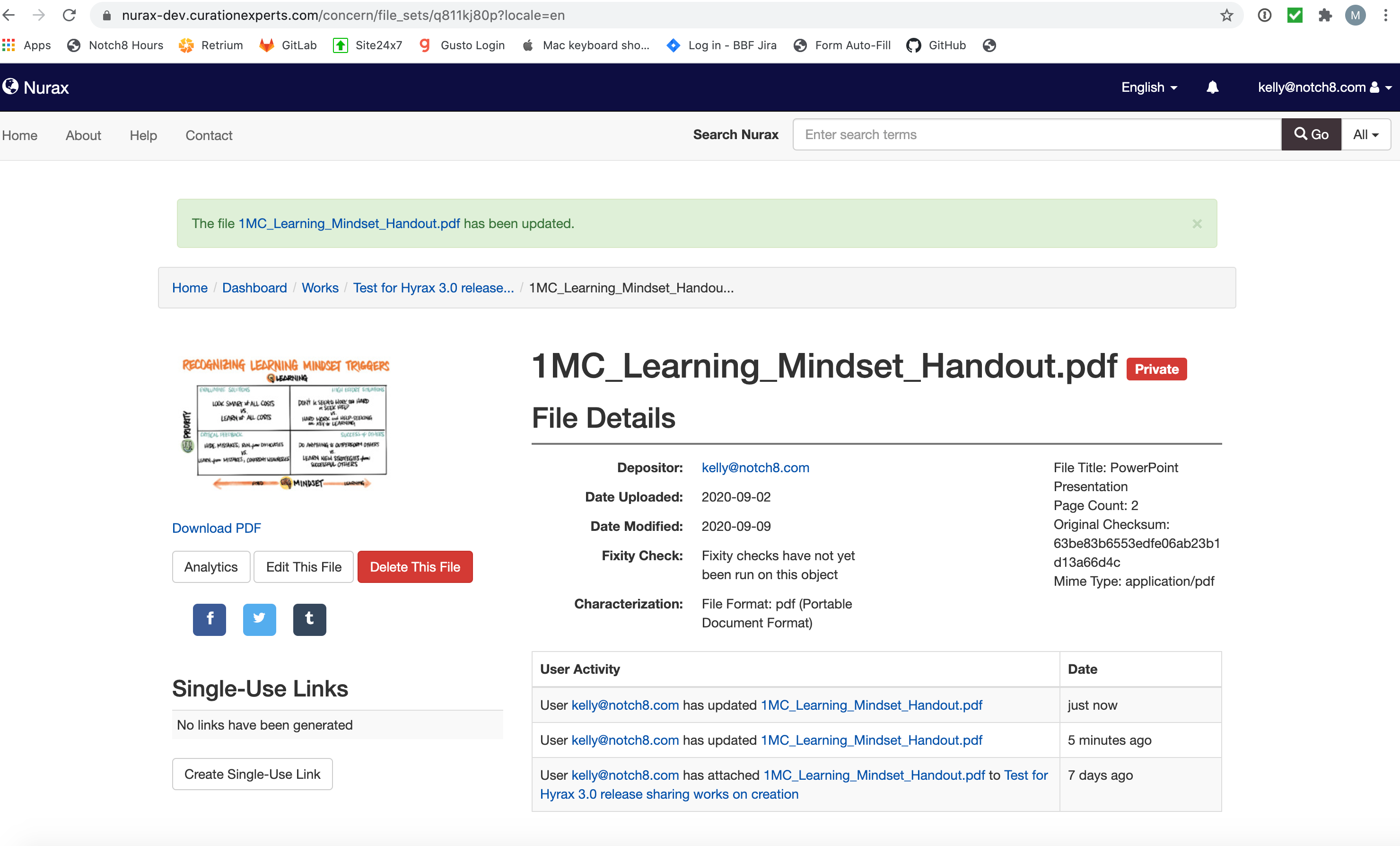
Changes from the Descriptions tab are not present:
 MariaStarPower
on 9 Sep 2020
MariaStarPower
on 9 Sep 2020
- [ ] Confirmation box does not appear on the tabs from the about us or other pages in the admin dashboard. (See comment above for more details).
 crisr15
on 11 Sep 2020
crisr15
on 11 Sep 2020
I'm understanding that this issue needs to be re-opened.
 jeremyf
on 14 Sep 2020
jeremyf
on 14 Sep 2020
Testing this in Hyrax (the master branch), confirmation boxes appear as expected in all three contexts.
Testing on nurax-dev.curationexperts.com, confirmation boxes appear as expected in the two contexts I can check. I don't have admin permissions to check the admin dashboard Pages context.
 bkeese
on 12 Oct 2020
bkeese
on 12 Oct 2020
Testing on nurax-dev - confirmation box appears as expected when trying to switch tabs without saving when editing fileset. I don't have admin permissions on nurax-dev to check the admin dashboard context either.
 jlhardes
on 8 Dec 2020
jlhardes
on 8 Dec 2020
Related issues
 tahirpoduska
·
6Comments
tahirpoduska
·
6Comments
 mbklein
·
4Comments
mbklein
·
4Comments
 svanschuyver
·
5Comments
svanschuyver
·
5Comments
 straleyb
·
6Comments
straleyb
·
6Comments
 revgum
·
6Comments
revgum
·
6Comments
Most helpful comment
Could we consider a solution where switching between tabs does not delete data? Alternatively, what about redesigning these forms to avoid misleading tabs altogether?
It seems like the modal is a bit of a band-aid, and I'm not sure it's worth the effort to refine the behavior of the form to improve the experience with the modal, when what's really needed is a consistent form experience.
cc: @samvera/hyrax-repo-managers